Choosing between an AIO liquid cooler and a traditional air cooler is one of the most consequential decisions you’ll make when building or upgrading a gaming PC. Modern high-end CPUs, especially Intel’s 14th-gen Core and AMD’s Ryzen 9000 series, pull serious wattage under load and dump enormous heat into the chassis. Air coolers have gotten remarkably good at taming these chips, but AIOs still hold the advantage in raw thermal headroom, aesthetics, and clearance around the CPU socket. The trick is knowing which approach actually fits your case, budget, and noise tolerance rather than just picking the most expensive option on the shelf.
Our top picks
 ARCTIC Liquid Freezer III Pro 360 A-RGB
- CONTACT FRAME FOR INTEL LGA1851 | LGA1700: Optimized…
- ARCTIC's P12 PRO FAN: More power at any…
- Shifting the cold plate center towards the CPU…
 CORSAIR Nautilus 360 RS Liquid CPU Cooler
- Simple, High-Performance All-in-One CPU Cooling: Renowned CORSAIR engineering…
- Efficient, Low-Noise Pump: Keeps your coolant circulating at…
- Convex Cold Plate with Pre-Applied Thermal Paste: The…
 Thermalright Aqua Elite 240 V3 Aio CPU
- 【Better Cooling】 The cooler adopts the fourth generation…
- 【Unique Pump Head】 The octagonal shaped cold pump…
- 【High Airflow Output】 The airflow provided by the…
| Product | Key specs | |
|---|---|---|
| ARCTIC Liquid Freezer III Pro 360 A-RGB | CONTACT FRAME FOR INTEL LGA1851 | LGA1700: Optimized… ARCTIC's P12 PRO FAN: More power at any… Shifting the cold plate center towards the CPU… | Check price |
| CORSAIR Nautilus 360 RS Liquid CPU Cooler | Simple, High-Performance All-in-One CPU Cooling: Renowned CORSAIR engineering… Efficient, Low-Noise Pump: Keeps your coolant circulating at… Convex Cold Plate with Pre-Applied Thermal Paste: The… | Check price |
| Thermalright Aqua Elite 240 V3 Aio CPU | 【Better Cooling】 The cooler adopts the fourth generation… 【Unique Pump Head】 The octagonal shaped cold pump… 【High Airflow Output】 The airflow provided by the… | Check price |
 Thermalright Peerless Vision 360 ARGB Black CPU Thermalright Peerless Vision 360 ARGB Black CPU | [3.95-inch Magnetic Screen] The CPU cooler has a… [3 Wireless Splicing CPU Fans] The pc fan… [PWM Temperature Control] The high-performance fan has PWM… | Check price |
 ARCTIC Liquid Freezer III Pro 240 ARCTIC Liquid Freezer III Pro 240 | Check price | |
 Thermalright Peerless Assassin 120 SE CPU Cooler Thermalright Peerless Assassin 120 SE CPU Cooler | [Brand Overview] Thermalright is a Taiwan brand with… [Product specification] Thermalright PA120 SE 【2 PWM Fans】TL-C12C | Check price |
 ARCTIC Liquid Freezer III Pro 360 ARCTIC Liquid Freezer III Pro 360 | CONTACT FRAME FOR INTEL LGA1851 | LGA1700: Optimized… ARCTIC's P12 PRO FAN: More power at any… Shifting the cold plate center towards the CPU… | Check price |
 CORSAIR iCUE Link Titan 240 RX RGB CORSAIR iCUE Link Titan 240 RX RGB | Check price |
As an Amazon Associate we earn from qualifying purchases at no extra cost to you.
This guide breaks down the best AIO and air coolers currently available, covering everything from premium 360mm liquid setups to value-driven air towers. We’ve selected models that excel in cooling performance, acoustic behavior, and build quality, and we cover the key factors like socket compatibility, radiator placement, and installation complexity so you can make an informed decision without second-guessing.
🛒 Best Price Today on Amazon
Prime members get fast, free shipping on everything above, plus member-only deals. New members get a 30-day free trial — cancel anytime.
Watch: AIO vs Air Cooler: Which Is Best in 2026? — Video Review
How to Choose a/an AIO vs Air Cooler
- CPU Thermal Output: If your chip pulls 200W or more under load, a 280mm or 360mm AIO will generally outperform even top-tier air coolers. For 150W and below, a quality dual-tower air cooler is more than sufficient.
- Case Clearance: Measure your case’s radiator support and CPU cooler height limit before buying. Large air coolers can conflict with tall RAM, while thick 360mm AIOs may not fit in the front or top of compact mid-tower cases.
- Noise Sensitivity: AIOs with larger fans spinning at lower RPMs tend to be quieter under sustained load, but air coolers are virtually silent at idle. Check fan curves and pump noise if acoustics matter to you.
- Aesthetics and Build Theme: AIOs offer cleaner cable routing, animated LCD screens, and better visibility of motherboard components, while premium air coolers like dual-tower designs can look aggressive and purposeful in a windowed build.
- Price-to-Performance: Air coolers typically deliver better value per dollar of cooling capacity. If you’re on a budget, a strong air cooler at $40 often matches a $90 240mm AIO in real-world temperatures.
The Best AIO vs Air Coolers Reviewed
ARCTIC Liquid Freezer III Pro 360 A-RGB
This 360mm AIO consistently tops thermal charts thanks to its thick radiator and optimized VRM fan. It’s the best overall pick for high-wattage Intel and AMD CPUs where you need maximum heat dissipation without resorting to custom watercooling.
CORSAIR Nautilus 360 RS
Corsair’s Nautilus 360 RS delivers low-noise performance with a clean direct-to-motherboard connection and daisy-chain fans that cut cable clutter. It’s a strong choice for builders who value both acoustics and a tidy interior.
Thermalright Aqua Elite 240 V3
The Aqua Elite 240 V3 punches well above its price tier with solid 240mm liquid cooling and ARGB fans. It’s the go-to budget AIO for gamers who want liquid cooling aesthetics without spending premium dollars.
Thermalright Peerless Vision 360 ARGB
Featuring a 3.95-inch IPS LCD screen with 480×480 resolution, the Peerless Vision 360 combines flagship-tier cooling with a customizable display. It’s ideal for showpiece builds where you want both performance and a visual centerpiece.
Thermalright Peerless Assassin 120 SE
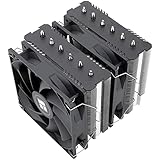
The Peerless Assassin 120 SE remains the value king of air cooling. With six heat pipes and dual 120mm fans, it rivals coolers costing twice as much and is the safest budget pick for any mid-range gaming CPU.
Frequently Asked Questions
Is an AIO cooler better than air for gaming?
Not necessarily. For most mid-range CPUs, a quality air cooler performs nearly identically to a 240mm AIO. AIOs pull ahead with high-wattage flagship chips that benefit from the larger radiator surface area.
How long do AIO coolers last?
Most modern AIOs last five to seven years before pump degradation or permeation reduces performance. Look for models with at least a six-year warranty, like ARCTIC’s, for added peace of mind.
Do AIOs leak?
Leaks are rare with reputable brands using properly sealed fittings. The risk is low enough that it shouldn’t deter you, but it’s wise to avoid no-name units and to mount the radiator above the pump to prevent air pockets.
Can I use a stock cooler for gaming?
Stock coolers work for light gaming on lower-tier chips, but they run hot and loud under sustained load. Even an inexpensive aftermarket air cooler like the Peerless Assassin 120 SE is a meaningful upgrade.
Final Thoughts
For most builders, the ARCTIC Liquid Freezer III Pro 360 offers the best blend of performance and value in liquid cooling, while the Thermalright Peerless Assassin 120 SE remains unbeatable on a budget. If you want a showpiece with both thermal headroom and a built-in display, the Thermalright Peerless Vision 360 ARGB is worth the premium.