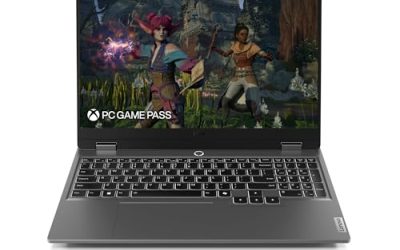
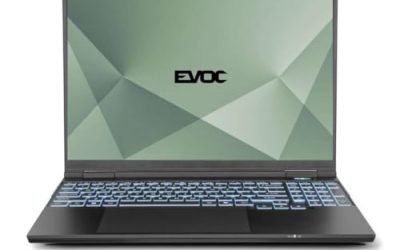
Our Short List of 3

- Best for: Commuters and students who want one light laptop for gaming and work.
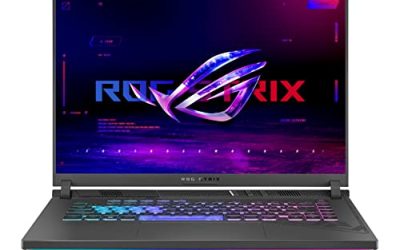
- Processor: AMD Ryzen 9 8945HS, up to 5.2 GHz
- Graphics: NVIDIA GeForce RTX 4060, 8GB GDDR6
- Memory: 16GB LPDDR5
- Storage: 1TB SSD
- Best for: Hybrid workers who want a sharp OLED screen for both games and documents.
- Processor: AMD Ryzen 7 260
- Graphics: NVIDIA GeForce RTX 5060, 8GB
- Memory: 16GB DDR5
- Storage: 1TB SSD

- Best for: Desk-based players who want the strongest processor and graphics pairing here.
- Processor: Intel Core i9-14900HX
- Graphics: NVIDIA GeForce RTX 5070
- Memory: 32GB DDR5
- Storage: 1TB NVMe SSD
All 5 Picks at a Glance
| Product | Specs | Action |
|---|---|---|
| ASUS ROG Zephyrus G14 |
| Check price on Amazon |
| Lenovo Legion 5 |
| Check price on Amazon |
| MSI Katana 15 HX |
| Check price on Amazon |
 Acer Nitro V |
| Check price on Amazon |
 HP Victus 16.1 |
| Check price on Amazon |
Our Top Picks
Choosing an all-round gaming laptop means refusing to trade everything for raw frame rates. The right machine plays modern titles well at its native resolution, then handles a workday of documents, calls and browser tabs without a loud fan, a huge power brick or a battery that fades before lunch. Screen quality, weight and keyboard comfort matter as much as the graphics chip.
This guide suits students, hybrid workers and players who carry one laptop everywhere. The five picks come straight from current Amazon listings: a compact ASUS ROG Zephyrus G14 with an OLED screen, a Lenovo Legion 5 with a fast OLED panel, an MSI Katana 15 HX built for power, an Acer Nitro V with a high-end processor, and a larger HP Victus with generous memory.
Quick Picks
As an Amazon Associate we earn from qualifying purchases
| Product | Best for | Key spec from title |
|---|---|---|
| ASUS ROG Zephyrus G14 | Portability plus OLED quality | Ryzen 9 8945HS with RTX 4060 |
| Lenovo Legion 5 | Fast OLED gaming and work | Ryzen 7 260 with RTX 5060 |
| MSI Katana 15 HX | Maximum power at a desk | Core i9-14900HX with RTX 5070 |
| Acer Nitro V | Strong processor value | Core i9-13900H with RTX 5060 |
| HP Victus 16.1 | Big screen and memory | Core i7-14700HX with RTX 4060 |
How to Choose
Balance the graphics chip against the screen
An all-rounder works best when the graphics card matches the panel it drives. An RTX 4060 or RTX 5060 class chip pairs sensibly with a 1080p or 1600p screen, while an RTX 5070 earns its keep on a 1440p display. Chasing a stronger GPU behind a basic panel wastes money, and a weak chip behind a high-resolution screen forces settings down. Check the listed resolution and refresh rate together, then pick the pairing that fits the games you actually play rather than the biggest number in the title.
Weigh the laptop, not just its spec sheet
Portability decides whether a gaming laptop truly works as an everyday machine. The Zephyrus G14 in this guide lists at 3.31 pounds, light enough for a daily bag, while larger 15.6 and 16.1 inch models trade that ease for bigger screens and stronger cooling. Add the charger to the real carry weight, since gaming bricks are heavy. If the laptop mostly sits on one desk, size matters less; if it moves between home, office and campus, every pound shows up by the end of the week.
Check memory and storage for both roles
Sixteen gigabytes of RAM is the sensible floor for gaming plus multitasking, and the listings here range from 16GB up to 32GB for buyers who keep many applications open. Storage fills faster than expected once a few large games sit beside work files, so a 1TB solid state drive is the comfortable starting point across all five picks. Also note the memory type in the listing: DDR5 and LPDDR5 systems handle modern workloads well, while one pick here still uses DDR4, which is worth knowing before you buy.
Look at battery, webcam and ports
A gaming laptop that doubles as a work machine needs the unglamorous details right. A larger battery, such as the 76 watt hour unit listed in the Zephyrus G14, helps on unplugged afternoons, though gaming itself still belongs on the charger. A built-in webcam matters for meetings; one pick here lists no webcam capability, which means an external camera for calls. Finally, count the ports you rely on, including HDMI for a monitor, USB Type C for docks and an Ethernet jack if your desk setup uses wired networking.
The 5 Best Options
ASUS ROG Zephyrus G14
- Best for: Commuters and students who want one light laptop for gaming and work.
- Processor: AMD Ryzen 9 8945HS, up to 5.2 GHz
- Graphics: NVIDIA GeForce RTX 4060, 8GB GDDR6
- Memory: 16GB LPDDR5
- Storage: 1TB SSD
Commuters and students who want one light laptop for gaming and work.
The listing states no webcam capability, so plan on an external camera for video calls.
The Zephyrus G14 is the pick that treats portability as a feature rather than a compromise. Its 14 inch OLED panel runs at 2880 by 1800 with a 120Hz refresh rate, so games look sharp and text stays crisp for documents. The Ryzen 9 8945HS and RTX 4060 pairing covers modern titles at sensible settings, and the listed 3.31 pound weight plus a 76 watt hour battery make it the easiest machine here to carry daily. It suits buyers who game at night and work from the same small laptop all day.
Lenovo Legion 5
- Best for: Hybrid workers who want a sharp OLED screen for both games and documents.
- Processor: AMD Ryzen 7 260
- Graphics: NVIDIA GeForce RTX 5060, 8GB
- Memory: 16GB DDR5
- Storage: 1TB SSD
Hybrid workers who want a sharp OLED screen for both games and documents.
This is a seller-configured listing, so confirm the exact configuration on the product page before ordering.
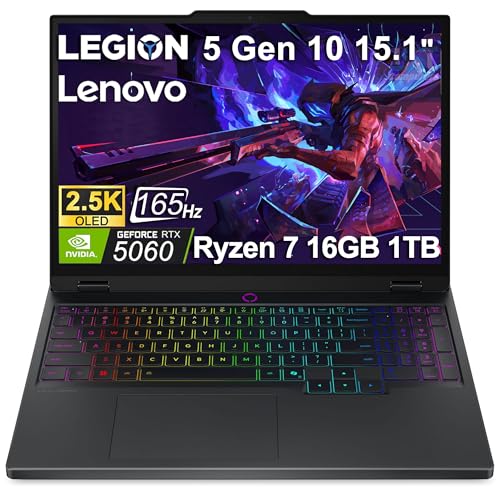
This Legion 5 configuration aims at players who want a fast, color-rich screen without stepping up to a bulky flagship. The 15.1 inch OLED display runs at 2560 by 1600 with a 165Hz refresh rate and G-SYNC support, and the RTX 5060 with 8GB of graphics memory is matched to that resolution. A Ryzen 7 260 processor, 16GB of DDR5 memory and a 1TB drive cover gaming and everyday multitasking, while Wi-Fi 7 and a 5MP webcam make it an easy fit for hybrid work and online classes.
MSI Katana 15 HX
- Best for: Desk-based players who want the strongest processor and graphics pairing here.
- Processor: Intel Core i9-14900HX
- Graphics: NVIDIA GeForce RTX 5070
- Memory: 32GB DDR5
- Storage: 1TB NVMe SSD
Desk-based players who want the strongest processor and graphics pairing here.
The HX processor class favors performance over unplugged efficiency, so expect to game on the charger.
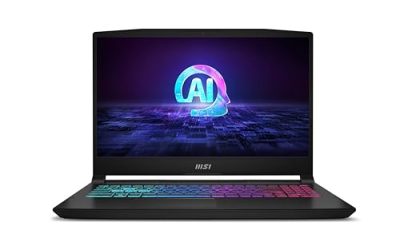
The Katana 15 HX is the power-first option in this group, built around a 24 core Intel Core i9-14900HX and an RTX 5070 graphics chip. Its 15.6 inch QHD panel runs at 165Hz, which suits fast-paced games, and 32GB of DDR5 memory leaves room for streaming tools, editors and large projects alongside play. This factory configuration, model B14WGK-016US, is less about travel and more about a single machine that can anchor a desk, drive demanding titles at 1440p and still handle heavy everyday workloads without a second computer.
Acer Nitro V
- Best for: Buyers who prioritize processor strength and a fast 1080p screen for mixed use.
- Processor: Intel Core i9-13900H
- Graphics: NVIDIA GeForce RTX 5060 laptop GPU
- Memory: 16GB DDR4
- Storage: 1TB Gen 4 SSD
Buyers who prioritize processor strength and a fast 1080p screen for mixed use.
The listing uses DDR4 memory rather than DDR5, and the 1080p panel is a step down in sharpness from the OLED picks.
The Nitro V pairs an Intel Core i9-13900H with an RTX 5060, an unusual combination that puts a high-end processor inside Acer’s more accessible gaming line. The 15.6 inch Full HD IPS panel refreshes at 165Hz, which fits competitive titles where motion clarity matters more than pixel count. Sixteen gigabytes of memory and a 1TB Gen 4 solid state drive round out a configuration aimed at buyers who split time between games, study and general work, and who would rather have a strong processor than a premium chassis or a high-resolution screen.
HP Victus 16.1
- Best for: Buyers who want a larger screen and 32GB of memory in one everyday machine.
- Processor: Intel Core i7-14700HX
- Graphics: NVIDIA GeForce RTX 4060, 8GB GDDR6
- Memory: 32GB DDR5
- Storage: 1TB SSD
Buyers who want a larger screen and 32GB of memory in one everyday machine.
The larger chassis is the least bag-friendly here, so it fits desk-first routines better than daily commuting.
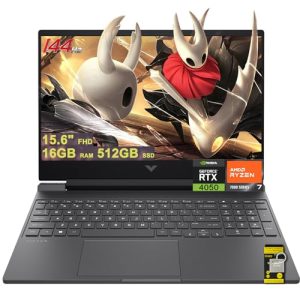
The Victus 16.1 gives all-round buyers the biggest screen in this guide, a 16.1 inch Full HD panel at 144Hz that is comfortable for split-screen work as well as games. Inside, an Intel Core i7-14700HX works with an RTX 4060 and a generous 32GB of DDR5 memory, so keeping a game, a browser full of tabs and office applications open at once is realistic. A 1TB solid state drive, an RJ-45 Ethernet port and Wi-Fi 6 make it a practical main computer for a home desk that occasionally travels.
Which One Fits Your Situation
You carry your laptop every day
Pick the ASUS ROG Zephyrus G14. At a listed 3.31 pounds with a 14 inch OLED screen, it is the only machine here that disappears into a work bag, and the 76 watt hour battery supports unplugged writing, browsing and calls between gaming sessions at home. Just budget for an external webcam if your meetings are on camera.
You split time between office work and evening games
The Lenovo Legion 5 fits this routine well. Its 2560 by 1600 OLED panel keeps spreadsheets and documents sharp, the 165Hz refresh rate keeps games smooth, and the built-in 5MP webcam plus Wi-Fi 7 cover meetings without extra gear. It is a balanced middle ground between the compact G14 and the heavier power-focused models.
Your laptop lives on a desk and power comes first
Choose between the MSI Katana 15 HX and the HP Victus 16.1. The Katana brings the strongest pairing here, a Core i9-14900HX with an RTX 5070 behind a 1440p 165Hz screen. The Victus answers with a bigger 16.1 inch display and the same 32GB of memory, suiting buyers who value screen space for work as much as gaming speed.
You want strong specs without flagship extras
The Acer Nitro V is the straightforward choice. A Core i9-13900H and RTX 5060 behind a fast 1080p panel cover modern games and demanding coursework, and the configuration skips costly extras like an OLED screen. Accept the DDR4 memory and the standard chassis, and the remaining budget can go toward a mouse, a headset or extra storage later.
Common Mistakes
- Buying the strongest graphics chip behind a low-resolution screen, then paying for performance the panel cannot show.
- Ignoring total carry weight by forgetting the large power adapter that gaming laptops ship with.
- Assuming every gaming laptop has a good webcam, when some listings state no webcam capability at all.
- Filling a small drive within months because modern game installs sit beside work files and media.
- Judging battery life by gaming expectations, when unplugged endurance figures describe light work rather than play.
Frequently Asked Questions
How much RAM does an all-round gaming laptop need?
Sixteen gigabytes is the practical minimum for gaming alongside everyday multitasking, and every pick in this guide meets it. Buyers who keep many browser tabs, editors or virtual machines open should look at the 32GB configurations listed here, such as the MSI Katana 15 HX and the HP Victus, rather than planning an upgrade later.
Is an RTX 4060 still enough for modern games?
Yes, at the resolutions these laptops target. An RTX 4060 with 8GB of memory handles current titles well at 1080p and at the Zephyrus G14’s higher resolution with adjusted settings. It is a sensible all-round choice because it balances game performance with heat and power draw, which matters in thinner machines carried every day.
Can a gaming laptop replace a work laptop entirely?
For most people, yes, provided the details line up. Check the webcam for meetings, the keyboard comfort for long typing sessions, the port selection for your monitor and dock, and the weight if you commute. The Legion 5 and Zephyrus G14 in this guide cover those needs most completely, while the larger models suit desk-based work better.
Should I choose OLED or IPS for a mixed-use laptop?
OLED panels, like those on the Zephyrus G14 and Legion 5 here, deliver stronger contrast and color for games, video and photo work. IPS panels, such as the Nitro V’s 165Hz screen, remain a solid choice for fast-paced gaming and long document sessions. Decide by what you view most: rich media favors OLED, while high refresh at 1080p favors IPS.
FAQ
How much RAM does an all-round gaming laptop need?
Is an RTX 4060 still enough for modern games?
Can a gaming laptop replace a work laptop entirely?
Should I choose OLED or IPS for a mixed-use laptop?
More from Amazon
Programs that pair well with the guide above. Offers and eligibility are set by Amazon and may change.
Free shipping on eligible items, Prime Video and more. Eligible new members can start with a free trial.
Start a Prime free trialAd-free music streaming. Eligible new subscribers can start with a free trial.
Try Music Unlimited freeA Prime membership for ages 18-24 with a trial period. Eligibility is set by Amazon.
See Prime for Young AdultsAudiobooks and podcasts to listen to on the go. Eligible new members can start with a free trial.
Try Audible freeAs an Amazon Associate we earn from qualifying purchases.