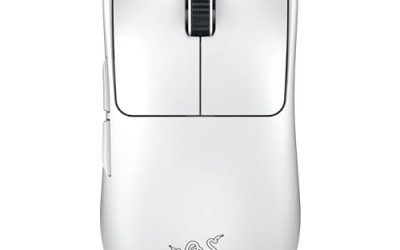
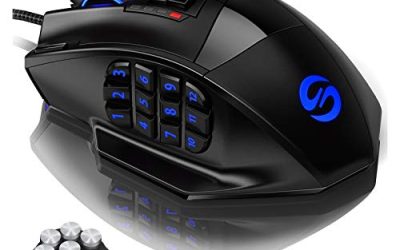
Our Short List of 3

- Best for: Small hands and fingertip grip players who want a light ambidextrous shell.
- 58 g honeycomb shell
- Pixart 3360 sensor
- 12,000 DPI
- 6 buttons

- Best for: Palm-grip players who want wireless play and a long battery.
- 69 g honeycomb shell
- 2.4 GHz wireless
- Up to 71 h battery life
- BAMF sensor

- Best for: Ergonomic wired play at a fixed desk setup.
- 68 g honeycomb shell
- Pixart 3360 sensor
- 6 buttons
- RGB lighting
All 3 Picks at a Glance
| Product | Specs | Action |
|---|---|---|
| Glorious Model O- (Minus), Glossy Black |
| Check price on Amazon |
| Glorious Model D Wireless, Matte White |
| Check price on Amazon |
| Glorious Model D (Wired), Matte White |
| Check price on Amazon |
Key takeaways
- Compare the best honeycomb gaming mice for FPS play — light perforated shells, proven sensors, wired or wireless — and pick the shape that fits your grip.
The real decision is grip shape first, shell second. A honeycomb shell cuts grams off the mouse, and that lighter shell is what makes long flick shots feel less tiring — but if the shape fights your hand, the weight saving means nothing. Buyers shopping for a honeycomb mouse usually want the lightest shell they can get without giving up a sensor that tracks cleanly at high speed, and the four mice below cover both ambidextrous and ergonomic shapes, plus wired and wireless links.
This guide is for FPS players and anyone whose palm sweats during long sessions, since the perforated shell also lets air reach the palm. Every pick below was chosen from the product name and the specifications on its Amazon listing, with the honeycomb shell as the selection rule and the weight of that shell stated for each mouse. The guide also explains how the perforated shell changes cleaning and grip, so you know what living with one of these mice actually feels like.
Quick Picks
As an Amazon Associate we earn from qualifying purchases
| Product | Best for | Key spec from title |
|---|---|---|
| Glorious Model O- (Minus), Glossy Black | Small hands and fingertip grip | 58 g honeycomb shell |
| Glorious Model D Wireless, Matte White | Cable-free play with a long battery | 69 g honeycomb shell, 2.4 GHz wireless |
| Glorious Model D (Wired), Matte White | Ergonomic wired play | 68 g honeycomb shell |
| Finalmouse Ultralight 2 – Cape Town | The lightest shell in this guide | 47 g honeycomb shell |
How to Choose
Shape Before Weight
A honeycomb shell makes any mouse lighter, yet the shape still decides whether the mouse fits your hand. Ambidextrous shells suit fingertip and claw grips because both sides curve the same way, while an ergonomic shell slopes to support a right-handed palm and works best for palm grip. Hold your current mouse and notice where your thumb and ring finger rest; if they sit low and relaxed, an ambidextrous shell will feel familiar, and if your palm presses flat against the back, the ergonomic shape will carry more of the weight. Pick the shape that matches your grip first, then compare the shell weights inside that shape. A matching shape beats a lighter shell in the wrong shape.
Shell Holes and Palm Comfort
The holes in a honeycomb shell do more than remove weight. They let air circulate across the palm, which keeps sweaty hands from slipping during long sessions, and they make the shell feel less like a solid block under the fingers. The trade-off is that dust and crumbs can reach the inside of the mouse, so a quick blast of compressed air every few weeks keeps the sensor window and switches clean. If you eat at your desk, wipe the shell down after meals, and if you play in a dusty room, keep the mouse covered when it is not in use. A mouse that breathes stays comfortable through a full evening of play.
Sensor and DPI Ceiling
Every honeycomb mouse in this guide uses an optical sensor, but the ceiling differs. A 12,000 DPI sensor covers competitive FPS play with room to spare, since most players run between 400 and 1,600 DPI and the sensor’s job is to track fast flicks without spinning out. The Finalmouse pick tops out at 5,000 DPI, which still covers that range comfortably, though it leaves less headroom for very high-sensitivity players. Check the DPI figure on the listing against the sensitivity you actually use, and treat a bigger number as insurance rather than a reason to buy. A sensor that never spins out matters more than the biggest DPI number.
Wired or Wireless
A wired honeycomb mouse never needs charging and never drops a connection, which is why many competitive players still prefer a cable. Wireless models remove the cable drag that a light mouse makes more noticeable, and a 2.4 GHz link keeps the response close to wired. If you choose wireless, confirm the battery life on the listing and keep the receiver close to the mouse, since a receiver buried behind a desktop can introduce lag. If you choose wired, look for a flexible paracord-style cable rather than a stiff rubber one, because a stiff cable drags a 58-gram mouse off target. The right link is the one you forget about during a match.
The 4 Best Options
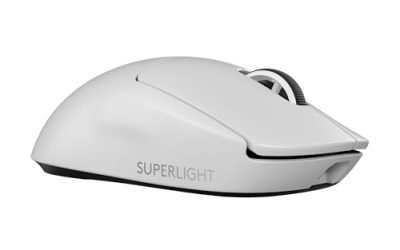
Glorious Model O- (Minus), Glossy Black
- Best for: Small hands and fingertip grip players who want a light ambidextrous shell.
- 58 g honeycomb shell
- Pixart 3360 sensor
- 12,000 DPI
- 6 buttons
Small hands and fingertip grip players who want a light ambidextrous shell.
The “Minus” shell is smaller than the standard Model O — measure your hand before buying.
The Model O- is the smaller “Minus” variant of the Model O line, and that smaller shell is the whole point of the pick. At 58 grams it suits smaller hands and fingertip grip, where a full-size shell would force the fingers to stretch. The Pixart 3360 sensor tracks cleanly through fast flicks, the six-button layout keeps the essentials within reach, and the Paracord cable drags far less than a stiff rubber cable. Glossy black gives the shell a smooth feel under the palm, though players with sweaty hands may prefer a matte finish for extra grip. Small hands finally get a shell that never demands a stretch.
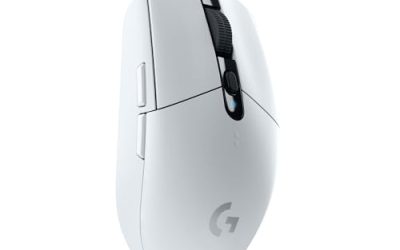
Glorious Model D Wireless, Matte White
- Best for: Palm-grip players who want wireless play and a long battery.
- 69 g honeycomb shell
- 2.4 GHz wireless
- Up to 71 h battery life
- BAMF sensor
Palm-grip players who want wireless play and a long battery.
The right-handed shape does not suit left-handed players — check your grip hand first.
The Model D Wireless is the only wireless pick in this guide, and it pairs the ergonomic right-handed shape with a battery that runs up to 71 hours. That combination suits palm-grip players who want cable-free play without recharging every night. The BAMF sensor handles fast movement, the 2.4 GHz link keeps the response close to wired, and the matte white finish resists visible fingerprints better than a glossy shell. The ergonomic slope supports the palm through long sessions, while the honeycomb cutouts keep the weight down to 69 grams. Wireless freedom pairs with a shape that supports the palm all evening.
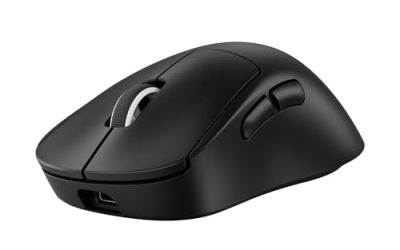
Glorious Model D (Wired), Matte White
- Best for: Ergonomic wired play at a fixed desk setup.
- 68 g honeycomb shell
- Pixart 3360 sensor
- 6 buttons
- RGB lighting
Ergonomic wired play at a fixed desk setup.
The wired cable needs routing so it does not drag the light shell — use a bungee or a loose loop.
The wired Model D brings the same ergonomic right-handed shape as the wireless version, without the battery or the charging routine. At 68 grams it is a gram lighter than its wireless sibling, and the Pixart 3360 sensor covers the same fast-tracking duty. Six buttons and RGB lighting round out a straightforward wired pick, and the matte white finish keeps the shell looking clean between sessions. Players who sit at a fixed desk and never move their mouse between machines get the ergonomic shape at its simplest, with no receiver to keep track of. A fixed desk turns this wired pick into a set-and-forget mouse.
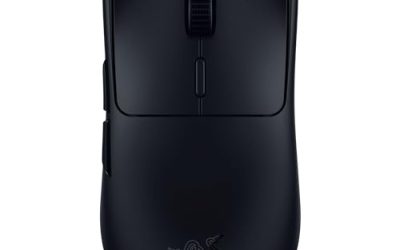
Finalmouse Ultralight 2 – Cape Town
The Ultralight 2 in the Cape Town colour is the lightest shell in this guide at 47 grams, and that figure is the reason it earns a place here. The ambidextrous shape suits fingertip and claw grips, the wired USB link keeps the connection simple, and the included InfinitySkin adds grip over the perforated shell. Finalmouse sells its mice as single limited runs with no restock, so confirm a new unit from the seller before buying, and do not expect the same colour to return once the run sells through. Every gram saved shows up in the first fast flick of a match.
Specs
- 47 g honeycomb shell
- Wired USB
- Ambidextrous shape
- Optical sensor
- 5,000 DPI max
- InfinitySkin included
- White colour
Best for: Players chasing the lightest honeycomb shell available.
Watch out for: Finalmouse is a drop model with no restock — confirm a new unit and do not wait for a rerun.
ASIN: B07KXVR236
Which One Fits Your Situation
Small Hands, Fingertip Grip
The Model O- (Minus) is the pick here. Its smaller shell lets the fingers curl naturally instead of stretching across a full-size body, and the 58-gram weight keeps flicks quick. The ambidextrous shape works for either hand, and the Paracord cable stays out of the way during fast movement. The 12,000 DPI sensor leaves plenty of headroom, and the glossy shell wipes clean in seconds.
Palm Grip and Long Sessions
The ergonomic Model D shape carries the palm through long sessions, so choose between the wireless and wired versions. Pick the Model D Wireless if the desk stays tidy and the cable is the annoyance, or the wired Model D if the mouse never leaves the desk and charging sounds like a chore. Both versions share the same ergonomic slope, so the choice is purely about the cable.
Wireless Desk Setup
The Model D Wireless is the only cable-free pick in this guide. Its 71-hour battery covers a full week of evening sessions for most players, and the 2.4 GHz link keeps the response close to wired. Keep the receiver near the mouse and the battery will last through the week. No cable means no drag on a 69-gram shell, which keeps flicks consistent.
Chasing the Lightest Mouse Possible
The Finalmouse Ultralight 2 is the lightest shell here at 47 grams, a full 11 grams under the Model O-. That gap is noticeable in fast flicks, though the trade-off is a drop-model purchase with no restock and a 5,000 DPI ceiling. Buy it for the weight, and accept the limited availability. The ambidextrous shape suits claw and fingertip grips, and the InfinitySkin adds grip.
Common Mistakes
- Buying a honeycomb mouse for its weight without checking whether the shape fits your grip.
- Choosing the Model O- “Minus” variant without realising it is the smaller shell, not the standard Model O.
- Picking the right-handed Model D when you play left-handed.
- Expecting a Finalmouse drop to come back in stock after the run sells through.
- Ignoring dust build-up inside the perforated shell and letting it reach the sensor window.
Frequently Asked Questions
What makes a gaming mouse a honeycomb mouse?
A honeycomb mouse has a shell drilled with a pattern of hexagonal holes, which removes material and drops the weight without shrinking the mouse. The holes also let air reach the palm, which helps sweaty hands stay in control. The sensor, switches and buttons are the same as on a solid-shell mouse — only the outer shell is perforated. The shell is the only part that changes.
Do honeycomb shells let dust inside the mouse?
Yes, the holes give dust and crumbs a path inside, so a honeycomb mouse needs occasional cleaning. A short blast of compressed air every few weeks clears the sensor window and the switch area. Keep food away from the desk and cover the mouse when it is not in use if the room is dusty. A few seconds of cleaning keeps the sensor accurate.
Is a lighter mouse always better for FPS games?
Not always. A lighter mouse makes flicks faster and reduces fatigue, but a mouse that is too light can feel twitchy if your aim relies on the weight to steady the hand. Most FPS players settle between 47 and 70 grams, and the right weight is the one that lets you stop precisely on a target without overshooting. Test a few weights before settling on one.
Should I choose wireless or wired for competitive play?
Both work for competitive play now. A 2.4 GHz wireless link responds about as fast as a cable, so the choice comes down to convenience: wireless removes cable drag, while wired removes charging and any chance of interference. Pick wireless for a clean desk and wired for a fixed setup where the cable never moves. Your desk layout should decide, not the marketing.
FAQ
What makes a gaming mouse a honeycomb mouse?
Do honeycomb shells let dust inside the mouse?
Is a lighter mouse always better for FPS games?
Should I choose wireless or wired for competitive play?
More from Amazon
Programs that pair well with the guide above. Offers and eligibility are set by Amazon and may change.
Free shipping on eligible items, Prime Video and more. Eligible new members can start with a free trial.
Start a Prime free trialAd-free music streaming. Eligible new subscribers can start with a free trial.
Try Music Unlimited freeA Prime membership for ages 18-24 with a trial period. Eligibility is set by Amazon.
See Prime for Young AdultsAudiobooks and podcasts to listen to on the go. Eligible new members can start with a free trial.
Try Audible freeAs an Amazon Associate we earn from qualifying purchases.