Key takeaways
- Compare the best photo monitors for colour-accurate editing, from 4K ProArt and UltraSharp panels to a QHD value pick, with gamut and calibration tips.
A photo monitor has a different job from a gaming monitor. Colour comes first: the reds in a portrait, the greens in a landscape, and the shadow detail in a night shot need to look the same on screen as they will in print or on a client device. If a panel shifts colour at an angle, crushes dark tones, or covers only part of the gamut your camera captured, editing becomes guesswork. You adjust, export, look elsewhere, and adjust again.

The five models below are all IPS photo monitors built around factory calibration, wide gamut coverage, and USB-C with power delivery. Four are 27-inch 4K panels for pixel-level retouching, and one is a 27-inch QHD model for web-focused editors. They differ in gamut, contrast, and hub features, so the right choice depends on whether you print, publish online, or work on a Mac.
As an Amazon Associate we earn from qualifying purchases.
Quick Picks
Our Short List of 3

- Best for: Photographers who print or deliver in Adobe RGB and want one 4K monitor for print and screen work.
- ASIN: B0BQPSX5CR
- Screen: 27-inch IPS, 3840 x 2160 resolution
- Colour: 99 percent DCI-P3, 99 percent Adobe RGB, 100 percent sRGB
- Accuracy: Delta E under 2, Calman Verified, factory calibrated
- Best for: Editors who want deeper IPS contrast and a single monitor that also docks and networks a laptop.
- ASIN: B09TQZP9CL
- Screen: 27-inch IPS Black, 3840 x 2160 resolution, 60 Hz
- Contrast: 2000 to 1
- Colour: 100 percent sRGB, 100 percent Rec. 709, 98 percent DCI-P3

- Best for: Editors who want 4K DCI-P3 colour, single-cable laptop charging, and built-in speakers for a mixed photo and office desk.
- ASIN: B0B195FXTD
- Screen: 27-inch IPS, 3840 x 2160 resolution, 60 Hz
- Colour: 95 percent DCI-P3
- HDR: VESA DisplayHDR 400
All 4 Picks at a Glance
| Product | Specs | Action |
|---|---|---|
| 1. ASUS ProArt Display PA279CRV |
| Check price on Amazon |
| 2. Dell UltraSharp U2723QE |
| Check price on Amazon |
| 4. LG UltraFine 27UP850N-W |
| Check price on Amazon |
 5. ASUS ProArt Display PA278CV |
| Check price on Amazon |
If you print or deliver in Adobe RGB, start with the PA279CRV. If you want the strongest contrast from an IPS panel and a monitor that also acts as a dock, start with the Dell. If you edit on a Mac and want modes designed to match a MacBook screen, start with the BenQ. The LG suits editors who want 4K, wide colour, and speakers, while the second ASUS is the sensible step down for sRGB-only work.
How to Choose
Start with the colour space you actually deliver in. sRGB is the standard for the web and social media, so full sRGB coverage is the minimum for any photo monitor. DCI-P3 is wider, especially in reds and greens, and matters for video and for viewing photos on modern phones and tablets. Adobe RGB is wider again in greens and cyans and matters most for print, because many printers can reproduce colours outside sRGB. An editor who only posts online can work happily in sRGB. An editor who makes prints, or who soft-proofs in Adobe RGB, should prioritise a panel that covers most of that space, such as the PA279CRV. Buying wide gamut and then working only in sRGB is not harmful, but it means paying for range you do not use and taking more care so unmanaged apps do not oversaturate.
Delta E describes how far a displayed colour sits from its intended value. Lower is better, and a value under two is very hard to see in normal work. Factory-calibrated monitors arrive with a report for your specific unit; keep it. That calibration is a starting point, not a lifetime guarantee, because panels drift and backlights age. Serious print work still benefits from a colorimeter and regular recalibration.
At 27 inches, 4K makes retouching, sharpening checks, and focus confirmation easier. QHD at the same size is sharp enough for most editing and lighter on an older computer, but fine detail is less precise. IPS is the default for photo work because colour stays consistent at an angle. Uniformity matters too: a panel brighter in one corner can mislead exposure decisions. Standard IPS contrast is modest, so IPS Black panels such as the Dell U2723QE, with deeper contrast, help with night photography.
For brightness, more is not automatically better. Work at a level that matches your room and print conditions, because a screen far brighter than its surroundings makes prints look dark. Look for a matte anti-glare finish and keep the brightness consistent.
Finally, check connections and ergonomics. USB-C with power delivery lets one cable carry image, data, and laptop charging. Check the wattage against your laptop, and whether you need a hub, Ethernet, or a KVM switch. Height, tilt, swivel, and pivot adjustment matter during long sessions.
The 5 Best Options
1. ASUS ProArt Display PA279CRV
- Best for: Photographers who print or deliver in Adobe RGB and want one 4K monitor for print and screen work.
- ASIN: B0BQPSX5CR
- Screen: 27-inch IPS, 3840 x 2160 resolution
- Colour: 99 percent DCI-P3, 99 percent Adobe RGB, 100 percent sRGB
- Accuracy: Delta E under 2, Calman Verified, factory calibrated
Photographers who print or deliver in Adobe RGB and want one 4K monitor for print and screen work.
Its wide gamut demands colour-managed software, because unmanaged apps can show oversaturated colour, and DisplayHDR 400 is entry-level HDR rather than grading performance.
The PA279CRV is the most print-oriented pick here because its gamut reaches beyond DCI-P3 into Adobe RGB. ASUS rates it at 99 percent DCI-P3, 99 percent Adobe RGB, and 100 percent sRGB, with factory calibration to a Delta E under two and Calman Verified status. For an editor who soft-proofs for print and also delivers wide-gamut files for modern displays, that covers both destinations on one monitor. The 27-inch 4K IPS panel gives the density detailed retouching needs. Connectivity includes USB-C with 96W power delivery, two DisplayPort 1.4 connections with daisy chaining, two HDMI 2.0 ports, and a USB hub, plus an ergonomic height-adjustable stand.
Watch out for: Its wide gamut demands colour-managed software, because unmanaged apps can show oversaturated colour, and DisplayHDR 400 is entry-level HDR rather than grading performance.
2. Dell UltraSharp U2723QE
- Best for: Editors who want deeper IPS contrast and a single monitor that also docks and networks a laptop.
- ASIN: B09TQZP9CL
- Screen: 27-inch IPS Black, 3840 x 2160 resolution, 60 Hz
- Contrast: 2000 to 1
- Colour: 100 percent sRGB, 100 percent Rec. 709, 98 percent DCI-P3
Editors who want deeper IPS contrast and a single monitor that also docks and networks a laptop.
There are no built-in speakers, and Adobe RGB is not the headline here, so dedicated print proofing is better served by the PA279CRV.
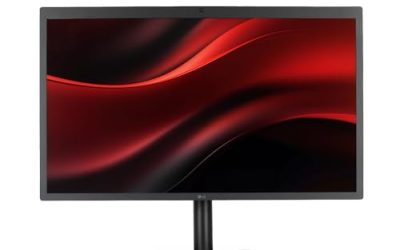
The U2723QE stands out for contrast. Its IPS Black panel is rated at a 2000 to 1 contrast ratio, roughly double a conventional IPS panel, which gives shadow areas more separation in dark images. Dell rates colour at 100 percent sRGB, 100 percent Rec. 709, and 98 percent DCI-P3, with factory calibration to a Delta E under two. It is also the best hub in this list: USB-C provides 90W power delivery, and the monitor adds RJ45 Ethernet, a USB hub, DisplayPort, HDMI, and a KVM switch for two computers. ComfortView Plus and a full ergonomic stand support longer sessions, and 400-nit typical brightness gives headroom for brighter rooms.
Watch out for: There are no built-in speakers, and Adobe RGB is not the headline here, so dedicated print proofing is better served by the PA279CRV.
3. BenQ PD2705U
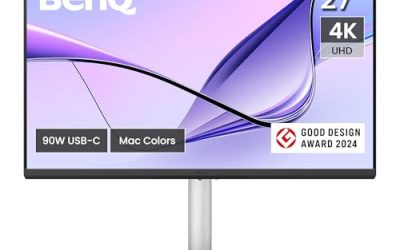
BenQ designed the PD series for designers and photographers, and the PD2705U shows that focus in its modes. Its AQCOLOR technology covers 99 percent sRGB and 99 percent Rec. 709 with a Delta E of three or less and factory calibration, plus uniformity technology to keep colour consistent across the panel. Modes include Darkroom, Animation, and CAD/CAM, and M-Book mode aims to match colour with Mac displays, which helps if you move work between a MacBook screen and this monitor. The HotKey Puck G2 switches modes without digging through menus, the built-in KVM handles two computers, and USB-C carries video and data with 65W power delivery. The stand offers height, tilt, swivel, and pivot adjustment.
Specs
- ASIN: B096B3PBFZ
- Screen: 27-inch IPS, 3840 x 2160 resolution, 60 Hz
- Colour: 99 percent sRGB, 99 percent Rec. 709, AQCOLOR
- Accuracy: Delta E of 3 or less, factory calibrated, uniformity technology
- HDR: HDR10 support
- Connectivity: USB-C with 65W power delivery, HDMI 2.0, DisplayPort 1.4, USB hub, KVM
- Extras: HotKey Puck G2, Darkroom and M-Book modes
- Response time: 5 ms grey-to-grey as listed
Best for: Mac-based photographers and designers who work in sRGB and want mode shortcuts, a puck controller, and KVM switching.
Watch out for: The 65W USB-C output may charge larger laptops slowly under heavy load, and the gamut centres on sRGB and Rec. 709 rather than Adobe RGB. Some bundle listings use a different ASIN, so check that B096B3PBFZ is the standalone monitor listing before ordering.
4. LG UltraFine 27UP850N-W
- Best for: Editors who want 4K DCI-P3 colour, single-cable laptop charging, and built-in speakers for a mixed photo and office desk.
- ASIN: B0B195FXTD
- Screen: 27-inch IPS, 3840 x 2160 resolution, 60 Hz
- Colour: 95 percent DCI-P3
- HDR: VESA DisplayHDR 400
Editors who want 4K DCI-P3 colour, single-cable laptop charging, and built-in speakers for a mixed photo and office desk.
DCI-P3 coverage is lower than the Dell and the PA279CRV, there is no KVM or Ethernet, and variant listings for this model family use different ASINs and slightly different USB-C wattage, so confirm B0B195FXTD and its 90W listing details before buying.
The 27UP850N-W is a balanced 4K option for editors who want wide colour without giving up everyday conveniences. LG rates the IPS panel at 95 percent DCI-P3 coverage with VESA DisplayHDR 400, 400 nits brightness, and a 1200 to 1 contrast ratio. That gamut suits photo and video work aimed at modern displays, and hardware calibration support means a calibrator can help maintain accuracy over time. USB-C provides 90W power delivery on the Amazon listing for this model, alongside two HDMI ports, DisplayPort 1.4, and a USB hub. Two built-in 5W speakers are included, which is rare in this group and handy for calls and tutorials. The stand adjusts for height, tilt, and pivot.
Watch out for: DCI-P3 coverage is lower than the Dell and the PA279CRV, there is no KVM or Ethernet, and variant listings for this model family use different ASINs and slightly different USB-C wattage, so confirm B0B195FXTD and its 90W listing details before buying.
5. ASUS ProArt Display PA278CV
- Best for: Web and social photographers who work entirely in sRGB and want calibrated accuracy without a 4K panel.
- ASIN: B08LCPY1TR
- Screen: 27-inch IPS, 2560 x 1440 resolution, 75 Hz
- Colour: 100 percent sRGB, 100 percent Rec. 709
- Accuracy: Delta E under 2, Calman Verified, factory calibrated
Web and social photographers who work entirely in sRGB and want calibrated accuracy without a 4K panel.
No meaningful Adobe RGB or DCI-P3 coverage for print or wide-gamut delivery, and QHD resolution shows its limits in fine retouching compared with the 4K picks.
The PA278CV is the value step here, and it makes sense when your destination is the web. Its 27-inch QHD IPS panel covers 100 percent sRGB and 100 percent Rec. 709, with factory calibration to a Delta E under two and Calman Verified status. That is exactly the colour space most online photos live in, so for social, portfolio, and e-commerce work the accuracy is aimed at the right target without paying for 4K or wide gamut. The trade-off is resolution: at 2560 x 1440, fine detail is less dense, which you will notice during precise masking or focus checks. In return you get a 75 Hz refresh rate, USB-C with 65W power delivery, DisplayPort daisy chaining, HDMI, a USB hub, and a highly adjustable ergonomic stand.
Watch out for: No meaningful Adobe RGB or DCI-P3 coverage for print or wide-gamut delivery, and QHD resolution shows its limits in fine retouching compared with the 4K picks.
Which One Fits
Choose the ASUS ProArt PA279CRV, ASIN B0BQPSX5CR, if print is part of your work. Its Adobe RGB coverage is the deciding feature, and 4K sharpness and 96W USB-C support that role.
Choose the Dell UltraSharp U2723QE, ASIN B09TQZP9CL, if your desk needs a dock as much as a display. IPS Black contrast helps dark images, while Ethernet, KVM, and 90W charging remove separate hub hardware.
Choose the BenQ PD2705U, ASIN B096B3PBFZ, if you edit on a Mac in sRGB and value workflow controls. The HotKey Puck, M-Book mode, and Darkroom mode are designed for that routine.
Choose the LG UltraFine 27UP850N-W, ASIN B0B195FXTD, if you want one screen for editing, calls, and laptop charging, with speakers included and DCI-P3 colour for modern displays.
Choose the ASUS ProArt PA278CV, ASIN B08LCPY1TR, if your photos stay online. It keeps the calibration and sRGB accuracy that matter for web work and leaves more budget for the rest of your kit.
Common Mistakes
The most common mistake is editing on an overly bright screen in a bright room and then wondering why prints look dark. Set a consistent brightness for your room, keep the factory calibration report, and plan to recalibrate as the panel ages.
The second mistake is ignoring colour management after buying a wide-gamut monitor. Use software that understands profiles, embed the correct profile on export, and export in sRGB for the web unless a destination asks for something wider. A wide panel showing an sRGB file in an unmanaged app will look exciting and wrong.
The third mistake is judging sharpness from a scaled preview alone. Check focus at full magnification, check shadows with a histogram, and soft-proof with the printer profile when you print.
The fourth mistake is buying on resolution alone. A 4K panel with weak gamut or poor uniformity is a worse photo monitor than a QHD panel with accurate sRGB and even brightness. Colour behaviour should outrank pixel count here, which is why the PA278CV earns a place despite its lower resolution.
FAQ
Do I need a 4K monitor for photo editing?
No, but it helps for detailed work. At 27 inches, 4K makes focus checks, masking, and sharpening decisions easier. A calibrated QHD monitor such as the PA278CV is still a sound choice for web work, especially if the alternative is an uncalibrated 4K panel with narrow colour coverage.
What is more important, Adobe RGB or DCI-P3?
It depends on the destination. Adobe RGB matters most for print, because it reaches greens and cyans many printers can reproduce. DCI-P3 matters more for video and for viewing on modern phones and tablets. If you do both, a monitor covering most of both, such as the PA279CRV, avoids choosing, while sRGB-only editors need neither as a priority.
How often should a photo monitor be calibrated?
Check calibration every few months and recalibrate when you notice drift, change your room lighting significantly, or start an important print project. Factory calibration gets you started, but brightness and colour shift slowly over time, so a colorimeter is a worthwhile companion for print work.
Can a gaming monitor work for photo editing?
Some can, if the exact model uses an IPS panel with full sRGB coverage and good accuracy, but many gaming monitors prioritise refresh rate and saturated colour over accuracy. Check gamut and Delta E for the specific model, and expect to calibrate it yourself.
Closing Verdict
For photographers who print and publish, the ASUS ProArt PA279CRV is the strongest all-round choice here, because its Adobe RGB and DCI-P3 coverage, 4K IPS panel, and Delta E under two calibration match the full range of photo destinations. The Dell U2723QE is the better desk hub with deeper contrast, the BenQ PD2705U is the most workflow-focused Mac option, the LG 27UP850N-W is the convenient all-in-one for a mixed desk, and the ASUS PA278CV is the honest value pick for sRGB web work. Pick by the colour space you deliver in first, then by resolution and ports, and any of these five will give you a far more trustworthy editing view than a general-purpose screen.
FAQ
Do I need a 4K monitor for photo editing?
What is more important, Adobe RGB or DCI-P3?
How often should a photo monitor be calibrated?
Can a gaming monitor work for photo editing?
More from Amazon
Programs that pair well with the guide above. Offers and eligibility are set by Amazon and may change.
Free shipping on eligible items, Prime Video and more. Eligible new members can start with a free trial.
Start a Prime free trialAd-free music streaming. Eligible new subscribers can start with a free trial.
Try Music Unlimited freeA Prime membership for ages 18-24 with a trial period. Eligibility is set by Amazon.
See Prime for Young AdultsAudiobooks and podcasts to listen to on the go. Eligible new members can start with a free trial.
Try Audible freeAs an Amazon Associate we earn from qualifying purchases.