Our Top Picks


As an Amazon Associate, we earn from qualifying purchases made through links on this page.
CenturyLink DSL is not a plug-anything-in service, and that is where most router shopping goes wrong. The line coming into the house can be ADSL2+, single-pair VDSL2, or bonded VDSL2 running over two pairs, and each one expects different hardware. On top of that, CenturyLink signs you in with a PPPoE username and password, and on VDSL2 lines the traffic is usually carried on VLAN 201. A router that ignores any of those details will never connect, no matter how fast its Wi-Fi is.
That leaves two sensible ways to upgrade. The first is a DSL modem-router that replaces the CenturyLink gateway completely, DSL port and all. The second keeps the CenturyLink gateway, switches it to transparent bridge mode, and lets a stronger Wi-Fi router handle the PPPoE login, routing, and wireless work. Both paths are covered below. Every pick was chosen because its manufacturer documents the DSL standards, sign-in method, or VLAN handling the setup needs — not because a box simply claims broadband support. If your line is bonded, read the notes on each modem-router carefully, because two of the three replacement units below are single-pair devices.
What to look for
Know your line type before anything else. Log in to your current CenturyLink gateway and open its connection status page. It will show whether the line runs ADSL2+ or VDSL2, and whether it uses one pair or a bonded pair. That single page decides which products can even sync with your service. A modem-router built for single-pair lines cannot train up on a bonded line, and no firmware update changes that.
Decide between replacing the gateway and bridging it. A replacement modem-router is one box, one login, and no rental hardware in the chain. Bridging keeps the CenturyLink unit as a plain modem and gives you a much wider choice of modern Wi-Fi routers, including Wi-Fi 6 models with gaming features no DSL gateway ships with. Bridging is also the safer route on bonded lines, because the CenturyLink gateway keeps handling the bonded DSL signal it was built for.
Have your PPPoE credentials ready. CenturyLink DSL accounts sign in with a username and password issued by the provider. You need them to activate a replacement modem-router, and you need them again when a bridged setup moves the login to your own router. If you do not know them, get them from CenturyLink support or your account paperwork before you unplug anything.
Understand who handles VLAN 201. On most CenturyLink VDSL2 lines, internet traffic rides VLAN tag 201. In a replacement setup, the modem-router applies the tag — the NETGEAR unit below even ships with a CenturyLink preset that fills in the VDSL settings, VLAN ID, and PPPoE fields. In a bridged setup, many CenturyLink gateways keep applying the tag while passing the PPPoE session through, and some configurations move tagging to the router instead. Either way, at least one device in the chain has to do it, and the products below either document the tag setting or work behind a gateway that keeps it.
Match the Wi-Fi and ports to your gaming setup. DSL bandwidth tops out well below gigabit, so raw wireless speed is rarely the bottleneck — coverage, band steering, and queue management matter more. Look for dual-band Wi-Fi with a 5 GHz radio for the gaming room, gigabit LAN ports for a wired PC or console, and QoS controls that can keep a large download on another device from spiking your ping mid-match.
Check the support status of older models. DSL modem-routers are a shrinking product category, and some long-running models no longer receive firmware updates. That does not stop them from working, but it is a real limitation to weigh, and it is flagged on the affected pick below.
Zyxel C3000Z — the CenturyLink gateway, owned outright

The C3000Z is the gateway CenturyLink itself has supplied to DSL households, built by Zyxel for the provider’s network. Because it was designed for this service, its DSL side is the most complete here: Zyxel documents support for ADSL2+ and VDSL2, including bonded VDSL2 with vectoring and the VDSL2 35b profile, so it covers single-pair and bonded lines alike — the one replacement box in this roundup that bonded customers can use. See it on Amazon.
Its wireless side is dual-band Wi-Fi 5 rated AC2200, with up to 1.7 Gbps on the 5 GHz band and 450 Mbps on 2.4 GHz per Zyxel’s specification. Around the back there are four gigabit LAN ports, and the gigabit Ethernet WAN port doubles as a fifth LAN port while the unit runs in DSL mode, which also means the C3000Z can keep working as a router if the household later moves to a connection delivered over Ethernet. The gateway supports the PPPoE sign-in and VLAN settings CenturyLink lines expect, since those are the defaults it ships with.
Who it suits: CenturyLink DSL households on bonded or vectored lines who want to own the exact class of hardware the provider deploys, with no compatibility guessing.
Limitations: Wi-Fi 5 is a generation behind the Wi-Fi 6 routers in this list, and there is no 2.5 gigabit port or gaming-focused QoS suite. It is a carrier gateway first and a gaming router second.
NETGEAR Nighthawk D7000 — gaming features with a built-in DSL modem
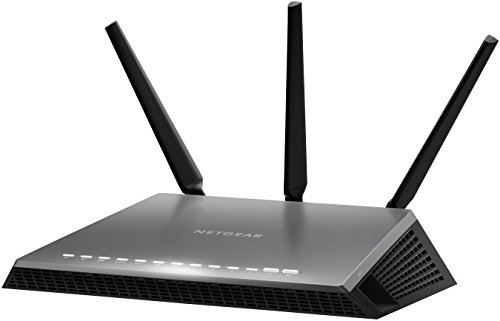
The Nighthawk D7000 folds a VDSL/ADSL modem into NETGEAR’s AC1900 gaming router platform. NETGEAR’s documentation covers ADSL, ADSL2, ADSL2+, VDSL, and VDSL2 with auto-detection, and the Amazon listing for the US model is sold as certified with CenturyLink for non-bonded DSL. Setup is the friendliest of the replacement units: the NETGEAR wizard includes a CenturyLink provider preset that sets the VDSL transfer mode, applies VLAN ID 201, and takes your PPPoE login. See it on Amazon.
Wireless speeds are rated at 600 Mbps on 2.4 GHz and 1,300 Mbps on 5 GHz, driven by a 1 GHz dual-core processor, with Beamforming+ and high-powered amplifiers for range. You get four gigabit LAN ports, a gigabit Ethernet WAN port that lets the D7000 work as a plain router behind another modem, and two USB 3.0 ports for storage sharing. Dynamic QoS prioritises gaming and streaming traffic, which is the feature DSL gamers will actually feel on a crowded line.
Who it suits: Single-pair ADSL2+ or VDSL2 households that want one box with real gaming-router features — QoS, strong radios, and plenty of wired ports — instead of carrier gateway software.
Limitations: It does not support bonded DSL, so bonded-pair households should look at the C3000Z or a bridged setup instead. NETGEAR also lists the D7000 as end of service, with no further firmware updates planned, so you are buying mature, finished software rather than a platform that will keep evolving.
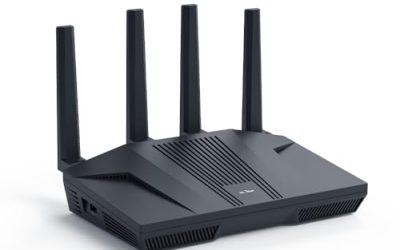
Motorola MD1600 — the simple single-pair replacement

Motorola’s MD1600 is a VDSL2/ADSL2+ modem and AC1600 gigabit Wi-Fi router in one compact unit, and its maker (MTRLC, the Motorola home networking licensee) documents it plainly: it is built for non-bonded, non-vectoring DSL from providers including CenturyLink and Frontier. That honesty makes shortlisting easy — if your gateway status page shows a single-pair line without vectoring, the MD1600 is in scope; if not, it is not. See it on Amazon.
The router side covers the DSL-era essentials well: dual-band Wi-Fi with a 3×3 5 GHz radio and a 2×2 2.4 GHz radio, four gigabit Ethernet LAN ports, a USB 2.0 port with DLNA media sharing, a built-in firewall with WPA and WPA2 wireless security, IPv4 and IPv6 support, and VPN capability. Motorola rates the modem side for DSL speeds up to 100 Mbps, which matches or exceeds what single-pair CenturyLink plans deliver. Built-in surge and lightning protection on the phone line is a thoughtful touch for a device that plugs straight into the wall jack.
Who it suits: Single-pair, non-vectored CenturyLink DSL households that want a tidy one-box swap with gigabit ports and no gaming-router complexity.
Limitations: The exclusions are hard ones — no bonded VDSL or ADSL, and no VDSL vectoring, per the manufacturer. Wireless tops out at Wi-Fi 5 AC1600 speeds, and there is no companion app control.
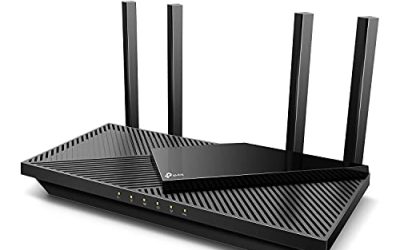
ASUS RT-AX86U Pro — the bridge-mode gaming router
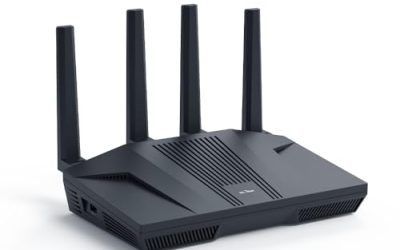
The RT-AX86U Pro has no DSL modem at all, and that is the point. Put the CenturyLink gateway into transparent bridge mode and this Wi-Fi 6 router takes over everything else: the PPPoE login with the credentials CenturyLink issued you, NAT, firewalling, and wireless. ASUS documents PPPoE as a WAN connection type, and the router’s firmware also exposes VLAN tagging controls, so the one box can handle whichever side of the VLAN 201 arrangement your bridged gateway leaves to it. See it on Amazon.
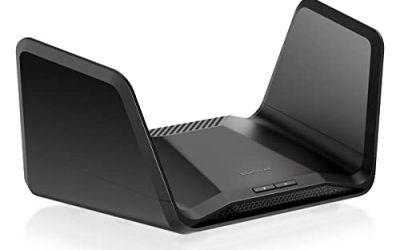
As a gaming router it is the strongest hardware here: AX5700 dual-band Wi-Fi 6 rated at 861 Mbps on 2.4 GHz and 4,804 Mbps on 5 GHz, a 2.5 gigabit port that can serve as WAN or LAN, a dedicated gaming port with automatic prioritisation, and AiMesh support if you later add a second ASUS unit for coverage. Adaptive QoS, VPN client and server support, and AiProtection network security round out a feature set no DSL gateway in this list attempts.
Who it suits: Gamers on any CenturyLink DSL line type — including bonded lines — who keep the provider gateway as a bridged modem and want a modern, fully featured router in charge.
Limitations: It cannot touch the DSL line by itself, so the CenturyLink gateway stays in your setup and in bridge mode. Getting PPPoE credentials and switching the gateway over takes more setup effort than a like-for-like modem swap.
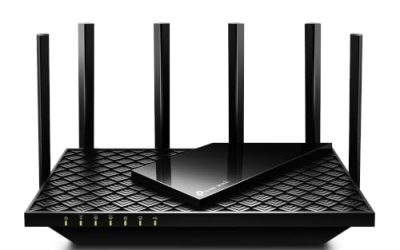
TP-Link Archer AX73 — bridge-mode Wi-Fi 6 with 4×4 range
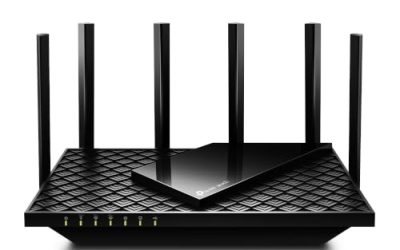
The Archer AX73 follows the same bridged-gateway recipe as the ASUS: the CenturyLink unit handles the DSL signal in transparent bridge mode, and the TP-Link runs the network. TP-Link documents PPPoE among its WAN connection types, and its IPTV settings support VLAN tagging, which covers the configurations where the router rather than the gateway applies the CenturyLink tag. See it on Amazon.
Its AX5400 Wi-Fi 6 radios are rated at 574 Mbps on 2.4 GHz and 4,804 Mbps on 5 GHz, with a 4×4 setup on the 5 GHz band, six external antennas, beamforming, OFDMA, and MU-MIMO for homes where several devices stream and play at once. Four gigabit LAN ports and one gigabit WAN port handle the wired side, a USB 3.0 port shares storage or media, and TP-Link’s HomeShield tools plus OneMesh support are built in if you want to extend coverage later with a compatible extender.
Who it suits: Households bridging a CenturyLink gateway who want wide, stable Wi-Fi 6 coverage for mixed streaming and gaming, with an easy app-driven setup.
Limitations: Like the ASUS, it has no DSL modem and depends on the gateway staying in bridge mode. Its fastest port is gigabit — fine for DSL, but there is no 2.5 gigabit upgrade path for a future faster service.
Comparison table
| Product | Role | DSL / WAN side | Wi-Fi | Wired ports | Key note |
|---|---|---|---|---|---|
| Zyxel C3000Z | Modem-router, replaces gateway | ADSL2+ and VDSL2, bonded and vectoring supported | Wi-Fi 5 AC2200 dual-band | 4 gigabit LAN, Ethernet WAN | The only replacement here that covers bonded lines |
| NETGEAR Nighthawk D7000 | Modem-router, replaces gateway | ADSL2+/VDSL2, single pair, CenturyLink preset with VLAN 201 | Wi-Fi 5 AC1900 dual-band | 4 gigabit LAN, Ethernet WAN, 2 USB 3.0 | Gaming QoS; end-of-service firmware status |
| Motorola MD1600 | Modem-router, replaces gateway | VDSL2/ADSL2+, single pair, non-vectoring only | Wi-Fi 5 AC1600 dual-band | 4 gigabit LAN, USB 2.0 | Maker documents CenturyLink support and its exclusions |
| ASUS RT-AX86U Pro | Router behind bridged gateway | Ethernet WAN, PPPoE client, VLAN controls | Wi-Fi 6 AX5700 dual-band | 2.5 gigabit port, 4 gigabit LAN | Strongest gaming feature set; needs gateway in bridge mode |
| TP-Link Archer AX73 | Router behind bridged gateway | Ethernet WAN, PPPoE client, VLAN via IPTV settings | Wi-Fi 6 AX5400 dual-band | Gigabit WAN, 4 gigabit LAN, USB 3.0 | 4×4 5 GHz radio for busy households |
Frequently asked questions
Can I replace the CenturyLink gateway completely?
On single-pair ADSL2+ and VDSL2 lines, yes — a modem-router such as the D7000 or MD1600 takes over the DSL connection, PPPoE login, and Wi-Fi in one box. On bonded lines, the C3000Z is the replacement that documents bonded VDSL2 support. Whichever unit you choose, you still need your PPPoE username and password from CenturyLink to bring the connection up.
What does transparent bridge mode actually change?
It turns the CenturyLink gateway into a plain modem. Its router, firewall, and Wi-Fi switch off, and your own router makes the PPPoE connection and runs the home network. This is how Wi-Fi 6 routers like the RT-AX86U Pro and Archer AX73 can serve a DSL line they could never plug into directly, and it works on bonded lines because the gateway keeps terminating the bonded signal.
Do I need to set VLAN 201 myself?
Something in the chain has to apply the tag on most CenturyLink VDSL2 lines. A replacement modem-router such as the D7000 does it through its CenturyLink preset. In bridge mode, many CenturyLink gateways keep tagging while passing traffic through; if yours does not, both routers above expose VLAN settings on the WAN side. If your line is an older ADSL service, check the gateway status page first, because settings differ by area.
Will a faster Wi-Fi router make my DSL line faster?
No router can raise the speed CenturyLink provisions on your pair of copper wires. What a better router changes is everything on your side of the modem: coverage in the gaming room, how the connection is shared when the house is busy, and whether a wired gigabit port is available for your PC. Judge these picks on those gains, not on headline wireless numbers.
What if my CenturyLink service is fiber, not DSL?
Then none of the modem-routers apply — fiber is delivered by an optical terminal, and you only need a router that supports PPPoE and VLAN 201, which is the bridged-router path described above with the gateway removed entirely. Confirm which service you have on your bill or gateway status page before ordering DSL hardware.
Conclusion
Begin with your line type, because it narrows this list fast. Bonded VDSL2 households have two clean options: own the Zyxel C3000Z outright, or bridge the gateway CenturyLink gave you and put the ASUS RT-AX86U Pro or TP-Link Archer AX73 in charge. Single-pair households can also choose a true one-box swap — the NETGEAR Nighthawk D7000 if gaming QoS matters and you accept its finished firmware status, or the Motorola MD1600 for a simpler documented fit on non-vectored lines. Get your PPPoE credentials from CenturyLink before you begin, and any of these setups can be finished in one sitting.
More from Amazon
Programs that pair well with the guide above. Offers and eligibility are set by Amazon and may change.
Free shipping on eligible items, Prime Video and more. Eligible new members can start with a free trial.
Start a Prime free trialAd-free music streaming. Eligible new subscribers can start with a free trial.
Try Music Unlimited freeA Prime membership for ages 18-24 with a trial period. Eligibility is set by Amazon.
See Prime for Young AdultsAudiobooks and podcasts to listen to on the go. Eligible new members can start with a free trial.
Try Audible freeAs an Amazon Associate we earn from qualifying purchases.