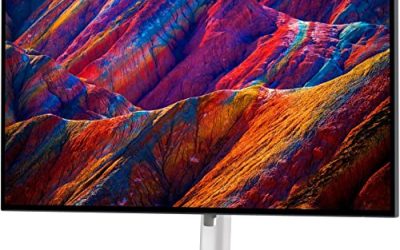
Our Short List of 3

- Size and resolution: 34 inches, 3440 x 1440, 21:9 aspect ratio
- Panel and curve: VA panel, 1000R curved screen
- Refresh and response: 165Hz refresh rate, 1ms MPRT response time
- Sync and HDR: AMD FreeSync Premium, HDR10 support
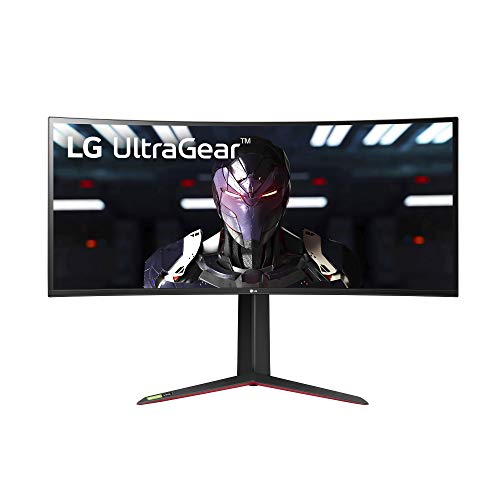
- Size and resolution: 34 inches, 3440 x 1440, 21:9 aspect ratio
- Panel and curve: Curved Nano IPS panel
- Refresh and response: 144Hz refresh rate, 160Hz with overclocking, 1ms response time
- Sync and HDR: NVIDIA G-Sync compatible, AMD FreeSync Premium, HDR support

- Size and resolution: 34 inches, 3440 x 1440, 21:9 aspect ratio
- Panel and curve: VA panel, 1500R curved screen
- Refresh and response: 144Hz refresh rate, 1ms MPRT response time
- Sync and HDR: AMD FreeSync Premium, VESA DisplayHDR 400
All 4 Picks at a Glance
| Product | Specs | Action |
|---|---|---|
| Samsung Odyssey G5 34-Inch: The Deep-Curve All-Rounder |
| Check price on Amazon |
| LG UltraGear 34GP83A-B: Nano IPS Speed and Color |
| Check price on Amazon |
| Gigabyte G34WQC A: The Balanced 1500R VA Option |
| Check price on Amazon |
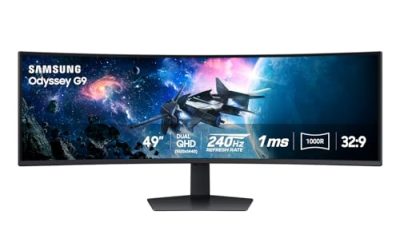
 Samsung Odyssey G9 G91F 49-Inch: The Dual-Monitor Replacement |
| Check price on Amazon |
Our Top Picks
- Samsung 34' Odyssey G5 Ultra-Wide Gaming Monitor with34-inch10.73 x 31.75 x 18.71 inches12.3 poundsCheck on Amazon
An ultrawide curved monitor changes the shape of a desk in a way a standard screen cannot. The extra width stretches a game world into peripheral vision, holds a timeline and its toolbars on one panel, and puts two or three windows side by side with no bezel gap in the middle. The curve is what makes that width usable: instead of the far edges sitting at a sharp angle to the eyes, the panel wraps them inward, so text at the corners stays readable and the picture feels like one continuous surface rather than a flat board viewed from the center.
That shape also creates the main risks in this category. A curve that is too deep for the size can feel distorted for straight-line work, a panel that is too wide for the desk leaves no room for speakers or a second screen, and a high refresh rate on the box means little if the graphics card cannot feed the resolution behind it. This guide covers four ultrawide curved monitors verified on Amazon US, three at 34 inches for normal desks and one 49-inch super ultrawide for readers who want to replace a pair of monitors outright. Each pick is judged on size, curve, resolution, panel type, and refresh rate, taken from its product page.
As an Amazon Associate, we earn from qualifying purchases.
How to Choose an Ultrawide Curved Monitor
Start with size and aspect ratio
Most ultrawide curved monitors fall into two families. The 34-inch class uses a 21:9 aspect ratio and a 3440 x 1440 resolution, which is a standard 1440p screen stretched sideways. It fits a normal desk, runs on a mid-range graphics card, and suits a mix of gaming and everyday work. The 49-inch class uses a 32:9 aspect ratio and a 5120 x 1440 resolution, which is effectively two 27-inch 1440p monitors joined into one panel. It is the better tool for replacing a dual-monitor setup, but it needs a deep desk, a sturdy stand or arm, and a stronger graphics card to fill all of those pixels in games.
Read the curve radius correctly
Curve is described with a number followed by the letter R, such as 1000R, 1500R, or 1800R. The number describes the radius of the circle the panel would complete, so a smaller number means a deeper, more aggressive curve. A 1000R panel wraps noticeably and suits immersive gaming from a close seating position. A 1500R or gentler curve feels more natural for mixed work, where spreadsheets, documents, and straight interface lines share the screen with games. Neither is automatically better: the right curve is the one that matches the viewing distance and the kind of content that fills the screen most often.
Match the panel type to the content
VA panels, used in two of the picks below, deliver strong contrast, so dark game scenes and films show deep blacks, and they usually carry high refresh rates at a given size. Their trade-off is slower dark transitions, which can show as smearing in fast motion. Nano IPS, used in the LG pick, trades some contrast for faster, cleaner motion and wider, more consistent color, which suits fast games and color-sensitive work on the same desk. For a 49-inch super ultrawide, check the HDR certification and the stand carefully, because a panel that large needs real height and tilt adjustment to sit at a comfortable angle.
Check refresh rate, sync, and connections
For gaming, 144Hz is the sensible floor in this class, and every pick below meets or passes it. Adaptive sync matters just as much: AMD FreeSync Premium appears across this list, and the LG also carries NVIDIA G-Sync compatibility, so either graphics card family can keep motion smooth when frame rates vary. Finally, confirm the ports before buying. DisplayPort is the connection that delivers the full resolution and refresh rate on most of these monitors, while HDMI is the practical choice for a console or a second computer, so a desk with both kinds of machine should have both cables planned from the start.
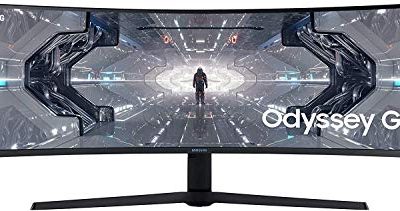
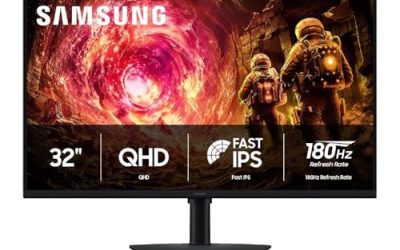
Samsung Odyssey G5 34-Inch: The Deep-Curve All-Rounder
- Size and resolution: 34 inches, 3440 x 1440, 21:9 aspect ratio
- Panel and curve: VA panel, 1000R curved screen
- Refresh and response: 165Hz refresh rate, 1ms MPRT response time
- Sync and HDR: AMD FreeSync Premium, HDR10 support
The Samsung Odyssey G5 in its 34-inch form is built around the deepest curve in this guide. Its 1000R VA panel wraps the 3440 x 1440 picture tightly, which is the right shape for a player who sits close and wants racing games, flight titles, and open-world games to fill peripheral vision rather than sit flat in front of it. Samsung rates the monitor at a 165Hz refresh rate with a 1ms MPRT response time, and AMD FreeSync Premium handles adaptive sync, so motion stays smooth when a demanding scene pulls the frame rate down.
The same shape that helps games needs a thought for work. A 1000R curve is pronounced on a 34-inch panel, and readers who spend most of the day in spreadsheets or design tools with long straight lines may prefer one of the gentler curves below. For a gaming-first desk, though, the specification is coherent: high refresh, fast rated response, HDR10 support, and both HDMI and DisplayPort connections. The listing notes that this model has no built-in speakers, so a headset or external speakers are part of the setup.
Who It Suits
This monitor suits close-seated gamers who want the strongest sense of wrap in the 34-inch class, especially in racing, simulation, and open-world titles. It is a weaker fit for readers who need built-in speakers, or for desks where straight-line precision work matters more than immersion.
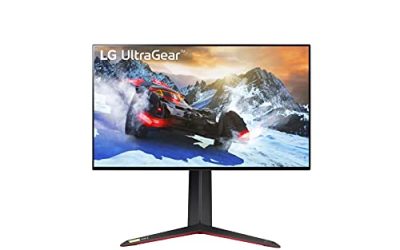
LG UltraGear 34GP83A-B: Nano IPS Speed and Color
- Size and resolution: 34 inches, 3440 x 1440, 21:9 aspect ratio
- Panel and curve: Curved Nano IPS panel
- Refresh and response: 144Hz refresh rate, 160Hz with overclocking, 1ms response time
- Sync and HDR: NVIDIA G-Sync compatible, AMD FreeSync Premium, HDR support
The LG UltraGear 34GP83A-B takes the same 34-inch, 3440 x 1440 format and changes the panel technology. Its curved Nano IPS screen is the color and motion pick in this guide: Nano IPS holds its color more consistently toward the edges of a wide panel, and LG rates the monitor at 144Hz natively, rising to 160Hz with overclocking, with a 1ms response time. It is also the most flexible pick for sync, carrying both NVIDIA G-Sync compatibility and AMD FreeSync Premium, so it pairs cleanly with either graphics card family.
That combination makes this the natural choice for a desk that splits its time. Fast games get the refresh rate, the response time, and the sync support they need, while photo, video, and design work gets the more consistent color behavior of an IPS-family panel across a wide screen. Connectivity is straightforward, with two HDMI ports and one DisplayPort, which allows a PC and a console or work laptop to stay connected at the same time. As with most gaming monitors in this class, DisplayPort is the connection to use for the full refresh rate from a PC.
Who It Suits
This monitor suits players who care about motion clarity and color consistency in equal measure, and mixed desks where the same screen handles games in the evening and creative or office work during the day. Readers who prefer the deeper contrast of a VA panel, or the tighter wrap of a 1000R curve, will find those strengths in the Samsung and Gigabyte picks instead.
Gigabyte G34WQC A: The Balanced 1500R VA Option
- Size and resolution: 34 inches, 3440 x 1440, 21:9 aspect ratio
- Panel and curve: VA panel, 1500R curved screen
- Refresh and response: 144Hz refresh rate, 1ms MPRT response time
- Sync and HDR: AMD FreeSync Premium, VESA DisplayHDR 400
The Gigabyte G34WQC A sits between the two 34-inch picks above in almost every respect, and that balance is its appeal. Its VA panel uses a 1500R curve, gentler than the Samsung G5 and easier to live with for a mix of games and documents, while keeping the contrast advantage that makes VA panels popular for dark scenes. Gigabyte rates it at a 144Hz refresh rate with a 1ms MPRT response time, with AMD FreeSync Premium for adaptive sync and VESA DisplayHDR 400 certification for HDR content.
Color coverage is a stated strength in the listing, at 90 percent of the DCI-P3 color space, which is a wide gamut for a monitor in this class and helps games and video look saturated without drifting into inaccuracy for everyday work. The G34WQC A also includes built-in speakers, a small detail that matters on a tidy desk where external speakers would compete with a wide monitor for space. For a reader who wants one 34-inch ultrawide curved monitor that does not specialize too hard in any single direction, this is the most even-handed specification in the guide.
Who It Suits
This monitor suits mixed-use desks that want VA contrast and a moderate curve without committing to the tight 1000R wrap of the Samsung G5, and readers who value built-in speakers. Competitive players chasing the highest refresh rate in the class should look at the 165Hz Samsung or the overclocked LG instead.
Samsung Odyssey G9 G91F 49-Inch: The Dual-Monitor Replacement
- Size and resolution: 49 inches, 5120 x 1440 Dual QHD, 32:9 aspect ratio
- Panel and curve: Curved ultrawide panel, ergonomic adjustable stand
- Refresh and response: 144Hz refresh rate
- Sync and HDR: AMD FreeSync Premium Pro, DisplayHDR 600
The Samsung Odyssey G9 G91F is a different kind of purchase from the three 34-inch monitors above. Its 49-inch curved panel runs at 5120 x 1440 in a 32:9 aspect ratio, which is the screen space of two 27-inch 1440p monitors with no center bezel, no second stand, and one set of cables. For gaming, that width is the point: supported titles fill peripheral vision completely, and simulation setups in particular gain a cockpit-like view that a 21:9 screen cannot match. For work, picture-by-picture and split-screen layouts let two sources or several windows share the panel in an organized way.
The gaming specification is serious rather than decorative. Samsung lists a 144Hz refresh rate, DisplayHDR 600 certification, and AMD FreeSync Premium Pro, and the ergonomic stand provides the height and tilt adjustment a panel this wide needs to sit at a comfortable viewing angle. The practical warnings are equally clear. A 49-inch monitor needs a deep, stable desk, the 5120 x 1440 resolution is demanding for a graphics card in modern games, and not every title supports the 32:9 aspect ratio cleanly. Readers who can meet those conditions get the most complete single-screen replacement for a dual-monitor setup in this guide.
Who It Suits
This monitor suits readers replacing two monitors with one screen, simulation and racing players who want the widest supported field of view, and heavy multitaskers with a deep desk and a capable graphics card. It is the wrong choice for a shallow desk, a modest graphics card, or a reader who mainly plays titles without ultrawide support.
Frequently Asked Questions
Is a 34-inch or a 49-inch ultrawide curved monitor better?
For most desks, the 34-inch size is the better answer. A 34-inch 21:9 monitor at 3440 x 1440 fits a standard desk, is far easier for a graphics card to drive in games, and is supported by more titles without adjustment. A 49-inch 32:9 monitor is better only when the goal is to replace two monitors with one panel, the desk is deep enough to hold it, and the graphics card can handle 5120 x 1440. Size in this category is a desk and hardware decision first, and a preference decision second.
What curve radius should a buyer choose?
A smaller radius number means a deeper curve. A 1000R panel, such as the Samsung Odyssey G5 in this guide, wraps the picture tightly and suits immersive gaming from a close seat. A 1500R panel, such as the Gigabyte G34WQC A, is a gentler middle ground that feels more natural when documents, spreadsheets, and editing timelines share the screen with games. Readers who sit farther back or split the screen between work and play usually prefer the gentler curve, while dedicated gaming desks benefit most from the deeper one.
Do all games support ultrawide resolutions?
No, and this is the most common surprise for first-time ultrawide buyers. Many modern titles support 21:9 natively, and support for 32:9 is narrower. Some games add black bars at the sides, some stretch the image, and some need a settings change or a community fix to fill the screen correctly. The desktop, browsers, and productivity applications use the full width without issue, so the limitation is mainly about specific game titles. Checking support for the games played most often is a sensible step before choosing the wider 32:9 format.
What graphics card does an ultrawide curved monitor need?
A 3440 x 1440 monitor has considerably more pixels than a standard 1440p screen, and a 5120 x 1440 monitor has more still, so frame rates will be lower than on a smaller display with the same card. A current mid-range card is a reasonable match for 34-inch ultrawide gaming at high settings in many titles, while the 49-inch format rewards a stronger card, especially at its full refresh rate. Adaptive sync, included on every pick in this guide, helps keep motion smooth in the scenes where the card cannot hold the maximum rate.
Final Verdict
The best ultrawide curved monitor depends on the desk it lands on. For a gaming-first 34-inch setup, the Samsung Odyssey G5 pairs the deepest 1000R curve in this guide with a 165Hz refresh rate, making it the immersion pick. For the same size with better color consistency and dual sync support, the LG UltraGear 34GP83A-B is the most versatile choice, and its Nano IPS panel suits work as well as play. The Gigabyte G34WQC A is the balanced middle option, with a gentler 1500R curve, DisplayHDR 400, and built-in speakers. Readers who want to retire a dual-monitor setup entirely should step up to the 49-inch Samsung Odyssey G9 G91F, provided the desk and graphics card are ready for it. Measure the desk, confirm the ports, and match the curve to the content, and any of these four will feel like a genuine upgrade over a flat standard screen.
Product and ASIN Reference
| Product | ASIN |
|---|---|
| Samsung Odyssey G5 34-Inch Ultrawide Curved Monitor | B08MVBYWGQ |
| LG UltraGear 34GP83A-B Curved Ultrawide Monitor | B08DWD38VX |
| Gigabyte G34WQC A Ultrawide Curved Monitor | B09JBLHBWJ |
| Samsung Odyssey G9 G91F 49-Inch Ultrawide Curved Monitor | B0DWT9XN4D |
FAQ
Is a 34-inch or a 49-inch ultrawide curved monitor better?
What curve radius should a buyer choose?
Do all games support ultrawide resolutions?
What graphics card does an ultrawide curved monitor need?
More from Amazon
Programs that pair well with the guide above. Offers and eligibility are set by Amazon and may change.
Free shipping on eligible items, Prime Video and more. Eligible new members can start with a free trial.
Start a Prime free trialAd-free music streaming. Eligible new subscribers can start with a free trial.
Try Music Unlimited freeA Prime membership for ages 18-24 with a trial period. Eligibility is set by Amazon.
See Prime for Young AdultsAudiobooks and podcasts to listen to on the go. Eligible new members can start with a free trial.
Try Audible freeAs an Amazon Associate we earn from qualifying purchases.