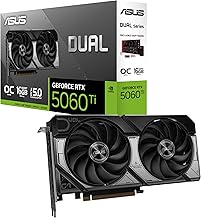
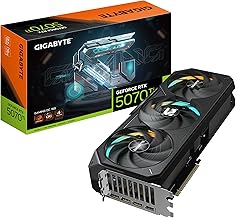
Finding the right mid range gaming GPU has never been more complicated. The market is split across multiple generations, with older cards like the RTX 3060 still holding strong value while newer options like the RX 9070 XT and RTX 5070 push performance ceilings higher than ever. Buyers are left weighing VRAM capacity, feature sets like DLSS 4 and FSR, power requirements, and price-to-performance ratios across a field that changes almost monthly.
Our top picks
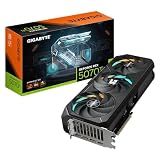
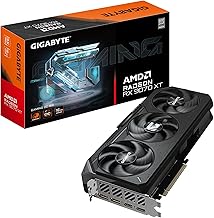
 GIGABYTE Radeon RX 9070 XT Gaming OC
- Powered by Radeon RX 9070 XT
- WINDFORCE Cooling System
- Hawk Fan
 msi Gaming GeForce RTX 3060 Ventus 2X
- Chipset: NVIDIA GeForce RTX 3060
- Video Memory: 12GB GDDR6
- Memory Interface: 192-bit
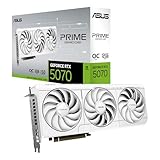
 ZOTAC Gaming GeForce RTX 5070 AMP White
- Powered by the NVIDIA Blackwell architecture and DLSS…
- SFF-Ready Enthusiast GeForce Card, 12GB GDDR7, 192-bit, 28…
- IceStorm 2.0 Cooling, 3x 90mm BladeLink fans, Composite…
| Product | Key specs | |
|---|---|---|
| GIGABYTE Radeon RX 9070 XT Gaming OC | Powered by Radeon RX 9070 XT WINDFORCE Cooling System Hawk Fan | Check price |
| msi Gaming GeForce RTX 3060 Ventus 2X | Chipset: NVIDIA GeForce RTX 3060 Video Memory: 12GB GDDR6 Memory Interface: 192-bit | Check price |
| ZOTAC Gaming GeForce RTX 5070 AMP White | Powered by the NVIDIA Blackwell architecture and DLSS… SFF-Ready Enthusiast GeForce Card, 12GB GDDR7, 192-bit, 28… IceStorm 2.0 Cooling, 3x 90mm BladeLink fans, Composite… | Check price |
 HP Nvidia RTX 3060 Gaming Video Graphics HP Nvidia RTX 3060 Gaming Video Graphics | Check price | |
 GIGABYTE GeForce RTX 3050 WINDFORCE OC V2 GIGABYTE GeForce RTX 3050 WINDFORCE OC V2 | NVIDIA Ampere Streaming Multiprocessors 2nd Generation RT Cores 3rd Generation Tensor Cores | Check price |
 ASUS Prime AMD Radeon RX 9070 XT ASUS Prime AMD Radeon RX 9070 XT | Axial-tech fans now feature a smaller fan hub… Phase-change GPU thermal pad helps ensure optimal heat… 2.5-slot design allows for greater build compatibility while… | Check price |
 ASRock Radeon RX 9060 XT Challenger 16GB ASRock Radeon RX 9060 XT Challenger 16GB | Check price | |
 ASRock AMD Radeon RX 7700 XT Challenger ASRock AMD Radeon RX 7700 XT Challenger | High-Performance GPU: AMD Radeon RX 7700 XT with… Blazing Fast Clock Speeds: Boost Clock up to… Ample Memory Configuration: 12GB GDDR6 memory on a… | Check price |
As an Amazon Associate we earn from qualifying purchases at no extra cost to you.
This guide cuts through the noise. We’ve selected the most relevant mid range GPUs available right now, balancing raw rasterization performance, upscaling tech, memory headroom, and overall value. Whether you’re targeting 1080p high-refresh or stepping into 1440p gaming, these picks cover the spectrum from budget-conscious rebuilds to forward-looking enthusiast builds.
🛒 Best Price Today on Amazon
Prime members get fast, free shipping on everything above, plus member-only deals. New members get a 30-day free trial — cancel anytime.
Watch: Mid Range Gaming Gpu: Review & Buyer’s Guide — Video Review
How to Choose a Mid Range Gaming GPU
- VRAM Capacity: Aim for at least 12GB for modern 1080p and 1440p gaming; 16GB gives you comfortable headroom for future titles and texture-heavy workloads.
- Resolution Target: Match the card to your display — 8GB is fine for 1080p budget builds, 12GB suits 1080p ultra or entry 1440p, and 16GB is ideal for sustained 1440p high-refresh.
- Feature Ecosystem: Decide between NVIDIA’s DLSS suite (including frame generation and DLSS 4) and AMD’s FSR 4; both matter for longevity, but only NVIDIA supports full DLSS feature parity.
- Power and PCIe: Check your PSU wattage and connector availability, and note whether the card requires PCIe 4.0 or 5.0 — older motherboards may limit newer GPU bandwidth.
- Form Factor and Cooling: Verify card length, slot width, and case clearance; dual-fan and triple-fan designs differ in thermal performance and acoustic behavior under sustained load.
The Best Mid Range Gaming Gpus Reviewed
GIGABYTE RX 9070 XT Gaming OC 16G
This is the standout pick for future-proofed 1440p gaming. With 16GB of GDDR6 and AMD’s latest architecture on PCIe 5.0, the GIGABYTE Gaming OC delivers exceptional rasterization performance and strong value compared to NVIDIA’s equivalents at this tier.
ASUS Prime RX 9070 XT OC Edition
ASUS brings a refined dual-BIOS, 2.5-slot design with Axial-tech fans and a three-year warranty. It matches the performance ceiling of the 9070 XT class while offering premium build quality and thermal acoustics that justify its place in any high-end mid range build.
ZOTAC RTX 5070 AMP White Edition
For buyers invested in the NVIDIA ecosystem, the ZOTAC RTX 5070 AMP delivers DLSS 4 and GDDR7 memory in a striking white aesthetic with Spectra RGB. It’s a compelling 1440p card that pairs well with modern displays and ray-traced titles.
MSI RTX 3060 Ventus 2X 12G OC
Still one of the most purchased GPUs for good reason. The 12GB VRAM buffer and Ampere architecture keep it relevant for 1080p ultra gaming, and the compact dual-fan Ventus design fits budget builds without sacrificing essential performance.
GIGABYTE RTX 3050 WINDFORCE OC V2 6G
For entry-level builders on a strict budget, the 6GB RTX 3050 offers a sensible floor. It handles 1080p medium settings competently and benefits from NVIDIA’s encoder for streaming, making it a practical choice for casual gamers and content newcomers.
Frequently Asked Questions
Is the RTX 3060 still worth buying in 2025?
Yes, particularly for 1080p gaming. The 12GB VRAM buffer remains its biggest asset, and current pricing makes it one of the best value-per-dollar options for budget-conscious PC builders.
Should I choose the RX 9070 XT or RTX 5070?
The RX 9070 XT generally offers better raw rasterization performance and more VRAM at 16GB, while the RTX 5070 excels in ray tracing and DLSS 4 upscaling. Your choice depends on whether you prioritize raw frame rates or NVIDIA’s feature suite.
What power supply do I need for these mid range GPUs?
Most cards in this range require a 550W to 650W PSU, though high-end models like the RX 9070 XT may benefit from 700W. Always check the manufacturer’s recommended power supply specification before purchasing.
Will a PCIe 4.0 motherboard limit a PCIe 5.0 GPU?
For gaming workloads, the performance difference is negligible. PCIe 5.0 cards are backward compatible with PCIe 4.0 slots, and current titles do not saturate PCIe 4.0 x16 bandwidth at this performance tier.
Final Thoughts
For most builders, the GIGABYTE RX 9070 XT Gaming OC and ASUS Prime RX 9070 XT represent the best balance of performance, VRAM, and value in the mid range category. If you prefer NVIDIA’s feature set or want a white-themed build, the ZOTAC RTX 5070 AMP White Edition is an equally strong alternative that pairs DLSS 4 with modern GDDR7 memory.