Choosing a graphics card in 2026 has never been more complicated. With AMD’s RX 9000 series, NVIDIA’s RTX 5000 lineup, and Intel’s Battlemage cards all competing for shelf space, buyers face a dizzying matrix of VRAM capacities, bus widths, connector standards, and upscaling technologies. Add in the shift to PCIe 5.0, DisplayPort 2.1a, and DLSS 4, and even experienced builders can feel lost trying to match a GPU to their monitor, budget, and game library.
Our top picks
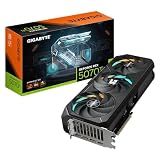
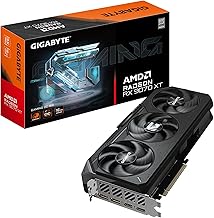
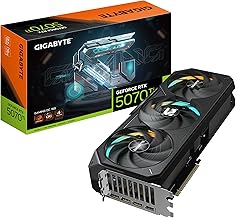
 GIGABYTE Radeon RX 9070 XT Gaming OC
- Powered by Radeon RX 9070 XT
- WINDFORCE Cooling System
- Hawk Fan
 ASUS Dual Radeon RX 9060 XT 16GB
- Axial-tech fans now feature a smaller fan hub…
- 2.5-slot design allows for greater build compatibility while…
- 0dB technology lets you enjoy light gaming in…
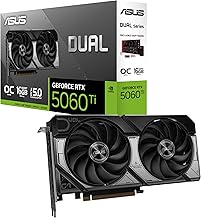
 ASUS Dual NVIDIA GeForce RTX 5060 Ti
- AI Performance: 767 AI TOPS
- OC mode: 2632 MHz (OC mode)/ 2602 MHz…
- Powered by the NVIDIA Blackwell architecture and DLSS…
| Product | Key specs | |
|---|---|---|
| GIGABYTE Radeon RX 9070 XT Gaming OC | Powered by Radeon RX 9070 XT WINDFORCE Cooling System Hawk Fan | Check price |
| ASUS Dual Radeon RX 9060 XT 16GB | Axial-tech fans now feature a smaller fan hub… 2.5-slot design allows for greater build compatibility while… 0dB technology lets you enjoy light gaming in… | Check price |
| ASUS Dual NVIDIA GeForce RTX 5060 Ti | AI Performance: 767 AI TOPS OC mode: 2632 MHz (OC mode)/ 2602 MHz… Powered by the NVIDIA Blackwell architecture and DLSS… | Check price |
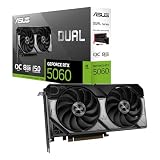
 ASUS Dual NVIDIA GeForce RTX 5060 8GB ASUS Dual NVIDIA GeForce RTX 5060 8GB | Check price | |
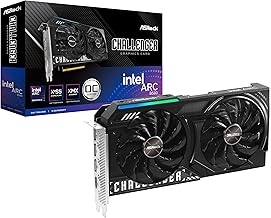 ASRock Intel Arc B580 Challenger 12GB OC ASRock Intel Arc B580 Challenger 12GB OC | Check price | |
 GIGABYTE GeForce RTX 3050 WINDFORCE OC V2 GIGABYTE GeForce RTX 3050 WINDFORCE OC V2 | NVIDIA Ampere Streaming Multiprocessors 2nd Generation RT Cores 3rd Generation Tensor Cores | Check price |
 ASRock Intel Arc A580 Challenger 8GB OC ASRock Intel Arc A580 Challenger 8GB OC | Next-Gen Intel Arc Graphics: Powered by Intel Arc… High-Performance Memory: 8GB GDDR6 on a 256-bit interface… Factory Overclocked: Engine clock set at 2000 MHz… | Check price |
 GIGABYTE GeForce RTX 5070 Gaming OC 12G GIGABYTE GeForce RTX 5070 Gaming OC 12G | Powered by the NVIDIA Blackwell architecture and DLSS… Powered by GeForce RTX 5070 Integrated with 12GB GDDR7 192bit memory interface | Check price |
As an Amazon Associate we earn from qualifying purchases at no extra cost to you.
This guide cuts through the noise. We break down exactly what matters when shopping for a graphics card today, from memory bandwidth to cooling design, and highlight the standout models we have compared across price tiers. Whether you are targeting 1080p esports, 1440p ultra settings, or 4K with AI upscaling, these recommendations and buying criteria will help you spend wisely without overpaying for features you will never use.
🛒 Best Price Today on Amazon
Prime members get fast, free shipping on everything above, plus member-only deals. New members get a 30-day free trial — cancel anytime.
Watch: How to Choose a Graphics Card (2026 Guide) — Video Review
How to Choose a Graphics Card (2026 Guide)
- Resolution and Refresh Rate: Match the card to your monitor, not the other way around. 1080p at 60Hz demands far less silicon than 1440p at 144Hz or 4K at 120Hz. Check the VRAM requirement of the games you actually play and add a 2GB buffer for future-proofing.
- VRAM Capacity: 8GB is the floor for 1080p in 2026, 12GB is comfortable for 1440p, and 16GB gives you headroom for 4K textures and demanding AAA titles. Do not assume more is always better, since memory bandwidth and architecture matter just as much as capacity.
- Upscaling and Feature Set: NVIDIA’s DLSS 4 leads in image quality and frame generation, AMD’s FSR 4 is catching up rapidly, and Intel’s XeSS remains a solid cross-platform option. Pick the ecosystem that aligns with the games and creative apps you use most.
- Power Supply and Case Clearance: Verify your PSU wattage and PCIe connector type before buying. PCIe 5.0 slots are backward compatible, and most modern mid-range cards fit in a 2.5-slot design, but always measure chassis depth and check power cable availability.
- Price-to-Performance Tier: Set a hard budget and compare frames per dollar, not just raw benchmark wins. The best value often sits one step below the flagship, where diminishing returns have not yet eroded your upgrade investment.
The Best How to Choose a Graphics Card (2026 Guide)s Reviewed
GIGABYTE Radeon RX 9070 XT Gaming OC 16G
This is the 1440p sweet-spot pick, delivering 16GB of GDDR6 and a quiet triple-fan cooler that keeps temps and noise in check under sustained loads. It punches well above its weight in rasterization and offers excellent value against pricier NVIDIA alternatives.
ASUS Dual Radeon RX 9060 XT 16GB
A compact 2.5-slot design makes this card ideal for mid-tower and small-form-factor builds alike, and the 16GB buffer handles 1440p textures without breaking a sweat. The Axial-tech fans and 0dB mode keep it silent during light workloads and web browsing.
ASUS Dual NVIDIA GeForce RTX 5060 Ti 16GB OC Edition
DLSS 4 support and 16GB of fast GDDR7 make this the go-to card for buyers who want NVIDIA’s feature stack without paying flagship prices. It excels in ray-traced 1080p and entry-level 1440p gaming, and the three-year warranty adds long-term peace of mind.
ASUS Dual NVIDIA GeForce RTX 5060 8GB OC Edition
For strict 1080p gaming on a budget, this card delivers RTX 5000-series architecture and DLSS 4 in a sensibly sized, well-cooled package. The 8GB limit will show its age sooner in VRAM-heavy titles, but the price-to-performance ratio is hard to beat right now.
ASRock Intel Arc B580 Challenger 12GB OC
Intel’s Battlemage architecture finally delivers a genuinely competitive budget option, with 12GB of GDDR6 and solid 1080p performance at an aggressive price. Driver maturity has improved markedly, making this a credible alternative for cost-conscious builders.
Frequently Asked Questions
How much VRAM do I actually need in 2026?
For 1080p gaming, 8GB is the minimum acceptable, though 12GB provides meaningful headroom. At 1440p, aim for 12GB minimum, and for 4K, 16GB is strongly recommended to avoid texture streaming issues in modern AAA releases.
Is PCIe 5.0 required for modern graphics cards?
No. PCIe 5.0 slots are backward compatible with PCIe 4.0 motherboards, and the performance difference is negligible on current GPUs. Most mid-range cards do not saturate even a PCIe 4.0 x8 link, so an older motherboard is not a dealbreaker.
Should I wait for the next generation?
Only if your current card is genuinely unusable. The RX 9000 and RTX 5000 series offer real generational gains in efficiency and upscaling quality, and waiting six to twelve months for a refresh rarely saves enough money to justify the lost gaming time.
Are Intel Arc cards reliable for gaming now?
Yes. Intel’s Battlemage drivers have matured significantly, and the Arc B580 delivers consistent frame pacing and broad compatibility with current titles. It is a legitimate value option, particularly at lower price points where NVIDIA and AMD offer less VRAM.
Final Thoughts
For most buyers in 2026, the GIGABYTE Radeon RX 9070 XT Gaming OC 16G is the standout value pick, balancing price, performance, and VRAM for 1440p gaming. If you prioritize NVIDIA’s DLSS 4 ecosystem, the ASUS Dual RTX 5060 Ti 16GB OC Edition is the smarter buy, while the ASRock Intel Arc B580 Challenger 12GB OC remains the best budget option for cost-conscious 1080p builders.