Finding the right graphics card in 2026 is harder than ever. With AMD and NVIDIA both refreshing their mainstream lineups, shoppers face a wall of confusing model numbers, memory configurations, and cooler designs. Prices sit in a narrow band, making it tough to tell whether you’re paying for real performance or just a fancy shroud and factory overclock.
Our top picks
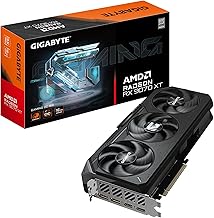
 GIGABYTE Radeon RX 9070 XT Gaming OC
- Powered by Radeon RX 9070 XT
- WINDFORCE Cooling System
- Hawk Fan
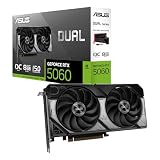
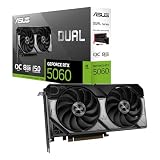
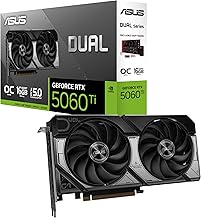
 ASUS Dual NVIDIA GeForce RTX 5060 Ti
- AI Performance: 767 AI TOPS
- OC mode: 2632 MHz (OC mode)/ 2602 MHz…
- Powered by the NVIDIA Blackwell architecture and DLSS…
 GIGABYTE GeForce RTX 5060 WINDFORCE OC 8G
- Powered by the NVIDIA Blackwell architecture and DLSS…
- Powered by GeForce RTX 5060
- Integrated with 8GB GDDR7 128bit memory interface
| Product | Key specs | |
|---|---|---|
| GIGABYTE Radeon RX 9070 XT Gaming OC | Powered by Radeon RX 9070 XT WINDFORCE Cooling System Hawk Fan | Check price |
| ASUS Dual NVIDIA GeForce RTX 5060 Ti | AI Performance: 767 AI TOPS OC mode: 2632 MHz (OC mode)/ 2602 MHz… Powered by the NVIDIA Blackwell architecture and DLSS… | Check price |
| GIGABYTE GeForce RTX 5060 WINDFORCE OC 8G | Powered by the NVIDIA Blackwell architecture and DLSS… Powered by GeForce RTX 5060 Integrated with 8GB GDDR7 128bit memory interface | Check price |
 ASUS Dual Radeon RX 9060 XT 16GB ASUS Dual Radeon RX 9060 XT 16GB | Axial-tech fans now feature a smaller fan hub… 2.5-slot design allows for greater build compatibility while… 0dB technology lets you enjoy light gaming in… | Check price |
 GIGABYTE GeForce RTX 5070 Ti Gaming OC GIGABYTE GeForce RTX 5070 Ti Gaming OC | Powered by the NVIDIA Blackwell architecture and DLSS… Powered by GeForce RTX 5070 Ti Integrated with 16GB GDDR7 256bit memory interface | Check price |
 ASRock Radeon RX 9060 XT Challenger 16GB ASRock Radeon RX 9060 XT Challenger 16GB | Check price | |
 GIGABYTE GeForce RTX 3050 WINDFORCE OC V2 GIGABYTE GeForce RTX 3050 WINDFORCE OC V2 | NVIDIA Ampere Streaming Multiprocessors 2nd Generation RT Cores 3rd Generation Tensor Cores | Check price |
 ASUS Dual NVIDIA GeForce RTX 5060 8GB ASUS Dual NVIDIA GeForce RTX 5060 8GB | Check price |
As an Amazon Associate we earn from qualifying purchases at no extra cost to you.
This guide cuts through the noise. We’ve selected the best current-generation GPUs based on real-world frame rates, thermal performance, feature sets like DLSS 4 and FSR, and overall value. Whether you’re building a 1080p rig or pushing 1440p at high refresh rates, these are the cards worth your money right now.
🛒 Best Price Today on Amazon
Prime members get fast, free shipping on everything above, plus member-only deals. New members get a 30-day free trial — cancel anytime.
Watch: Best Current Graphics Card — Video Review
How to Choose a Current Graphics Card (2026)
- Resolution Target: Match the card to your monitor. 8GB models are fine for 1080p, but 16GB is the safer bet for 1440p and future-proofing as VRAM demands grow.
- Memory Bandwidth: Pay attention to memory type and bus width. GDDR7 on a 256-bit bus outperforms GDDR6 on a 128-bit bus, which matters at higher resolutions.
- Cooler Design: Look for dual-fan or triple-fan setups with good thermal headroom. Cards with 0dB fan modes stay silent under light loads, which is a quality-of-life bonus.
- Feature Ecosystem: NVIDIA cards offer DLSS 4 and superior ray tracing, while AMD cards deliver strong rasterization and FSR support. Pick the ecosystem that aligns with your game library.
- Slot Size and Clearance: Check the card’s slot width and length before buying. Many current cards are 2.5-slot designs that may block adjacent PCIe slots or require a larger case.
The Best Current Graphics Cards (2026) Reviewed
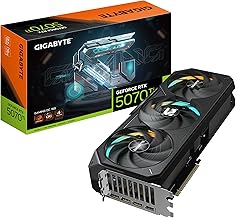
GIGABYTE GeForce RTX 5070 Ti Gaming OC 16G
The standout pick for 1440p gaming. With 16GB of GDDR7 on a 256-bit bus and the WINDFORCE cooler, it handles demanding titles with headroom to spare. The best balance of raw performance and value in this lineup.
GIGABYTE Radeon RX 9070 XT Gaming OC 16G
AMD’s strongest offering here, delivering excellent 1440p rasterization performance and 16GB of VRAM. The Gaming OC cooler keeps RDNA 4 temperatures in check, making it a compelling alternative to NVIDIA’s mid-tier.
ASUS Dual NVIDIA GeForce RTX 5060 Ti 16GB OC Edition
The top 1080p choice with future-proofing built in. DLSS 4 support and 16GB of GDDR7 mean this card will age gracefully, and the Axial-tech fan design runs quiet under sustained load.
ASUS Dual Radeon RX 9060 XT 16GB
A budget-friendly 1080p card that punches above its weight. The 16GB VRAM buffer is unusual at this price point and gives it an edge in memory-hungry titles. A solid, no-nonsense option for mainstream builds.
ASRock Radeon RX 9060 XT Challenger 16GB OC
The value champion. It matches the ASUS Dual in memory and architecture but often comes in cheaper. The 0dB silent mode and LED diagnostic indicator are thoughtful touches on a card this affordable.
Frequently Asked Questions
Is 8GB of VRAM still enough in 2026?
For 1080p gaming at medium-to-high settings, yes. However, newer titles at 1440p or with ray tracing enabled are increasingly demanding more than 8GB, making 16GB cards the safer long-term investment.
Should I choose NVIDIA DLSS 4 or AMD FSR?
DLSS 4 generally produces sharper, more stable images and has broader developer adoption. FSR has closed the gap and works on more hardware, but NVIDIA still leads in upscaling quality and ray reconstruction.
Do I need PCIe 5.0 for these cards?
No. All of these cards are PCIe 5.0 compatible but are fully backward compatible with PCIe 4.0 slots. The performance difference is negligible for gaming, so older motherboards will work fine.
How important is the cooler design?
Fairly important for noise and longevity. Dual-fan designs like the ASUS Axial-tech and GIGABYTE WINDFORCE provide better thermal headroom than single-fan cards, and 0dB modes make a real difference in everyday use.
Final Thoughts
The GIGABYTE RTX 5070 Ti Gaming OC is the best overall pick for 1440p performance, while the ASUS Dual RTX 5060 Ti 16GB is our top recommendation for 1080p gamers who want DLSS 4 and long-term VRAM headroom. If value is your priority, the ASRock RX 9060 XT Challenger 16GB OC delivers the best cost-to-performance ratio in the current market.