Key takeaways
- Latest architecture: Blackwell, GDDR7, and PCIe 5.0 throughout.
- DLSS 4: AI upscaling boosts frame rates across the lineup.
- Options for every build: Compact SFF cards up to flagship coolers.
- Strong ray tracing: The 5080 excels at demanding RT titles.
NVIDIA’s RTX 50-series graphics cards, built on the Blackwell architecture, represent the current cutting edge of gaming and creator performance. With GDDR7 memory, PCIe 5.0, and DLSS 4 AI upscaling, these cards push higher frame rates and sharper visuals across every resolution, from smooth 1080p up to demanding 4K.
This review looks at the RTX 5-series lineup as offered by ASUS and PNY, spanning the mainstream RTX 5060 up to the flagship-class RTX 5080. We will assess design and cooling, real-world performance, the pros and cons, and help you choose the right tier for your games, your monitor, and your budget.
Our top picks
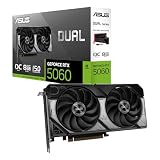
 ASUS SFF-Ready Prime NVIDIA GeForce RTX 5060
- AI Performance: 772 AI TOPS
- OC Edition: 2647 MHz OC mode, 2617 MHz…
- Powered by the NVIDIA Blackwell architecture and DLSS…
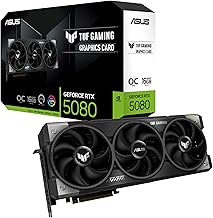
 ASUS TUF Gaming GeForce RTX™ 5080 16GB
- Powered by the NVIDIA Blackwell architecture and DLSS…
- Military-grade components deliver rock-solid power and longer lifespan…
- Protective PCB coating helps protect against short circuits…
 ASUS ROG Astral NVIDIA GeForce RTX™ 5080
- Powered by the NVIDIA Blackwell architecture and DLSS…
- Quad-fan design boosts air flow and pressure by…
- Patented vapor chamber with milled heatspreader for lower…
| Product | Key specs | |
|---|---|---|
| ASUS SFF-Ready Prime NVIDIA GeForce RTX 5060 | AI Performance: 772 AI TOPS OC Edition: 2647 MHz OC mode, 2617 MHz… Powered by the NVIDIA Blackwell architecture and DLSS… | Check price |
| ASUS TUF Gaming GeForce RTX™ 5080 16GB | Powered by the NVIDIA Blackwell architecture and DLSS… Military-grade components deliver rock-solid power and longer lifespan… Protective PCB coating helps protect against short circuits… | Check price |
| ASUS ROG Astral NVIDIA GeForce RTX™ 5080 | Powered by the NVIDIA Blackwell architecture and DLSS… Quad-fan design boosts air flow and pressure by… Patented vapor chamber with milled heatspreader for lower… | Check price |
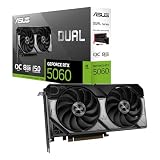
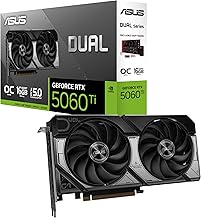
 ASUS Dual NVIDIA GeForce RTX 5060 8GB ASUS Dual NVIDIA GeForce RTX 5060 8GB | Check price | |
 PNY NVIDIA GeForce RTX™ 5080 Epic-X™ ARGB PNY NVIDIA GeForce RTX™ 5080 Epic-X™ ARGB | Axial-Fan Tech Built to Endure - Triple 100mm… Masterfully Crafted Cooling - Advanced vapor chamber and… Epic-X ARGB Lighting 2.0 - Craft your command… | Check price |
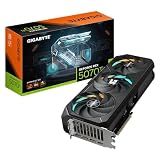
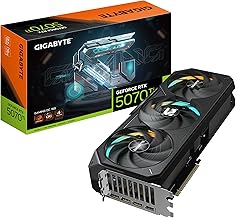
 GIGABYTE GeForce RTX 5070 Ti Gaming OC GIGABYTE GeForce RTX 5070 Ti Gaming OC | Powered by the NVIDIA Blackwell architecture and DLSS… Powered by GeForce RTX 5070 Ti Integrated with 16GB GDDR7 256bit memory interface | Check price |
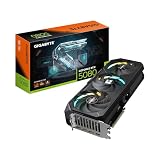
 GIGABYTE GeForce RTX 5080 Gaming OC 16G GIGABYTE GeForce RTX 5080 Gaming OC 16G | Powered by the NVIDIA Blackwell architecture and DLSS… Powered by GeForce RTX 5080 Integrated with 16GB GDDR7 256bit memory interface | Check price |
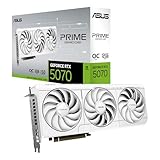
 ASUS SFF-Ready Prime NVIDIA GeForce RTX™ 5070 ASUS SFF-Ready Prime NVIDIA GeForce RTX™ 5070 | AI Performance: 1005 AI TOPS OC mode boosts clock 2587 MHz (OC mode)… Powered by the NVIDIA Blackwell architecture and DLSS… | Check price |
As an Amazon Associate we earn from qualifying purchases at no extra cost to you.
🎮 Get More From Your Setup — Free
Prime Gaming gives you free PC games every month, in-game loot, and a free Twitch channel sub — plus fast free shipping on all the gear above. New members get a 30-day free trial.
Watch: Rtx 5 Series: Review & Buyer’s Guide — Video Review
Design & Build
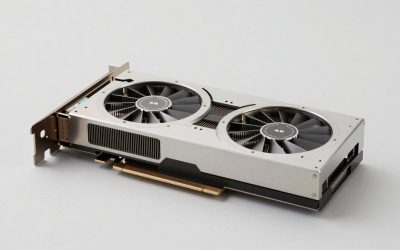
Board partners give the RTX 50-series distinct personalities. The ASUS ROG Astral RTX 5080 is a premium showpiece with a large 3.8-slot, four-fan design and a patented vapor chamber for maximum cooling headroom, while the ASUS TUF Gaming RTX 5080 offers robust, no-nonsense cooling. Compact options like the ASUS Prime and Dual RTX 5060 and 5060 Ti models feature 2 to 2.5-slot designs with 0dB fan technology, making them ideal for smaller or SFF-ready builds. PNY’s Epic-X ARGB versions of the 5080 and 5060 Ti add triple-fan cooling and RGB flair. Build quality is high across the range, with axial-tech fans and sturdy backplates the norm.
Performance
Performance scales cleanly up the stack. The RTX 5060 and 5060 Ti, both with GDDR7 and DLSS 4, are excellent 1080p and 1440p cards, with the 16GB 5060 Ti offering extra VRAM headroom for higher settings and future titles. Step up to the RTX 5080 with 16GB of GDDR7 and boost clocks near 2775 MHz, and you get a true high-refresh 1440p and 4K powerhouse capable of demanding ray-traced games. DLSS 4 is the common thread, using AI to multiply frame rates with minimal visual compromise, which meaningfully extends what each card can achieve. All support modern HDMI and DisplayPort 2.1 outputs for high-refresh displays.
Pros & Cons
- Latest architecture: Blackwell, GDDR7, and PCIe 5.0 throughout.
- DLSS 4: AI upscaling boosts frame rates across the lineup.
- Options for every build: Compact SFF cards up to flagship coolers.
- Strong ray tracing: The 5080 excels at demanding RT titles.
- Flagship pricing: The RTX 5080 commands a premium.
- PSU demands: Higher-tier cards need capable power supplies.
- Case clearance: Large 5080 coolers require roomy cases.
Alternatives to Consider
If you game primarily at 1080p on a budget, the RTX 5060 is all you need, and AMD’s competing Radeon cards are worth comparing for raster value. Enthusiasts chasing the absolute top could look beyond the 5080. But for most gamers, this range covers the bases beautifully. The 16GB RTX 5060 Ti is the mid-range value pick, while the RTX 5080 is the choice for high-refresh 1440p and 4K.
Frequently Asked Questions
What is DLSS 4 and why does it matter?
DLSS 4 is NVIDIA’s latest AI upscaling and frame-generation technology. It boosts performance substantially with minimal quality loss, letting these cards punch above their raw specs.
Which RTX 5-series card is right for me?
For 1080p, the RTX 5060; for 1440p with headroom, the 16GB 5060 Ti; for high-refresh 1440p and 4K, the RTX 5080. Match the card to your monitor’s resolution and refresh rate.
Do I need PCIe 5.0 to use these cards?
No. They are backward compatible with PCIe 4.0 slots with negligible performance difference, so an older motherboard will not hold you back significantly.
Will an RTX 5080 fit my case?
Large models like the ROG Astral are 3+ slots wide, so measure your case length and slot clearance first. The compact 5060 cards fit almost anywhere.
Verdict
The RTX 50-series brings NVIDIA’s latest technology to every price point. For mainstream 1080p and 1440p gaming, the RTX 5060 and 16GB 5060 Ti deliver great value with DLSS 4 support, while the RTX 5080 is a genuine high-end performer for 4K and heavy ray tracing. Pick the tier that matches your display, confirm your PSU and case can handle it, and you will enjoy cutting-edge performance for years.