Key takeaways
- Find the right extended gaming mouse pad for your desk, from cloth control surfaces to spill-proof and RGB-lit options, with sizes and specs compared.
An extended mouse pad changes the question a buyer is answering. The choice is no longer which small square sits under the mouse, but how much desk becomes one continuous surface for the keyboard and the mouse together. A pad that is too short leaves the keyboard on bare wood and the mouse running off the edge during a wide flick, while a pad that is too deep pushes the keyboard forward and crowds the wrists. Footprint matters most, because glide, thickness, and edge finish only work inside the space the pad covers.
This article is for players who want that single surface: low-sensitivity aimers who sweep the whole arm, builders who want keyboard and mouse aligned on one mat, and anyone replacing a pad that keeps shifting during play. The four pads below were chosen from their names and specifications on the Amazon product page, each covering keyboard and mouse together with a different strength — plain cloth control, RGB lighting, sensor-tuned cloth, or a spill-proof surface.
Quick Picks
As an Amazon Associate we earn from qualifying purchases
| Product | Best for | Key spec from title |
|---|---|---|
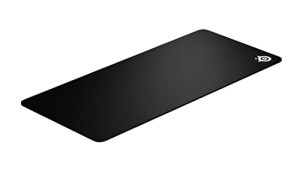
| SteelSeries QcK XXL | A plain cloth surface for keyboard and mouse | 900 x 400 mm micro-woven cloth |
| Razer Goliathus Extended Chroma | A desk that needs RGB edge lighting | 920 x 294 mm Chroma RGB lighting |
| Logitech G840 XL | A thin pad tuned for sensor tracking | 900 x 400 mm performance-tuned cloth |
| Corsair MM350 PRO Extended XL | A desk where drinks sit beside the keyboard | 930 x 400 mm spill-proof cloth |
How to Choose
Measure the desk before the pad
An extended pad only works when the desk can hold its full length flat. Measure the clear width from the monitor stand to the desk edge, and the depth from the monitor base to the front edge, then compare both figures with the pad listing. A 900 mm pad needs a desk at least that wide, and a keyboard angled toward the player still needs the pad to reach under its front edge. Leave a small margin at each end so the pad does not hang over the edge or bunch against a wall, and check that drawers, cable trays, and monitor arms do not lift a corner.
Pick the surface by glide, not by looks
Cloth surfaces differ in how much they slow the mouse, and that difference shows up in aiming. A micro-woven cloth with a tighter weave gives more control for tracking a moving target, while a smoother cloth lets the mouse start and stop with less effort during fast flicks. The listings in this article describe the QcK as micro-woven cloth, the Goliathus as micro-textured cloth, the G840 as performance-tuned cloth with moderate friction, and the MM350 PRO as a glide-enhanced micro-weave. Match the description to the games played most, and remember that a worn or dirty surface changes glide over time.
Decide how much thickness the wrist needs
Thickness changes the height of the wrist above the desk, and that changes comfort over a long session. A 3 mm pad keeps the wrist close to the desk and suits players who rest the forearm on the desk edge, while a 4 mm pad adds a little cushion under the wrist and under the keyboard. Thicker pads also hide small bumps in the desk surface better, but they raise the keyboard slightly and can feel uneven where the pad ends. Check the listed thickness against the current setup, and think about whether the keyboard sits on the pad or beside it before choosing.
Check the base, edges, and extras
A pad that moves during play is worse than a smaller pad that stays put, so the base matters as much as the top. Look for a rubber base described as non-slip or anti-skid in the listing, and check whether the edges are stitched, because stitched edges resist fraying where the wrist rests. Extras also change the decision: the Goliathus needs a USB connection for its lighting, the MM350 PRO adds a spill-proof coating for desks with drinks, and the G840 arrives with a transport tube for carrying the pad rolled up. Weigh each extra against the desk it will live on.
The 4 Best Options
SteelSeries QcK XXL

The QcK XXL is the straightforward pick for a player who wants a large cloth surface without lighting, a hub, or a special coating. Its 900 by 400 mm footprint holds a full-size keyboard and a mouse with room for wide sweeps, and the micro-woven cloth gives a controlled glide that suits tracking and flicking in equal measure. The non-slip rubber base keeps the pad in place during fast movement, and the plain black surface fits a desk that already has enough colour elsewhere. It is the pad to choose when the goal is one reliable surface for the whole setup.
Specs
- Size: 900 x 400 mm
- Surface: Micro-woven cloth
- Base: Non-slip rubber
- Model: 67500
- Colour: Black
- Shape: Rectangular
Best for: Players who want a plain, large cloth surface for keyboard and mouse together.
Watch out for: Measure the desk first, because 900 mm of width needs a desk that wide with room to spare.
ASIN: B00WAA2704
Razer Goliathus Extended Chroma
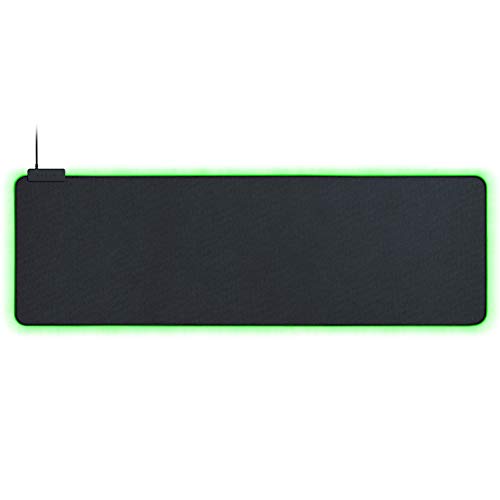
The Goliathus Extended Chroma is the pick for a setup where lighting is part of the desk, not an afterthought. Its 920 by 294 mm surface is long enough for a keyboard and mouse, but narrower front to back than the other pads here, so it suits desks where depth is limited and the keyboard sits close to the player. The micro-textured cloth balances speed and control, the non-slip rubber base holds the pad steady, and the Chroma RGB edge lighting runs around the perimeter. A cable connects the lighting, so a free USB port and a tidy cable route are part of the decision.
Specs
- Size: 920 x 294 x 3 mm
- Surface: Micro-textured cloth
- Lighting: Chroma RGB around the edge
- Base: Non-slip rubber
- Cable length: 2.1 m
- Weight: 560 g
- Model: RZ02-02500300-R3U1
- Colour: Classic Black
Best for: Players who want RGB edge lighting on a long, slim extended pad.
Watch out for: The lighting needs a USB connection, so check for a free port and a cable route before buying.
ASIN: B07DG64YL9
Logitech G840 XL

The G840 XL is the pick for a player who cares most about how the sensor reads the surface. Its 900 by 400 mm cloth surface is described in the listing as performance-tuned, with moderate friction and consistent texture for sensor imaging, which keeps the cursor moving predictably during small adjustments and long sweeps alike. At 3 mm thick it stays low on the desk, the stable rubber base keeps it from sliding, and a transport tube is included for carrying the pad rolled up. It is the most desk-friendly of the four in thickness, and it suits a setup that moves between rooms.
Specs
- Size: 900 x 400 x 3 mm
- Surface: Performance-tuned cloth
- Friction: Moderate surface friction
- Base: Stable rubber
- Thickness: 3 mm
- Item weight: 100 grams
- Model: 943-000776
- Transport: Durable tube included
Best for: Players who want a thin, sensor-tuned cloth pad that travels well.
Watch out for: The 3 mm profile gives little cushion, so players who rest their wrists hard on the pad may want a thicker option.
ASIN: B0BHMN52LY
Corsair MM350 PRO Extended XL
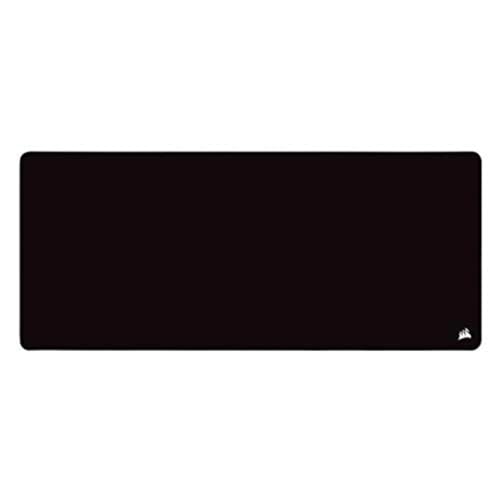
The MM350 PRO Extended XL is the pick for a desk where a drink always sits beside the keyboard. Its 930 by 400 mm surface is the widest here, and the spill-proof micro-weave coating lets liquids slide off the cloth instead of soaking in, which matters when a spill happens mid-game. The 4 mm plush rubber base cushions the wrist, the anti-skid textured base keeps the pad from moving, and anti-fray stitched edges run around all four sides. It is the heaviest-feeling pad of the four in build, and it suits a permanent desk setup rather than a bag.
Specs
- Size: 930 x 400 x 4 mm
- Surface: Spill-proof micro-weave cloth
- Coating: Spill-proof and stain-resistant
- Base: Anti-skid textured rubber
- Thickness: 4 mm
- Edges: Anti-fray stitched
- Model: CH-9413770-WW
- Warranty: 2 year manufacturer
Best for: Players who want the widest pad here with spill protection and stitched edges.
Watch out for: At 930 mm wide it needs the widest desk of the four, and it does not fold down for travel.
ASIN: B08JH8C5T5
Which One Fits Your Situation
You want one plain surface for everything
Pick the SteelSeries QcK XXL. Its 900 by 400 mm micro-woven cloth covers the keyboard and mouse without lighting or extra features to manage, and the non-slip rubber base keeps it steady. It is the simplest choice when the desk already has its own look and the pad only needs to stay flat and track well.
You want lighting around the desk edge
Pick the Razer Goliathus Extended Chroma. Its Chroma RGB edge lighting frames the desk, and the 920 by 294 mm micro-textured cloth still leaves room for a keyboard and mouse. It fits best where depth is limited, because it is narrower front to back than the other pads here, and a free USB port is available for the lighting cable.
You move the pad between desks
Pick the Logitech G840 XL. Its 3 mm profile rolls into the included transport tube, and the performance-tuned cloth with moderate friction suits a range of sensors at each new desk. The stable rubber base holds it in place once unrolled, and the 900 by 400 mm size covers a full keyboard at either location.
You keep drinks on the desk
Pick the Corsair MM350 PRO Extended XL. Its spill-proof micro-weave coating gives time to wipe a spill before it soaks into the cloth, and the anti-fray stitched edges hold up where the wrist rests. At 930 by 400 mm it is also the widest pad here, so it suits a full-size keyboard with room for the mouse beside it.
Common Mistakes
- Buying by length alone and forgetting depth, so the pad hangs over the front edge or pushes the keyboard forward.
- Choosing a lit pad without checking for a free USB port and a cable route for the lighting.
- Picking the thickest pad by default, when a thin pad suits a wrist that rests on the desk edge better.
- Ignoring the base, then finding the pad slides during fast flicks and has to be repositioned mid-game.
- Rolling a pad the wrong way for storage, which can leave a curl at the edge that lifts under the wrist.
Frequently Asked Questions
What size extended mouse pad should I buy?
Measure the clear desk width and depth first, then match the pad to those figures. A 900 by 400 mm pad suits most full-size desks, while a 930 mm pad needs a wider desk. Leave a small margin at each end so the pad lies flat, and check that monitor arms and cable trays do not lift a corner.
Do extended mouse pads work with any gaming mouse?
Yes, the cloth pads in this article suit optical and laser sensors alike, because the surface is the part the sensor reads. The Logitech G840 XL is described as performance-tuned for consistent sensor imaging, while the other pads use micro-woven or micro-textured cloth. A dirty or worn surface changes tracking more than the sensor type, so keep the pad clean.
Does an RGB mouse pad need a separate power source?
The Razer Goliathus Extended Chroma in this article uses a cable for its lighting, with a listed cable length of 2.1 m. It needs a USB connection on the computer, so check for a free port before buying. The other three pads have no lighting and need no connection at all, which suits a desk with no spare ports.
How do I clean an extended cloth mouse pad?
Keep the pad flat while cleaning, and follow the listing guidance for the surface. A spill-proof coating, such as the one on the Corsair MM350 PRO Extended XL, lets liquids slide off. For plain cloth pads, a damp cloth and mild soap usually lift surface dirt, but soaking can loosen the base, so let it dry flat before use.
FAQ
What size extended mouse pad should I buy?
Do extended mouse pads work with any gaming mouse?
Does an RGB mouse pad need a separate power source?
How do I clean an extended cloth mouse pad?
More from Amazon
Programs that pair well with the guide above. Offers and eligibility are set by Amazon and may change.
Free shipping on eligible items, Prime Video and more. Eligible new members can start with a free trial.
Start a Prime free trialAd-free music streaming. Eligible new subscribers can start with a free trial.
Try Music Unlimited freeA Prime membership for ages 18-24 with a trial period. Eligibility is set by Amazon.
See Prime for Young AdultsAudiobooks and podcasts to listen to on the go. Eligible new members can start with a free trial.
Try Audible freeAs an Amazon Associate we earn from qualifying purchases.