Our Top Picks
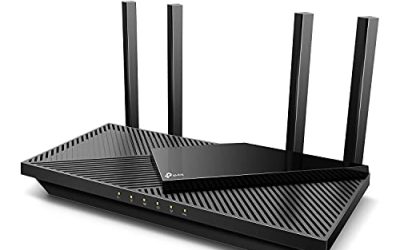
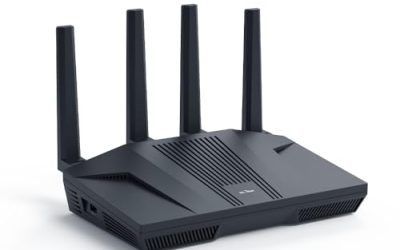
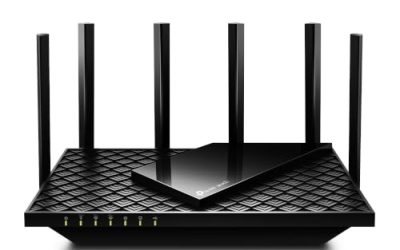
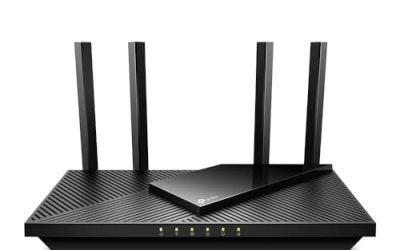
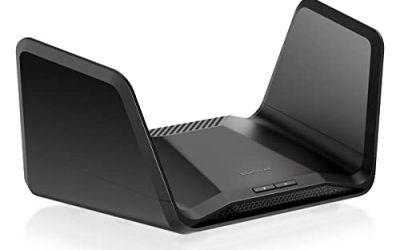
 TP-Link AXE5400 Tri-Band WiFi 6E RouterWiFi 6E, Tri-Band AXE540012.91 x 10.43 x 4.72 inches1.5 poundsCheck on Amazon



As an Amazon Associate we earn from qualifying purchases.
A home router has an unglamorous job: it has to keep phones, laptops, TVs, consoles, work computers and a growing pile of smart devices online at the same time, in every room, without anyone in the house having to think about it. When it fails, the symptoms are familiar. Video calls freeze when someone starts a large download. A bedroom becomes a dead zone. The smart TV buffers in the evening when the whole street seems to come home at once.
This guide is about general home use, not a single narrow job. The five routers below are all standalone WiFi routers of the same type, sold on Amazon US, covering a busy family home wanting the 6 GHz band, a larger home needing dual-band coverage, a house with a wired gaming corner, a home wanting simple app controls, and a smaller home needing a straightforward WiFi 6 upgrade. Every pick supports MU-MIMO and OFDMA and offers gigabit wired ports.
Disclosure: This article contains affiliate links, and we may earn a commission if you buy through them at no extra cost to you.
Read the speed class carefully: the combined figure adds every band together, and no single device uses all bands at once. What matters is the band split, wired ports, and mesh expansion options.
Quick Picks
- Best for most busy homes: TP-Link Archer AXE75 — WiFi 6E tri-band AXE5400 with a 6 GHz band, a 2.5 Gbps WAN port and OneMesh support for later expansion.
- Best dual-band coverage pick: TP-Link Archer AX73 — WiFi 6 AX5400 with six high-performance antennas, OFDMA and MU-MIMO, and HomeShield tools built in.
- Best for a wired gaming or office corner: ASUS RT-AX86U Pro — WiFi 6 AX5700 with a 2.5G port, a dedicated gaming port and AiMesh compatibility.
- Best for simple controls in a larger home: NETGEAR Nighthawk RAX50 — WiFi 6 AX5400 listed for coverage up to 2,500 sq. ft., with four gigabit LAN ports and a USB 3.0 port.
- Best simple upgrade for smaller homes: TP-Link Archer AX21 — WiFi 6 AX1800 dual-band with EasyMesh support, four gigabit LAN ports and Alexa voice control support.
1. TP-Link Archer AXE75 — Best for Most Busy Homes
The Archer AXE75 is the most future-ready router in this guide, and for a busy household it is the easiest one to recommend first. It is a tri-band WiFi 6E router in the AXE5400 class, which means it adds a 6 GHz band on top of the familiar 2.4 GHz and 5 GHz bands. Newer phones, laptops and consoles that support WiFi 6E can move onto that quieter 6 GHz band, leaving the 5 GHz band less crowded for everything else. In a home where several people stream, work and play at the same time, that extra band is a practical way to spread the load.
The wired side is equally well judged for home use. A 2.5 Gbps WAN port means the router will not become the bottleneck if your internet plan grows beyond gigabit speed, and four gigabit LAN ports cover a TV, a console, a desktop and a network drive without a switch. A USB 3.0 port allows basic sharing of a drive on the home network. The listing specifies a 1.7 GHz quad-core processor and 512 MB of memory, which is the kind of headroom that helps a router stay responsive when many devices are active at once.
For homes that may outgrow a single router, OneMesh support matters. You can add a compatible TP-Link extender later and keep one network name, instead of replacing the whole setup. WPA3 security, VPN server and client support, OFDMA and MU-MIMO round out a feature set that suits a mixed household rather than a single-purpose setup.
Specs
- Standard: WiFi 6E (802.11ax), tri-band
- Speed class: AXE5400 — 2,402 Mbps on 6 GHz, 2,402 Mbps on 5 GHz, 574 Mbps on 2.4 GHz
- Channels: Up to 160 MHz on the wider bands
- Wired ports: 1x 2.5 Gbps WAN, 4x gigabit LAN, 1x USB 3.0
- Processor and memory: 1.7 GHz quad-core, 512 MB
- Features: MU-MIMO, OFDMA, OneMesh, WPA3, VPN server and client
Pros
- 6 GHz band gives WiFi 6E devices a less crowded lane at home
- 2.5 Gbps WAN port leaves headroom for faster internet plans
- OneMesh support allows coverage to grow without a full replacement
Cons
- Devices without WiFi 6E cannot use the 6 GHz band at all
- No coverage figure is stated in the listing, so large homes should plan placement carefully
Check the TP-Link Archer AXE75 on Amazon
2. TP-Link Archer AX73 — Best Dual-Band Coverage Pick
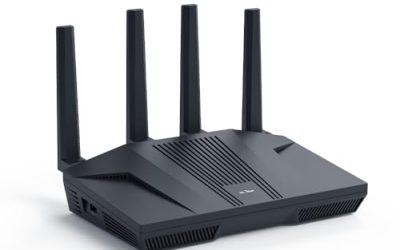
Not every home needs a 6 GHz band. If most of your devices are WiFi 6 or older, the Archer AX73 puts its effort into strong dual-band performance instead. It is an AX5400 WiFi 6 router with six high-performance antennas and beamforming, aimed at pushing a usable signal further across a house. The listing describes it as a long-range model for streaming and general home use, and its six-stream design is built for homes where the router cannot sit in a perfect central spot.
The band split is 4,804 Mbps on 5 GHz and 574 Mbps on 2.4 GHz. That heavily favours the faster band, which is where laptops, TVs and consoles should live, while the 2.4 GHz band handles smart plugs, cameras and other low-demand devices that need range more than speed. OFDMA and MU-MIMO help the router talk to many devices efficiently, and the listing notes support for connecting a large number of devices, which suits a smart home with dozens of small clients quietly attached.
Wired connections are conventional but complete: one gigabit WAN port and four gigabit LAN ports, plus a USB 3.0 port for sharing storage. A 1.5 GHz triple-core processor keeps the interface and traffic handling moving. HomeShield adds parental controls and basic network security tools in the app, which many families will use more than any advanced setting buried in a web page.
Specs
- Standard: WiFi 6 (802.11ax), dual-band
- Speed class: AX5400 — 4,804 Mbps on 5 GHz, 574 Mbps on 2.4 GHz
- Antennas: 6 external high-performance antennas with beamforming
- Wired ports: 1x gigabit WAN, 4x gigabit LAN, 1x USB 3.0
- Processor: 1.5 GHz triple-core
- Features: MU-MIMO, OFDMA, WPA3, HomeShield, Alexa support
Pros
- Six antennas and beamforming suit homes with awkward router placement
- Strong 5 GHz capacity for streaming and everyday family use
- HomeShield parental controls are managed from the app
Cons
- No 6 GHz band for newer WiFi 6E or later devices
- Gigabit WAN caps internet plans above gigabit speed
Check the TP-Link Archer AX73 on Amazon
3. ASUS RT-AX86U Pro — Best for a Wired Gaming or Office Corner
The RT-AX86U Pro is a gaming-leaning router, but its strengths translate directly to a home with a serious wired corner: a gaming PC, a console and a work machine that should never rely on WiFi. It is a dual-band WiFi 6 router in the AX5700 class, with a combined design that gives the 5 GHz band most of the capacity. The standout hardware feature is the 2.5G port, which can serve a fast wired device or a faster internet connection, alongside a dedicated gaming port that prioritises the device plugged into it.
For the rest of the house, AiMesh compatibility is the important feature. The RT-AX86U Pro can act as the main router now and later pair with another AiMesh unit to cover a far bedroom or an upper floor, keeping a single network name and roaming between nodes. AiProtection Pro provides network security and parental controls without a separate subscription, according to the listing, and VPN support is built in for households that use one for work.
Wireless features include MU-MIMO and OFDMA, mobile game mode through the ASUS app, and port forwarding controls. It is not the simplest router here, but for a mixed home where one room is wired and demanding and the rest just needs reliable WiFi, it fits well.
Specs
- Standard: WiFi 6 (802.11ax), dual-band
- Speed class: AX5700
- Wired ports: 1x 2.5G port, 1x dedicated gaming port, additional gigabit LAN ports, USB ports
- Features: MU-MIMO, OFDMA, AiMesh compatible, AiProtection Pro, VPN, port forwarding
- Controls: ASUS Router app with mobile game mode
Pros
- 2.5G port and dedicated gaming port suit a wired PC or console
- AiMesh support makes later whole-home expansion straightforward
- AiProtection Pro and parental controls included in the listing
Cons
- Dual-band only, so there is no 6 GHz lane for newer devices
- Feature depth is more than a set-and-forget household needs
Check the ASUS RT-AX86U Pro on Amazon
4. NETGEAR Nighthawk RAX50 — Best for Simple Controls in a Larger Home

The Nighthawk RAX50 is the NETGEAR option in this guide, and its listing leads with the number many home buyers ask about first: coverage for up to 2,500 sq. ft. It is a six-stream AX5400 WiFi 6 router, dual-band, with up to 5.4 Gbps of combined wireless speed. NETGEAR positions it for up to 25 devices, which is a realistic figure for a family home once phones, laptops, TVs, consoles and smart devices are counted.
Four gigabit Ethernet ports and a gigabit WAN port cover the wired basics, and a USB 3.0 port supports sharing a drive across the home network, useful for a simple family photo or media folder without a dedicated server. OFDMA and MU-MIMO are both present, along with beamforming, so the router can serve several active devices on the 5 GHz band while the 2.4 GHz band carries the smart home load.
Setup runs through the Nighthawk app, which handles checking connected devices, pausing a device, firmware updates and the guest network. NETGEAR Armor is offered as the security layer. The RAX50 is a steady, app-led router for a larger single-storey home or a compact two-storey house where one well-placed unit should be enough.
Specs
- Standard: WiFi 6 (802.11ax), dual-band, 6-stream
- Speed class: AX5400, up to 5.4 Gbps combined
- Coverage: Up to 2,500 sq. ft. and up to 25 devices, per the listing
- Wired ports: 1x gigabit WAN, 4x gigabit LAN, 1x USB 3.0
- Features: MU-MIMO, OFDMA, beamforming, Nighthawk app, NETGEAR Armor support
Pros
- Stated coverage figure helps buyers match it to a larger home
- Four gigabit LAN ports plus USB 3.0 sharing cover family basics
- App-based setup and device pausing suit non-technical households
Cons
- No 6 GHz band and no multi-gig port for future faster plans
- Stated device guidance is lower than the busiest smart homes may need
Check the NETGEAR Nighthawk RAX50 on Amazon
5. TP-Link Archer AX21 — Best Simple Upgrade for Smaller Homes
The Archer AX21 is the entry point in this guide, and for an apartment or a smaller house it may be all the router you need. It is a dual-band WiFi 6 router in the AX1800 class, split as 1,201 Mbps on 5 GHz and 574 Mbps on 2.4 GHz. That is enough capacity for streaming on a couple of TVs, video calls, browsing and casual gaming, especially on internet plans well below gigabit speed, where a faster router would add little in daily use.
Despite the lower speed class, the core WiFi 6 features are present. OFDMA and MU-MIMO help it handle many devices at once, which matters more in a modern apartment than raw peak speed. Four external antennas and beamforming help it cover a typical flat or small house from a central position.
Four gigabit LAN ports and a gigabit WAN port mean a TV, console and desktop can still be wired, which is not always true at this level. EasyMesh support gives it a growth path with a compatible extender if you move to a larger home, and it works with Alexa for basic voice control. Setup through the TP-Link Tether app is quick, and WPA3 support keeps security current. Choose it for value and simplicity, not for a house full of simultaneous heavy users.
Specs
- Standard: WiFi 6 (802.11ax), dual-band, 4-stream
- Speed class: AX1800 — 1,201 Mbps on 5 GHz, 574 Mbps on 2.4 GHz
- Antennas: 4 external antennas with beamforming
- Wired ports: 1x gigabit WAN, 4x gigabit LAN
- Features: MU-MIMO, OFDMA, EasyMesh, WPA3, Alexa support, Tether app
Pros
- Complete WiFi 6 feature set in a simple, compact router
- Four gigabit LAN ports are generous for a smaller home
- EasyMesh support allows a later coverage upgrade
Cons
- AX1800 capacity is quickly shared out in a busy family home
- No USB port for network storage sharing
Check the TP-Link Archer AX21 on Amazon
How to Choose a WiFi Router for Home Use
Start with your internet plan. A router cannot deliver more than your plan provides. On a plan below gigabit speed, an AX1800 or AX5400 router is usually enough, while a plan above gigabit speed needs a 2.5 Gbps WAN port, as on the Archer AXE75 or the RT-AX86U Pro, or the extra speed is lost at the door.
Match the bands to your devices. Dual-band WiFi 6 covers most homes well. A tri-band WiFi 6E router adds a 6 GHz band that only newer devices can use, so it helps most when your phones and laptops are recent and several people are active at once. Older devices will simply stay on 2.4 GHz and 5 GHz, which is fine.
Think about coverage honestly. A stated coverage figure assumes an open layout and a central position. Thick walls, brick and metal shrink real coverage. If your home is large or split across floors, choose a router with mesh support — OneMesh, EasyMesh or AiMesh here — so you can add a node later.
Count wired ports before you buy. TVs, consoles, desktops and work machines are more stable on a cable. Four LAN ports is the comfortable standard here. If you need more, plan for a small switch rather than choosing a router for ports alone. A USB port is optional and only matters if you want simple drive sharing.
Check the controls you will actually use. Parental controls, a guest network, device pausing and firmware updates are the features families use weekly. App-based setup makes those tasks easier. Turn on WPA3 where devices support it.
FAQs
Is WiFi 6 enough for home use, or do I need WiFi 6E?
WiFi 6 is enough for most homes, especially on internet plans below gigabit speed. WiFi 6E adds a 6 GHz band that reduces crowding for newer devices, which helps in busy households and dense apartment buildings, but older devices cannot use that band.
Where should I place a home router?
Place it as centrally as you can, raised off the floor, out in the open and away from thick walls, large metal objects and the microwave. A router hidden in a corner cabinet will cover a house unevenly no matter how strong its antennas are.
When should a home choose mesh instead of one router?
Choose mesh, or a mesh-ready router, when one unit leaves dead zones in bedrooms or on another floor, or when the home is large and spread out. A single router suits most apartments and smaller houses; expansion support lets you decide later with your own layout as evidence.
How many devices can these routers handle?
WiFi 6 features such as OFDMA and MU-MIMO are designed for homes with many connected devices, and the listings here describe support ranging from up to 25 devices on the RAX50 to much larger connected counts on the AX73. In practice, how many are active at once matters more than how many are merely connected.
Should I wire anything if the WiFi is fast?
Yes. A desktop, console or TV that sits near the router will almost always be more stable on an Ethernet cable, and wiring those fixed devices frees wireless capacity for phones and laptops that actually move around the house.
Conclusion
For most households, the TP-Link Archer AXE75 is the best starting point: WiFi 6E, a 2.5 Gbps WAN port and OneMesh expansion cover both current devices and the next few years of upgrades. The Archer AX73 is the strong dual-band alternative when coverage and 5 GHz capacity matter more than a new band, and the ASUS RT-AX86U Pro suits homes with a wired gaming or office corner that needs priority. The NETGEAR Nighthawk RAX50 brings app-led simplicity and a clear coverage figure for larger homes, while the Archer AX21 remains the sensible, simple upgrade for apartments and smaller houses. Match the router to your plan speed, your layout and your device count, place it well, and home WiFi becomes something you stop thinking about — which is exactly the point.
More from Amazon
Programs that pair well with the guide above. Offers and eligibility are set by Amazon and may change.
Free shipping on eligible items, Prime Video and more. Eligible new members can start with a free trial.
Start a Prime free trialAd-free music streaming. Eligible new subscribers can start with a free trial.
Try Music Unlimited freeA Prime membership for ages 18-24 with a trial period. Eligibility is set by Amazon.
See Prime for Young AdultsAudiobooks and podcasts to listen to on the go. Eligible new members can start with a free trial.
Try Audible freeAs an Amazon Associate we earn from qualifying purchases.