Our Top Picks
 Logitech G Pro X Superlight 2 Lightspeed WirelessClassic1.57 x 2.5 x 4.92 inches0.1 poundsCheck on Amazon
Pros & cons
- 95-hour battery life reduces how often you need to charge
- 60-gram weight suits fast, low-effort mouse movement
- HERO 2 sensor tracks up to 44,000 DPI with no smoothing
- POWERPLAY wireless charging pad is sold separately
- Premium features add a more complex setup than basic mice
 Razer DeathAdder V3 Pro Wireless Gaming Mouse1000 Hz5.01 x 2.65 x 1.69 inches0.1 poundsCheck on Amazon
As an Amazon Associate we earn from qualifying purchases.
Why Battlefield Demands a Different Mouse
Battlefield is not a small arena shooter. A single round can stretch across a huge map, move from street fighting to open fields, and put you in a tank, a helicopter, or a jet before you are back on foot. You spot enemies at long range, clear buildings at close range, and switch gadgets while a vehicle bears down on your position. That variety is exactly why the best gaming mouse for Battlefield is not simply the lightest mouse on the shelf or the one with the highest sensor number. It is the mouse that stays accurate through all of those situations without wearing your hand out.
A good Battlefield mouse starts with a sensor that tracks cleanly at any speed. Long-range duels reward small, controlled movements, while close-quarters fights demand fast flicks when an enemy appears around a corner. A modern optical sensor with high tracking speed and no smoothing handles both. Polling rate matters too: a higher polling rate sends your movement to the game more often, which keeps crosshair movement feeling direct during fast turns. Most of the mice in this guide run at 1000 Hz or higher, and two of them reach 8000 Hz when paired with their wireless receiver.
Weight is the next decision. Ultralight mice around 54 to 63 grams make flick shots and long tracking sessions feel effortless, and they suit players who move the mouse across a large pad. Heavier mice around 100 grams feel steadier for long-range aiming and give your hand something solid to hold during slow, deliberate shots. Neither choice is wrong. The right weight is the one that lets you aim smoothly for a full round without your wrist getting tired.
Buttons matter more in Battlefield than in most shooters. You need fire, aim, spot, gadget, reload, melee, and often a DPI shift for scoped shots. A mouse with well-placed side buttons lets you spot enemies and switch gadgets without moving your fingers off the main buttons. Programmable buttons are even better, because you can bind spotting, gadget switching, or a quick DPI drop to a thumb button and keep your keyboard hand focused on movement.
Comfort rounds out the list. Battlefield rounds run long, and a mouse that pinches your hand or forces an awkward grip will cost you accuracy late in a match. The picks below cover the three main grip styles, so whether you palm the mouse, claw it, or hold it with your fingertips, there is a shape here that fits.
What to Look for in a Battlefield Mouse
Before the picks, here is the short checklist we used to choose them. Every mouse below meets all five points.
Sensor quality. Look for a modern optical sensor with at least 18,000 DPI on paper and, more importantly, flawless tracking with no acceleration or smoothing. All five picks use sensors from the current generation of their makers, and each one tracks cleanly at the fast swipe speeds Battlefield demands.
Polling rate. A 1000 Hz polling rate is the baseline for competitive play. The two esports-focused picks in this guide go further, reaching 8000 Hz wireless polling, which shortens the delay between your hand and the game. If you play on a high-refresh monitor, the difference is easy to feel.
Weight and balance. Ultralight mice suit fast flicks and wide arm movements. Mid-weight mice suit players who anchor their wrist and aim with small movements. The guide includes both, and the heaviest pick has a tunable weight system so you can adjust the feel.
Extra buttons. At least two side buttons are a must for spotting and gadget use. More buttons help if you drive vehicles often or like a dedicated DPI shift button for scoped weapons. The button-heavy picks here give you up to thirteen programmable controls.
Battery and connection. Wireless mice have closed the gap on wired ones, and every pick below is wireless with a 2.4 GHz connection built for gaming. Battery life ranges from 90 hours to 180 hours depending on the model, so none of them will die mid-round if you charge them between sessions. Each one also works wired over USB-C while charging, so a low battery never ends your game.
Shape and grip. Palm, claw, and fingertip grips all appear in this guide. A symmetrical shape suits claw and fingertip players, while an ergonomic right-handed shape suits palm players and long sessions.
The 5 Best Gaming Mice for Battlefield
1. Logitech G Pro X Superlight 2
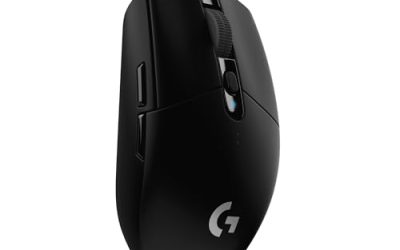
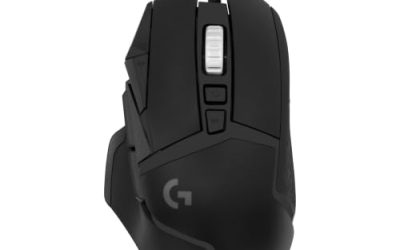
The Logitech G Pro X Superlight 2 is the reference point for competitive FPS mice, and it earns the top spot here because it does everything Battlefield asks for without adding weight or distraction. At 60 grams, it is light enough for fast flicks across a large pad, yet its symmetrical shape stays stable during slow, long-range tracking. The HERO 2 sensor tracks up to 44,000 DPI with no smoothing, and the LIGHTSPEED wireless connection runs at up to 8000 Hz polling, so your crosshair follows your hand with almost no delay.
Five programmable buttons keep the layout clean: two main clicks, two side buttons, and a scroll click. That is enough for fire, aim, spot, gadget, and a DPI shift without crowding your thumb. The LIGHTFORCE hybrid switches combine optical speed with a mechanical click feel, and the PTFE feet glide smoothly on cloth and hard pads alike. Battery life runs up to 95 hours per charge, and USB-C charging means a quick top-up between rounds gets you back in the game.
This mouse suits claw and fingertip players best, and it works well for palm players with medium hands. If you want one mouse that handles every Battlefield role, from infantry rushes to long-range recon, this is the safest pick in the guide.
Specs
- Sensor: Logitech HERO 2, up to 44,000 DPI
- Polling rate: up to 8000 Hz wireless
- Weight: 60 g
- Buttons: 5 programmable
- Switches: LIGHTFORCE hybrid optical-mechanical
- Battery life: up to 95 hours
- Connection: LIGHTSPEED wireless, USB-C wired
- Dimensions: 4.92 x 2.5 x 1.57 inches
- ASIN: B09NBWL8J5
2. Razer Viper V3 Pro
The Razer Viper V3 Pro is the lightest mouse in this guide at 54 grams, and that lightness shows the moment you start flicking between targets in a crowded capture point. Its symmetrical shape suits claw and fingertip grips, and the Focus Pro 35K optical sensor tracks flawlessly at high speeds with no smoothing. Like the Superlight 2, it polls at up to 8000 Hz wireless, so fast turns and micro-adjustments feel immediate.
Eight programmable buttons give you more room than most ultralight mice. Two side buttons sit where your thumb rests, and the extra controls can hold spotting, gadget switching, or a DPI shift for scoped rifles. Gen-3 optical switches fire with no debounce delay, which matters when you are trading shots at close range. Battery life runs up to 95 hours, and the mouse charges over USB-C.
The Viper V3 Pro is the pick for players who aim with their arm and want the fastest-feeling mouse available. Its light weight and high polling rate make it ideal for aggressive infantry play, and the extra buttons mean you never have to choose between a clean layout and the controls Battlefield needs.
Specs
- Sensor: Razer Focus Pro 35K optical, up to 35,000 DPI
- Polling rate: up to 8000 Hz wireless
- Weight: 54 g
- Buttons: 8 programmable
- Switches: Gen-3 optical
- Battery life: up to 95 hours
- Connection: HyperSpeed wireless 2.4 GHz, USB-C wired
- Model: RZ01-05120100-R3U1
- ASIN: B0CW25XR5R
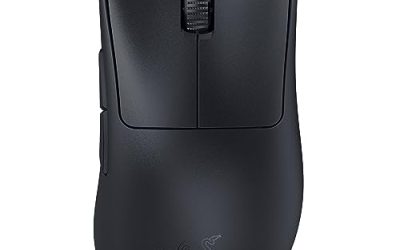
3. Razer DeathAdder V3 Pro
The Razer DeathAdder V3 Pro is the comfort pick in this guide. Its ergonomic right-handed shape has been refined over many generations, and at 63 grams it is one of the lightest ergonomic mice ever made. Palm players will feel at home immediately, and claw players with larger hands will find the shape fills the palm without forcing the fingers into an awkward curl. Long Battlefield rounds are where this shape pays off: your hand stays relaxed, and your aim stays steady in the final minutes of a match.
The Focus Pro 30K optical sensor tracks cleanly on cloth pads and hard surfaces alike, and HyperSpeed wireless keeps the connection stable with no perceptible lag. Five programmable buttons cover the essentials, and Gen-3 optical switches give each click a crisp, consistent feel. Battery life runs up to 90 hours, and the mouse charges over USB-C while you keep playing wired.
Choose the DeathAdder V3 Pro if you play long sessions, favor a palm grip, or want an ergonomic shape that disappears in your hand. It is also a strong choice for players who split their time between infantry and vehicles, since the comfortable shape and reliable sensor work equally well in both roles.
Specs
- Sensor: Razer Focus Pro 30K optical, up to 30,000 DPI
- Polling rate: 1000 Hz wireless (8000 Hz with HyperPolling dongle bundle)
- Weight: 63 g
- Buttons: 5 programmable
- Switches: Gen-3 optical
- Battery life: up to 90 hours
- Connection: HyperSpeed wireless 2.4 GHz, USB-C wired
- Model: RZ01-04630100-R3G1
- ASIN: B0B6XZLNHQ
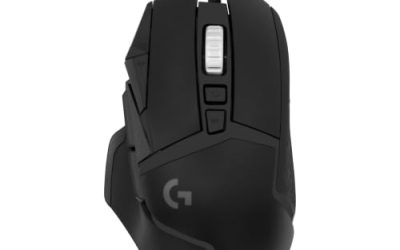
4. Logitech G502 X Lightspeed

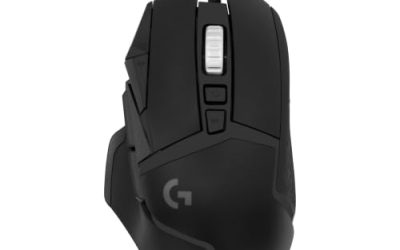
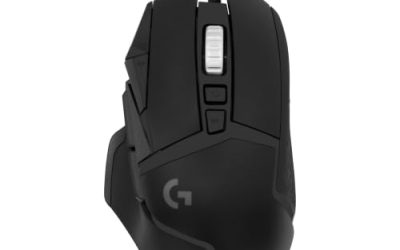
The Logitech G502 X Lightspeed is the button king of this guide, and that makes it the best fit for players who use every gadget, vehicle, and tool Battlefield offers. Thirteen programmable buttons put spotting, gadget switching, melee, DPI shift, and vehicle controls under your fingers without reaching for the keyboard. The dual-mode scroll wheel switches between a notched mode for weapon switching and a free-spinning mode for fast scrolling, and the infinite scroll setting is handy for cycling through gadgets quickly.
The HERO 25K sensor tracks up to 25,600 DPI with no smoothing, and LIGHTFORCE hybrid switches give the main clicks a fast, tactile feel. Battery life runs up to 140 hours, the longest of the Logitech picks here, and the mouse supports PowerPlay wireless charging if you own a compatible pad. At 99.7 grams it is the heaviest mouse in this guide, and that weight gives it a planted, deliberate feel that suits slow, precise aiming at long range.
This is the pick for players who want maximum control. If you drive tanks, fly helicopters, or run a gadget-heavy loadout, the extra buttons and the scroll wheel modes will change how you play. It also suits players with larger hands who find ultralight mice too small or too twitchy.
Specs
- Sensor: Logitech HERO 25K, up to 25,600 DPI
- Polling rate: 1000 Hz wireless
- Weight: 99.7 g
- Buttons: 13 programmable
- Switches: LIGHTFORCE hybrid optical-mechanical
- Battery life: up to 140 hours
- Connection: LIGHTSPEED wireless, USB-C wired, PowerPlay compatible
- Scroll wheel: dual-mode with infinite scroll toggle
- ASIN: B092CRH1RX
5. SteelSeries Aerox 5 Wireless

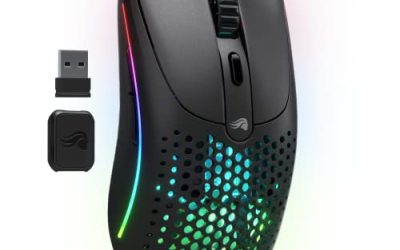
The SteelSeries Aerox 5 Wireless is the all-rounder that does a little bit of everything Battlefield asks for. Nine programmable buttons sit between the minimal esports mice and the button-heavy G502 X, giving you room for spotting, gadgets, and a DPI shift without a crowded layout. The TrueMove Air sensor tracks up to 18,000 DPI, and the holey shell keeps the weight down to 74 grams while letting air flow around your hand during long rounds.
Battery life is the standout number here: up to 180 hours on a single charge, the longest in this guide. The mouse connects over 2.4 GHz wireless or Bluetooth, so you can pair it with a laptop or a second machine without swapping receivers. An IP54 seal protects against sweat and splashes, which matters in long sessions. The shape is right-handed and works well for palm and claw grips, and the RGB lighting can be set to match your setup or turned off entirely.
Pick the Aerox 5 Wireless if you want the longest battery life, a middle-ground button count, and a light mouse that still feels substantial in the hand. It is a strong choice for players who game for hours at a time and do not want to think about charging.
Specs
- Sensor: SteelSeries TrueMove Air optical, up to 18,000 DPI
- Polling rate: 1000 Hz wireless
- Weight: 74 g
- Buttons: 9 programmable
- Battery life: up to 180 hours
- Connection: 2.4 GHz wireless, Bluetooth, USB-C wired
- Water resistance: IP54
- Model: 62406
- ASIN: B09VP2NV53
Battlefield Mice Compared
| Mouse | Weight | Sensor | Buttons | Battery life |
|---|---|---|---|---|
| Logitech G Pro X Superlight 2 | 60 g | HERO 2, 44,000 DPI | 5 | Up to 95 hours |
| Razer Viper V3 Pro | 54 g | Focus Pro 35K | 8 | Up to 95 hours |
| Razer DeathAdder V3 Pro | 63 g | Focus Pro 30K | 5 | Up to 90 hours |
| Logitech G502 X Lightspeed | 99.7 g | HERO 25K | 13 | Up to 140 hours |
| SteelSeries Aerox 5 Wireless | 74 g | TrueMove Air, 18,000 DPI | 9 | Up to 180 hours |
If you want the fastest-feeling mouse, pick the Viper V3 Pro or the Superlight 2. If you want comfort for long rounds, pick the DeathAdder V3 Pro. If you want the most buttons for gadgets and vehicles, pick the G502 X Lightspeed. If you want the longest battery life and a balanced layout, pick the Aerox 5 Wireless.
How to Set Up Your Mouse for Battlefield
A good mouse still needs the right settings. Start with sensitivity: most experienced FPS players use a low sensitivity that lets them track a moving target smoothly without overshooting. A common starting point is 400 or 800 DPI with in-game sensitivity set low enough that a full sweep across your pad turns your character about 180 degrees. From there, adjust in small steps until your crosshair lands where you expect it to on the first try.
Set a DPI shift button if your mouse has a spare one. Bind it to a lower DPI for scoped weapons, so a long-range shot needs only a small hand movement. The G502 X Lightspeed has a dedicated sniper button position for this, and the Viper V3 Pro and Aerox 5 Wireless both have enough programmable buttons to add one.
Turn off mouse acceleration in the game settings so your crosshair moves the same distance for the same hand movement every time. Keep your polling rate at 1000 Hz or higher, and use the 2.4 GHz wireless connection rather than Bluetooth when you play, since the wireless gaming connection has lower latency.
Finally, match the mouse to your pad. A large cloth pad suits low-sensitivity arm aiming, which is common in Battlefield because of the long sightlines. Keep the pad clean and flat, and replace the mouse feet when they start to drag. Small setup details add up over a long round, and they cost nothing.
FAQ
What DPI should I use for Battlefield?
Start at 400 or 800 DPI with a low in-game sensitivity, then adjust in small steps. The goal is a setting where you can track a moving target smoothly and turn 180 degrees with one comfortable sweep across your pad. There is no single correct number, and the right setting depends on your pad size and grip.
Is a wireless mouse good enough for Battlefield?
Yes. Every mouse in this guide uses a 2.4 GHz wireless connection built for gaming, with latency that matches a wired connection in practice. Two of them poll at up to 8000 Hz. Use the included wireless receiver rather than Bluetooth when you play, and keep the mouse charged between sessions.
How many buttons do I need on a Battlefield mouse?
Two side buttons are the minimum for spotting and gadget use. Five buttons cover the basics comfortably. If you drive vehicles often or run gadget-heavy loadouts, a mouse with nine or more buttons, like the Aerox 5 Wireless or the G502 X Lightspeed, gives you far more room.
Does mouse weight matter for Battlefield?
Yes, but the best weight is personal. Lighter mice around 54 to 63 grams suit fast flicks and wide arm movements, while heavier mice near 100 grams feel steadier for slow, long-range aiming. Try both styles if you can, and choose the weight that keeps your aim smooth through a full round.
Final Thoughts
Battlefield rewards a mouse that can do everything: track cleanly at long range, flick fast at close range, carry enough buttons for gadgets and vehicles, and stay comfortable through a long round. The five mice in this guide cover that whole range. The Superlight 2 and Viper V3 Pro lead on speed, the DeathAdder V3 Pro leads on comfort, the G502 X Lightspeed leads on buttons, and the Aerox 5 Wireless leads on battery life. Pick the strength that matches how you play, set your sensitivity low, bind spotting to a thumb button, and your aim will be ready for whatever the next round throws at you.
FAQ
What DPI should I use for Battlefield?
Is a wireless mouse good enough for Battlefield?
How many buttons do I need on a Battlefield mouse?
Does mouse weight matter for Battlefield?
More from Amazon
Programs that pair well with the guide above. Offers and eligibility are set by Amazon and may change.
Free shipping on eligible items, Prime Video and more. Eligible new members can start with a free trial.
Start a Prime free trialAd-free music streaming. Eligible new subscribers can start with a free trial.
Try Music Unlimited freeA Prime membership for ages 18-24 with a trial period. Eligibility is set by Amazon.
See Prime for Young AdultsAudiobooks and podcasts to listen to on the go. Eligible new members can start with a free trial.
Try Audible freeAs an Amazon Associate we earn from qualifying purchases.