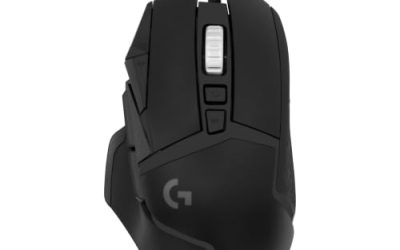
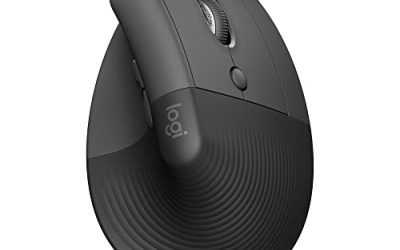
Our Short List of 3

- Best for: Players who want a proven tournament shape with 8K polling and long battery life.
- HERO 2 sensor, 44,000 DPI, 8kHz report rate
- 60g, symmetrical shape, 5 programmable buttons
- LIGHTFORCE hybrid switches
- Up to 95 hours of battery life

- Best for: Palm and claw players who want an ergonomic wired mouse with true 8000Hz polling.
- Focus Pro 30K Optical Sensor, 30,000 DPI, 750 IPS, 70G acceleration
- True 8000Hz wired polling with 8K Hz HyperPolling
- 59g, ergonomic right-handed shape, 6 programmable buttons
- Gen-3 optical switches rated for 90 million clicks

- Best for: Players who want the newest ergonomic flagship with 8K polling and the longest battery life.
- Focus Pro 45K Optical Sensor Gen-2, 45,000 DPI, 900 IPS, 85G acceleration
- True 8000Hz polling in wired and wireless modes
- 56g, ergonomic right-handed shape, 6 programmable buttons
- Gen-4 optical switches rated for 100 million clicks
All 4 Picks at a Glance
| Product | Specs | Action |
|---|---|---|
| Logitech G Pro X Superlight 2 |
| Check price on Amazon |
| Razer DeathAdder V3 Wired |
| Check price on Amazon |
| Razer DeathAdder V4 Pro |
| Check price on Amazon |
 ENDGAME GEAR OP1 8k v2 |
| Check price on Amazon |
Our Top Picks
- Logitech G Pro X Superlight 2 Lightspeed WirelessClassic1.57 x 2.5 x 4.92 inches0.1 poundsCheck on Amazon
Pros & cons
- 95-hour battery life reduces how often you need to charge
- 60-gram weight suits fast, low-effort mouse movement
- HERO 2 sensor tracks up to 44,000 DPI with no smoothing
- POWERPLAY wireless charging pad is sold separately
- Premium features add a more complex setup than basic mice
Pros & cons
- 59-gram ultra-lightweight build aids fast, precise flicks
- 8000Hz polling rate reduces input latency
- Optical switches rated for 90 million clicks add longevity
- Wired-only design limits cable-free setups
- Glass-surface tracking still depends on sensor compatibility
An 8000Hz polling rate means a mouse reports its position to the computer 8,000 times every second, eight times more often than a standard gaming mouse. The real decision is not whether that speed matters in theory, but which mouse delivers it in a shape, weight, and connection style that fits the way you play. Some 8000Hz mice are wired, some are wireless with a special dongle, and some reach the top rate only in one mode, so the spec sheet alone does not settle the choice.
This guide is for competitive FPS players chasing the lowest input delay, claw and fingertip grippers who want a light shell, and palm grippers who need an ergonomic shape for long sessions. The five mice below were chosen from the names and specifications on their Amazon product pages, with every polling rate confirmed against the listing itself.
Quick Picks
As an Amazon Associate we earn from qualifying purchases
| Product | Best for | Key spec from title |
|---|---|---|
| Razer Viper V3 Pro | Competitive FPS players who want the lightest wireless flagship | 54g with true 8000Hz wireless polling |
| Logitech G Pro X Superlight 2 | Players who want a proven pro shape with 8K polling | 60g with 8kHz report rate |
| Razer DeathAdder V3 Wired | Ergonomic players who want wired 8K speed | 59g with 8K Hz HyperPolling |
| Razer DeathAdder V4 Pro | Players who want 8K polling wired and wireless | 56g with true 8000Hz wired and wireless |
| ENDGAME GEAR OP1 8k v2 | Claw-grip players who want a wired 8K specialist | 50g with 8000Hz polling |
How to Choose
Wired or Wireless 8000Hz
Wired mice reach 8000Hz through the cable with no battery cost, which makes them the simplest way to get the top rate. Wireless mice need a different path: the Viper V3 Pro ships with a HyperPolling dongle that carries the 8000Hz signal, and the DeathAdder V4 Pro holds the top rate in both wired and wireless modes with no extra purchase. Before buying, check the listing for what is actually in the box, because some mice advertise an 8000Hz ceiling that only arrives with a dongle sold separately. A wireless mouse also trades battery life for speed, since the highest polling rate drains the cell far faster than the standard rate.
Weight and Shape Decide Comfort
Every mouse in this guide weighs between 50 and 60 grams, yet they feel very different in the hand. The Viper V3 Pro and the Superlight 2 use low, symmetrical shells that suit claw and fingertip grips, while the two DeathAdders use a taller right-handed ergonomic shape that fills the palm. The OP1 8k v2 is built for claw grips, with a short body and a high back hump. Hand size matters as much as grip style: a long, flat mouse suits larger hands, while a short mouse suits smaller hands. If possible, compare the listed length and width against a mouse you already own before ordering.
Sensor and Switches Still Matter
A high polling rate cannot rescue a weak sensor, so check the sensor and the switches next. The mice here use flagship sensors rated from 30,000 to 45,000 DPI, with tracking speeds of 750 or 900 inches per second, which is far more headroom than most players ever use. Optical switches are the other half of the story: the Razer models use Gen-3 or Gen-4 optical switches rated for 90 or 100 million clicks, and the Superlight 2 uses Logitech hybrid switches that mix optical and mechanical parts. A higher click rating means the buttons should stay consistent longer, which matters when every click counts in a close match.
Your PC and Setup Must Keep Up
An 8000Hz mouse sends eight times more data than a standard mouse, and a weak setup can turn that advantage into stutter. A capable processor helps the top polling rate work as intended, and the mouse should plug directly into a USB port on the computer rather than through a hub or switch. A high-refresh monitor helps too, since the smoother cursor movement is easiest to see above 144Hz. The polling rate itself is set in the maker software, Synapse for Razer mice and G HUB for Logitech, where you can also tune DPI steps, button assignments, and lift-off distance. Set the rate once, then leave it alone during matches.
The 5 Best Options
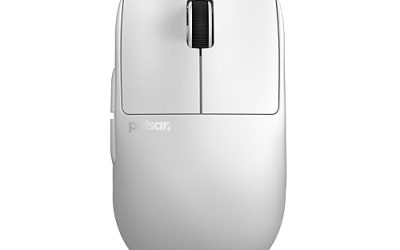
Razer Viper V3 Pro
The Viper V3 Pro is the reference wireless esports mouse for players who want 8000Hz polling without a cable. At 54 grams it is one of the lightest mice in this guide, and the included HyperPolling dongle delivers a true 8000Hz wireless report rate. The Focus Pro 35K sensor tracks cleanly on glass and cloth pads, while Gen-3 optical switches give a crisp click with a 90-million-click lifespan. Battery life reaches up to 95 hours at 1000Hz, so most players charge once a week. Its symmetrical shell suits claw and fingertip grips.
Specs
- Focus Pro 35K Optical Sensor Gen-2, 35,000 DPI, 750 IPS, 70G acceleration
- True 8000Hz wireless polling with the included HyperPolling dongle
- 54g, symmetrical shape, 8 programmable buttons
- Gen-3 optical switches rated for 90 million clicks
- Up to 95 hours of battery at 1000Hz
- Model RZ01-05120100-R3U1, 2-year manufacturer warranty
Best for: Competitive FPS players who want the lightest wireless 8000Hz mouse.
Watch out for: Battery life drops sharply at 8000Hz, and the low, flat shell suits claw and fingertip grips more than palm grips.
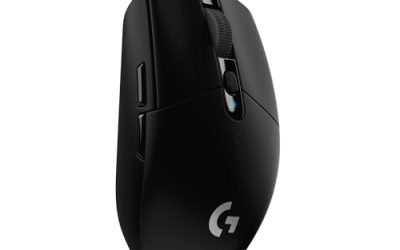
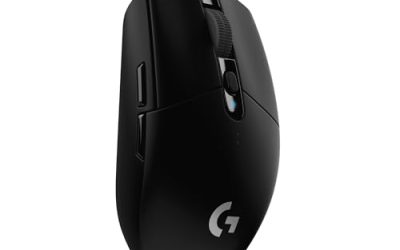
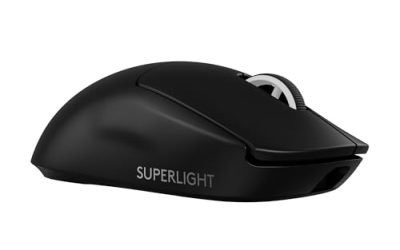
Logitech G Pro X Superlight 2
- Best for: Players who want a proven tournament shape with 8K polling and long battery life.
- HERO 2 sensor, 44,000 DPI, 8kHz report rate
- 60g, symmetrical shape, 5 programmable buttons
- LIGHTFORCE hybrid switches
- Up to 95 hours of battery life
Players who want a proven tournament shape with 8K polling and long battery life.
The 8kHz rate needs G HUB software enabled, and the shell has no RGB lighting and no Bluetooth mode.
The Superlight 2 is the safe pick for players who want 8000Hz polling in a shape that has won more tournaments than almost any other mouse. At 60 grams it is light without feeling fragile, and the low-profile symmetrical shell works for claw and fingertip grips. The HERO 2 sensor reaches 44,000 DPI, and the 8kHz report rate keeps cursor movement smooth in fast fights. LIGHTFORCE hybrid switches combine optical speed with a mechanical click feel. Battery life runs up to 95 hours, and the mouse charges over USB-C.
Watch out for: The 8kHz rate needs G HUB software enabled, and the shell has no RGB lighting and no Bluetooth mode.
Razer DeathAdder V3 Wired
- Best for: Palm and claw players who want an ergonomic wired mouse with true 8000Hz polling.
- Focus Pro 30K Optical Sensor, 30,000 DPI, 750 IPS, 70G acceleration
- True 8000Hz wired polling with 8K Hz HyperPolling
- 59g, ergonomic right-handed shape, 6 programmable buttons
- Gen-3 optical switches rated for 90 million clicks
Palm and claw players who want an ergonomic wired mouse with true 8000Hz polling.
The right-handed shape does not suit left-handed players, and the cable needs a clear path to avoid drag.
The DeathAdder V3 Wired is the pick for players who love the classic DeathAdder shape and want 8000Hz polling through a cable. At 59 grams it is one of the lightest ergonomic mice ever made, and the tall right-handed shell fills the palm during long sessions. The Focus Pro 30K sensor tracks at up to 30,000 DPI with 750 IPS, and Gen-3 optical switches are rated for 90 million clicks. The Speedflex cable is woven to reduce drag on the pad. There is no battery to charge and no dongle to lose, which keeps the setup simple.
Watch out for: The right-handed shape does not suit left-handed players, and the cable needs a clear path to avoid drag.
Razer DeathAdder V4 Pro
- Best for: Players who want the newest ergonomic flagship with 8K polling and the longest battery life.
- Focus Pro 45K Optical Sensor Gen-2, 45,000 DPI, 900 IPS, 85G acceleration
- True 8000Hz polling in wired and wireless modes
- 56g, ergonomic right-handed shape, 6 programmable buttons
- Gen-4 optical switches rated for 100 million clicks
Players who want the newest ergonomic flagship with 8K polling and the longest battery life.
The tall shape suits medium and large hands best, and 8000Hz mode shortens battery life well below the headline figure.
The DeathAdder V4 Pro is the flagship for players who want 8000Hz polling in both wired and wireless modes with nothing extra to buy. At 56 grams it is lighter than the wired V3, yet it keeps the tall ergonomic shape that made the DeathAdder famous. The Focus Pro 45K Gen-2 sensor reaches 45,000 DPI with 900 IPS tracking, and Gen-4 optical switches are rated for 100 million clicks. The optical scroll wheel adds durability, and battery life reaches up to 150 hours at 1000Hz. An auto-switching polling rate balances speed and battery life.
Watch out for: The tall shape suits medium and large hands best, and 8000Hz mode shortens battery life well below the headline figure.
ENDGAME GEAR OP1 8k v2
- Best for: Claw-grip players who want the lightest wired 8000Hz mouse in this guide.
- 30,000 DPI optical sensor, 8000Hz polling
- Hot-swappable switches, claw-grip design
- About 50g (1.78 oz), wired with cable
- Dimensions 4.65 x 2.38 x 1.46 inches
Claw-grip players who want the lightest wired 8000Hz mouse in this guide.
The short, narrow body does not suit palm grips or large hands, and the shape is made for right-handed players.
The OP1 8k v2 is the specialist pick for claw-grip players who want a wired mouse built around one job: speed. At about 50 grams it is the lightest mouse in this guide, and its short body and high back hump lock the hand into a claw grip. The optical sensor reaches 30,000 DPI, and the 8000Hz polling rate keeps input delay at the minimum a wired connection allows. Hot-swappable switches let owners change the click feel without soldering. The wired design means there is no battery to manage and no wireless signal to worry about.
Watch out for: The short, narrow body does not suit palm grips or large hands, and the shape is made for right-handed players.
Which One Fits Your Situation
You Play Competitive FPS Every Day
Pick the Razer Viper V3 Pro. Its 54-gram shell and true 8000Hz wireless polling give fast flicks with no cable drag, and the included dongle means nothing extra to buy. The symmetrical shape suits the claw and fingertip grips that most competitive players use. Keep the polling rate at 8000Hz for matches and drop it for desktop work to save battery.
You Want an Ergonomic Shape for Long Sessions
Pick the Razer DeathAdder V4 Pro. Its tall right-handed shell supports the palm through long sessions, and the 56-gram body avoids the fatigue that heavier ergonomic mice cause. True 8000Hz polling works in both wired and wireless modes, so the mouse stays fast even when the cable is unplugged. The 150-hour battery at 1000Hz means charging stays rare.
You Want the Lightest Wired Mouse Possible
Pick the ENDGAME GEAR OP1 8k v2. At about 50 grams it is the lightest mouse here, and the wired connection delivers 8000Hz polling with no battery and no dongle. The short claw-grip body suits players who aim with their fingers and lift the mouse often. Hot-swappable switches let you tune the click feel to your taste without buying a new mouse.
You Want a Proven Shape With Zero Fuss
Pick the Logitech G Pro X Superlight 2. Its shape has been the default choice of professional players for years, so the grip feels familiar from the first match. The 8kHz report rate and 44,000 DPI sensor cover competitive play, and the 95-hour battery keeps charging out of the way. There is no RGB lighting to configure and no extra dongle to carry.
Common Mistakes
- Buying a mouse that reaches 8000Hz only with a dongle sold separately, then finding the top rate locked behind an extra purchase.
- Running 8000Hz through a USB hub or an old port, which can cause stutter that looks like a mouse problem.
- Judging a mouse by its DPI ceiling alone, when shape, weight, and switch feel decide comfort far more.
- Leaving a wireless mouse at 8000Hz all day, then wondering why the battery runs out mid-match.
- Skipping the maker software, so the mouse stays at its default polling rate instead of the 8000Hz setting.
Frequently Asked Questions
Does 8000Hz polling make a real difference in games?
It can, but only in the right setup. At 8000Hz the mouse reports eight times more often than a standard mouse, which smooths cursor movement and trims input delay. The gain is easiest to feel on a high-refresh monitor with a capable processor. On a 60Hz display or a weak computer, the difference is hard to notice, and shape and weight matter more.
Do I need special hardware to run an 8000Hz mouse?
You need a reasonably strong processor and a direct USB connection, since the mouse sends far more data than a standard one. Plug the mouse or its dongle straight into a port on the computer, not a hub. A high-refresh monitor helps you see the smoother movement. The polling rate itself is set in the maker software, Synapse for Razer mice and G HUB for Logitech.
Does 8000Hz polling drain a wireless mouse battery faster?
Yes, by a wide margin. A wireless mouse at 8000Hz sends eight times more data, so the battery drains much faster than at the standard rate. The Viper V3 Pro is rated for up to 95 hours at 1000Hz, and the DeathAdder V4 Pro for up to 150 hours at the same rate. Most players run the top rate only during matches.
Is a wired 8000Hz mouse better than a wireless one?
Neither is better for every player. A wired mouse delivers 8000Hz with no battery cost and no dongle, which suits players who never move their mouse between computers. A wireless mouse gives the same top rate with freedom of movement, at the cost of battery life and a dongle to keep track of. Choose by grip and desk setup, not by connection alone.
FAQ
Does 8000Hz polling make a real difference in games?
Do I need special hardware to run an 8000Hz mouse?
Does 8000Hz polling drain a wireless mouse battery faster?
Is a wired 8000Hz mouse better than a wireless one?
More from Amazon
Programs that pair well with the guide above. Offers and eligibility are set by Amazon and may change.
Free shipping on eligible items, Prime Video and more. Eligible new members can start with a free trial.
Start a Prime free trialAd-free music streaming. Eligible new subscribers can start with a free trial.
Try Music Unlimited freeA Prime membership for ages 18-24 with a trial period. Eligibility is set by Amazon.
See Prime for Young AdultsAudiobooks and podcasts to listen to on the go. Eligible new members can start with a free trial.
Try Audible freeAs an Amazon Associate we earn from qualifying purchases.