Our Short List of 3
All 4 Picks at a Glance
| Product | Specs | Action |
|---|---|---|
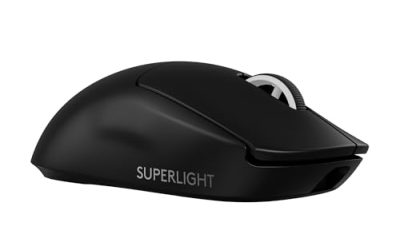
 1. Logitech G Pro X Superlight 2 DEX | Check price on Amazon | |
 3. Razer DeathAdder V3 Pro | Check price on Amazon | |
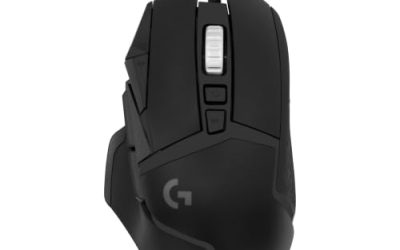
 4. Logitech G502 HERO | Check price on Amazon | |
 5. SteelSeries Aerox 5 Wireless | Check price on Amazon |
Our Top Picks
- Razer DeathAdder V3 Pro Wireless Gaming Mouse1000 Hz5.01 x 2.65 x 1.69 inches0.1 poundsCheck on Amazon
Pros & cons
- 11 programmable buttons add extensive control customization
- Adjustable weights let you fine-tune balance and feel
- LIGHTSYNC RGB syncs lighting with other Logitech gear
- Wired connection limits cable-free desk setups
- Heavier than typical lightweight esports mice at 0.27 pounds

Warzone rewards fast aim, clean tracking, and quick reactions in close-quarters fights. A mouse that lags behind your hand, drifts during a long spray, or forces you to reach for the keyboard at the wrong moment can cost you a gunfight you should have won. The right mouse will not make you a better player on its own, but it removes the hardware excuses and lets your aim do the talking.
This guide focuses on what actually matters in Warzone: a precise sensor with no smoothing, low-latency wireless or a reliable wired connection, a shape that stays comfortable through long sessions, and enough programmable buttons to bind plates, pings, and equipment without taking your fingers off movement keys. Every mouse below is a current gaming mouse with a verified Amazon listing, and each one suits a different grip and playstyle.
As an Amazon Associate, we earn from qualifying purchases.
Quick Answer
For most Warzone players, the Logitech G Pro X Superlight 2 DEX is the best gaming mouse for Warzone, pairing a precise HERO 2 sensor with a light 60-gram ergonomic shell and up to 8 kHz polling. If you prefer a symmetrical shape, the Razer Viper V3 Pro is the lightest pick here. For many buttons, look at the Logitech G502 HERO or the SteelSeries Aerox 5 Wireless.
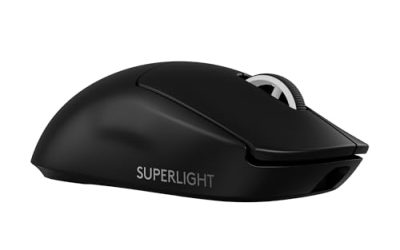
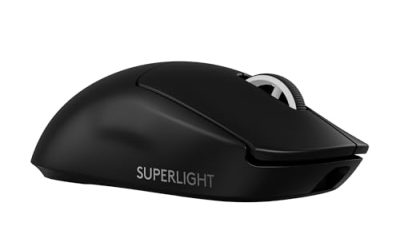
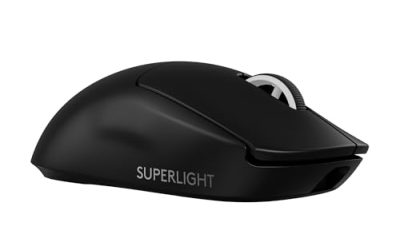
1. Logitech G Pro X Superlight 2 DEX
The Logitech G Pro X Superlight 2 DEX is the ergonomic version of the Superlight line, built for right-handed players who want a shaped shell rather than a symmetrical one. It is the most complete Warzone mouse in this guide because it combines a flagship sensor, a very light body, and a high polling rate in a shape that supports palm and claw grips during long sessions.
The HERO 2 sensor tracks up to 44,000 DPI with sub-micron accuracy, and Logitech rates it at up to 888 IPS and 88 G of acceleration, which covers the fastest flicks and tracking movements in Warzone. LIGHTSPEED wireless keeps latency low, and the polling rate can reach up to 8 kHz with the included receiver. Five programmable buttons cover the essentials, and the mouse supports POWERPLAY wireless charging for players who already own a compatible pad.
Key specs
| Spec | Detail |
|---|---|
| Sensor | HERO 2 optical, up to 44,000 DPI |
| Polling rate | Up to 8 kHz |
| Weight | 60 grams |
| Buttons | 5 programmable buttons |
| Connection | LIGHTSPEED wireless, USB-C |
| Battery life | Up to 95 hours |
| Shape | Right-handed ergonomic |
2. Razer Viper V3 Pro
The Razer Viper V3 Pro is the lightest mouse in this guide, and it is built for players who value speed above everything else. Its symmetrical shape suits claw and fingertip grips, and at 54 grams it changes direction with very little effort, which helps when you need to snap between targets in a crowded final circle.
Razer equips it with the Focus Pro 35K optical sensor and true 8,000 Hz wireless polling, so tracking stays consistent at high speeds. Gen-3 optical switches are rated for a long click lifespan, and eight programmable controls give you room to bind plates, tactical equipment, and pings. The battery lasts up to 95 hours on a single charge, which is enough for a full week of regular Warzone sessions.
Key specs
| Spec | Detail |
|---|---|
| Sensor | Focus Pro 35K optical |
| Polling rate | Up to 8,000 Hz wireless |
| Weight | 54 grams |
| Buttons | 8 programmable controls |
| Connection | HyperSpeed wireless, USB-C |
| Battery life | Up to 95 hours |
| Shape | Symmetrical, ambidextrous |
3. Razer DeathAdder V3 Pro
The Razer DeathAdder V3 Pro keeps the classic DeathAdder shape that many Warzone players already know, refined into a lighter and faster package. It is a strong choice if you play with a palm grip and want a mouse that fills your hand without feeling bulky during long matches.
The Focus Pro 30K optical sensor delivers precise tracking, and HyperSpeed wireless keeps the connection stable in busy wireless environments. Out of the box it runs at 1,000 Hz polling, and it can reach 8,000 Hz with the HyperPolling wireless dongle, which Razer sells separately. Five programmable buttons cover the core Warzone binds, and the battery is rated for up to 90 hours.
Key specs
| Spec | Detail |
|---|---|
| Sensor | Focus Pro 30K optical |
| Polling rate | 1,000 Hz, up to 8,000 Hz with HyperPolling dongle |
| Weight | 63 grams |
| Buttons | 5 programmable buttons |
| Connection | HyperSpeed wireless, USB-C |
| Battery life | Up to 90 hours |
| Shape | Right-handed ergonomic |
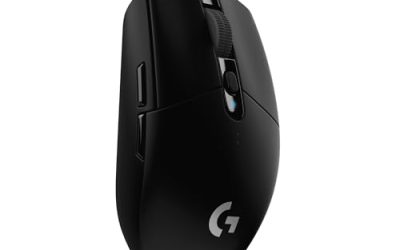
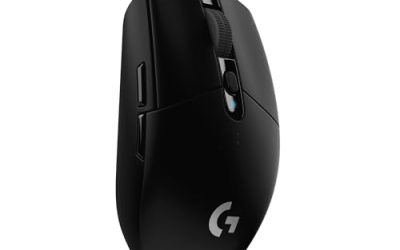
4. Logitech G502 HERO
The Logitech G502 HERO is the button-heavy pick in this guide, and it is the best option for Warzone players who want to bind everything to the mouse. Eleven programmable buttons cover plates, killstreaks, pings, equipment, and weapon slots, and the onboard memory stores up to five profiles so your setup travels with the mouse.
The HERO 25K sensor tracks from 100 to 25,600 DPI with no smoothing, filtering, or acceleration in its published specifications, which keeps aim consistent across sensitivity settings. A dual-mode hyper-fast scroll wheel switches between precise clicks and free spin, and the tunable weight system lets you add up to five 3.6-gram weights to tune the balance. The wired connection means there is no battery to manage and no wireless latency to think about.
Key specs
| Spec | Detail |
|---|---|
| Sensor | HERO 25K optical, up to 25,600 DPI |
| Polling rate | 1,000 Hz wired |
| Weight | 121 grams, plus five 3.6-gram tuning weights |
| Buttons | 11 programmable buttons |
| Connection | Wired USB |
| Battery life | Not applicable, wired |
| Shape | Right-handed ergonomic |
5. SteelSeries Aerox 5 Wireless
The SteelSeries Aerox 5 Wireless is a versatile pick for Warzone players who want a light wireless mouse with plenty of buttons and a long battery life. Its honeycomb shell keeps the weight down to 74 grams, and the nine programmable buttons give you room for loadout binds without adding bulk.
The TrueMove Air optical sensor tracks up to 18,000 CPI, and Quantum 2.0 dual wireless offers both 2.4 GHz and Bluetooth connections, so you can switch between a gaming PC and a laptop without re-pairing. Battery life is rated at up to 180 hours, the longest in this guide, and the shell carries an IP54 rating for water resistance, which is useful if you play in a warm room or tend to knock over a drink.
Key specs
| Spec | Detail |
|---|---|
| Sensor | TrueMove Air optical, up to 18,000 CPI |
| Polling rate | 1,000 Hz wireless |
| Weight | 74 grams |
| Buttons | 9 programmable buttons |
| Connection | Quantum 2.0 wireless, 2.4 GHz and Bluetooth |
| Battery life | Up to 180 hours |
| Shape | Right-handed, honeycomb shell |
Who It’s For
This guide is for Warzone players who want their mouse to keep up with fast-paced battle royale gunfights. It suits players who run and gun in Resurgence, hold angles in Battle Royale, or grind ranked play and want consistent tracking from one match to the next. If you play several hours a day, the light wireless picks here will reduce wrist fatigue, while the button-heavy options help if you rely on plates, pings, and equipment in every fight.
Who Should Skip
Players who mainly play slow-paced games or use a mouse for office work will not get much value from the high polling rates and esports sensors in this guide. A standard office mouse will serve those needs at a lower cost. Left-handed players should also skip the right-handed ergonomic models here and look for a symmetrical mouse instead, since the shaped shells are designed for the right hand only.
Comparison
The five mice in this guide split into two groups. The Logitech G Pro X Superlight 2 DEX, Razer Viper V3 Pro, and Razer DeathAdder V3 Pro are the pure aim picks: light bodies, flagship sensors, and high polling rates for players who prioritize tracking and flicks. The Logitech G502 HERO and SteelSeries Aerox 5 Wireless are the control picks: more buttons, more ways to bind Warzone actions, and shapes that suit players who want the mouse to do more than aim.
Weight is the clearest difference. The Viper V3 Pro is the lightest at 54 grams, followed by the Superlight 2 DEX at 60 grams and the DeathAdder V3 Pro at 63 grams. The Aerox 5 Wireless sits in the middle at 74 grams, while the G502 HERO is the heaviest at 121 grams before you add tuning weights. Lighter mice suit fast flicks and long sessions, while a heavier mouse can feel more planted and deliberate.
Polling rate also separates the group. The Superlight 2 DEX and Viper V3 Pro reach 8,000 Hz wireless polling, which lowers input latency for players with high-refresh monitors. The DeathAdder V3 Pro needs a separate dongle to reach that rate, while the G502 HERO and Aerox 5 Wireless run at the standard 1,000 Hz, which is still smooth and consistent for most players.
Battery life favors the Aerox 5 Wireless at up to 180 hours, with the two Razer and Logitech wireless flagships rated around 90 to 95 hours. The wired G502 HERO has no battery at all, which some players prefer because it removes charging from the routine entirely. If you want more wireless options beyond this guide, see our roundup of the best wireless gaming mouse deals on this site.
FAQ
What DPI should I use for Warzone?
Most Warzone players use a DPI between 400 and 1,600 combined with an in-game sensitivity that gives a comfortable full turn across the mousepad. A lower DPI with a higher in-game sensitivity usually gives steadier aim, while a very high DPI can make fine adjustments harder to control. Pick one setting and stick with it for a few weeks before changing it.
Is wireless or wired better for Warzone?
Modern wireless gaming mice from major brands have latency that is close enough to wired that most players will not notice a difference. Wireless gives you freedom of movement and a cleaner desk, while wired removes charging and any chance of wireless interference. Choose based on your setup and habits rather than worrying about lag.
How many buttons do I need for Warzone?
Five buttons cover the basics, including plates and pings, and that is enough for most players. If you want to bind killstreaks, equipment, and weapon slots to the mouse as well, look for a mouse with nine or more buttons, such as the SteelSeries Aerox 5 Wireless or the Logitech G502 HERO with its eleven programmable buttons.
Does a high polling rate make a real difference in Warzone?
A higher polling rate sends your mouse position to the PC more often, which can make aiming feel smoother and slightly more responsive, especially on high-refresh monitors. The difference between 1,000 Hz and 8,000 Hz is subtle, and it matters most to competitive players. A good sensor and a comfortable shape matter more than polling rate alone.
Final Verdict
The best gaming mouse for Warzone depends on your grip and your playstyle, but the Logitech G Pro X Superlight 2 DEX is the strongest all-round pick in this guide. It combines a precise HERO 2 sensor, a light 60-gram ergonomic shell, and up to 8 kHz polling in a package that suits long Warzone sessions. Players who prefer a symmetrical shape should choose the Razer Viper V3 Pro, while the Razer DeathAdder V3 Pro is the best fit for palm-grip players who love the classic DeathAdder shape.
If you want maximum control, the Logitech G502 HERO gives you eleven programmable buttons and a tunable weight system, and the SteelSeries Aerox 5 Wireless offers nine buttons with the longest battery life in this guide. Any of these five mice will serve you well in Warzone, so pick the one that matches your hand and your binds, then give yourself time to adjust before judging it.
Product and ASIN Reference
| Product | ASIN |
|---|---|
| Logitech G Pro X Superlight 2 DEX | B0DB5JJTC9 |
| Razer Viper V3 Pro | B0CW25XR5R |
| Razer DeathAdder V3 Pro | B0B6XZLNHQ |
| Logitech G502 HERO | B07GBZ4Q68 |
| SteelSeries Aerox 5 Wireless | B09VP2NV53 |
FAQ
What DPI should I use for Warzone?
Is wireless or wired better for Warzone?
How many buttons do I need for Warzone?
Does a high polling rate make a real difference in Warzone?
More from Amazon
Programs that pair well with the guide above. Offers and eligibility are set by Amazon and may change.
Free shipping on eligible items, Prime Video and more. Eligible new members can start with a free trial.
Start a Prime free trialAd-free music streaming. Eligible new subscribers can start with a free trial.
Try Music Unlimited freeA Prime membership for ages 18-24 with a trial period. Eligibility is set by Amazon.
See Prime for Young AdultsAudiobooks and podcasts to listen to on the go. Eligible new members can start with a free trial.
Try Audible freeAs an Amazon Associate we earn from qualifying purchases.