Key takeaways
- Best professional routers for small offices and branch sites: wired VPN gateways with multi-WAN, VLAN and rackmount builds compared to help you pick.
A home router and a professional router solve different problems. A home router is built to get a handful of devices online with as little setup as possible. A professional router is built to keep a business online: separate networks for staff and guests, encrypted tunnels for remote workers, a second internet line that takes over when the first one drops, and a management screen that shows every device on the network.


This guide covers wired business gateways only. Every pick below is a box that sits between the modem and the rest of the network and handles routing, firewall rules and VPN tunnels. None of the four has built-in Wi-Fi, so each one needs separate access points for wireless coverage. That split is normal in business networks. The gateway does routing, and access points do wireless, so a fault in one does not take down the other.
Three of the four picks come from one maker, TP-Link, and its Omada line. That is not a preference for the brand. It reflects what is actually on Amazon US right now: TP-Link sells several business gateways with verified listings, while other business lines sell through resellers or direct channels with no verified Amazon US listing. The fourth pick, from Ubiquiti, is the one rackmount all-in-one in this guide, and its stock evidence is the thinnest here, so check its listing before buying.
Read the “What to look for” section first if you are buying a business gateway for the first time. The four picks are then compared side by side, with the exact business features each listing states. Every figure in this guide comes from the listing or the maker page. Nothing here is a claim about practical use.
What to look for
WAN ports and failover. A professional router should take more than one internet line. The picks here carry between three and seven WAN-capable ports, counting USB WAN and SFP. Two lines let the router balance traffic across both, or switch to the backup line when the main one drops. Count the lines you actually have before you count ports. A second line that does not exist yet is not a feature, and a router with three WAN ports is no help if the building has one connection. Check whether the USB port accepts a cellular dongle for backup, and check whether failover is automatic or needs a manual switch.
VPN support. Remote staff and branch sites connect through encrypted tunnels, so the protocol list matters. The picks here support IPsec, OpenVPN, L2TP and PPTP, and one adds WireGuard. IPsec is the usual choice for site-to-site links between offices. OpenVPN and WireGuard are the usual choices for single remote workers. Count the tunnels the listing allows. One pick allows up to 100 IPsec tunnels, which is far more than a small office needs, while another is aimed at a handful of remote workers. Match the tunnel count to the number of remote staff and branch sites, not to the biggest number on the page.
VLAN and network segmentation. A business network is rarely one flat network. Guest Wi-Fi, staff computers, printers, cameras and checkout terminals each belong on their own segment, so a breach in one does not reach the others. Look for VLAN support in the listing, and check how many VLANs the router allows. The picks in this guide are managed through a controller or a web interface where VLANs, firewall rules and access policies are set in one place. If the listing does not name VLAN support, do not assume it is there.
Throughput, read the right number. A gateway publishes several throughput figures, and they measure different things. Wired throughput is the headline number and is usually the highest. VPN throughput is lower, because encryption takes work. Inspection throughput, where the box looks inside traffic for threats, is lower still. One pick in this guide lists 208 Mbps for inspection traffic and 1,823 Mbps for deep packet inspection on TCP, which shows how wide the gap can be. Compare VPN throughput with VPN throughput, not with the wired headline. If the listing gives no VPN figure, treat the wired figure as a ceiling, not as a promise.
Rackmount or desktop. Two picks in this guide are rackmount units that belong in a rack with the rest of the network gear. The other two are small desktop boxes that sit on a shelf. Rackmount matters when the office already has a rack, because a desktop box on top of a rack is a cable mess and a cooling problem. Desktop matters when there is no rack at all. Check the dimensions and the mounting hardware in the box. One pick ships with rackmount brackets in the box, while another needs a separate kit.
Management: web interface or controller. Every pick here can be managed through a web interface on the box itself. The TP-Link picks also join the Omada system, where one controller manages the gateway, switches and access points together, with cloud access and an app. That controller is a separate purchase or a software install, and the listing states which controller models work with it. The Ubiquiti pick has its controller built into the box, so there is nothing extra to buy for management. A single site with one person looking after it is fine with a web interface. Several sites is where a controller earns its keep.
How many devices. Business gateways are sized by concurrent sessions and connected clients, not by square footage. One pick lists 500,000 concurrent sessions, and another is built for 100 or more managed devices and 1,000 or more clients. Count the wired and wireless clients on the network, then add the cameras, printers and smart devices that also hold addresses. Size the gateway with headroom.
Warranty and support. Business gear is expected to run for years without a swap. TP-Link backs its business line with a 5-year warranty, which is stated on the listings. Ubiquiti gear is sold with a shorter warranty through most channels, so check the warranty line on the listing before buying. Keep the firmware current, because VPN and firewall fixes arrive as firmware updates.
The picks
TP-Link ER605 V2
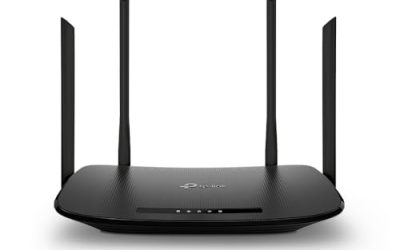
The ER605 V2 is the smallest gateway in this guide, and the right first business router for a small office or a home lab that has outgrown a home router. It is a wired Omada gigabit VPN router, model TL-R605, with five Gigabit ports. The listing states up to 3 WAN Ethernet ports plus 1 USB WAN, an SPI firewall, Omada SDN support, load balance and lightning protection. VPN protocols named on the listing are IPsec, OpenVPN, PPTP and L2TP. The box is a compact metal desktop unit with no fan, so it runs silent on a shelf, and TP-Link backs it with a 5-year warranty.
The ER605 fits a small office with one or two internet lines, a handful of remote workers, and a need for guest and staff separation through VLANs. It joins the Omada system, so it can be managed from the same controller as Omada switches and access points when the network grows. Standalone management through the web interface works without a controller, which keeps the first install simple. A tracker checked the listing on November 25, 2026 and found it in stock on Amazon, which makes it the strongest stock signal in this guide.
Two things to check before buying. The ER605 ships in two hardware versions, V1 and V2, and the port map differs between them. The V1 page lists one WAN, three configurable WAN/LAN ports and one LAN, while the V2 page lists one WAN, two configurable WAN/LAN ports and two LAN. The listing does not establish which hardware version a given unit is, so read the version from the unit label before planning the wiring. The ER605 is also a wired gateway with no Wi-Fi and no PoE, so wireless coverage and powered access points need separate hardware.
TP-Link ER707-M2
The ER707-M2 is the multi-gigabit pick in this guide, built for an office whose internet line is faster than gigabit. It carries one 2.5G RJ45 WAN port, one 2.5G RJ45 WAN/LAN port, one Gigabit SFP WAN/LAN port, four Gigabit RJ45 WAN/LAN ports and one USB 2.0 port. The USB port supports USB storage and LTE backup with a dongle. The maker page lists IPSec, PPTP, L2TP, OpenVPN, SNMP and WireGuard VPN, with WireGuard throughput of 343 Mbps, deep packet inspection throughput of 1,823 Mbps on TCP, and 500,000 concurrent sessions. Inside the box are 1 GB of DDR4 memory and 128 MB of flash, in a metal case that measures 8.9 by 5.2 by 1.4 inches.
The 2.5G ports are the reason to pick this gateway over the ER605. An office on a 2-gigabit fibre line can use the full line through the 2.5G WAN port, while the ER605 would cap the connection at gigabit. The SFP port adds a fibre uplink option for a building that runs fibre to the rack. WireGuard support matters for remote workers, because WireGuard tunnels are simpler to set up and faster than older protocols on the same hardware. A tracker checked the listing two days ago and found it in stock on Amazon, the freshest stock signal in this guide alongside the ER605.
The limits are the same shape as the ER605. There is no built-in Wi-Fi, no PoE, and no rackmount kit in the box, so the ER707-M2 sits on a shelf rather than in a rack. Omada app and cloud access need a separate controller, such as the OC200 or OC300, or the Omada software controller. For an office that needs 2.5G today and a rackmount chassis tomorrow, the ER7206 below is the better fit.
TP-Link ER7206
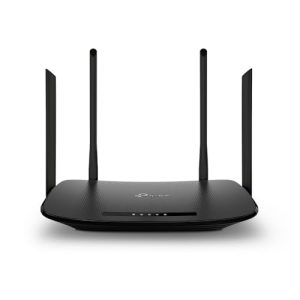
The ER7206 is the rackmount workhorse of the Omada line in this guide, and the pick for an office that runs several internet lines or several branch sites. It is model TL-ER7206, a multi-WAN professional wired gigabit VPN router with one Gigabit SFP port and five Gigabit RJ45 ports, and the listing states up to 5 WAN ports. It supports up to 100 IPsec VPN tunnels, with IPsec, PPTP, L2TP and OpenVPN named on the listing, plus an SPI firewall, DoS defense, load balance and Omada SDN support. Rackmount brackets ship in the box, and the 5-year warranty matches the rest of the Omada line.
The ER7206 fits a small to mid-size office with two or three internet lines, branch sites linked by site-to-site VPN, and a rack that already holds the switch and the patch panel. The tunnel count is the headline difference from the ER605: 100 IPsec tunnels covers a head office with many branches, while the ER605 is sized for a handful. The SFP port takes a fibre uplink, and the five RJ45 ports give room for multiple WAN lines plus LAN segments without adding a switch in front of the gateway. A tracker listed the model on Amazon four days ago, and a roundup verified the listing on November 25, 2026.
The trade-offs are size and speed. The ER7206 is a gigabit gateway, so it caps a multi-gigabit fibre line at gigabit, and the ER707-M2 is the pick when the line is faster than that. It is also a wired gateway with no Wi-Fi, so access points are still a separate purchase. The stock evidence is solid but not as fresh as the ER605 or ER707-M2, so a live check of the listing matters more here.
Ubiquiti UniFi Dream Machine Pro
The Dream Machine Pro, model UDM-Pro, is the all-in-one in this guide, and the only pick that combines routing, switching and a controller in one rackmount box. It is a 1U rackmount unit with an 8-port Gigabit switch, 10G SFP+ WAN and LAN ports, and the UniFi Network and UniFi Protect applications built in. The maker states support for 100 or more UniFi devices and 1,000 or more clients, with IDS/IPS routing throughput of 3.5 Gbps. A 3.5-inch drive bay inside the chassis holds a hard drive for Protect camera recordings, and the drive is not included in the box. There is no built-in Wi-Fi and no PoE on the switch ports, so wireless coverage and powered cameras still need separate hardware.
The UDM-Pro fits a business that wants one box in the rack instead of three. The controller is built in, so there is no separate controller to buy, and the same screen manages the gateway, the switch and any UniFi access points. The 10G SFP+ ports matter for a fast fibre line or a 10G link to a core switch, and the Protect application turns the same box into a camera recorder once a drive is fitted.
The stock evidence is the weakest in this guide, so this pick is flagged clearly. The most recent direct Amazon crawl is months old, and the freshest InStock signals are mirrors from the last two weeks, not a days-old US tracker. Check the listing live before buying, and confirm that the listing is the new-unit UDM-Pro and not a bundle or a different variant. The UDM-Pro is also the oldest design here, first available in January 2020, and Ubiquiti now sells newer Dream Machine models with PoE and newer hardware. If the listing shows no new-unit buying option, the three TP-Link picks above cover the same ground without the wait.
Comparison
| Router | Best for | Key business features |
|---|---|---|
| TP-Link ER605 V2 | Small office, first business gateway | 5 Gigabit ports, up to 3 WAN plus USB WAN, SPI firewall, IPsec and OpenVPN, Omada SDN, 5-year warranty |
| TP-Link ER707-M2 | Multi-gigabit fibre lines | 2 x 2.5G ports, Gigabit SFP, WireGuard, 500,000 sessions, Omada SDN |
| TP-Link ER7206 | Several WAN lines and branch sites | 1 SFP plus 5 RJ45, up to 5 WAN, up to 100 IPsec tunnels, rackmount brackets in the box |
| Ubiquiti UniFi Dream Machine Pro | One rackmount box for routing, switching and cameras | 1U rackmount, 8-port switch, 10G SFP+ WAN and LAN, controller built in, Protect recorder bay |
FAQs
Do any of these routers include Wi-Fi?
No. All four picks are wired gateways with no built-in Wi-Fi. Wireless coverage comes from separate access points, which is the normal shape for a business network. Pair any of these gateways with business access points from the same system, such as Omada access points for the TP-Link picks or UniFi access points for the Dream Machine Pro, so the whole network is managed from one screen.
Do I need a separate controller?
It depends on the pick. The three TP-Link gateways work on their own through a web interface, and they join the Omada system only when a controller is added, such as the OC200 or OC300 hardware controller or the Omada software controller. The app and cloud access need that controller. The Ubiquiti Dream Machine Pro has its controller built into the box, so there is nothing extra to buy for management. If one person manages one site, the web interface is enough. If several sites share one administrator, a controller is worth the extra hardware.
Can one of these gateways replace a separate firewall?
Each pick includes an SPI firewall, DoS defense and VPN support, which covers the firewall needs of a small office. A dedicated security appliance adds deeper inspection, content filtering and threat subscriptions that these gateways do not include on their own. The ER707-M2 lists inspection throughput figures, and the Dream Machine Pro includes IDS/IPS, but neither is a full UTM appliance with a threat subscription.
How to choose
Match the gateway to the internet lines first, then to the remote workers, then to the rack. Count the WAN lines and pick a gateway with at least one spare WAN-capable port, because a second line added later needs a port to plug into. Count the remote workers and branch sites, then check the VPN protocol list and the tunnel count against that number. Check the throughput figures for the traffic you actually run: VPN throughput for remote workers, inspection throughput if you turn on threat detection. If the office has a rack, a rackmount unit keeps the cabling tidy; if it has no rack, a desktop box on a shelf is fine.
For most small offices, the ER605 V2 is the right place to begin: it is the cheapest way into a managed business gateway with multi-WAN and VPN, and its stock signal is the strongest here. The ER707-M2 is the pick when the fibre line runs faster than gigabit, and the ER7206 is the pick when the office runs several WAN lines or many branch sites from a rack. The Dream Machine Pro is the pick when one rackmount box should cover routing, switching and camera recording, with the caveat that its stock evidence is the thinnest here.
Disclosure: As an Amazon Associate, we may earn a commission from qualifying purchases made through links in this article, at no additional cost to you.
More from Amazon
Programs that pair well with the guide above. Offers and eligibility are set by Amazon and may change.
Free shipping on eligible items, Prime Video and more. Eligible new members can start with a free trial.
Start a Prime free trialAd-free music streaming. Eligible new subscribers can start with a free trial.
Try Music Unlimited freeA Prime membership for ages 18-24 with a trial period. Eligibility is set by Amazon.
See Prime for Young AdultsAudiobooks and podcasts to listen to on the go. Eligible new members can start with a free trial.
Try Audible freeAs an Amazon Associate we earn from qualifying purchases.