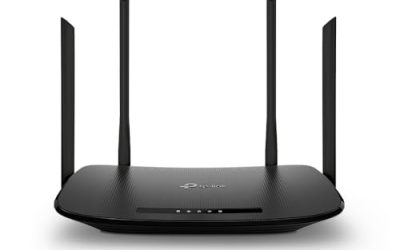
Our Short List of 3
All 4 Picks at a Glance
| Product | Specs | Action |
|---|---|---|
 Cisco ISR4221/K9 Integrated Services Router | Check price on Amazon | |
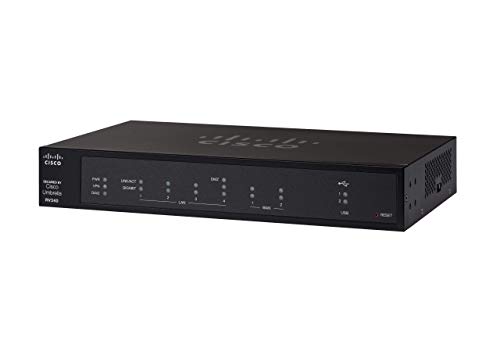 Cisco RV340 VPN Router with 4 Gigabit Ethernet Ports Plus Dual WAN | Check price on Amazon | |
 Cisco RV345 VPN Router with 16 Gigabit Ethernet Ports Plus Dual WAN | Check price on Amazon | |
 Cisco RV345P VPN Router with 16 Gigabit Ethernet Ports, PoE, Plus Dual WAN | Check price on Amazon |
Key takeaways
- Best routers for CCNA lab: four Cisco routers for hands-on study, led by the ISR 4221 with IOS XE, plus dual-WAN VPN models for lab topologies.
A CCNA lab lives or dies on the command line. The exam asks you to configure routing protocols, access lists, NAT, and VPN tunnels on Cisco IOS, and the only way to build that muscle memory is to type the commands on real hardware, watch the output, break the topology, and fix it again. A home consumer router cannot do that job. It hides the routing table behind a wizard and gives you no console port, no CLI, and no way to practice OSPF or EIGRP.
This guide keeps four Cisco routers with verified Amazon US listings. Only one of them runs IOS XE with a full CLI, and the article says so plainly for every pick, because that distinction is the whole point of a lab. The other three are small-business VPN routers managed through a web interface. They belong here for dual-WAN failover and site-to-site VPN concepts, not for CLI practice, and each section states exactly which lab work it covers.
One honest note up front: the Amazon US shelf for true IOS lab routers is thin. Most ISR listings come from resellers, and many are used or refurbished units rather than new ones. Older ISR G2 models such as the 1921 and 1941 are the classic CCNA lab boxes, and lab-kit sellers still call the 1921 their favorite router for CCNA study, but their Amazon US listings are used or refurbished, so they are not linked here. The same applies to the ISR 4331 security bundle and the ISR 4321: the ASINs that surfaced for those models are renewed units, and the strict rule for this guide excludes renewed hardware. What remains is one current IOS XE router and three business VPN routers, all with listings that could be confirmed as still active. Buy at least two routers for a real lab, because routing only becomes interesting when packets cross from one router to another, and confirm the exact model number and the new-unit buying option on the listing before ordering.
What to Look for
IOS XE with a real CLI. This is the first filter. A CCNA lab router must give you a console port and a command line where you can enter configuration mode, build an OSPF adjacency, and read the routing table. The ISR 4221 in this guide runs IOS XE. The three RV models run a web interface with no IOS CLI, which limits them to the concepts named in their sections.
Console access. Every lab router needs a console port, and the cable is often not in the box. The ISR 4221 has an RJ-45 console port and a USB console port. The RV models have an RJ-45 console port as well. Check the listing for what ships in the box, and have a USB-to-serial adapter ready if your computer has no serial port.
Enough Gigabit Ethernet ports. Two ports are the floor for a lab router: one toward the LAN and one toward the WAN or the next router. The ISR 4221 has two Gigabit Ethernet ports. The RV340 has four LAN ports plus two WAN ports. The RV345 and RV345P have sixteen LAN ports plus two WAN ports, which suits a lab with many wired endpoints.
Expansion slots. The ISR 4221 has two NIM slots and one service-module slot, so you can add serial interfaces or extra Ethernet modules later. That matters when you want to practice WAN topologies that need more than two interfaces. The RV models have no expansion slots, so what you see on the front panel is what you get.
Throughput and licensing. Cisco licenses the ISR 4221 at 35 Mbps of aggregate throughput by default, with a higher licensed throughput available through a license upgrade. For lab traffic that is plenty, because lab traffic is small by design. What matters more is that the license bundle on the listing matches what you expect: confirm the exact model number ISR4221/K9 and read the listing for the license that ships with the unit.
PoE only where the lab needs it. Only the RV345P in this guide supplies Power over Ethernet, on eight of its sixteen LAN ports. PoE matters if your lab includes IP phones or wireless access points. If the lab is routers and switches only, PoE adds nothing.
Warranty and seller. Enterprise gear on Amazon US usually comes from third-party sellers rather than from Amazon itself. Confirm the seller, the condition, and the warranty on the listing. A limited lifetime warranty is named on the RV listings. For the ISR 4221, confirm that the unit is new and that the seller supports the license that ships with it.
The Routers
Cisco ISR4221/K9 Integrated Services Router
The ISR 4221 is the strongest pick in this guide and the only router here that runs IOS XE with a full CLI, which makes it the only one that covers the core CCNA syllabus on its own. It is a 1U rack-mountable branch router with two Gigabit Ethernet ports, one RJ-45 and one combo RJ-45 and SFP, plus two NIM slots and one service-module slot for expansion. It ships with 4 GB of DRAM and 8 GB of flash memory, and it runs IOS XE, so the commands you practice on it are the commands the exam expects you to know.
For lab work, the ISR 4221 covers static routing, OSPF, EIGRP, and BGP between two or more routers, access lists, NAT, DHCP, and IPsec VPN tunnels. Its two NIM slots let you add serial interfaces for WAN topologies, and the combo SFP port lets you connect fiber where the lab calls for it. The router is fanless in its compact form and weighs about 7.1 lb with the AC power supply, so it sits quietly on a desk or in a small rack beside a switch.
The honest limits matter here. Cisco licenses this router at 35 Mbps of aggregate throughput by default, which is fine for lab traffic but far below the raw line rate of the Gigabit ports, so do not judge it by the port speed alone. NIM modules are sold separately, so a serial WAN topology needs extra hardware beyond the box. The listing is held by a third-party seller rather than by Amazon itself, and enterprise routers on Amazon US often change hands between resellers, so confirm the exact model number ISR4221/K9 and the new-unit buying option on the listing before ordering. The most recent tracker scan of this ASIN was hours old at the time of writing, and a mirror listing shows the unit in stock through Amazon, but a live check of the listing is still the right move before you commit.
Cisco RV340 VPN Router with 4 Gigabit Ethernet Ports Plus Dual WAN
The RV340 is a small-business VPN router, and its lab role is narrower than the ISR 4221: it covers dual-WAN failover and site-to-site VPN concepts, not IOS CLI practice. It has four Gigabit Ethernet LAN ports, two Gigabit Ethernet WAN ports, and two USB ports, and it supports IPsec and SSL VPN tunnels. It carries a limited lifetime warranty, and it has no Wi-Fi radio, so the lab stays wired, which is what a routing lab should be.
Where the RV340 earns its place is in a two-router lab where one side needs a realistic WAN edge. Connect one WAN port to your home internet and the second to a second link, and you can practice failover between two uplinks and watch the router move traffic when one link drops. Connect it to an ISR 4221 over an IPsec tunnel and you have a site-to-site VPN topology with real tunnel setup, even though the RV side is configured through a web interface rather than a CLI.
The limit to understand is the management plane. The RV340 has no IOS CLI, so it cannot teach you the commands the exam tests. It also has no expansion slots, so the four LAN ports and two WAN ports are the full interface set. The listing was confirmed through a tracker scan minutes old at the time of writing and a recent roundup that links the live Amazon listing, but confirm the exact model number RV340-K9-NA on the listing, because the RV340W wireless variant and the RV345 family share the same naming and differ in ports and radios.
Cisco RV345 VPN Router with 16 Gigabit Ethernet Ports Plus Dual WAN
The RV345 is the bigger sibling of the RV340, and its lab role is the same family of concepts at a larger scale: dual-WAN failover and site-to-site VPN, with room for many wired endpoints. It has sixteen Gigabit Ethernet LAN ports, two Gigabit Ethernet WAN ports, and two USB ports, and it supports IPsec VPN tunnels. It has no Wi-Fi radio and no PoE, and it carries a limited lifetime warranty.
Sixteen LAN ports change what a lab can look like. A lab with several switches, a handful of servers, and multiple endpoint devices can hang off one RV345 without an extra switch in front of it, and the dual WAN ports still give you the failover topology that the RV340 covers. For a study group or a classroom lab where several people share one edge router, that port count is the practical difference between this model and the RV340.
The same honest limit applies as with the RV340: the RV345 is managed through a web interface, with no IOS CLI, so it does not teach the commands the exam tests. It also has no expansion slots. The listing evidence is a tracker scan hours old at the time of writing plus a mirror listing showing the unit in stock through Amazon, but one older mirror showed no stock for this ASIN, so the signals conflict and a live check of the listing matters more here than for the other picks. Confirm the exact model number RV345-K9-NA, because the RV345P variant adds PoE and the RV340 is a different box with four LAN ports.
Cisco RV345P VPN Router with 16 Gigabit Ethernet Ports, PoE, Plus Dual WAN
The RV345P is the PoE variant of the RV345, and its lab role is the same dual-WAN and site-to-site VPN work, plus power for endpoints that need it. It has sixteen Gigabit Ethernet LAN ports, eight of which supply Power over Ethernet, two Gigabit Ethernet WAN ports, and two USB ports, and it supports IPsec VPN tunnels. It has no Wi-Fi radio, and it carries a limited lifetime warranty.
PoE is the reason to pick this model over the plain RV345. A lab that includes IP phones or wireless access points needs power at the port, and the RV345P supplies it on eight ports without a separate power injector for each device. That keeps the lab tidy and lets you practice voice and wireless topologies alongside the routing work. The other eight LAN ports are standard non-PoE ports, so the router still serves ordinary wired endpoints.
This is the weakest pick in the guide, and the article says so plainly. The freshest evidence for this ASIN is a tracker scan hours old at the time of writing, and the most recent third-party new figure recorded for it dates from February 2026, which is months old. The guide keeps it because the listing is still tracked and the model is the only PoE router in the set, but if the listing shows no new-unit buying option, the plain RV345 covers the same routing concepts, and the guide stands on three routers. As with the other RV models, there is no IOS CLI here, so this router teaches VPN and dual-WAN concepts through its web interface, not through commands. Confirm the exact model number RV345P-K9-NA on the listing.
Comparison Table
| Router | Lab role | Ethernet ports | CLI | Key limit |
|---|---|---|---|---|
| Cisco ISR4221/K9 | Full IOS XE lab router | 2 GE, 1 combo SFP | IOS XE CLI | 35 Mbps licensed throughput by default |
| Cisco RV340-K9-NA | Dual-WAN and VPN concepts | 4 LAN, 2 WAN | Web interface only | No IOS CLI, no expansion slots |
| Cisco RV345-K9-NA | Dual-WAN and VPN at larger scale | 16 LAN, 2 WAN | Web interface only | No IOS CLI, no PoE |
| Cisco RV345P-K9-NA | Dual-WAN and VPN plus PoE endpoints | 16 LAN with 8 PoE, 2 WAN | Web interface only | Weakest listing evidence, no IOS CLI |
Frequently Asked Questions
How many routers do I need for a CCNA lab?
Two routers are the minimum for a real lab, because routing only becomes visible when packets cross from one router to another. With two routers you can practice static routes, OSPF adjacencies, and NAT. Three routers are better, because a three-router triangle lets you practice EIGRP and OSPF with more than one path, watch convergence when a link drops, and build a topology that looks like a small branch network. Pair the ISR 4221 with a second ISR if you can, and use an RV model as the WAN edge where the topology calls for a dual-WAN link.
Can I use the RV340, RV345, or RV345P to study for the CCNA?
Partly. Those three routers cover dual-WAN failover, IPsec VPN tunnels, and basic routing concepts through their web interfaces, and those topics do appear in CCNA study. They cannot teach you the IOS commands the exam tests, because they have no IOS CLI. If your study plan is built on typing commands, the ISR 4221 is the router to buy first, and the RV models are supporting hardware for the WAN edge, not replacements for an IOS router.
Do I need a switch as well as routers?
Yes. Routers connect networks, and switches connect devices inside a network, so a complete CCNA lab needs both. The switching topics in the syllabus, including VLANs, trunk links, and spanning tree, are practiced on a managed switch, not on a router. A small managed Cisco switch beside two routers covers far more of the syllabus than a third router would. The routers in this guide all have enough LAN ports to connect to a switch, and the RV345 and RV345P have enough ports to serve a lab with many wired endpoints even before a switch joins the topology.
How to Choose
Buy the ISR 4221 first if your goal is practical IOS practice, because it is the only router in this guide with a full CLI, and the CLI is where the exam lives. Add an RV340 when the lab needs a dual-WAN edge or a VPN peer, and step up to the RV345 when the lab has enough wired endpoints to fill sixteen LAN ports. Choose the RV345P only when the lab includes IP phones or access points that need Power over Ethernet, because PoE is the only difference between it and the plain RV345, and its listing evidence is the thinnest in the guide.
Before ordering any of these, confirm three things on the listing: the exact model number, the new-unit buying option, and what ships in the box. Enterprise routers on Amazon US are usually sold by third-party sellers, and console cables, rack ears, and power cords are not always included. Have a USB-to-serial adapter ready, keep a spare console cable in the lab, and plan on at least two routers plus one managed switch before you call the lab complete. The hardware in this guide is the routing half of that lab, and the ISR 4221 is the piece that makes the CLI practice real.
Disclosure: As an Amazon Associate, we may earn a commission from qualifying purchases made through links in this article, at no additional cost to you.
FAQ
How many routers do I need for a CCNA lab?
Can I use the RV340, RV345, or RV345P to study for the CCNA?
Do I need a switch as well as routers?
More from Amazon
Programs that pair well with the guide above. Offers and eligibility are set by Amazon and may change.
Free shipping on eligible items, Prime Video and more. Eligible new members can start with a free trial.
Start a Prime free trialAd-free music streaming. Eligible new subscribers can start with a free trial.
Try Music Unlimited freeA Prime membership for ages 18-24 with a trial period. Eligibility is set by Amazon.
See Prime for Young AdultsAudiobooks and podcasts to listen to on the go. Eligible new members can start with a free trial.
Try Audible freeAs an Amazon Associate we earn from qualifying purchases.