Our Short List of 3

- Best for: Large homes where several people stream, game, and work at once and the 5 GHz band is crowded.
- Tri-band WiFi 6E (2.4 GHz, 5 GHz, 6 GHz)
- AXE11000 combined wireless throughput, up to 10.8 Gbps
- 12 streams
- Coverage up to 3,500 sq. ft.

- Best for: Gaming households that want fast wired backhaul and a dedicated gaming band.
- Tri-band WiFi 6
- AX11000 combined wireless throughput
- 10G port and 2.5G port
- ASUS RangeBoost Plus
- Best for: Homes with many wired devices — desktop PCs, consoles, and smart-home hubs.
- Dual-band WiFi 6 (802.11ax)
- AX6000 combined wireless throughput
- Dual 2.5G ports
- 8 Gigabit LAN ports
All 4 Picks at a Glance
| Product | Specs | Action |
|---|---|---|
| NETGEAR Nighthawk RAXE500 |
| Check price on Amazon |
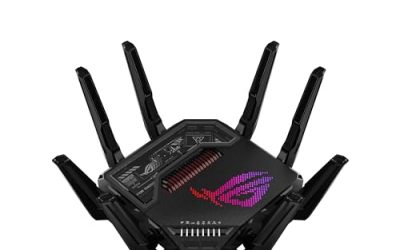
| ASUS ROG Rapture GT-AX11000 Pro |
| Check price on Amazon |
| ASUS RT-AX88U Pro |
| Check price on Amazon |
 TP-Link Archer AX90 |
| Check price on Amazon |
Key takeaways
- Four high-power wireless routers for large homes: tri-band WiFi 6 and WiFi 6E models with wide coverage, multi-gig ports, and room for many devices.
A large home changes the router decision. One weak corner or one dead hallway, and everyone in the house notices at once. A high-power router answers that problem with stronger radios, more simultaneous streams, and antennas built to push signal through walls and floors, so the far bedroom, the basement desk, and the garden office stay connected without adding extra boxes around the house.
This guide is for households with several floors, thick walls, or many people online at the same time, and for buyers who would rather run one strong router than a mesh kit. The four routers below were picked from their Amazon listings for high transmit power, wide coverage, tri-band or WiFi 6E radios, and multi-gig wired ports. Each pick below suits a different kind of large home, from gaming households to homes full of wired gear.
Quick Picks
As an Amazon Associate we earn from qualifying purchases.
| Product | Best for | Key spec from title |
|---|---|---|
| NETGEAR Nighthawk RAXE500 | Large homes that need a clear 6 GHz band | Tri-band WiFi 6E, AXE11000 |
| ASUS ROG Rapture GT-AX11000 Pro | Gaming households with many devices | Tri-band WiFi 6, 10G and 2.5G ports |
| ASUS RT-AX88U Pro | Homes with many wired devices | Dual-band WiFi 6, dual 2.5G ports |
| TP-Link Archer AX90 | Large homes that want tri-band without 6 GHz | Tri-band WiFi 6, AX6600 |
How to Choose
Match the radio to the house
Start with the bands. A dual-band router covers 2.4 GHz and 5 GHz, which is enough for many homes, but the 5 GHz band fills up fast when neighbours, phones, and smart devices crowd it. A tri-band router adds a second 5 GHz band, so gaming and streaming traffic can sit apart from everyday devices. WiFi 6E adds a 6 GHz band that is still mostly empty, which is why it suits large homes with many devices. The catch is that only WiFi 6E devices can use that band, so check the phones and laptops in your house before paying for it.
Count streams, antennas, and devices
Throughput numbers hide the detail that matters in a big house: how many streams the router can run at once. A 12-stream router can talk to more devices simultaneously than a 4-stream one, which keeps video calls steady while someone else games upstairs. High-gain antennas and beamforming push the signal farther and aim it at devices instead of spraying it in all directions. Check the device count in the listing as well, and add up the phones, laptops, TVs, consoles, and smart-home gadgets in your house before you choose. A router that fits twenty devices will struggle in a home with sixty.
Check the wired ports before you buy
Wireless speed gets the attention, but the ports decide how fast your wired gear runs. A 2.5G WAN port lets a fast broadband connection reach the router at full speed, and a 10G port does the same for a wired backbone or a fast desktop. Count the LAN ports too: a house with desktop PCs, consoles, a network drive, and a smart-home hub can fill four ports quickly, and eight ports leave room to grow. USB ports matter as well, since they let the router share a drive or a printer. Match the ports to the gear you already own, not to gear you might buy one day.
Look past the headline speed number
Router boxes print one big combined number, such as AX11000 or AX6600, and that number adds every band together. No single device ever uses the full total, so read the per-band speeds in the listing instead. A router with a fast 5 GHz band and a strong 2.4 GHz band will serve a real home better than one with a huge headline number and a weak second band. Check the processor as well, since a quad-core chip keeps routing, security, and traffic shaping smooth when dozens of devices connect at once. Finally, look for mesh support, so a second node can join later if one router still leaves a corner uncovered.
The 4 Best Options
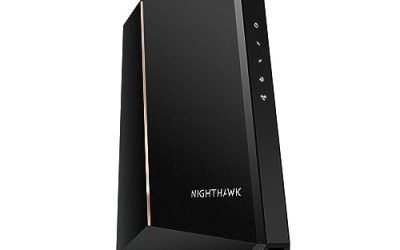
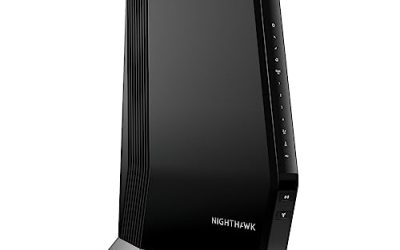
NETGEAR Nighthawk RAXE500
- Best for: Large homes where several people stream, game, and work at once and the 5 GHz band is crowded.
- Tri-band WiFi 6E (2.4 GHz, 5 GHz, 6 GHz)
- AXE11000 combined wireless throughput, up to 10.8 Gbps
- 12 streams
- Coverage up to 3,500 sq. ft.
Large homes where several people stream, game, and work at once and the 5 GHz band is crowded.
You need WiFi 6E devices to use the 6 GHz band; older devices stay on 2.4 or 5 GHz.
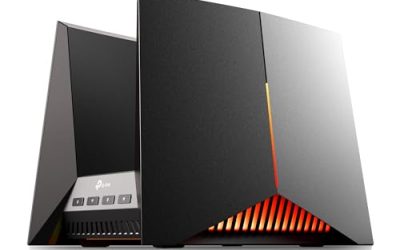
The Nighthawk RAXE500 is the flagship pick for a large home that runs many devices at once. Its tri-band WiFi 6E radio adds a 6 GHz band that stays clear while the 5 GHz band fills up, and twelve streams keep phones, laptops, TVs, and consoles talking at the same time. The listing gives coverage up to 3,500 sq. ft. and room for up to 60 devices, which fits a multi-floor house with a busy household. A 2.5G port covers fast wired gear, and NETGEAR Armor handles security on the router itself.
Watch out for: You need WiFi 6E devices to use the 6 GHz band; older devices stay on 2.4 or 5 GHz.
ASUS ROG Rapture GT-AX11000 Pro
- Best for: Gaming households that want fast wired backhaul and a dedicated gaming band.
- Tri-band WiFi 6
- AX11000 combined wireless throughput
- 10G port and 2.5G port
- ASUS RangeBoost Plus
Gaming households that want fast wired backhaul and a dedicated gaming band.
The 10G port only helps if your modem, switch, or PC also supports multi-gig wired speeds.
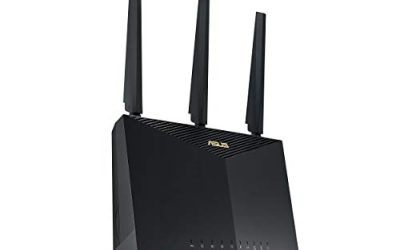
The ROG Rapture GT-AX11000 Pro is built for a house where gaming shares the network with everything else. Its tri-band WiFi 6 radio carries an AX11000 combined throughput, and triple-level game acceleration gives game traffic priority from the device to the game server. The 10G port and the 2.5G port cover fast wired connections, while RangeBoost Plus stretches the signal across larger rooms. AiMesh support means a second ASUS router can join later if one unit leaves a far room uncovered, and the security suite runs without a subscription.
Watch out for: The 10G port only helps if your modem, switch, or PC also supports multi-gig wired speeds.
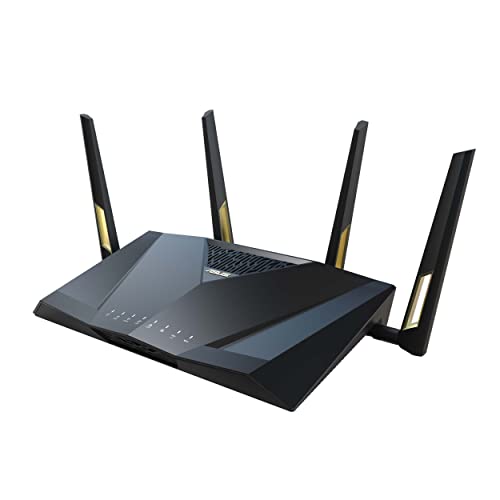
ASUS RT-AX88U Pro
- Best for: Homes with many wired devices — desktop PCs, consoles, and smart-home hubs.
- Dual-band WiFi 6 (802.11ax)
- AX6000 combined wireless throughput
- Dual 2.5G ports
- 8 Gigabit LAN ports
Homes with many wired devices — desktop PCs, consoles, and smart-home hubs.
No 6 GHz band, so it cannot grow into WiFi 6E later; the chassis is large and runs warm, so give it open air.
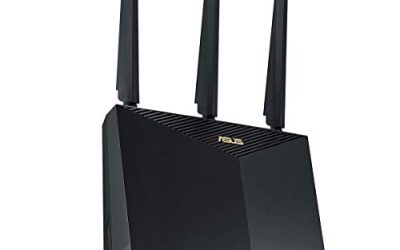
The RT-AX88U Pro suits a home where wired gear matters as much as wireless. Its dual-band WiFi 6 radio reaches AX6000 combined throughput, and the 2.0 GHz quad-core processor keeps routing and security smooth when many devices connect at once. Eight Gigabit LAN ports cover desktop PCs, consoles, and smart-home hubs without a separate switch, while the dual 2.5G ports handle a fast broadband line and one fast wired device. AiProtection Pro runs for the life of the router, and AiMesh support leaves room to add a node later.
Watch out for: No 6 GHz band, so it cannot grow into WiFi 6E later; the chassis is large and runs warm, so give it open air.
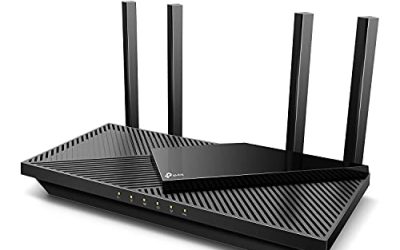
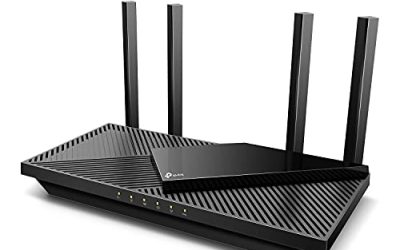
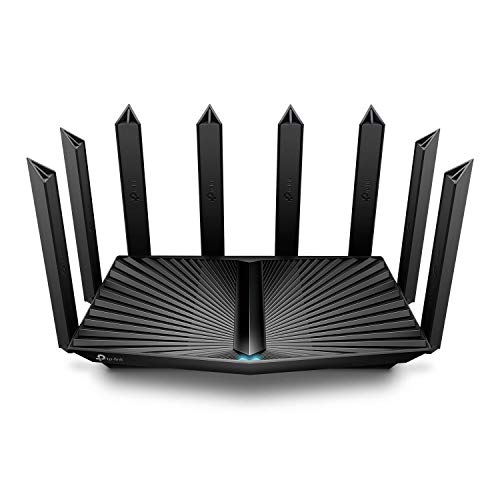
TP-Link Archer AX90
- Best for: Large homes that want tri-band coverage and strong antennas without paying for a 6 GHz radio.
- Tri-band WiFi 6 (802.11ax)
- AX6600 combined wireless throughput (4804 Mbps + 1201 Mbps + 574 Mbps)
- 8 high-gain external antennas with Beamforming
- High-power front-end modules for stronger signal coverage
Large homes that want tri-band coverage and strong antennas without paying for a 6 GHz radio.
TP-Link lists this model as end of life on its own site, so check that the listing you open is the new retail unit and that firmware updates are still available.
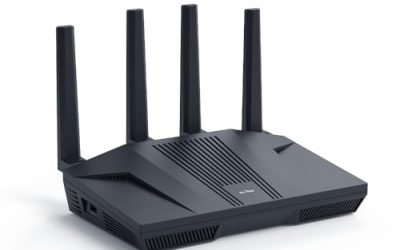
The Archer AX90 brings tri-band WiFi 6 to a large home without asking for a 6 GHz radio. Eight high-gain antennas with Beamforming and high-power front-end modules push the signal into far rooms, and the AX6600 combined throughput splits across three bands so streaming, gaming, and everyday devices stop crowding each other. A 1.5 GHz quad-core processor keeps things moving, the 2.5 Gbps WAN/LAN port covers a fast connection, and OneMesh support means an extender can join later. HomeShield handles security and parental controls on the router.
Watch out for: TP-Link lists this model as end of life on its own site, so check that the listing you open is the new retail unit and that firmware updates are still available.
Which One Fits Your Situation
A big house with dead zones
Pick the Nighthawk RAXE500 when the 5 GHz band is crowded and the far rooms still need a strong signal, since its 6 GHz band and twelve streams handle a busy household. Pick the Archer AX90 instead when the house has thick walls and the budget sits a step below the flagship tier, since its eight antennas and beamforming push signal into far corners. Both cover a multi-floor home from one box.
A household that games together
Choose the ROG Rapture GT-AX11000 Pro when several people game at once and the wired setup matters. Its game acceleration gives game traffic priority, the 10G port covers a fast wired backbone, and the tri-band radio keeps gaming, streaming, and browsing apart. The RT-AX88U Pro is the fallback when the house has more wired consoles and PCs than wireless gamers, since its eight LAN ports cover them all.
A home full of wired gear
Choose the RT-AX88U Pro when desktop PCs, consoles, a network drive, and a smart-home hub all need a cable. Eight Gigabit LAN ports cover them without a separate switch, and the dual 2.5G ports leave a fast lane for the broadband line and one demanding device. The GT-AX11000 Pro is the alternative when one wired device needs a 10G connection and the rest of the house games wirelessly.
A large home that may grow later
Choose the Archer AX90 or the RT-AX88U Pro when the house is large now and may need more coverage later. Both support mesh expansion, so a matching extender or a second router can join the same network name when one box stops reaching the far rooms. The AX90 suits homes that want tri-band coverage, while the RT-AX88U Pro suits homes that want more wired ports and stronger security built in.
Common Mistakes
- Buying for the headline speed number alone. A combined AX number adds every band together, and no single device uses the full total, so read the per-band speeds instead.
- Hiding the router in a cabinet, behind the TV, or on the floor. Walls and furniture block the signal, so place the router out in the open, near the middle of the house, and up high.
- Forgetting the modem. A 2.5G or 10G port only helps when the incoming connection is fast enough to use it, so check the broadband speed first.
- Paying for a 6 GHz band with no 6E devices. WiFi 6E only helps phones and laptops that support it, so check the devices in the house before choosing.
- Counting wireless devices and forgetting wired ones. A house with PCs, consoles, and a network drive can fill four LAN ports fast, so count the cables before you buy.
Frequently Asked Questions
Do I need WiFi 6E for a large home?
No, but it helps when the house has many devices and the 5 GHz band is crowded. The 6 GHz band is still mostly empty, so a WiFi 6E router such as the Nighthawk RAXE500 gives busy households a clear lane. A tri-band WiFi 6 router such as the Archer AX90 still covers a large home well when the devices in the house do not support 6E.
How many devices can a high-power router handle?
It depends on the model and the traffic, not on one number. The Nighthawk RAXE500 lists room for up to 60 devices, and its twelve streams keep many of them talking at once. Count the phones, laptops, TVs, consoles, and smart-home gadgets in your house, then pick a router with streams and capacity to spare for guests and new devices.
Does a 10G port make my internet faster?
Only when the rest of the chain is fast too. A 10G port helps a wired desktop, a network drive, or a switch move data quickly inside the house, and it keeps the router ready for a faster broadband line. It does not speed up a connection that arrives slower than the port, so check the broadband speed and the wired gear before paying for it.
Should I buy one strong router or a mesh system?
One strong router suits a house where one spot can reach every room, and it keeps setup simple with one box to manage. A mesh system suits a house with thick walls, several floors, or a far room that one router cannot reach. The ASUS and TP-Link routers in this guide support mesh expansion, so you can start with one box and add a node if a corner stays uncovered.
FAQ
Do I need WiFi 6E for a large home?
How many devices can a high-power router handle?
Does a 10G port make my internet faster?
Should I buy one strong router or a mesh system?
More from Amazon
Programs that pair well with the guide above. Offers and eligibility are set by Amazon and may change.
Free shipping on eligible items, Prime Video and more. Eligible new members can start with a free trial.
Start a Prime free trialAd-free music streaming. Eligible new subscribers can start with a free trial.
Try Music Unlimited freeA Prime membership for ages 18-24 with a trial period. Eligibility is set by Amazon.
See Prime for Young AdultsAudiobooks and podcasts to listen to on the go. Eligible new members can start with a free trial.
Try Audible freeAs an Amazon Associate we earn from qualifying purchases.