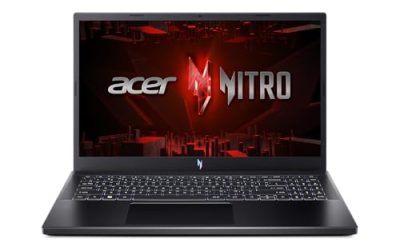
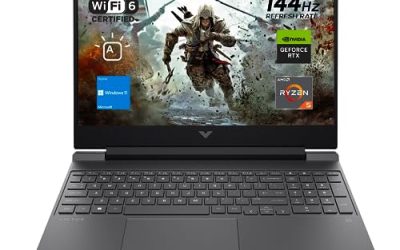
Our Short List of 3

- Best for: Players who want a compact OLED gaming laptop with workstation-level memory, configured before it ships.
- Processor: Intel Core Ultra 7-356H, 16 cores, up to 4.7 GHz Max Turbo, 18MB Smart Cache
- Graphics: NVIDIA GeForce RTX 5060 with GDDR7 memory
- Display: 15.3-inch OLED QHD+ 165Hz
- Memory: 64GB (2 x 32GB) DDR5 5600MHz, installed by HIDevolution

- Best for: Competitive players who want a 300Hz panel and room for a big installed library.
- Processor: AMD Ryzen AI 7 450, 8 cores, up to 5.1 GHz Max Turbo, 24MB Smart Cache
- Graphics: NVIDIA GeForce RTX 5060, 8GB GDDR7
- Display: 16-inch QHD+ (2560 x 1600) 300Hz, matte finish
- Memory: 16GB (2 x 8GB) DDR5 5600MHz

- Best for: Players who want RTX 5070 Ti performance in a proven 16-inch chassis with storage already upgraded.
- Processor: Intel Core Ultra 7-255HX, up to 5.2 GHz Max Turbo, 30MB Smart Cache
- Graphics: NVIDIA GeForce RTX 5070 Ti, 12GB GDDR7
- Display: 16-inch QHD+ (2560 x 1600) 240Hz IPS-Level
- Storage: 2TB M.2 PCIe 4.0 x4 NVMe SSD, installed by HIDevolution
All 4 Picks at a Glance
| Product | Specs | Action |
|---|---|---|
| HIDevolution EVOC L5501A (L550JNN) |
| Check price on Amazon |
| HIDevolution EVOC V5604A (V560GNN) |
| Check price on Amazon |
| HIDevolution MSI Vector 16 HX AI A2XWHG |
| Check price on Amazon |
 EXCaliberPC ASUS ROG Zephyrus G16 GU605CX-XS98 |
| Check price on Amazon |
Key takeaways
- Four custom-built gaming laptops you can order configured to your spec, from boutique builders: upgraded memory, storage and cooling compared.
A custom-built gaming laptop is not really a different kind of computer; it is the same chassis you could buy off a shelf, opened by a specialist builder who swaps in the memory, storage and cooling setup you actually asked for. The real decision is which parts of the build you want control over, because the processor and graphics card are fixed by the model, while almost everything else can be changed before the machine ships.
This roundup is for buyers who already know the factory configurations fall short: competitive players who want a very fast screen, creators who need more memory than the standard build carries, and anyone who wants a large internal drive fitted from day one. Every pick below is a configurable or build-to-order listing from a boutique builder on Amazon, chosen from the names and specifications on the product pages, with the builder’s own upgrade work noted for each machine.
Quick Picks
As an Amazon Associate we earn from qualifying purchases.
| Product | Best for | Key spec from title |
|---|---|---|
| HIDevolution EVOC L5501A (L550JNN) | Compact OLED gaming with big memory | RTX 5060, 64GB DDR5 RAM, 1TB PCIe SSD |
| HIDevolution EVOC V5604A (V560GNN) | Fastest screen and a huge library | RTX 5060, 4TB PCIe SSD, 300Hz QHD+ display |
| HIDevolution MSI Vector 16 HX AI A2XWHG | RTX 5070 Ti power with storage upgraded | RTX 5070 Ti, 2TB PCIe SSD |
| EXCaliberPC ASUS ROG Zephyrus G16 GU605CX-XS98 | Flagship graphics and maximum storage | RTX 5090, 64GB RAM, 16TB NVMe SSD |
How to Choose
Start with the chassis and graphics card
The builder can change memory, storage and thermal compound, but the chassis, processor family and graphics card come from the base model, and those decide the ceiling of the whole machine. Pick the screen size and GPU tier first, the way you would with any gaming laptop, and only then look at what the builder adds. A modest graphics card with a huge drive is still a modest gaming machine, so read the configuration in that order every time: model, graphics, processor, then the upgrades layered on top.
Decide how much memory and storage to have fitted
Memory and storage are where a custom build earns its keep, because builders fit amounts the factory lineup often skips. For gaming alone, 16GB of memory still works, but 32GB or 64GB makes a machine far better at streaming, editing and keeping many applications open. Storage fills faster than most buyers expect once several large games sit side by side, so a 2TB or larger drive fitted at build time saves an awkward upgrade later. Check whether the memory is socketed or soldered, because soldered memory can never be changed after delivery.
Look at the cooling and assembly work
Two listings can show identical headline specifications and still behave differently under load, because assembly quality decides how long a laptop holds its boost clocks. Builders in this space apply aftermarket thermal compound, check temperatures and run quality testing before shipping, and those steps are worth weighing alongside the parts list. Ask what the builder actually does: a named thermal compound and a stated testing process mean more than a generic promise. In a slim chassis especially, careful assembly is the difference between steady frame rates and throttling in long sessions.
Sort out warranty and support before ordering
A builder-modified laptop has two layers of coverage: the manufacturer’s warranty on the base machine and the builder’s own terms for the parts it fitted and the labor it performed. Read both on the listing, because the split decides who you contact when a drive fails or a hinge loosens. Established builders state their warranty length and support access plainly, and they also explain how configuration changes are handled before the build starts. If a listing is vague about who covers the upgraded parts, treat that as a reason to choose a different seller.
The 4 Best Options
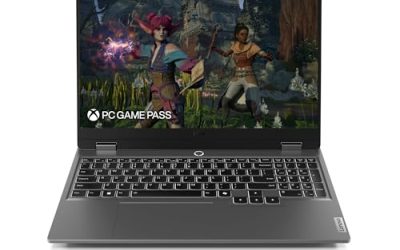
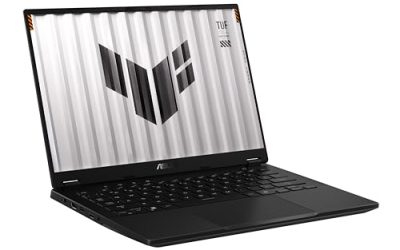
HIDevolution EVOC L5501A (L550JNN)
- Best for: Players who want a compact OLED gaming laptop with workstation-level memory, configured before it ships.
- Processor: Intel Core Ultra 7-356H, 16 cores, up to 4.7 GHz Max Turbo, 18MB Smart Cache
- Graphics: NVIDIA GeForce RTX 5060 with GDDR7 memory
- Display: 15.3-inch OLED QHD+ 165Hz
- Memory: 64GB (2 x 32GB) DDR5 5600MHz, installed by HIDevolution
Players who want a compact OLED gaming laptop with workstation-level memory, configured before it ships.
Sold and shipped by HIDevolution, a third-party seller on Amazon, not by Amazon.com; support runs through the builder, and the RTX 5060 is a midrange GPU, so check the exact configuration selected on the listing before ordering.
The EVOC L5501A is HIDevolution’s own house design, built to order rather than pulled from a warehouse shelf, and this configuration pairs an Intel Core Ultra 7-356H with 64GB of DDR5 memory and a 15.3-inch OLED screen running at 165Hz. That mix suits players who split time between competitive titles and creative work, because the OLED panel favors contrast and color while the memory headroom keeps a game, a capture app and a browser open together. HIDevolution also applies Gelid GC Extreme thermal compound before shipping, a small touch that matters in a compact chassis.
Watch out for: Sold and shipped by HIDevolution, a third-party seller on Amazon, not by Amazon.com; support runs through the builder, and the RTX 5060 is a midrange GPU, so check the exact configuration selected on the listing before ordering.
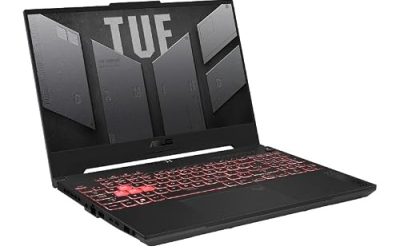
HIDevolution EVOC V5604A (V560GNN)
- Best for: Competitive players who want a 300Hz panel and room for a big installed library.
- Processor: AMD Ryzen AI 7 450, 8 cores, up to 5.1 GHz Max Turbo, 24MB Smart Cache
- Graphics: NVIDIA GeForce RTX 5060, 8GB GDDR7
- Display: 16-inch QHD+ (2560 x 1600) 300Hz, matte finish
- Memory: 16GB (2 x 8GB) DDR5 5600MHz
Competitive players who want a 300Hz panel and room for a big installed library.
Sold by HIDevolution, a third-party seller, not Amazon.com; 16GB of memory is the tightest figure in this group, so confirm the configuration on the listing if you plan to edit or stream heavily.
Where the smaller EVOC chases portability, the V5604A is the configuration for players who care about motion clarity first. Its 16-inch QHD+ screen refreshes at 300Hz, and HIDevolution loads this build with 4TB of NVMe storage split across two drives, so a large game library stays installed instead of being shuffled on and off. The Ryzen AI 7 450 and RTX 5060 pairing targets high frame rates at the panel’s native resolution in esports titles, while 16GB of memory is the one figure to think about if you also edit video.
Watch out for: Sold by HIDevolution, a third-party seller, not Amazon.com; 16GB of memory is the tightest figure in this group, so confirm the configuration on the listing if you plan to edit or stream heavily.
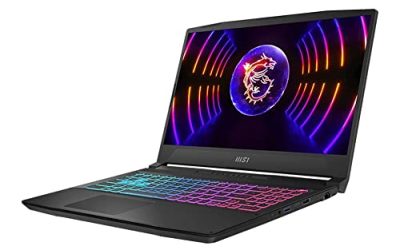
HIDevolution MSI Vector 16 HX AI A2XWHG
- Best for: Players who want RTX 5070 Ti performance in a proven 16-inch chassis with storage already upgraded.
- Processor: Intel Core Ultra 7-255HX, up to 5.2 GHz Max Turbo, 30MB Smart Cache
- Graphics: NVIDIA GeForce RTX 5070 Ti, 12GB GDDR7
- Display: 16-inch QHD+ (2560 x 1600) 240Hz IPS-Level
- Storage: 2TB M.2 PCIe 4.0 x4 NVMe SSD, installed by HIDevolution
Players who want RTX 5070 Ti performance in a proven 16-inch chassis with storage already upgraded.
Sold by HIDevolution, a third-party seller, not Amazon.com; HIDevolution sells this chassis in several configurations, so confirm the memory amount and drive size on the exact listing before ordering.
This listing starts from MSI’s Vector 16 HX AI, a 16-inch chassis built around Intel’s HX-class processors, and HIDevolution fits a 2TB NVMe drive before it leaves. The RTX 5070 Ti carries 12GB of GDDR7 memory, a step up that matters at the panel’s QHD+ resolution in demanding games, and the Ultra 7-255HX brings strong multi-core output for editing and compiling between sessions. Choose this one if you like the idea of a mainstream performance chassis whose storage and thermal work have already been upgraded by the builder.
Watch out for: Sold by HIDevolution, a third-party seller, not Amazon.com; HIDevolution sells this chassis in several configurations, so confirm the memory amount and drive size on the exact listing before ordering.
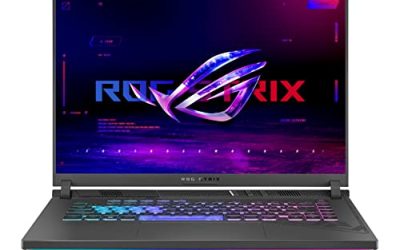
EXCaliberPC ASUS ROG Zephyrus G16 GU605CX-XS98
- Best for: Creators and players who want flagship graphics and an unusually large internal archive in a slim 16-inch body.
- Processor: Intel Core Ultra 9 285H, 16 cores, 2.9GHz to 5.4GHz, 24MB Smart Cache
- Graphics: NVIDIA GeForce RTX 5090, 24GB GDDR7
- Display: 16-inch OLED, 240Hz
- Memory: 64GB LPDDR5X 7467, onboard
Creators and players who want flagship graphics and an unusually large internal archive in a slim 16-inch body.
Sold by EXCaliberPC, a third-party seller, not Amazon.com; the memory is soldered onboard and cannot be upgraded later, and the upgraded drives sit under the seller’s terms, so read the listing’s warranty wording before ordering.
EXCaliberPC takes ASUS’s slim Zephyrus G16 and turns the storage up to a level factory configurations do not reach: 16TB across two WD Black SN850X drives, fitted by its own technicians. The rest of the build is flagship tier as well, with an RTX 5090, 64GB of LPDDR5X memory and a 16-inch OLED screen at 240Hz inside a body that weighs 4.3 pounds. It fits creators and players who carry one machine everywhere and keep entire project archives and game libraries on internal drives.
Watch out for: Sold by EXCaliberPC, a third-party seller, not Amazon.com; the memory is soldered onboard and cannot be upgraded later, and the upgraded drives sit under the seller’s terms, so read the listing’s warranty wording before ordering.
Which One Fits Your Situation
You play competitive titles and travel with your laptop
Pick the EVOC L5501A. The 15.3-inch OLED screen runs at 165Hz, fast enough for competitive play, and the 64GB of memory means your game, voice chat and recording tools can stay open on the road. It is the most travel-friendly mix in this group, with a flagship-feeling panel in a smaller body than the 16-inch machines below.
You want the fastest screen and a huge installed library
Choose the EVOC V5604A. Its 300Hz refresh rate is the highest here, and the 4TB of storage across two drives holds a large library without constant deleting. The trade-off is 16GB of memory, which is fine for gaming but worth reconsidering if your sessions also involve editing or running a stream from the same machine.
You want a known performance chassis with the upgrades done
Go with the HIDevolution build of the MSI Vector 16 HX AI. The RTX 5070 Ti and HX-class processor give it the strongest gaming headroom of the three HIDevolution listings, and the 2TB drive is already fitted. Confirm the memory configuration on the listing before ordering, because this chassis is sold in several builds and the difference matters.
You want one slim machine for games, work and archives
Pick the EXCaliberPC Zephyrus G16. The RTX 5090 is the fastest graphics card in this roundup, the OLED screen runs at 240Hz, and 16TB of internal storage removes any need for external drives on a desk or in a bag. At 4.3 pounds it stays carryable, which no other machine here manages at this performance level.
Common Mistakes
- Comparing two builder listings by memory and storage alone, without checking that the graphics card and chassis are actually the same class.
- Assuming the manufacturer’s warranty covers parts the builder fitted; upgraded drives and memory usually sit under the builder’s own terms.
- Ordering the first configuration shown on a listing page without confirming the exact variant, since one listing often covers several builds.
- Forgetting that soldered memory cannot be upgraded later, so the amount chosen at order time is final.
- Ignoring build and shipping time; a configured machine is assembled after you order, so it rarely leaves as fast as a stocked laptop.
Frequently Asked Questions
Is a custom-built gaming laptop different from the same model in a store?
Underneath, no: the chassis, processor and graphics card come from the same base model. The difference is that a builder opens the machine, fits the memory and storage configuration you selected, applies its own thermal work and tests the result before shipping. You are paying for configuration choice and assembly, not for a different computer.
Who do I contact if a custom-built laptop needs a repair?
It depends on which part failed. Components the builder fitted, such as upgraded drives or memory, are normally handled by the builder under its own warranty terms, while the base machine stays under the manufacturer’s coverage. Every listing in this roundup names its warranty arrangement, so save the listing details and the builder’s support contact when the machine arrives.
Can I change the configuration after placing an order?
Usually only before the build begins. Builders assemble to order, so a change to memory, storage or thermal options has to reach them before a technician starts on your machine, and the listings here invite buyers to contact the builder about further customization. If you think you will want changes, message the seller first and get the final configuration confirmed in writing.
How much memory and storage should I have fitted?
For gaming with a stream or editing work alongside, 32GB of memory is a comfortable target, and 64GB suits heavy multitasking. Storage is the figure buyers most often underestimate: a few large games can pass 1TB quickly, so 2TB is a sensible floor and 4TB or more suits anyone who keeps a whole library installed. Both are far easier to fit at build time.
FAQ
Is a custom-built gaming laptop different from the same model in a store?
Who do I contact if a custom-built laptop needs a repair?
Can I change the configuration after placing an order?
How much memory and storage should I have fitted?
More from Amazon
Programs that pair well with the guide above. Offers and eligibility are set by Amazon and may change.
Free shipping on eligible items, Prime Video and more. Eligible new members can start with a free trial.
Start a Prime free trialAd-free music streaming. Eligible new subscribers can start with a free trial.
Try Music Unlimited freeA Prime membership for ages 18-24 with a trial period. Eligibility is set by Amazon.
See Prime for Young AdultsAudiobooks and podcasts to listen to on the go. Eligible new members can start with a free trial.
Try Audible freeAs an Amazon Associate we earn from qualifying purchases.