Our Short List of 3
- Best for: iMac owners who want a Mac-ready Time Machine drive with no formatting step.
- Brand: WD
- Capacity from title: 4TB
- Product line from title: My Passport Ultra for Mac, Silver
- Interface from title: USB-C and USB 3.1 Compatible

- Best for: A tidy, always-attached archive or photo library drive on a visible iMac desk.
- Brand: LaCie
- Capacity from title: 4TB
- Finish from title: Moon Silver
- Interface from title: USB-C 3.2

- Best for: Media work that is backed up at the iMac and then carried elsewhere.
- Brand: LaCie
- Capacity from title: 5TB
- Product line from title: Rugged USB-C Portable External Hard Drive
- Resistance from title: Drop, Shock, Dust and Rain Resistant
All 4 Picks at a Glance
| Product | Specs | Action |
|---|---|---|
| WD My Passport Ultra for Mac 4TB |
| Check price on Amazon |
| LaCie Mobile Drive 4TB |
| Check price on Amazon |
| LaCie Rugged USB-C 5TB |
| Check price on Amazon |
 Seagate One Touch 5TB |
| Check price on Amazon |
Key takeaways
- External hard drives chosen for an iMac desk: Mac-formatted and USB-C picks for Time Machine, photo libraries and media archives, with the checks that matter.
The real decision with an iMac external drive is not raw capacity, it is how the drive will live on your desk for the next several years. An iMac stays in one place, runs Time Machine in the background, and holds photo and video libraries that grow quietly until the internal storage is full. So the questions that matter are whether the drive arrives ready for a Mac, whether its cable matches the USB-C and Thunderbolt ports on a modern iMac, and whether it is built for always-attached backup duty or for being carried between rooms and offices.
This guide is for iMac owners setting up Time Machine properly, photographers and video editors whose libraries have outgrown the internal drive, and home users who simply want one dependable place for family archives. Every pick below was chosen from its Amazon product name and listing details, with a deliberate lean toward Mac-ready and USB-C models that suit an iMac desk rather than a general mixed pile of drives.
Quick Picks
As an Amazon Associate we earn from qualifying purchases.
| Product | Best for | Key spec from title |
|---|---|---|
| WD My Passport Ultra for Mac 4TB | Time Machine straight out of the box | USB-C and USB 3.1 Compatible, formatted for Mac |
| LaCie Mobile Drive 4TB | A tidy aluminium drive that matches the desk | USB-C 3.2, Moon Silver, for PC and Mac |
| LaCie Rugged USB-C 5TB | The iMac drive that also travels | Drop, Shock, Dust, Rain Resistant |
| Seagate One Touch 5TB | Simple large-capacity archive storage | Portable External Hard Drive HDD, USB |
How to Choose
Start With Time Machine, Not With the Cheapest Capacity
An iMac backup drive lives a different life from a drive you copy files onto once. Time Machine writes to it hour after hour, so the drive should be at least comfortably larger than the data it protects, and it should stay attached and powered without fuss. A drive that is only just big enough fills quickly, and macOS then deletes older backups you might still want. Think in terms of headroom for a few years of photos, documents and system growth, and treat the backup role as the primary job even if the drive also holds media.
Check the Cable Against Your iMac Ports
Modern iMacs rely on USB-C shaped ports, including Thunderbolt on many models, while older iMacs mix USB-C with rectangular USB-A. A drive listed as USB-C ready with an adapter in the box, like the WD pick below, covers both generations without a separate purchase. Check what the listing actually includes rather than assuming a cable or adapter is present. A drive that needs an adapter you do not own is a small annoyance on day one and a recurring one every time you reconnect it after cleaning the desk.
Decide Between Desk-Permanent and Travels-Sometimes
Where the drive spends its life changes what you should buy. A slim aluminium drive that sits beside the iMac forever only needs to be quiet, tidy and reliable. A drive that also goes to an office, a studio or a relative’s house should survive bags and bumps, which is where a rugged, resistant design earns its keep. Some households solve this with two drives in different roles: one always attached for backup, one that moves. Buying one drive and asking it to do both jobs well is how backups end up disconnected for weeks.
Read the Formatting Line Before You Read Anything Else
A drive described as formatted for Mac can go straight into Time Machine work, while a drive formatted for another system may need reformatting before an iMac will use it the way you intend. Reformatting is not difficult, but it erases whatever is on the drive, so it has to happen before you copy anything across. Listings for cross-platform drives often note that Mac users should format and choose a format such as ExFat for sharing. That one line in the product details decides whether setup takes five minutes or an evening.
The 4 Best Options
WD My Passport Ultra for Mac 4TB
- Best for: iMac owners who want a Mac-ready Time Machine drive with no formatting step.
- Brand: WD
- Capacity from title: 4TB
- Product line from title: My Passport Ultra for Mac, Silver
- Interface from title: USB-C and USB 3.1 Compatible
iMac owners who want a Mac-ready Time Machine drive with no formatting step.
Confirm the capacity in the listing title matches the variant you select, since this line is sold in several sizes under similar names.
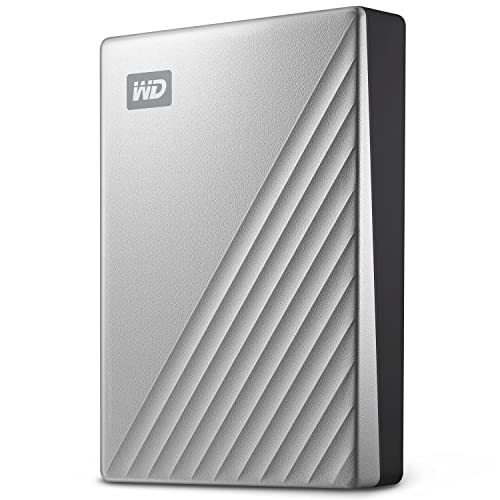
This is the straightforward iMac backup pick. The title states it is a portable external hard drive for Mac with USB-C and USB 3.1 compatibility, and the listing describes it as formatted for Mac and ready to work with Mac devices out of the box, with a USB-C to USB-A adapter included for older machines. For an iMac owner who wants Time Machine running today rather than after a formatting session, that combination of Mac formatting and both cable styles is exactly the point.
LaCie Mobile Drive 4TB
- Best for: A tidy, always-attached archive or photo library drive on a visible iMac desk.
- Brand: LaCie
- Capacity from title: 4TB
- Finish from title: Moon Silver
- Interface from title: USB-C 3.2
A tidy, always-attached archive or photo library drive on a visible iMac desk.
The title covers both PC and Mac, so check the listing for any formatting step your iMac needs before first use.
The Mobile Drive suits the iMac desk that is also a workspace people look at all day. Its title lists a Moon Silver finish, USB-C 3.2 connection and support for PC and Mac, in a slim portable HDD design. That makes it a good home for a photo library or document archive that should sit neatly beside the iMac rather than in a drawer. The listing also mentions Rescue Services, which is worth noting for anyone storing work files, though you should read the listing terms rather than treating it as a backup substitute.
LaCie Rugged USB-C 5TB
- Best for: Media work that is backed up at the iMac and then carried elsewhere.
- Brand: LaCie
- Capacity from title: 5TB
- Product line from title: Rugged USB-C Portable External Hard Drive
- Resistance from title: Drop, Shock, Dust and Rain Resistant
Media work that is backed up at the iMac and then carried elsewhere.
Resistant is not the same as indestructible, and a carried drive should never be the only copy of a library, however tough the casing looks.
Choose the Rugged when the iMac drive will not actually stay on the desk. The title promises drop, shock, dust and rain resistance in a portable USB-C hard drive for Mac and PC, which is a very different brief from a slim desk drive. It suits photographers and video editors who back up at the iMac, then carry the same drive to a studio, a client or a second location. The larger capacity also helps media libraries, where a single project folder can swallow the space a documents drive would use for a year.
Seagate One Touch 5TB
- Best for: One roomy, uncomplicated archive drive for a family iMac.
- Brand: Seagate
- Capacity from title: 5TB
- Product type from title: Portable External Hard Drive HDD
- Connection from title: USB
One roomy, uncomplicated archive drive for a family iMac.
Check the listing for the exact cable and any Mac formatting step, because portable drives in this line are sold in several connection variants.
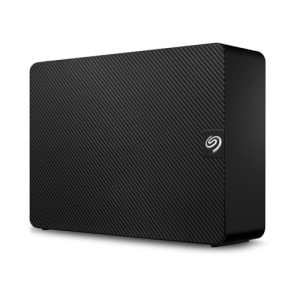
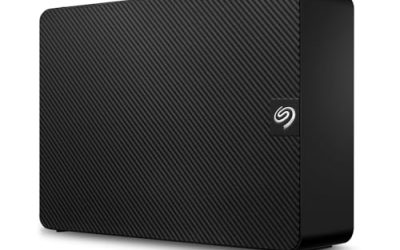
The One Touch is the simple, large archive option for an iMac household that has outgrown scattered smaller drives. It is a portable external hard drive in a 5TB capacity with a USB connection, aimed at everyday carry and straightforward file storage rather than specialist features. For family photo collections, scanned documents and media folders that mainly need one roomy home, that simplicity is the appeal. Pair it with a clear folder routine and it becomes the drive everyone in the house can understand without a manual.
Which One Fits Your Situation
Your Only Job Is a Proper Time Machine Backup
Take the WD My Passport Ultra for Mac. It is formatted for Mac, connects over USB-C, and includes the adapter for older ports, so the backup can start the day it arrives. Leave it attached permanently, because a backup drive sitting in a drawer protects nothing, and let Time Machine do the quiet work it was designed for.
Your iMac Desk Is Also Your Photo Studio
The LaCie Mobile Drive fits a working desk where the drive stays visible and attached. Its USB-C connection and slim silver design suit an iMac setup, and the capacity gives a growing photo library room to expand. Keep the library and the backup as separate roles, even if both drives live side by side on the same desk.
You Back Up at Home but Work in Other Places
The LaCie Rugged USB-C is built for that split life. Its resistant casing suits bags and travel between home, studio and client sites, while the larger capacity handles media projects. Just keep a second copy of anything irreplaceable at home, because the drive that travels is also the drive most likely to be lost.
The Whole Family Shares One iMac
Choose the Seagate One Touch for shared archive duty. One large, simple drive for family photos, scans and media is easier to keep organised than four small drives with overlapping folders. Agree on a folder structure before the first copy session, and the drive stays understandable for everyone who uses the machine.
Common Mistakes
- Buying a drive the same size as the iMac internal storage, then watching Time Machine run out of room and delete older backups within months.
- Assuming every USB-C drive includes the adapter or cable your particular iMac needs, instead of checking the listing contents.
- Copying files onto a drive first and only then discovering it needs reformatting for Mac use, which erases what was just copied.
- Using one travelling drive as the only copy of a photo library, so a single loss takes the original and the backup together.
- Unplugging the backup drive for weeks at a time, leaving a long unprotected gap that only becomes visible after a failure.
Frequently Asked Questions
Does an iMac need a drive formatted for Mac?
It makes setup far simpler. A drive listed as formatted for Mac, like the WD My Passport Ultra for Mac above, can go straight into Time Machine use. A cross-platform drive may need reformatting first, and reformatting erases the drive, so always check the formatting line in the listing and do any formatting before copying files across.
Is USB-C fast enough for an iMac backup drive?
For Time Machine and archive work, yes. These are background and bulk-copy jobs, not tasks where the connection is usually the bottleneck on a spinning hard drive. What matters more is that the cable matches your iMac ports without a missing adapter. Every pick above was chosen with a USB-C or USB connection stated in its title or listing.
Should my backup drive be bigger than my iMac storage?
Yes, comfortably bigger is the safer rule. Time Machine keeps older versions and deleted files for as long as space allows, so headroom directly buys you a longer, more useful backup history. If your iMac holds a large photo or video library, size the external drive for where that library will be in a few years, not where it is today.
Can one external drive be both my backup and my travel drive?
It can, but the roles fight each other. A backup only protects you while it is attached, and a travel drive spends its life being unplugged and carried. The Rugged above is the best compromise here thanks to its resistant design, yet the safer pattern is a desk drive that never moves plus a separate drive for the road.
FAQ
Does an iMac need a drive formatted for Mac?
Is USB-C fast enough for an iMac backup drive?
Should my backup drive be bigger than my iMac storage?
Can one external drive be both my backup and my travel drive?
More from Amazon
Programs that pair well with the guide above. Offers and eligibility are set by Amazon and may change.
Free shipping on eligible items, Prime Video and more. Eligible new members can start with a free trial.
Start a Prime free trialAd-free music streaming. Eligible new subscribers can start with a free trial.
Try Music Unlimited freeA Prime membership for ages 18-24 with a trial period. Eligibility is set by Amazon.
See Prime for Young AdultsAudiobooks and podcasts to listen to on the go. Eligible new members can start with a free trial.
Try Audible freeAs an Amazon Associate we earn from qualifying purchases.