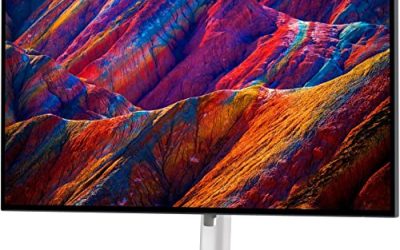
Our Short List of 3
All 5 Picks at a Glance
| Product | Specs | Action |
|---|---|---|
 Samsung Odyssey G9 G95C 49 Inch | Check price on Amazon | |
 LG UltraGear 49GR85DC 49 Inch | Check price on Amazon | |
 MSI MPG 491CQP QD-OLED 49 Inch | Check price on Amazon | |
 Samsung Odyssey OLED G9 G91SD 49 Inch | Check price on Amazon | |
 Samsung Odyssey G9 G91F 49 Inch | Check price on Amazon |
Our Top Picks
- Samsung 49” Odyssey G9 Series DQHD 1000R Curved240Hz Refresh Rate16.6 x 45.2 x 22.4 inches34.4 poundsCheck on Amazon
A 49 inch monitor is not simply a bigger version of a standard gaming display. In the 32:9 super ultrawide format, a single 49 inch panel stretches about as wide as two 27 inch 1440p monitors placed side by side, but without the bezel gap in the middle, without two separate stands competing for desk space, and without the cable clutter that comes with a dual-monitor arm setup. For racing games, flight simulation, open-world titles, and any game that rewards peripheral vision, that unbroken width changes how the scene wraps around the player. For work, the same width holds a timeline, a spreadsheet, a browser, and a chat window in one continuous row.
That scale also brings real commitments, so the best 49 inch monitors are worth comparing carefully before choosing one. The desk needs to be deep and wide enough, the graphics card needs to drive 5120 by 1440 resolution, and the panel choice matters more at this size than it does on a smaller screen. This guide compares five 49 inch class monitors, all in the super ultrawide format, covering fast VA panels built for high refresh rates and QD-OLED panels built for contrast and response speed, with the key specs for each model laid out from its product listing.
As an Amazon Associate, we earn from qualifying purchases.
How to Choose a 49 Inch Monitor
Start with resolution, because almost every serious 49 inch monitor uses the same one for a good reason. Dual QHD, written as 5120 by 1440, gives the width of two QHD panels and the height of one, for a total pixel count that sits between QHD and 4K in workload. Text stays sharp enough for all-day work, games gain a wide field of view without the extreme graphics demand of a higher vertical resolution, and a single DisplayPort or HDMI 2.1 connection can carry the full resolution at high refresh rates. Older or cheaper 49 inch models sometimes use 3840 by 1080 instead, which stretches far fewer pixels across the same width and looks noticeably softer for text, so Dual QHD is the baseline to insist on for a new purchase.
Panel type is the next decision, and at this size it splits the market in two. VA panels, used by the Samsung G95C, the Samsung G91F, and the LG UltraGear in this guide, offer strong contrast for an LCD, high rated brightness, and HDR certifications that reach DisplayHDR 1000 on the faster models. They suit bright rooms, mixed gaming and office use, and buyers who leave static windows open for long periods without wanting to think about panel care routines. QD-OLED panels, used by the MSI MPG 491CQP and the Samsung OLED G9 G91SD, deliver true black levels, near-instant response times, and vivid color, which makes dark game scenes and films look striking. The trade-off is a lower HDR brightness rating on paper, a glossy finish on some models that reflects room light, and the need for the built-in panel protection features that OLED makers include for static content.
Refresh rate and response time decide how the monitor feels in fast games. The range in this guide runs from 144Hz to 240Hz, and both figures are a large step up from a standard office display. A 240Hz model rewards a powerful graphics card and competitive or sim racing play, where extra frames keep motion clear when the view sweeps quickly. A 144Hz model is easier to drive at the full 5120 by 1440 resolution, and for story-driven games, strategy titles, and work-first setups it already feels smooth. Response time figures follow the panel split: VA models here are rated at 1ms, while the QD-OLED models are rated at 0.03ms, reflecting how quickly OLED pixels change state.
Curve radius sounds like a minor detail until the screen is this wide. A 1000R curve, found on the Samsung G95C, the Samsung G91F, and the LG UltraGear, bends the panel more tightly so the far edges sit closer to the same viewing distance as the center, which many players find more immersive for gaming. A gentler curve keeps the screen looking flatter, which some people prefer for design work and spreadsheets where straight lines matter. Either way, a curve is close to essential at 49 inches, because a flat panel this wide would leave the corners at a noticeably sharper angle.
Finally, check the practical features against the intended setup. Picture-by-picture modes let the screen act as two monitors for two sources, which helps streamers and anyone pairing a work laptop with a gaming PC. A KVM switch and USB-C with power delivery, offered on the MSI model here, simplify a shared desk. Height adjustment matters because a panel this large needs to sit at the right eye level, and VESA mounting matters for anyone planning an arm. Adaptive sync, listed as AMD FreeSync Premium Pro across this guide, with G-Sync compatibility noted on the OLED G9, keeps gameplay smooth when frame rates vary, which they often do at this resolution.
Samsung Odyssey G9 G95C 49 Inch
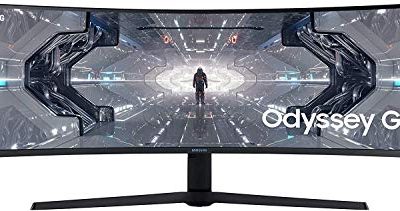
The Samsung Odyssey G9 G95C, model LS49CG954ENXZA, is the full-speed VA option in the Samsung line and a natural starting point for buyers who want the tightest curve and the highest refresh rate without moving to OLED. Its 49 inch Dual QHD panel runs at 240Hz with a 1ms response time, carries a VESA DisplayHDR 1000 certification, and wraps around the viewer with a 1000R curve. That combination targets sim racing and fast-paced gaming first, while the sheer width still serves a full day of multitasking when the games close.
Who It Suits
This model suits players who want maximum motion clarity from an LCD panel and who play in rooms where an OLED glossy finish or lower rated HDR brightness would be a drawback. The DisplayHDR 1000 rating points to strong highlights in HDR games and video, and the 1000R curve makes the width feel enveloping in racing and flight titles. Buyers whose graphics card cannot push high frame rates at Dual QHD may not use the full 240Hz range often, but the headroom is there for future upgrades, and the height-adjustable stand covers the ergonomic basics without an arm.
LG UltraGear 49GR85DC 49 Inch
The LG UltraGear 49GR85DC matches the Samsung G95C on the headline numbers that matter most to gamers, namely a 49 inch Dual QHD panel at 240Hz with a 1ms response time and VESA DisplayHDR 1000, and then differentiates on connectivity and stand range. Its listing highlights HDMI 2.1 alongside DisplayPort, which helps owners of both a gaming PC and a current console share one screen, and the stand adjusts for tilt, swivel, and height rather than height alone. A 4-pole headphone output with DTS Headphone:X support is also listed, aimed at players who plug a headset with a microphone directly into the monitor.
Who It Suits
The UltraGear suits a mixed-device desk, where a PC, a console, and a headset all connect to the same display and the swivel adjustment gets used when the seating position changes between work and play. It is also a sensible alternative for buyers who like the 240Hz VA formula but prefer LG menus, styling, and port layout. Like the G95C, it asks for a strong graphics card to shine in demanding games at native resolution, and its width still needs a desk that can give the 1000R curve room to sit at a comfortable distance.
MSI MPG 491CQP QD-OLED 49 Inch
The MSI MPG 491CQP takes the OLED route at a more approachable refresh rate. Its 49 inch QD-OLED panel runs at 144Hz with a 0.03ms response time and a True Black HDR 400 certification, which describes a different kind of HDR strength than the VA models: perfect black levels and high contrast in dark scenes rather than the highest peak brightness rating. MSI adds a graphene film and a custom heatsink design for fanless heat dispersion, plus OLED care features intended to protect the panel during long sessions with static elements on screen.
Who It Suits
This monitor suits players who care most about contrast, dark-scene detail, and instant pixel response, and who split the screen between gaming and laptop work. The USB Type-C connection and KVM support make it easy to run a laptop and a gaming PC through one keyboard and mouse setup, with the full width available to whichever machine is active. The 144Hz ceiling is lower than the 240Hz models in this guide, so competitive players chasing the highest frame rates should compare carefully, but for immersive single-player games, films, and mixed work, the QD-OLED picture is the main attraction here.
Samsung Odyssey OLED G9 G91SD 49 Inch
The Samsung Odyssey OLED G9 G91SD, model LS49DG910SNXZA, is Samsung QD-OLED entry in this size and pairs the same 144Hz, 0.03ms foundation as the MSI with Samsung own design and feature set. The listing describes a Dual QHD QD-OLED panel with G-Sync compatibility and AMD FreeSync Premium Pro, an ergonomic stand, and a three year warranty, which is a relevant detail for an OLED purchase because it sets the coverage period for panel issues in writing. In practical terms it competes head-on with the MSI model, and the choice between them often comes down to port selection, stand design, menu preferences, and which listing is available at the time of ordering.
Who It Suits
The OLED G9 G91SD suits buyers who want the OLED viewing experience from Samsung ecosystem, with wide adaptive sync support covering both major graphics card families. It fits evening gaming in a controlled-light room, where QD-OLED contrast and color are at their best, and it doubles as a single-screen replacement for a dual-monitor work setup during the day. Buyers who regularly display the same static dashboard for many hours at a stretch should read the panel care guidance for any OLED model, this one included, and use the built-in protection features as directed.
Samsung Odyssey G9 G91F 49 Inch
The Samsung Odyssey G9 G91F, model LS49FG910ENXZA, is the step-down VA model in the current G9 family and a useful reference point for buyers who want the 49 inch format and the deep 1000R curve without paying for the highest specifications. It keeps the Dual QHD resolution and 32:9 shape, runs at 144Hz with a 1ms response time, and carries a VESA DisplayHDR 600 certification rather than the DisplayHDR 1000 of the G95C. An ergonomic stand rounds out a package aimed at players and home office users who value the format itself over peak gaming numbers.
Who It Suits
The G91F suits buyers whose priority is the super ultrawide workspace and an immersive curved view for racing, simulation, and strategy games, with refresh performance that still far exceeds a basic office monitor. The lower HDR certification means highlights will be less intense than on the G95C or the LG UltraGear, so HDR-focused players should weigh that difference, but for mixed work and play the core experience of the format is fully present. It is also a reasonable choice when the higher models are unavailable, since the panel size, resolution, and curve that define a 49 inch monitor are all here.
FAQ
Is a 49 inch monitor too big for a normal desk?
It depends on desk depth more than width alone. A 49 inch super ultrawide is very wide but no taller than a 27 inch 1440p monitor, so the main needs are enough width for the panel and enough depth to sit back from it, especially with a 1000R curve. A deep desk, a wall mount, or a monitor arm makes the size comfortable for most setups.
What graphics card does a 5120 by 1440 monitor need?
Dual QHD has fewer pixels than 4K but far more than standard 1440p, so demanding games at native resolution and high refresh rates call for an upper-tier graphics card. Less demanding titles, older games, and esports games run well on mid-range cards, and upscaling features in modern games help bridge the gap when frame rates fall short of the panel refresh rate.
Is QD-OLED or VA better for a 49 inch gaming monitor?
QD-OLED offers true black levels, faster rated response times, and stronger contrast in dark scenes, while VA offers higher rated HDR brightness on the models in this guide, strong performance in bright rooms, and no OLED panel care considerations. Neither is universally better; the room lighting, the games played, and how much static content stays on screen should decide it.
Can a 49 inch monitor replace two separate monitors?
For most people, yes. The 32:9 screen holds two full windows side by side with no center bezel, and picture-by-picture modes can even show two separate sources at once. Window management software helps snap layouts into thirds or halves, and the single stand and single set of cables keep the desk simpler than a dual-monitor arrangement.
Final Verdict
The best 49 inch monitor depends on which strength matters most at this unusual size. For the fastest LCD gaming formula, the Samsung Odyssey G9 G95C and the LG UltraGear 49GR85DC both pair 240Hz refresh rates with DisplayHDR 1000 and a deep 1000R curve, with the LG adding HDMI 2.1 and a swivel stand for multi-device desks. For picture quality led by contrast and response speed, the MSI MPG 491CQP and the Samsung Odyssey OLED G9 G91SD bring QD-OLED panels at 144Hz, with the MSI standing out for USB-C and KVM convenience. The Samsung Odyssey G9 G91F keeps the essential format, curve, and resolution at a more modest specification for buyers who want the width first. Whichever model is chosen, confirm the desk space and graphics card first, because at 49 inches those two factors shape the experience as much as the panel itself.
Product and ASIN Reference
| Product | ASIN |
|---|---|
| Samsung Odyssey G9 G95C 49 Inch | B0CP6HW894 |
| LG UltraGear 49GR85DC 49 Inch | B0BY3W5NST |
| MSI MPG 491CQP QD-OLED 49 Inch | B0CTRXCNV8 |
| Samsung Odyssey OLED G9 G91SD 49 Inch | B0DSGJRKCR |
| Samsung Odyssey G9 G91F 49 Inch | B0DWT9XN4D |
FAQ
Is a 49 inch monitor too big for a normal desk?
What graphics card does a 5120 by 1440 monitor need?
Is QD-OLED or VA better for a 49 inch gaming monitor?
Can a 49 inch monitor replace two separate monitors?
More from Amazon
Programs that pair well with the guide above. Offers and eligibility are set by Amazon and may change.
Free shipping on eligible items, Prime Video and more. Eligible new members can start with a free trial.
Start a Prime free trialAd-free music streaming. Eligible new subscribers can start with a free trial.
Try Music Unlimited freeA Prime membership for ages 18-24 with a trial period. Eligibility is set by Amazon.
See Prime for Young AdultsAudiobooks and podcasts to listen to on the go. Eligible new members can start with a free trial.
Try Audible freeAs an Amazon Associate we earn from qualifying purchases.