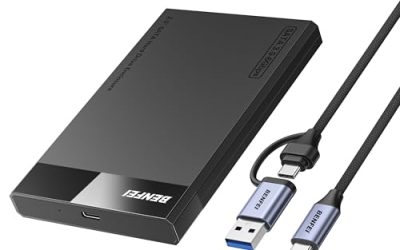
Our Short List of 3

- Listed read speeds up to 2,000 MB/s and write speeds up to 1,950 MB/s over USB 3.2 Gen 2×2
- Compact and light at 122 grams, with drop protection up to 3 meters
- AES 256-bit hardware encryption listed on the product page
- Ships with USB-C to USB-C and USB-C to USB-A cables
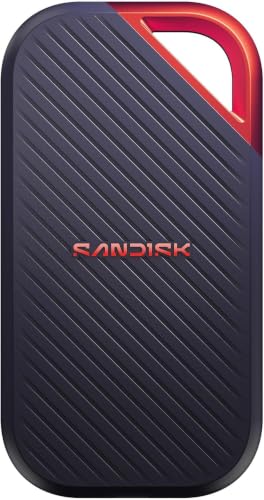
- Listed read speeds up to 4,000 MB/s and sustained writes up to 3,100 MB/s
- USB4 connectivity with backward compatibility for older USB hosts
- IP65 dust and water resistance and drop protection up to 3 meters
- 256-bit AES hardware encryption with password protection
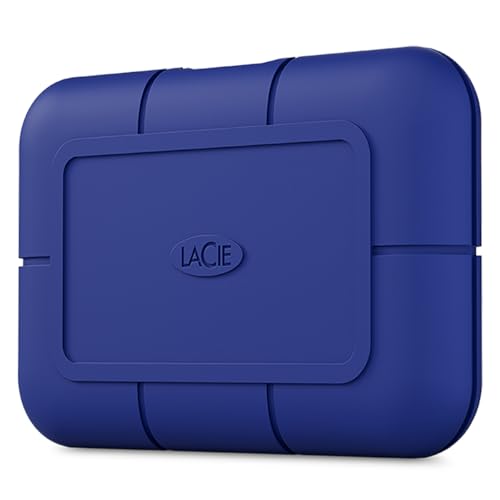
- Listed read speeds up to 6,700 MB/s and write speeds up to 5,300 MB/s over Thunderbolt 5
- Built for 6K and 8K editing, visual effects, and large media transfers
- IP68 dust and water resistance with a rugged enclosure
- Five-year limited warranty with Rescue Data Recovery Services
All 4 Picks at a Glance
| Product | Specs | Action |
|---|---|---|
| 1. Samsung T9 Portable SSD 2TB |
| Check price on Amazon |
| 2. SanDisk Extreme PRO Portable SSD 2TB |
| Check price on Amazon |
| 3. LaCie Rugged SSD Pro5 2TB |
| Check price on Amazon |
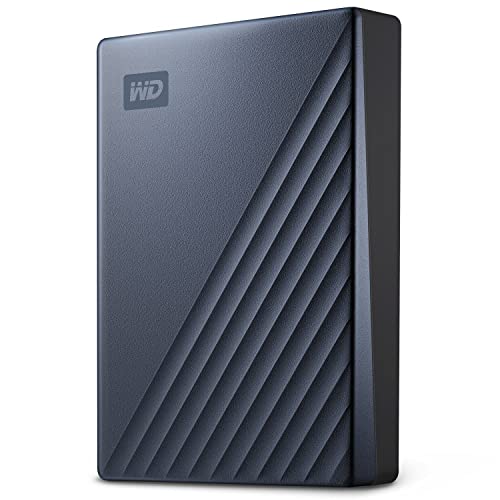 5. WD My Passport Ultra 5TB |
| Check price on Amazon |
Key takeaways
- The best external hard drives for video editing pair fast sustained transfers with room for large projects, from rugged portable SSDs to high-capacity drives.
As an Amazon Associate I earn from qualifying purchases.
The Short Answer
The best external hard drives for video editing are fast portable SSDs with enough capacity for current projects, plus a larger drive for finished work and backups. Editing is one of the most demanding jobs a drive can do: it has to keep feeding large files to the timeline without stalling, hold hours of footage, and survive being carried between locations. A slow drive turns scrubbing through a timeline into a wait, while a drive that is too small forces constant file shuffling in the middle of a project.
For most editors, the Samsung T9 Portable SSD 2TB is the pick that makes the most sense, with listed read speeds up to 2,000 MB/s over USB 3.2 Gen 2×2. Heavier codecs call for the SanDisk Extreme PRO 2TB, which lists read speeds up to 4,000 MB/s and sustained writes up to 3,100 MB/s. Thunderbolt 5 machines suit the LaCie Rugged SSD Pro5 2TB, which lists read speeds up to 6,700 MB/s. Field editors should carry the rugged Samsung T7 Shield 2TB, and every editor should pair the working SSD with the WD My Passport Ultra 5TB for finished work and backups.
Our Top Picks
- Best overall for most editors: Samsung T9 Portable SSD 2TB — fast USB 3.2 Gen 2×2 speeds, compact body, and enough capacity for current projects.
- Best for heavy codecs and long transfers: SanDisk Extreme PRO Portable SSD 2TB — listed read speeds up to 4,000 MB/s with sustained writes up to 3,100 MB/s.
- Best Thunderbolt 5 speed: LaCie Rugged SSD Pro5 2TB — listed read speeds up to 6,700 MB/s for demanding 6K and 8K workflows.
- Best rugged field drive: Samsung T7 Shield Portable SSD 2TB — IP65 dust and water resistance with drop protection up to 3 meters.
- Best high-capacity archive drive: WD My Passport Ultra 5TB — five terabytes of portable storage for finished projects and backups.
Quick Comparison
| Drive | Capacity | Interface | Listed Read Speed | Best For |
|---|---|---|---|---|
| Samsung T9 Portable SSD 2TB | 2TB | USB 3.2 Gen 2×2 | Up to 2,000 MB/s | Most editors, 4K timelines |
| SanDisk Extreme PRO Portable SSD 2TB | 2TB | USB4 | Up to 4,000 MB/s | Heavy codecs, long transfers |
| LaCie Rugged SSD Pro5 2TB | 2TB | Thunderbolt 5 | Up to 6,700 MB/s | Thunderbolt 5, 6K and 8K work |
| Samsung T7 Shield Portable SSD 2TB | 2TB | USB 3.2 Gen 2 | Up to 1,050 MB/s | Field work, outdoor shoots |
| WD My Passport Ultra 5TB | 5TB | USB-C, USB 3.1 | Confirm on the listing | Archives, backups, finished projects |
How to Choose
Match the drive to the footage
The footage decides how fast the drive needs to be. Compressed 1080p and light 4K footage plays back smoothly from a drive listing around 1,000 MB/s, which is why a rugged drive such as the T7 Shield is enough for many field workflows. Heavier 4K footage, multi-camera timelines, and high-bitrate codecs need more headroom, and that is where drives listing 2,000 MB/s and above earn their place. Editors working with 6K or 8K raw footage, or with several streams at once, should look at the fastest interfaces available, such as Thunderbolt 5 on the LaCie Rugged SSD Pro5, and should confirm that the computer has a matching port before buying.
A headline speed describes a short burst, while editing is a long, sustained job: copying a full memory card or exporting a cut keeps the drive busy for minutes at a time. The sustained write figure is the number that matters, and the SanDisk Extreme PRO lists sustained writes up to 3,100 MB/s on the 2TB model. A fast drive also only runs at full speed on a matching port: USB 3.2 Gen 2×2 needs a 20 Gbps port to reach 2,000 MB/s, and Thunderbolt 5 drives need a Thunderbolt 5 port for their headline speeds. For capacity, keep at least a fifth of the working drive free during a project; 2TB suits a single project, while editors with several live projects or raw footage should plan for 4TB or pair a 2TB SSD with a larger archive drive. Solid-state drives suit active editing, spinning drives suit archives, and several drives in this roundup list 256-bit AES hardware encryption. Encryption protects files if a drive is lost, but it does not replace a backup: keep a second copy of finished work on another drive.
The Picks in Detail
1. Samsung T9 Portable SSD 2TB
- Listed read speeds up to 2,000 MB/s and write speeds up to 1,950 MB/s over USB 3.2 Gen 2×2
- Compact and light at 122 grams, with drop protection up to 3 meters
- AES 256-bit hardware encryption listed on the product page
- Ships with USB-C to USB-C and USB-C to USB-A cables
The Samsung T9 Portable SSD 2TB is the most balanced pick in this roundup for editors who want a fast drive without needing a Thunderbolt port. It lists sequential read speeds up to 2,000 MB/s and write speeds up to 1,950 MB/s over USB 3.2 Gen 2×2, which gives a 4K timeline plenty of headroom. The drive weighs 122 grams and measures 88 x 60 x 14 mm, so it fits in a pocket or a small pouch in a camera bag. Samsung lists drop protection up to 3 meters, and the rubberized shell adds grip. The listing states AES 256-bit hardware encryption, and the drive ships with both a USB-C to USB-C cable and a USB-C to USB-A cable. The T9 is available in 1TB, 2TB, and 4TB capacities, and the 2TB model covered here is the sweet spot for a working drive: large enough for a current project with room for proxies and exports, small enough to carry everywhere.
Pros:
Cons:
2. SanDisk Extreme PRO Portable SSD 2TB
- Listed read speeds up to 4,000 MB/s and sustained writes up to 3,100 MB/s
- USB4 connectivity with backward compatibility for older USB hosts
- IP65 dust and water resistance and drop protection up to 3 meters
- 256-bit AES hardware encryption with password protection
SanDisk Extreme PRO Portable SSD 2TB
The SanDisk Extreme PRO Portable SSD 2TB is the pick for editors who move very large files often and want the fastest sustained performance in a pocket-sized drive. The model number is SDSSDE83-2T00-G25, and SanDisk lists sequential read speeds up to 4,000 MB/s and write speeds up to 3,800 MB/s, with average sustained writes up to 3,100 MB/s on the 2TB model. That sustained figure is the reason this drive suits long ingest sessions and multi-stream timelines: it keeps moving data at high speed after the first few minutes, rather than tapering off. The drive connects over USB4 with a USB-C connector and is backward compatible with slower USB hosts, though the headline speeds need a matching USB4 port. The listing states IP65 dust and water resistance, drop protection up to 3 meters, and 256-bit AES hardware encryption with password protection, and SanDisk states a five-year limited warranty for this model.
Pros:
Cons:
3. LaCie Rugged SSD Pro5 2TB
- Listed read speeds up to 6,700 MB/s and write speeds up to 5,300 MB/s over Thunderbolt 5
- Built for 6K and 8K editing, visual effects, and large media transfers
- IP68 dust and water resistance with a rugged enclosure
- Five-year limited warranty with Rescue Data Recovery Services
The LaCie Rugged SSD Pro5 2TB is the fastest drive in this roundup and the pick for editors whose machines have Thunderbolt 5. The model number is STNA2000400, and LaCie lists read speeds up to 6,700 MB/s and write speeds up to 5,300 MB/s over Thunderbolt 5. That level of throughput suits direct editing of 6K and 8K footage, visual effects work, and large media transfers where waiting on the drive costs real time. The drive is also compatible with Thunderbolt 4 and USB-C hosts at lower speeds. It lists IP68 dust and water resistance, a rugged rubberized enclosure, and a five-year limited warranty with Seagate Rescue Data Recovery Services. The drive is bus-powered, so it needs no separate power supply, and it is available in 2TB and 4TB capacities.
Pros:
Cons:
4. Samsung T7 Shield Portable SSD 2TB
Samsung T7 Shield Portable SSD 2TB
The Samsung T7 Shield Portable SSD 2TB is the field drive in this roundup. The model number for the blue version linked here is MU-PE2T0R/AM, and it lists sequential read speeds up to 1,050 MB/s and write speeds up to 1,000 MB/s over USB 3.2 Gen 2. That is slower than the T9 and the SanDisk Extreme PRO, but it is fast enough for compressed 4K editing, proxy workflows, and quick card dumps on location, and its toughness is the point. The drive lists IP65 dust and water resistance and drop protection up to 3 meters, with a rubberized shell that absorbs knocks and adds grip in wet conditions. The T7 Shield is palm-sized and pocket-friendly, and it works with PC, Mac, Android devices, and gaming consoles. It is available in 1TB, 2TB, and 4TB capacities, and the 2TB model is the practical choice for a shoot-day drive.
Pros:
- IP65 dust and water resistance and drop protection up to 3 meters
- Compact, pocket-sized body with a grippy rubberized shell
- Listed read speeds up to 1,050 MB/s and write speeds up to 1,000 MB/s over USB 3.2 Gen 2
- Works with PC, Mac, Android devices, and consoles
Cons:
- Slower than the T9, SanDisk Extreme PRO, and LaCie Rugged SSD Pro5
- Listed speeds need a USB 3.2 Gen 2 host and cable for the full figure
- Not the right working drive for heavy multi-stream or 8K timelines
5. WD My Passport Ultra 5TB
- 5TB of portable capacity for finished projects, footage, and backups
- USB-C connection with USB 3.1 compatibility and bus power
- Backup software and password protection with 256-bit AES hardware encryption listed
- Lower cost per terabyte than the SSDs in this roundup
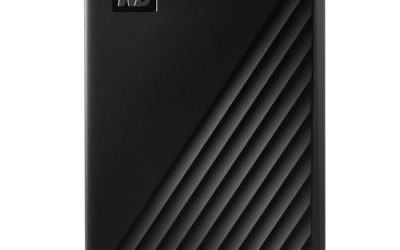
The WD My Passport Ultra 5TB is the archive drive in this roundup, and it plays a different role from the SSDs above. The model number is WDBFTM0050BBL-WESN, and it is a portable spinning drive with 5TB of capacity, a USB-C connection, and USB 3.1 compatibility. Spinning drives are slower than SSDs, so this drive is not the right choice for direct editing of heavy footage, but it holds far more finished work per drive: completed projects, source footage, music and graphics libraries, and full system backups. The listing states backup software with defense against ransomware and password protection with 256-bit AES hardware encryption. Finish a project on the SSD, copy the finished export and the project files to the My Passport Ultra, and the SSD is free for the next job. The drive is bus-powered over USB, so it needs no separate power supply.
Pros:
Cons:
Who Should Choose What
Editors cutting compressed 4K footage on a current laptop should start with the Samsung T9 2TB. Editors who need more speed for heavier codecs, long ingest sessions, or multi-stream work should step up to the SanDisk Extreme PRO 2TB, provided the editing machine has a USB4 port to use it fully. Editors on a Thunderbolt 5 machine who work with 6K or 8K footage should choose the LaCie Rugged SSD Pro5 2TB, and editors who shoot outdoors should add the Samsung T7 Shield 2TB as the field drive, even if the main edit happens on a faster drive back at the desk. Editors with a growing library of finished work should add the WD My Passport Ultra 5TB as the archive drive. The strongest setup in this roundup is a pair: a fast SSD for the project in progress and the My Passport Ultra for storage and backup.
Common Mistakes
The most common mistake is buying speed the computer cannot use. A Thunderbolt 5 drive on a machine with only USB 3.2 ports, or a 20 Gbps drive on a 10 Gbps port, runs at the speed of the slower link. Check the ports on the editing machine before choosing, and confirm on the listing which cable is included. The second mistake is buying too little capacity. A 1TB drive looks like enough until the project grows, proxies and cache files pile up, and exports need room. Size the working drive for the largest project plus headroom, and move finished work to an archive drive rather than letting the working drive fill up. The third mistake is editing from a single drive with no backup. Drives fail, get lost, or get dropped, and footage that exists in only one place is at risk. Keep a second copy of finished work on a separate drive. The fourth mistake is ignoring the cable. A drive can only run at full speed with a cable that supports its interface, and a random charging cable may cap the transfer speed without any warning. Use the cable in the box. The fifth mistake is treating a spinning drive like an SSD. Archive drives are for storage and backup, not for scrubbing through a heavy timeline.
FAQ
Can I edit video directly from an external hard drive?
Yes, provided the drive is fast enough for the footage. A portable SSD listing 1,000 MB/s or more handles compressed 4K editing well, and faster drives handle heavier codecs and multi-stream timelines. A spinning drive can work for light footage, but it will feel slower, so most editors keep active projects on an SSD and use a spinning drive for archives.
How much capacity do I need for video editing?
For a single project, 2TB is enough for most editors, with room for footage, proxies, and exports. Editors who keep several projects live at once, or who shoot in raw formats, should plan for 4TB on the working drive or pair a 2TB SSD with a larger archive drive such as the 5TB model in this roundup.
Is a portable SSD better than a spinning drive for editing?
Yes, for active editing. SSDs have no moving parts, transfer files much faster, and handle movement better. Spinning drives still make sense for archives and backups, where capacity matters more than speed and files are written once and read back occasionally.
What interface should I look for?
Match the interface to the ports on the editing machine. USB 3.2 Gen 2×2 at 20 Gbps suits most current laptops, USB4 suits machines with a USB4 port, and Thunderbolt 5 suits the newest machines with a Thunderbolt 5 port. A drive always falls back to the speed of the slowest link, so the port, the cable, and the drive all need to match.
Do I need a rugged drive for video editing?
A rugged drive is worth it for field work, where dust, rain, and drops are part of the job. The T7 Shield and the LaCie Rugged SSD Pro5 both list dust and water resistance and drop protection. For a drive that never leaves the desk, ruggedness matters less than speed and capacity.
Should I keep a backup of my footage?
Yes. Keep at least one copy of finished work on a second drive, separate from the working drive. The archive drive in this roundup is built for that job: copy finished projects and source footage to it, and the working SSD stays free for the next project.
Conclusion
For most editors, the Samsung T9 Portable SSD 2TB is the right working drive: fast, compact, and well matched to 4K timelines. Editors who need more sustained speed should choose the SanDisk Extreme PRO Portable SSD 2TB, and editors on Thunderbolt 5 machines who cut 6K and 8K footage should choose the LaCie Rugged SSD Pro5 2TB. Field editors should carry the Samsung T7 Shield Portable SSD 2TB, and every editor should pair the working SSD with the WD My Passport Ultra 5TB.
FAQ
Can I edit video directly from an external hard drive?
How much capacity do I need for video editing?
Is a portable SSD better than a spinning drive for editing?
What interface should I look for?
Do I need a rugged drive for video editing?
Should I keep a backup of my footage?
More from Amazon
Programs that pair well with the guide above. Offers and eligibility are set by Amazon and may change.
Free shipping on eligible items, Prime Video and more. Eligible new members can start with a free trial.
Start a Prime free trialAd-free music streaming. Eligible new subscribers can start with a free trial.
Try Music Unlimited freeA Prime membership for ages 18-24 with a trial period. Eligibility is set by Amazon.
See Prime for Young AdultsAudiobooks and podcasts to listen to on the go. Eligible new members can start with a free trial.
Try Audible freeAs an Amazon Associate we earn from qualifying purchases.