Our Short List of 3

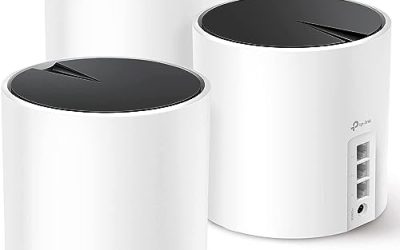
- Wi-Fi standard: Wi-Fi 6 (802.11ax), AX1800 class
- Bands: dual-band, 2.4 GHz up to 574 Mbps and 5 GHz up to 1,201 Mbps
- Antennas: 4 external high-gain antennas with beamforming
- Ports: 1 Gigabit WAN, 4 Gigabit LAN

- Wi-Fi standard: Wi-Fi 7 (802.11be), BE3600 class
- Bands: dual-band, 2.4 GHz up to 688 Mbps and 5 GHz up to 2,882 Mbps
- Processor: 2.0 GHz quad-core
- Antennas: 4 external antennas

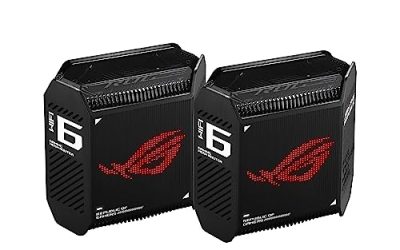
- Wi-Fi standard: Wi-Fi 6 (802.11ax), AX5400 class
- Bands: dual-band, 2.4 GHz up to 574 Mbps and 5 GHz up to 4,804 Mbps
- Processor: 1.5 GHz triple-core
- Antennas: 6 external antennas with beamforming
All 5 Picks at a Glance
| Product | Specs | Action |
|---|---|---|
| TP-Link Archer AX21 — Budget Wi-Fi 6 for Smaller Homes |
| Check price on Amazon |
| TP-Link Archer BE230 — Wi-Fi 7 and Multi-Gig Ports for Less |
| Check price on Amazon |
| TP-Link Archer AX73 — Stronger Wi-Fi 6 for Larger Spaces |
| Check price on Amazon |
 NETGEAR Nighthawk RAXE300 — Wi-Fi 6E and the 6 GHz Band |
| Check price on Amazon |
 ASUS RT-AX86U Pro — Premium Control with a 2.5 Gbps Port |
| Check price on Amazon |
Our Top Picks
Spectrum delivers internet to your home through a cable modem, but the modem on its own does not create your Wi-Fi network. That job belongs to a router, and the router you choose has far more influence over coverage, stability, and how your connection feels during a busy evening than almost any other part of the setup. Spectrum supplies a modem at no extra charge with most plans and offers its own Wi-Fi equipment as a rental add-on, yet a standalone router of your own usually brings stronger radios, better traffic management, and settings you actually control.
Every pick in this guide is a standalone wireless router. None of them is a modem, and none is a modem-router combo: each one connects by Ethernet cable to the Spectrum modem already in your home and then handles Wi-Fi, device management, and security for the whole network. That separation matters, because it means you can upgrade your Wi-Fi whenever you like without touching the cable side of the connection at all.
The five routers below span three Wi-Fi generations and three budget tiers. There is a budget Wi-Fi 6 model for smaller homes, a Wi-Fi 7 router with multi-gig ports for households that want newer hardware without flagship pricing, a stronger Wi-Fi 6 all-rounder for larger spaces, a Wi-Fi 6E model that opens the 6 GHz band, and a premium gaming-leaning ASUS with a 2.5 Gbps port and deep controls. All five work with any Spectrum plan, because a router never talks to the cable network directly; it simply takes the connection the modem hands it.
As an Amazon Associate, we earn from qualifying purchases.
TP-Link Archer AX21 — Budget Wi-Fi 6 for Smaller Homes
- Wi-Fi standard: Wi-Fi 6 (802.11ax), AX1800 class
- Bands: dual-band, 2.4 GHz up to 574 Mbps and 5 GHz up to 1,201 Mbps
- Antennas: 4 external high-gain antennas with beamforming
- Ports: 1 Gigabit WAN, 4 Gigabit LAN
The Archer AX21 is the sensible starting point for a Spectrum household that rents an apartment or lives in a smaller home and wants to stop paying for rental Wi-Fi. It is a dual-band Wi-Fi 6 router rated AX1800, splitting its throughput between the 2.4 GHz band for range and the 5 GHz band for speed. Four external antennas with beamforming help it hold a steadier signal through interior walls than the basic gateway equipment many homes start with.
What makes the AX21 a good match for Spectrum is that it covers the real bottleneck in most small homes: too many devices sharing one modest radio setup. OFDMA lets it serve several devices in a single transmission window, which keeps phones, laptops, and smart home gear from queuing behind each other on slower Spectrum tiers. Setup through the Tether app is quick, and the router can later join a mesh setup if you move somewhere larger.
Its limits are honest ones. Every wired port is gigabit, so it suits plans at or below gigabit speed, and there is no 6 GHz band for Wi-Fi 6E or Wi-Fi 7 devices. For a household mainly streaming, browsing, and video calling on a mid-tier Spectrum plan, though, this budget pick delivers the core upgrade — modern Wi-Fi 6 with WPA3 — without paying for capacity you will not use.
TP-Link Archer BE230 — Wi-Fi 7 and Multi-Gig Ports for Less
- Wi-Fi standard: Wi-Fi 7 (802.11be), BE3600 class
- Bands: dual-band, 2.4 GHz up to 688 Mbps and 5 GHz up to 2,882 Mbps
- Processor: 2.0 GHz quad-core
- Antennas: 4 external antennas
The Archer BE230, sold as the BE3600, is the value route into Wi-Fi 7. It stays dual-band, so there is still no 6 GHz radio, but it adds the Wi-Fi 7 features that matter on the bands it has: wider 160 MHz channels on 5 GHz, Multi-Link Operation for compatible devices, and noticeably stronger wired connectivity than most routers in its tier, with two 2.5 Gbps ports and a USB 3.0 port.
For a Spectrum customer on a gigabit plan, the BE230 fixes a subtle problem with older routers: a gigabit WAN port can become the ceiling of the whole network once overhead is counted. A 2.5 Gbps internet port gives the connection headroom, and the second 2.5 Gbps port can feed a switch, a NAS, or a gaming PC at full multi-gig speed inside the home. That makes this mid-range pick attractive for anyone who moves large files around a local network, not just out to the internet.
Wi-Fi 7 devices are still spreading through phones and laptops, so part of what you are buying here is future-proofing: the router will already be in place as more of your hardware supports the standard. Households that want the newest generation on a sensible budget, and who do not need a dedicated 6 GHz band, will find the BE230 an easy recommendation.
TP-Link Archer AX73 — Stronger Wi-Fi 6 for Larger Spaces
- Wi-Fi standard: Wi-Fi 6 (802.11ax), AX5400 class
- Bands: dual-band, 2.4 GHz up to 574 Mbps and 5 GHz up to 4,804 Mbps
- Processor: 1.5 GHz triple-core
- Antennas: 6 external antennas with beamforming
If your home is bigger, has more walls between the router and the far bedrooms, or simply runs a lot of simultaneous streams, the Archer AX73 steps up from the AX21 in every way that matters. It is an AX5400 Wi-Fi 6 router whose 5 GHz band supports 160 MHz channels and far higher throughput, driven by a 1.5 GHz triple-core processor and six external antennas.
The AX73 suits a Spectrum household on a faster plan tier where several people stream, game, and join video calls at once. The wider 5 GHz channel gives Wi-Fi 6 laptops and phones much more room, and the extra processing power keeps the network responsive when dozens of smart home devices are chatting in the background. The USB port can share a drive across the network for simple backups or media access.
Like the AX21, it tops out at gigabit wired ports and has no 6 GHz band, so it is a coverage-and-capacity upgrade rather than a generational one. As a mid-range choice for a family home that plans to keep Wi-Fi 6 devices for years, it is the most balanced router on this list: strong radios, a capable processor, and management tools through the Tether app or a web interface.
NETGEAR Nighthawk RAXE300 — Wi-Fi 6E and the 6 GHz Band
- Wi-Fi standard: Wi-Fi 6E (802.11ax), AXE7800 class
- Bands: tri-band, 2.4 GHz up to 600 Mbps, 5 GHz up to 2,400 Mbps, 6 GHz up to 4,800 Mbps
- Streams: 8-stream Wi-Fi with OFDMA and MU-MIMO
- Ports: 1 Gigabit WAN, 4 Gigabit LAN, 1 USB 3.0
The Nighthawk RAXE300 is where this list moves into tri-band territory. As a Wi-Fi 6E router rated AXE7800, it adds a 6 GHz band on top of the familiar 2.4 GHz and 5 GHz bands, giving newer phones, laptops, and VR headsets a wide, uncongested lane that older neighbourhood networks cannot touch. NETGEAR rates it for homes up to 2,500 square feet and around 40 devices.
The 6 GHz band is the headline, and it is genuinely useful in dense housing where the 5 GHz band is crowded with neighbours. A Wi-Fi 6E laptop in the same room as the RAXE300 gets a clean, fast link that behaves almost like a wired connection, which suits cloud gaming, large downloads, and wireless VR streaming from a PC. The 5 GHz and 2.4 GHz bands continue to serve everything else in the home.
This is a premium pick, and two honest notes apply. NETGEAR Armor, its network security service, runs on a subscription after any included trial, unlike the free protection on the ASUS below. Also, when ordering, make sure you select the new retail listing for model RAXE300-100NAS, because a separate Renewed listing for the same model circulates under a different product code. For Spectrum homes with growing collections of Wi-Fi 6E gear, the RAXE300 is the natural step up.
ASUS RT-AX86U Pro — Premium Control with a 2.5 Gbps Port
- Wi-Fi standard: Wi-Fi 6 (802.11ax), AX5700 class
- Bands: dual-band, 2.4 GHz up to 861 Mbps and 5 GHz up to 4,804 Mbps
- Processor: 2.0 GHz quad-core with 1 GB RAM
- Ports: 1 port at 2.5 Gbps, 1 dedicated gaming LAN port, additional Gigabit LAN ports, USB 3.2
The RT-AX86U Pro is the enthusiast option: an AX5700 Wi-Fi 6 router built around a 2.0 GHz quad-core processor and a full gigabyte of memory, with a 2.5 Gbps port that can serve as the internet connection or as a fast LAN link. It is aimed at gamers and power users who want detailed control over how traffic is prioritised, without moving to a mesh system.
For a gaming household on Spectrum, the appeal is consistency. Adaptive QoS can prioritise a console or PC over background downloads, the dedicated gaming port gives a wired machine first claim on traffic, and AiProtection Pro watches the whole network without an ongoing subscription. The 2.5 Gbps port also means the router is ready if you ever add multi-gig wired hardware or a faster tier with a modem that supports it.
It remains a dual-band Wi-Fi 6 design, so there is no 6 GHz band; buyers who specifically want 6 GHz should look at the RAXE300 instead. But as a premium single router with deep settings, strong radios, and free lifetime security features, the RT-AX86U Pro is the pick for Spectrum users who like to tune their network rather than just plug it in.
How to Choose
Start with your home, not the spec sheet. A small apartment on a mid-tier Spectrum plan is well served by the Archer AX21, while a larger house with many simultaneous users justifies the AX73 or the RAXE300. Match the router to the space first and the plan second, because no router can deliver more internet speed than your Spectrum tier provides; it can only distribute that speed more reliably.
Next, check your devices. Wi-Fi 6E and Wi-Fi 7 routers only show their advantage with devices that support those standards, so a home full of Wi-Fi 5 and Wi-Fi 6 gear gains little from a 6 GHz band today. If you are buying for the next several years, though, the BE230 and RAXE300 build in headroom as phones and laptops are replaced.
Then look at the wired ports. Spectrum plans top out around gigabit speeds in most areas, so gigabit ports are fine for most homes, but a 2.5 Gbps port on the BE230 or the RT-AX86U Pro removes the port itself as a bottleneck and speeds up traffic between wired devices at home. Gamers should also weigh traffic controls: QoS and a dedicated gaming port on the ASUS do more for a stable session than raw headline bandwidth.
Finally, remember the division of labour. Your Spectrum modem handles the cable connection, and the router handles everything inside the home. If Wi-Fi is weak in one far room, repositioning the router centrally usually helps more than a spec upgrade, and mesh-capable models like these TP-Link and ASUS routers can add a node later instead of being replaced.
Frequently Asked Questions
Does a new router replace my Spectrum modem?
No. A router and a modem do different jobs. The modem translates the cable signal from Spectrum into a network connection, and the router takes that connection and shares it with your devices over Wi-Fi and Ethernet. Every router in this guide plugs into the Spectrum modem with a network cable and depends on it, so you keep the modem and simply attach the router behind it.
What is DOCSIS, and does my router need to support it?
DOCSIS is the standard cable modems use to communicate over a cable network, and it applies only to the modem, never to a standalone router. Because the routers here are not modems, DOCSIS versions are irrelevant when choosing between them; that specification matters only if you buy your own modem or a modem-router combo instead. Your Spectrum-provided modem already handles DOCSIS for your plan.
Will any of these routers work with my Spectrum plan?
Yes. Spectrum delivers internet through its modem’s Ethernet port, and any standard router can take over from there, regardless of your speed tier. The router does not need Spectrum-specific certification, because it never communicates with the cable network directly. Just connect the router’s internet port to the modem, restart the modem so it recognises the new device, and follow the router’s setup app.
Should I rent Spectrum’s Wi-Fi router or buy my own?
Buying your own router usually wins over time. The rental option adds a recurring charge for fairly basic hardware, while an owned router like the ones above gives you stronger radios, current Wi-Fi standards, better parental controls, and full access to settings. Owning also means your home network stays exactly the same if you move or change plans, since the router is yours rather than the provider’s.
Final Verdict
For most Spectrum households, the TP-Link Archer AX73 is the sweet spot: strong Wi-Fi 6 coverage, a capable processor, and enough capacity for a busy family home. Smaller homes and tighter budgets are well served by the Archer AX21, while the Archer BE230 is the smart buy for anyone who wants Wi-Fi 7 and multi-gig ports without flagship pricing. Choose the NETGEAR RAXE300 if your newer devices can use the 6 GHz band, and the ASUS RT-AX86U Pro if gaming features, deep controls, and subscription-free security matter most. Whichever you pick, pairing a proper standalone router with your Spectrum modem is one of the simplest upgrades you can make to a home network.
Product and ASIN Reference
| Product | ASIN |
|---|---|
| TP-Link Archer AX21 AX1800 Wi-Fi 6 Router | B08H8ZLKKK |
| TP-Link Archer BE230 BE3600 Wi-Fi 7 Router | B0DC99N2T8 |
| TP-Link Archer AX73 AX5400 Wi-Fi 6 Router | B08TH4D3QV |
| NETGEAR Nighthawk RAXE300 AXE7800 Wi-Fi 6E Router | B0B1LZMH78 |
| ASUS RT-AX86U Pro AX5700 Wi-Fi 6 Router | B0BQ417K47 |
FAQ
Does a new router replace my Spectrum modem?
What is DOCSIS, and does my router need to support it?
Will any of these routers work with my Spectrum plan?
Should I rent Spectrum’s Wi-Fi router or buy my own?
More from Amazon
Programs that pair well with the guide above. Offers and eligibility are set by Amazon and may change.
Free shipping on eligible items, Prime Video and more. Eligible new members can start with a free trial.
Start a Prime free trialAd-free music streaming. Eligible new subscribers can start with a free trial.
Try Music Unlimited freeA Prime membership for ages 18-24 with a trial period. Eligibility is set by Amazon.
See Prime for Young AdultsAudiobooks and podcasts to listen to on the go. Eligible new members can start with a free trial.
Try Audible freeAs an Amazon Associate we earn from qualifying purchases.