Our Short List of 3

- Best for: Buyers who want the widest picture their ten feet can give, for sports and gaming in a mixed-light room.
- Resolution: 1080p (1920 x 1080), 3-chip 3LCD
- Brightness: 3,400 lumens color and 3,400 lumens white
- Throw ratio: 1.02–1.23
- Image size: 30 to 300 inches

- Best for: Console and PC gamers who want a 4K picture near 100 inches from a mount ten feet back.
- Resolution: True 4K UHD (3840 x 2160)
- Brightness: 4,000 lumens
- Throw ratio: 1.21–1.59
- Input lag: 4.2 ms at 1080p with Enhanced Gaming Mode

- Best for: Living-room setups where the projector replaces a TV for streaming, sports and casual gaming.
- Resolution: 4K PRO-UHD, 3-chip 3LCD
- Brightness: 2,800 lumens
- Throw ratio: 1.32–2.15
- Smart platform: Android TV built in
All 5 Picks at a Glance
| Product | Specs | Action |
|---|---|---|
| Epson Home Cinema 1080 |
| Check price on Amazon |
| Optoma UHD38x |
| Check price on Amazon |
| Epson Home Cinema 2350 |
| Check price on Amazon |
 Epson Home Cinema 3800 |
| Check price on Amazon |
 ViewSonic PX701-4K |
| Check price on Amazon |
Key takeaways
- Five projectors that fill a big screen from about ten feet away, compared on throw ratio, zoom range, brightness and lens shift from their Amazon listings.
Ten feet sounds like a simple measurement, but it quietly decides your whole setup. That is roughly the depth of a spare bedroom, a den, or the distance from a ceiling mount to the wall in a modest living room, and at that distance a projector’s lens — not its marketing — determines whether you get a cinema-sized picture or a disappointing one closer to a big TV. Two models with identical resolution can throw images that differ by forty inches from the same spot, so the real decision is matching a lens to a fixed room.
This guide is for buyers whose mounting point is already settled: a ceiling mount ten feet out, a shelf behind the sofa, a media console against the back wall. Every projector below was picked from the throw ratio, zoom range and image-size figures printed on its Amazon product page, and each one lands a genuinely large picture from about ten feet.
Quick Picks
As an Amazon Associate we earn from qualifying purchases.
| Product | Best for | Key spec from title |
|---|---|---|
| Epson Home Cinema 1080 | The biggest picture from ten feet | Throw ratio 1.02–1.23, 3,400 lumens |
| Optoma UHD38x | 4K gaming at a ten-foot throw | True 4K UHD, 4,000 lumens, 4.2 ms at 1080p |
| Epson Home Cinema 2350 | Streaming built in, flexible zoom | 4K PRO-UHD, Android TV, 2,800 lumens |
| Epson Home Cinema 3800 | Off-center mounts and fine alignment | 1.62x zoom, vertical and horizontal lens shift |
| ViewSonic PX701-4K | A calibrated 100-inch class setup | Throw ratio 1.5–1.65, 3,200 ANSI lumens |
How to Choose
Start With the Throw Ratio, Not the Resolution
Throw ratio is the one number that links your room to your screen. It divides the lens-to-screen distance by the width of the image, so at ten feet a ratio of 1.0 produces an image ten feet wide, while a ratio of 1.6 produces one only about six feet wide. Screen sizes are sold by diagonal, which hides this: a 120-inch diagonal picture is about 8.7 feet wide. Before anything else, take the throw ratio range on the listing, divide ten feet by both ends of it, and you know the smallest and largest picture that projector can draw from your mounting point.
Zoom Range Buys You Placement Forgiveness
A fixed ten-foot mounting point is rarely exact — a ceiling joist, a light fitting or a shelf depth can push the lens a foot either way. That is where the zoom range earns its keep. A wide zoom such as 1.62x lets you shrink or grow the image substantially without moving the mount, effectively forgiving a mis-measured room. A narrow 1.1x zoom demands the mount land close to the calculated spot. If your ten feet is approximate rather than measured to the inch, favour the wider zoom and treat the narrow-zoom models as ones you measure twice for.
Brightness Has to Cover a Bigger Canvas
The image a ten-foot throw produces is large, and the same lumens spread over a 120-inch picture look dimmer than they do at 80 inches. Listings in this class run from about 2,800 to 4,000 lumens, and that gap matters once the picture grows. In a darkened room the lower end is comfortable at these sizes; with curtains that leak light or a lamp left on, the brighter models hold contrast noticeably better. Also check whether the listing quotes color brightness separately, as some brands do — a projector can post a strong white figure while its color output runs lower.
Lens Shift Beats Keystone When the Mount Is Off-Axis
Few real rooms let the lens sit perfectly centred on the screen. Digital keystone correction squares the picture up, but it does so by discarding pixels and softening the image. Optical lens shift moves the picture physically, keeping every pixel, and the listings here range from no shift at all to generous vertical and horizontal ranges. If your mount sits above the screen’s top edge or off to one side — common with ceiling mounts in finished rooms — a model with real lens shift is worth prioritising over a small difference in brightness or resolution.
The 5 Best Options
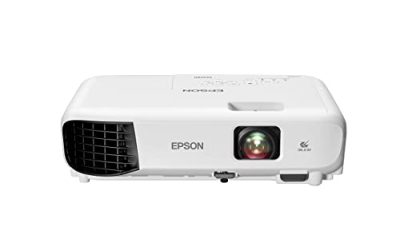
Epson Home Cinema 1080
- Best for: Buyers who want the widest picture their ten feet can give, for sports and gaming in a mixed-light room.
- Resolution: 1080p (1920 x 1080), 3-chip 3LCD
- Brightness: 3,400 lumens color and 3,400 lumens white
- Throw ratio: 1.02–1.23
- Image size: 30 to 300 inches
Buyers who want the widest picture their ten feet can give, for sports and gaming in a mixed-light room.
It is a native 1080p projector, so if your sources are mostly 4K discs and streams, the models below resolve more detail.
If the goal is simply the largest picture a ten-foot throw can produce, this is the lens that gets there. Its throw ratio starts lower than anything else in this roundup, so from ten feet it can stretch to roughly a 130-inch diagonal, and it still zooms down when a smaller screen is already mounted. The 3LCD design quotes equal color and white brightness, which suits sports and games in rooms that are never fully dark, and the built-in speaker plus dual HDMI ports keep a simple shelf setup tidy.
Optoma UHD38x
- Best for: Console and PC gamers who want a 4K picture near 100 inches from a mount ten feet back.
- Resolution: True 4K UHD (3840 x 2160)
- Brightness: 4,000 lumens
- Throw ratio: 1.21–1.59
- Input lag: 4.2 ms at 1080p with Enhanced Gaming Mode
Console and PC gamers who want a 4K picture near 100 inches from a mount ten feet back.
It is a lamp model with no built-in streaming apps, so budget a streaming stick and plan on lamp replacements over its life.
This is the pick when the ten-foot room doubles as a gaming den. The lens sits in the middle of the throw pack, landing an image around the 100-inch mark from ten feet, and behind it is a true 4K UHD picture with the lowest input lag figures in this group — the listing quotes 4.2 ms at 1080p in its enhanced gaming mode and a 240 Hz refresh rate. At 4,000 lumens it is also the brightest projector here, which helps because fast-moving games are often played with some light in the room.
Epson Home Cinema 2350
- Best for: Living-room setups where the projector replaces a TV for streaming, sports and casual gaming.
- Resolution: 4K PRO-UHD, 3-chip 3LCD
- Brightness: 2,800 lumens
- Throw ratio: 1.32–2.15
- Smart platform: Android TV built in
Living-room setups where the projector replaces a TV for streaming, sports and casual gaming.
At 2,800 lumens it is the least bright pick here, so it prefers a room you can darken for films.
The 2350 suits the buyer who wants to mount the projector, plug in one cable and stream. Android TV is built in, the 10 W speaker is the strongest audio in this group, and the 3LCD engine produces its 4K PRO-UHD picture without the rainbow artefacts some viewers see on single-chip designs. Its zoom range is the widest here, which makes it forgiving when the mount cannot sit exactly ten feet out; at that distance it tops out around a 100-inch picture, trading maximum size for placement flexibility and an easy daily setup.
Epson Home Cinema 3800
- Best for: Dedicated theatre rooms with a fixed mount that sits high or off-centre from the screen.
- Resolution: 4K PRO-UHD, 3-chip 3LCD
- Brightness: 3,000 lumens color and 3,000 lumens white
- Throw ratio: 1.32–2.15, 1.62x zoom
- Lens shift: up to ±60% vertical, ±24% horizontal
Dedicated theatre rooms with a fixed mount that sits high or off-centre from the screen.
It is the largest and heaviest unit here at over 15 pounds, so confirm your ceiling mount is rated for it.
The 3800 is built for rooms where the projector cannot sit where the maths wants it. Its lens shift range — up to 60 percent vertical and 24 percent horizontal — is the widest in this group, so the image can be moved onto the screen optically even when the mount is high or off to one side, and the 1.62x zoom gives a broad sizing window around the ten-foot mark. The 4K PRO-UHD picture is backed by full 10-bit HDR processing and 18 Gbps HDMI support, which makes it the most home-theatre-leaning option in the list.
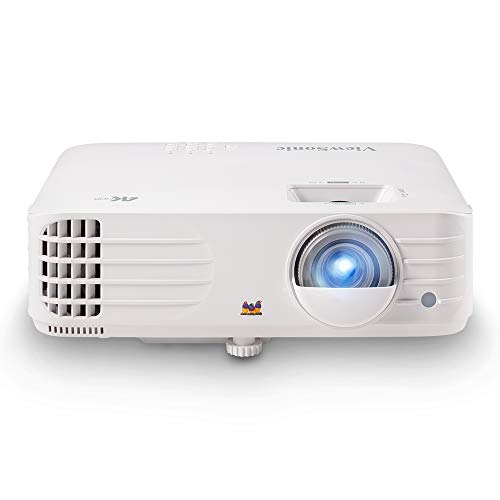
ViewSonic PX701-4K
- Best for: Buyers with a fixed 100-inch class screen who want the distance confirmed by the maker’s own figures.
- Resolution: 4K UHD (3840 x 2160)
- Brightness: 3,200 ANSI lumens
- Throw ratio: 1.5–1.65
- Stated distance: 100-inch image at 3.32 m
Buyers with a fixed 100-inch class screen who want the distance confirmed by the maker’s own figures.
The 1.1x zoom is the narrowest here, so the mount position has to be measured carefully before drilling.
ViewSonic publishes the most explicit distance figure in this group: its own sheet puts a 100-inch image at 3.32 metres, a shade under eleven feet, which makes this the natural match for a screen already sized around 90 to 100 inches at a ten-foot throw. The long end of its throw range keeps the picture tighter than the others, which some buyers prefer — a slightly smaller image is brighter and sharper per inch. It also carries a 4.2 ms input lag figure and 240 Hz support, so it doubles as a credible gaming projector.
Which One Fits Your Situation
Your Screen Is Already Up and It Is a 120-Inch
Work backwards from the screen. A 120-inch diagonal picture is about 8.7 feet wide, so at ten feet you need a throw ratio near 1.15. The Epson Home Cinema 1080 covers that with room to spare and can fine-tune the fit with its zoom, while the Optoma UHD38x just reaches that size at the wide end of its lens. The two longer-throw Epsons and the ViewSonic cannot fill 120 inches from ten feet, however good their pictures are.
The Mount Is Fixed and Slightly in the Wrong Place
If the ceiling mount went in before the screen was chosen, placement tools matter more than headline specs. The Epson Home Cinema 3800 combines the widest zoom in this group with genuine horizontal and vertical lens shift, so it can correct a mount that is high, low or sideways without touching keystone. The Home Cinema 2350 is the next most forgiving thanks to its zoom range, though it lacks the 3800’s horizontal shift.
The Room Is a Living Room, Not a Theatre
When the projector shares space with sofas, lamps and family life, convenience specs decide whether it gets used. The Epson Home Cinema 2350 has streaming built in and the strongest speaker here, so movie night needs one remote. The Optoma UHD38x is the brighter choice for daytime sports, but you will add a streaming stick. Either way, at these image sizes a brighter listing holds up better against ambient light than a dimmer one.
You Game as Much as You Watch
For fast games, the lag and refresh figures on the listing matter as much as the throw. The Optoma UHD38x pairs its 4.2 ms figure with 240 Hz support and the most brightness for lit rooms, making it the natural gaming pick at this distance. The ViewSonic PX701-4K matches the lag figure and suits a slightly smaller screen. The Epson models are fine for casual play but publish no comparable low-lag numbers.
Common Mistakes
- Measuring to the screen’s diagonal instead of its width when checking throw ratio, which overstates the distance you need by about fifteen percent.
- Assuming every standard-throw projector fills the same screen from ten feet, when the listings here span roughly 90 to 130 inches at that distance.
- Using digital keystone to fix an off-centre mount and losing resolution, instead of choosing a model with optical lens shift.
- Buying the brightest projector for a small image and the dimmest for a large one, instead of matching lumens to the picture size the throw produces.
- Drilling the ceiling mount before confirming the zoom range covers your exact lens-to-screen distance.
Frequently Asked Questions
How big a picture do I actually get from ten feet?
It depends entirely on the lens. Divide ten feet by the throw ratio to get the image width, then convert to a diagonal. Across the projectors in this guide the answer runs from roughly 90 inches for the longest-throw model to about 130 inches for the shortest-throw one, which is why the ratio on the listing matters more than the headline resolution.
Is ten feet a short throw or a long throw?
Neither, really — ten feet is the classic standard-throw distance for home projectors. Short-throw models fill a screen from a few feet, and ultra-short-throw units sit on a cabinet inches from the wall. A ten-foot mounting point suits standard lenses like the ones listed here and keeps the projector behind the seating, out of the way and out of the picture’s light path.
Can I use a short-throw projector at ten feet instead?
You can, but the picture will likely be far larger than your screen. A short-throw lens rated around 0.5 would throw an image roughly twenty feet wide from ten feet back, far beyond its focus and brightness comfort zone. Short-throw projectors are designed to sit close; if your mount is fixed at ten feet, a standard-throw lens is the correct tool and will focus and perform as its listing describes.
Should the screen come before or after the projector?
After, whenever you can. Fix the projector and its lens first, project onto the bare wall from your ten-foot position, and measure the picture the lens actually produces at your preferred zoom setting. Then buy the screen that matches that measured size. Reversing the order is the most common cause of a screen that the projector either cannot fill or overfills from a fixed mount.
FAQ
How big a picture do I actually get from ten feet?
Is ten feet a short throw or a long throw?
Can I use a short-throw projector at ten feet instead?
Should the screen come before or after the projector?
More from Amazon
Programs that pair well with the guide above. Offers and eligibility are set by Amazon and may change.
Free shipping on eligible items, Prime Video and more. Eligible new members can start with a free trial.
Start a Prime free trialAd-free music streaming. Eligible new subscribers can start with a free trial.
Try Music Unlimited freeA Prime membership for ages 18-24 with a trial period. Eligibility is set by Amazon.
See Prime for Young AdultsAudiobooks and podcasts to listen to on the go. Eligible new members can start with a free trial.
Try Audible freeAs an Amazon Associate we earn from qualifying purchases.