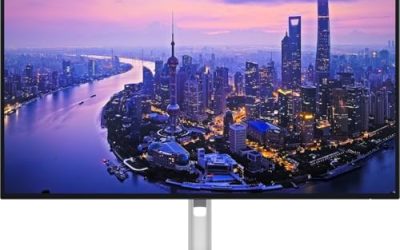
Our Short List of 3

- Best for: Professionals who want one 5K2K screen to replace a dual-monitor setup and a separate dock.
- Screen size: 40-inch class, 39.7-inch viewable, curved
- Resolution: 5120 x 2160 (5K2K WUHD), 21:9
- Panel: IPS Black, 120Hz refresh rate
- Contrast ratio: 2000:1

- Best for: Colour-conscious creators and Mac users who want a 5K2K canvas with one-cable docking.
- Screen size: 40-inch class, 39.7-inch viewable, curved
- Resolution: 5120 x 2160 (WUHD 5K2K), 21:9
- Panel: Nano IPS, 72Hz refresh rate
- Colour: DCI-P3 98% (Typ.), HDR10

- Best for: PC gamers who want a fast 40-inch ultrawide their current graphics card can actually feed.
- Screen size: 40 inches, flat
- Resolution: 3440 x 1440 (UWQHD), 21:9
- Panel: IPS, 155Hz refresh rate, 1ms response time
- Sync: FreeSync Premium
All 4 Picks at a Glance
| Product | Specs | Action |
|---|---|---|
| Dell UltraSharp U4025QW |
| Check price on Amazon |
| LG 40WP95C-W |
| Check price on Amazon |
| MSI MAG 401QR |
| Check price on Amazon |
 INNOCN 40C1R |
| Check price on Amazon |
Our Top Picks
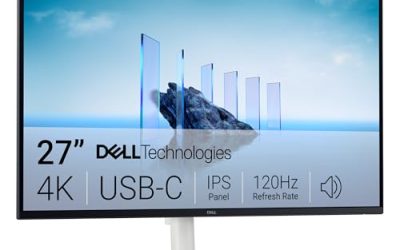
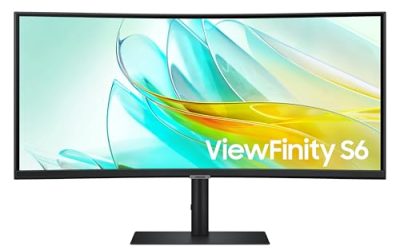
- Dell UltraSharp U4025QW 40" Class 5K2K WUHD Curved16.5" x 37.3" x 4.3"4.3 x 37.3 x 16.5 inches41.93 poundsCheck on Amazon
The real decision at 40 inches is not the size itself but what fills it. This class splits cleanly in two: curved ultrawides running 5120 x 2160, which pack enough pixels to replace a dual-monitor desk, and flat gaming panels running 3440 x 1440, which trade pixel density for refresh rates above 140Hz. Both wear the same 40-inch label, sit at similar desk footprints, and suit completely different buyers, so picking the wrong camp is the expensive mistake here.
This roundup is for three groups: professionals who want one wide screen instead of two, gamers who want a bigger 21:9 view without stepping up to a 49-inch super-ultrawide, and laptop users who want a single-cable dock built into the display. Every pick is a genuine 40-inch-class panel, 39.7 to 40 inches as listed, chosen from the names and specifications on its Amazon product page.
Quick Picks
As an Amazon Associate we earn from qualifying purchases.
| Product | Best for | Key spec from title |
|---|---|---|
| Dell UltraSharp U4025QW | One-screen workstation with a laptop dock | 40″ class 5K2K WUHD curved, 120Hz |
| LG 40WP95C-W | Mac and Thunderbolt desks that value colour | 40″ UltraWide WUHD 5K2K Nano IPS, Thunderbolt 4 |
| MSI MAG 401QR | Fast ultrawide gaming on a PC desk | 40″ UWQHD 3440 x 1440 IPS, 155Hz |
| INNOCN 40C1R | A big 21:9 screen for mixed work and play | 40″ WQHD 3440 x 1440, 144Hz, HDR400 |
How to Choose
Decide between 5K2K sharpness and UWQHD speed
Resolution is the fork in this class. A 5120 x 2160 panel puts about 11 million pixels on the screen, so text stays crisp, timelines show more tracks, and three windows sit side by side without crowding. A 3440 x 1440 panel has roughly half the pixels spread over the same area, which looks softer up close but is far easier for a graphics card to drive at high frame rates. Match the panel to your dominant hours: documents, code and editing reward the 5K2K screens, while fast games reward the UWQHD pair.
Read the refresh rate against your actual use
The four panels here run at 72Hz, 120Hz, 144Hz and 155Hz, and that spread matters more than the size badge. A 72Hz screen is fine for office work and slow-paced games but will feel like the bottleneck in shooters. The 120Hz Dell is the only high-refresh option in the 5K2K camp, and reaching 120Hz at 5120 x 2160 also demands a capable GPU and the right cable. The two 3440 x 1440 gaming panels ask much less of your hardware, so mid-range cards can actually use their 144Hz and 155Hz ceilings.
Check the hub, not just the screen
At this size the monitor usually becomes the desk’s docking station. The Dell and LG both carry Thunderbolt 4, driving the display, peripherals and laptop charging over one cable, and the Dell adds a wired Ethernet port in the monitor itself. The gaming pair offer USB-C with display input but simpler hubs. Count what you plug in today: a laptop, a webcam, a headset dongle and an external drive can fill a basic hub quickly, and a monitor with too few ports pushes you back to a separate dock.
Measure your desk before the panel arrives
A 40-inch ultrawide is roughly 94 cm wide, and the curved models need depth so the screen edges stay at a comfortable distance. Check three things on the listing: the stand’s adjustments, since the MSI stand tilts only while the others add height and swivel; the VESA mount pattern if you plan to use an arm, noting that a panel this wide needs an arm rated for the weight; and the curve, since the two 5K2K screens are curved while both gaming panels are flat, which some people prefer for straight lines in design work.
The 4 Best Options
Dell UltraSharp U4025QW
- Best for: Professionals who want one 5K2K screen to replace a dual-monitor setup and a separate dock.
- Screen size: 40-inch class, 39.7-inch viewable, curved
- Resolution: 5120 x 2160 (5K2K WUHD), 21:9
- Panel: IPS Black, 120Hz refresh rate
- Contrast ratio: 2000:1
Professionals who want one 5K2K screen to replace a dual-monitor setup and a separate dock.
Some marketplace listings and bundles for this model sit under different ASINs, and mirror pages have shown inconsistent resolution fields, so confirm the live page reads 5120 x 2160 and that you are buying the standalone monitor.
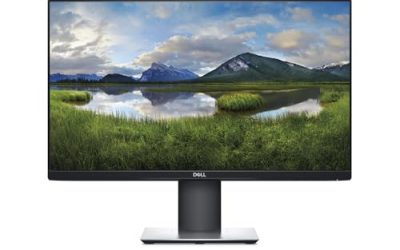
This is the 40-inch screen for someone replacing two monitors and a dock with one panel. The IPS Black panel runs 5120 x 2160 at 120Hz, a combination nothing else in this class matches, so spreadsheets and editing timelines stay both wide and sharp while motion still feels smooth. The Thunderbolt hub covers laptop charging, USB peripherals and wired networking through a single cable, and the 2000:1 contrast ratio gives darker blacks than a standard IPS panel. It suits a desk where work comes first and gaming happens after hours.
LG 40WP95C-W
- Best for: Colour-conscious creators and Mac users who want a 5K2K canvas with one-cable docking.
- Screen size: 40-inch class, 39.7-inch viewable, curved
- Resolution: 5120 x 2160 (WUHD 5K2K), 21:9
- Panel: Nano IPS, 72Hz refresh rate
- Colour: DCI-P3 98% (Typ.), HDR10
Colour-conscious creators and Mac users who want a 5K2K canvas with one-cable docking.
The 72Hz ceiling is fixed, so check it against the games you play; this model has been on sale for several years, so confirm the listing is new stock from a seller you trust.
LG’s entry is the other 5K2K option, built around a Nano IPS panel with colour work in mind. It matches the Dell on resolution and curve and carries Thunderbolt 4 with 96W of power delivery, enough for most laptops on one cable. The trade is refresh rate: at 72Hz it is a work screen first, comfortable for strategy games, films and long documents but not aimed at fast competitive play. Buyers loyal to LG’s on-screen controls and colour tuning, especially Mac users, will feel at home here.
MSI MAG 401QR
- Best for: PC gamers who want a fast 40-inch ultrawide their current graphics card can actually feed.
- Screen size: 40 inches, flat
- Resolution: 3440 x 1440 (UWQHD), 21:9
- Panel: IPS, 155Hz refresh rate, 1ms response time
- Sync: FreeSync Premium
PC gamers who want a fast 40-inch ultrawide their current graphics card can actually feed.
The stand adjusts for tilt only, so plan on a VESA arm if you need height adjustment; one regional mirror prints a different ASIN for this model, so verify the code on the live Amazon page before ordering.
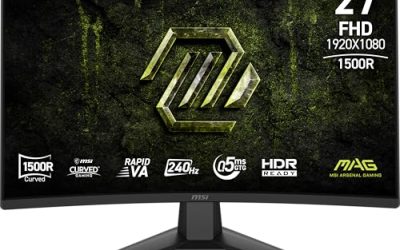
MSI takes the 40-inch class in the gaming direction: a flat IPS panel at 3440 x 1440 with a 155Hz refresh rate and FreeSync Premium. The lower resolution is the point, because a mid-range graphics card can hold high frame rates across the full 21:9 width where a 5K2K panel would drag it down. You still get USB-C display input and HDR400, but the hub and stand are simpler than the two work screens above. This is the pick for a gaming desk that also handles ordinary desktop work.
INNOCN 40C1R
- Best for: Mixed-use desks that want one large 21:9 screen for work by day and gaming at night.
- Screen size: 40 inches, flat
- Resolution: 3440 x 1440 (WQHD), 21:9
- Panel: IPS, 144Hz refresh rate
- Brightness: 500 nits
Mixed-use desks that want one large 21:9 screen for work by day and gaming at night.
The listing title does not state the USB-C charging wattage, so check the live page if you plan to power a laptop from it; INNOCN is a smaller brand, so confirm warranty and return terms with the seller.
The 40C1R is the straightforward route into a big ultrawide: a flat 40-inch IPS panel at 3440 x 1440 and 144Hz, with FreeSync Premium and a brighter 500-nit backlight than most of this class. It adds height adjustment to the stand, which the MSI lacks, and covers the mixed desk well, with enough width for split-screen work and enough speed for evening gaming. Colour coverage is listed at 95% DCI-P3, respectable for a screen aimed at general use rather than proofing work.
Which One Fits Your Situation
You are collapsing two monitors into one
Choose between the Dell U4025QW and the LG 40WP95C-W. Both give you the 5120 x 2160 canvas that makes the swap work, with room for three windows across. Take the Dell if you also want 120Hz and the Ethernet port in the monitor, or the LG if its colour tuning and slightly simpler hub already cover your desk.
You game first and work second
The MSI MAG 401QR is the natural fit, with 155Hz, FreeSync Premium and a resolution your graphics card can drive hard. The INNOCN 40C1R runs close behind at 144Hz and adds stand height adjustment, so pick between them on whether refresh rate or ergonomics matters more at your desk.
Your laptop is your only computer
Docking decides it. The Dell’s Thunderbolt hub with high-wattage charging and built-in Ethernet replaces a separate dock entirely, while the LG’s 96W Thunderbolt 4 suits most ultrabooks. Either way, one cable connects you to the full 40-inch screen, your peripherals and power when you sit down.
Your desk is deep enough but not wide
All four panels are about the same width, so the choice turns on shape and mounting. The curved Dell and LG wrap the edges toward you on a deep desk, while the flat MSI and INNOCN sit better on arms and in corners. Measure the stand footprint on the listing against your desk before you commit.
Common Mistakes
- Assuming every 40-inch monitor is 5K2K, when half of this class runs 3440 x 1440 and looks noticeably softer for text.
- Buying a 72Hz panel for fast-paced games, then blaming the graphics card for motion that the screen cannot show.
- Pairing a 5120 x 2160 screen with an older laptop or cable that cannot drive it at full resolution and refresh rate.
- Forgetting the stand: a tilt-only stand at this size often leads to an unplanned monitor-arm purchase.
- Counting USB-C as a full dock without checking the charging wattage and port count on the listing.
Frequently Asked Questions
Is a 40-inch monitor too big for a normal desk?
For most desks it works if the desk is at least 70 cm deep, because the curved models pull the screen edges closer and the flat ones sit well on an arm. The width is close to a pair of 27-inch monitors without the centre bezel, so if two screens fit your desk today, a 40-inch ultrawide generally will too.
What is the difference between 5K2K and UWQHD at 40 inches?
Both are 21:9 ultrawide formats at the same physical size. 5K2K means 5120 x 2160, roughly 11 million pixels, which keeps text sharp and fits more windows. UWQHD means 3440 x 1440, about half the pixels, which looks less dense up close but lets a mid-range graphics card reach the 144Hz and 155Hz rates the gaming panels advertise.
Can a console use a 40-inch ultrawide monitor?
Only with compromises. Consoles output a 16:9 picture, so on a 21:9 panel you get black bars at the sides or a stretched image, and features like 120Hz support vary by model. These four screens are built for PCs and laptops; console players are usually better served by the 16:9 sizes covered elsewhere on this site.
Do I need Thunderbolt to use the Dell or LG?
No. Both screens also accept HDMI and DisplayPort, so a desktop PC connects normally. Thunderbolt matters when one cable should carry the picture, USB peripherals and laptop charging together. Without it you simply run separate cables for power and accessories, and the monitor still shows its full 5120 x 2160 resolution.
FAQ
Is a 40-inch monitor too big for a normal desk?
What is the difference between 5K2K and UWQHD at 40 inches?
Can a console use a 40-inch ultrawide monitor?
Do I need Thunderbolt to use the Dell or LG?
More from Amazon
Programs that pair well with the guide above. Offers and eligibility are set by Amazon and may change.
Free shipping on eligible items, Prime Video and more. Eligible new members can start with a free trial.
Start a Prime free trialAd-free music streaming. Eligible new subscribers can start with a free trial.
Try Music Unlimited freeA Prime membership for ages 18-24 with a trial period. Eligibility is set by Amazon.
See Prime for Young AdultsAudiobooks and podcasts to listen to on the go. Eligible new members can start with a free trial.
Try Audible freeAs an Amazon Associate we earn from qualifying purchases.