Key takeaways
- Compare the best 24 inch 4k monitors for sharp text, photo editing, and everyday work, with the panel, ports, and stand features that matter most at your desk.
A 24-inch 4K monitor packs an enormous number of pixels into a small screen, so text looks razor sharp, photos show fine detail, and games render with a crispness that larger 1080p panels cannot match. The catch is that this size and resolution combination is rare, and only a handful of models have ever been sold on Amazon US. That scarcity makes the choice simpler and harder at once, because you cannot shop among dozens of options the way you can with 27-inch screens.


This guide covers the two 24-inch 4K monitors with verifiable listings, and it explains how to judge each one on panel quality, ports, ergonomics, and the graphics power your computer needs to drive all those pixels. The picks suit different buyers, one leaning toward value and colour accuracy, the other toward a flexible stand and fuller connections, and the sections that follow will help you match one of them to your desk.
As an Amazon Associate we earn from qualifying purchases
Quick Picks
| Product | Best for | Key spec from title |
|---|---|---|
| LG 24UD58-B | Sharp image and colour accuracy on a budget | 23.8-inch IPS 4K panel with FreeSync |
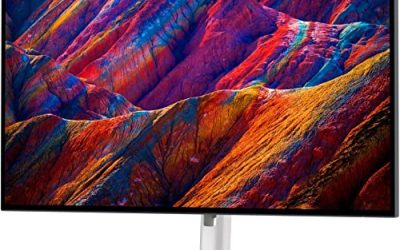
| Dell P2415Q | Flexible stand and full connectivity for busy desks | 23.8-inch IPS 4K panel with adjustable stand |
How to Choose
Understand the pixel density trade-off
A 24-inch screen at 3840 by 2160 packs about 185 pixels into every inch, far denser than a 27-inch 4K panel and dramatically denser than a 24-inch 1080p screen. Text looks smooth at normal viewing distances, and photo editing benefits because fine edges stay visible without zooming. The trade-off is that Windows and many applications need display scaling to keep menus readable, and older programs do not always scale cleanly. Games also demand much more from your graphics card at this resolution, so a machine that runs 1080p easily may struggle at full 4K. Before you buy, check that your graphics card and your software both handle a dense 4K image comfortably.
Check the panel type and colour coverage
Both monitors in this guide use IPS panels, which suits anyone who edits photos or watches films from an angle, because IPS keeps colours steady when you move your head. Colour coverage matters more than the panel label, though, and a monitor that covers close to the full sRGB range will show web content and photo work the way it was meant to look. Brightness and contrast shape the picture too, especially in a bright room where a dim screen washes out. Look for the panel type, the stated colour coverage, and the brightness figure in the listing, and treat a monitor that hides those numbers with suspicion.
Count the ports before you buy
A monitor is only as useful as the devices you can plug into it, so count the ports before you commit. HDMI and DisplayPort are the two connections that matter most, and a monitor with both gives you room for a desktop and a laptop, or a computer and a console, without swapping cables. A built-in USB hub is a quiet bonus that keeps a keyboard and mouse within reach and cuts cable clutter on your desk. Check the version of each port as well, because older HDMI versions cannot always carry a full 4K signal at 60Hz.
Judge the stand and the mounting options
A 24-inch monitor sits close to your eyes, so the stand shapes your comfort more than the specification sheet suggests. Height adjustment lets you set the top of the screen at eye level, tilt handles glare from a window, and a pivot function turns the screen vertical for reading long documents or code. If the included stand falls short, a VESA mount opens up desk arms and wall mounts that free space underneath. Measure your desk depth too, because a deep stand base on a shallow desk pushes the screen closer than you might like.
The 2 Best Options
Both monitors use a 23.8-inch IPS panel at 3840 by 2160, so the choice comes down to ergonomics, ports, and the way you work rather than image quality alone. The LG keeps the price and the feature list lean, while the Dell adds a fully adjustable stand, more inputs, and a USB hub for a busier desk. Read each pick below, then match it to your setup.
LG 24UD58-B
The LG 24UD58-B is the straightforward pick for anyone who wants a sharp 4K image and honest colour without paying for extras they will never use. Its IPS panel covers a wide colour range, so photos and video look natural, and the slim bezel keeps the focus on the picture rather than the frame. FreeSync support smooths out motion in games when paired with a compatible graphics card, which is a useful bonus at this size. The stand tilts but does not adjust in height, so you may want a small riser or a monitor arm to lift the screen to eye level.
Specs
- 23.8-inch IPS panel with 3840 by 2160 resolution
- 60Hz refresh rate for smooth everyday motion
- 5ms response time for casual gaming
- 99 percent sRGB colour coverage
- Two HDMI ports for connecting two devices
- One DisplayPort input for a full 4K signal
- AMD FreeSync support for smoother gaming
- Slim bezel design that keeps the focus on the picture
- VESA 100 by 100 mounting support
- Tilt-adjustable stand
Best for: Photo editing, sharp text, and everyday work on a budget, where colour accuracy and a crisp image matter most.
Watch out for: The stand tilts only, with no height adjustment, so plan for a riser or an arm if you need the screen higher. The fixed stand also limits how you angle the screen away from glare in a bright room, so check your desk position before you order.
Dell P2415Q
The Dell P2415Q is the more complete package of the pair, built around the same sharp 4K IPS panel but wrapped in a monitor that adapts to almost any desk. Its stand adjusts in height, tilts, swivels, and pivots into portrait mode, which makes it easy to set the screen exactly where your eyes want it. The port selection is generous, with HDMI, DisplayPort, Mini DisplayPort, and a built-in USB hub that keeps peripherals close. If you want one monitor for work, editing, and casual play without extra accessories, this Dell is the one to choose.
Specs
- 23.8-inch IPS panel with 3840 by 2160 resolution
- 60Hz refresh rate with 6ms response time
- 99 percent sRGB colour coverage
- HDMI and DisplayPort inputs
- Mini DisplayPort input for a third source
- Built-in USB 3.0 hub with four downstream ports
- Height and tilt adjustment for eye-level viewing
- Swivel and pivot adjustment, including portrait mode
- VESA mounting support for desk arms and wall mounts
- Anti-glare coating for bright rooms
Best for: A flexible all-round desk monitor with strong ergonomics, full connectivity, and a stand that adapts to any desk.
Watch out for: It is an older model, so confirm the listing shows a new unit from a reliable seller before ordering. Older stock and refurbished units can look identical in a listing, so read the condition and the seller details with care.
Which One Fits Your Situation
A small desk that needs sharp text
If your desk is shallow and your work is mostly reading, writing, and browsing, the LG 24UD58-B gives you the sharpness of 4K in a compact frame. Pair it with a riser or a monitor arm to lift it to eye level, and the fixed stand stops being a problem. Text will look printed, and the slim bezel keeps it from dominating a small workspace.
Photo editing on a modest budget
If you edit photos and need colours you can trust, either monitor works, but the Dell P2415Q earns its place with a stand that lets you angle the screen away from glare. Set the screen to portrait for vertical shots, or keep it level for wide landscapes. A calibration tool will tighten accuracy further if your work demands it.
A work-from-home setup with two devices
If you switch between a work laptop and a personal desktop, the Dell P2415Q is the better fit because its extra ports and USB hub keep both machines connected without cable swaps. Plug the laptop into one input and the desktop into another, and the hub keeps your keyboard and mouse in one place. The adjustable stand also helps during video calls.
Casual gaming after work
If you play games in the evening but work on the same screen during the day, the LG 24UD58-B handles both roles well, with FreeSync smoothing motion when your graphics card supports it. Keep expectations realistic about frame rates at full 4K, and run demanding games at a lower resolution if your card struggles. For lighter titles and older games, the sharp panel looks noticeably cleaner.
Common Mistakes
- Buying a 24-inch 4K monitor without checking that your graphics card can drive 3840 by 2160 smoothly in the games and applications you use most, because a weak card turns a sharp panel into a stuttering one.
- Ignoring display scaling, which can make menus tiny or blurry in older programs that do not handle high pixel density well. Test scaling on your system before you commit, and check that your most-used programs scale cleanly.
- Choosing a monitor with too few ports and then spending extra on adapters and switches to connect a second device. Count the devices you own first, and buy the monitor with room for all of them.
- Accepting a fixed stand on a shallow desk, which puts the screen too low and causes neck strain over long sessions. Measure your desk depth and plan for a riser or an arm when the stand cannot adjust.
- Assuming every 24-inch 4K listing is a current model, when some are older stock that deserves a careful look at the seller and the listing details. Confirm the condition and the seller before you order, so an older unit does not arrive as a surprise.
Frequently Asked Questions
Is a 24-inch 4K monitor too small to read comfortably?
It can feel small at first, but Windows display scaling makes text and menus readable at normal viewing distances. Set scaling to 150 percent or higher and most applications will look crisp. The benefit is text that looks printed, with smooth edges. At a normal desk distance, a 24-inch 4K screen reads beautifully.
Can my graphics card handle 4K gaming on a 24-inch monitor?
A 24-inch 4K monitor needs the same graphics power as any 4K display, because the resolution is identical regardless of screen size. Modern mid-range and high-end cards handle 4K in lighter titles, while demanding games may need lowered settings or a reduced render resolution. Desktop work, photo editing, and video playback need far less power than gaming.
Does the Dell P2415Q still make sense as an older model?
Yes, when the listing is for a new unit, because the panel, colour coverage, and stand still compete with newer 24-inch 4K monitors. The height-adjustable stand is still better than the fixed stands on many current budget models. The main risk is buying older stock or a refurbished unit by mistake, so confirm the condition before you order.
Which connection should I use for 4K at 60Hz?
DisplayPort is the safest choice for 4K at 60Hz, because it carries the full signal without the version limits of older HDMI ports. HDMI works too when the port and cable support the bandwidth, so check that both the monitor port and your graphics card handle 4K at 60Hz. Use the cable that comes with the monitor.
FAQ
Is a 24-inch 4K monitor too small to read comfortably?
Can my graphics card handle 4K gaming on a 24-inch monitor?
Does the Dell P2415Q still make sense as an older model?
Which connection should I use for 4K at 60Hz?
More from Amazon
Programs that pair well with the guide above. Offers and eligibility are set by Amazon and may change.
Free shipping on eligible items, Prime Video and more. Eligible new members can start with a free trial.
Start a Prime free trialAd-free music streaming. Eligible new subscribers can start with a free trial.
Try Music Unlimited freeA Prime membership for ages 18-24 with a trial period. Eligibility is set by Amazon.
See Prime for Young AdultsAudiobooks and podcasts to listen to on the go. Eligible new members can start with a free trial.
Try Audible freeAs an Amazon Associate we earn from qualifying purchases.