Our Short List of 3
All 4 Picks at a Glance
| Product | Specs | Action |
|---|---|---|
 TP-Link Archer A7 | Check price on Amazon | |
 TP-Link Archer C7 | Check price on Amazon | |
 TP-Link Archer AX10 | Check price on Amazon | |
 TP-Link Archer AX55 | Check price on Amazon |
Our Top Picks
The best heap routers are, to be clear, the best cheap routers: the brief’s word heap is read here as cheap, and this guide covers routers that keep a home network running well at a modest tier. A cheap router is not a weak router. The right one gives you stable Wi-Fi, gigabit wired ports, and enough capacity for a household that streams, games, and works from home, without paying for features you will never use. This guide compares cheap routers on the things that matter at this tier: wireless standard, wired speed, range, and reliability.
At a modest tier, the trade-offs are real and worth naming. A cheap router may have fewer antennas, a simpler processor, or no multi-gigabit port. None of that matters if your broadband is modest and your household is small. What matters is that the router holds a stable connection, covers your home, and keeps working for years. The picks below are proven models that do exactly that.
How to Choose
1. Wireless standard
Wi-Fi 6 is the standard to look for at this tier, because it handles several devices at once better than older standards. Wi-Fi 5 models still work well for a small household with modest broadband. Check the standard before the headline speed figure, because the standard decides how the router behaves when everyone is online at once.
2. Gigabit wired ports
Even a cheap router should have gigabit Ethernet ports. A gigabit WAN port matches your broadband, and gigabit LAN ports give a wired PC or console full speed. Some very low-cost routers still ship with slower ports, so check the specification line by line rather than trusting the box.
3. Range and home size
A single router covers a flat or a small house well, but a large or multi-floor home needs more: a mesh-ready model, a second access point, or a router with stronger antennas. Check the coverage claim against your home’s walls and floors, because thick walls cut wireless range more than any specification admits.
4. Processor and stability
A cheap router with a weak processor slows down when several devices stream at once. Look for a model with a track record of stable firmware and regular updates. A router that needs switching off and on often is a poor bargain at any tier, so stability matters more than a long feature list.
5. Setup and app
A clear app or web interface makes setup quick and lets you change the Wi-Fi name, set a guest network, and check connected devices without a manual. Parental controls and a guest network are useful extras that many cheap routers now include. Check that the app works without an account if that matters to you.
6. What you give up
At a modest tier you give up multi-gigabit ports, tri-band Wi-Fi, and the strongest processors. You also give up some range. If your broadband is fast, your home is large, or you run a home lab, a higher tier is worth it. If your household is small and your broadband is modest, a cheap router is the sensible choice.
Top Picks
TP-Link Archer A7
Check the TP-Link Archer A7 on Amazon
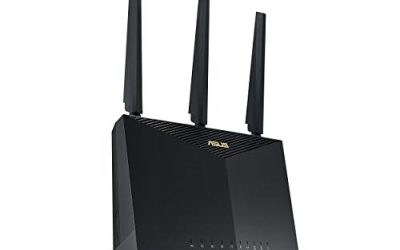
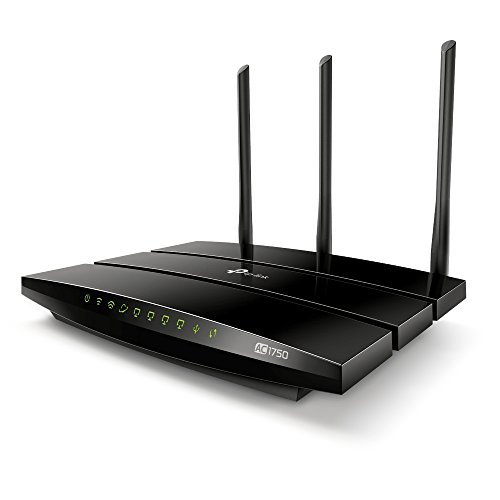
The TP-Link Archer A7 is a long-running value router with gigabit ports, dual-band Wi-Fi, and a simple app-guided setup. Its three antennas cover a flat or a small house well, and its processor handles a household of phones, laptops, and a TV without fuss. It supports a guest network and parental controls, and its firmware has a long track record of stability. It is the model many households buy when they want a router that simply works.
This router fits a small household with modest broadband and a handful of devices. It suits a flat, a student house, or a family home where the router sits centrally and the devices are close by. It also fits anyone replacing a provider-supplied router and wanting a clear step up in stability.
Its Wi-Fi standard is older than Wi-Fi 6, so a household with many devices will feel the difference at busy times. It has no multi-gigabit port and no USB sharing. Its range suits a small home; a large or multi-floor house will need a mesh node or a stronger model.
TP-Link Archer C7
Check the TP-Link Archer C7 on Amazon
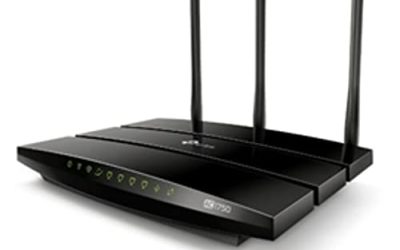
The TP-Link Archer C7 is an earlier value router in the same family, with gigabit ports, dual-band Wi-Fi, and a straightforward interface. Its six antennas give it solid coverage for its tier, and its long market life means its firmware is mature and its quirks are well known. It handles a household of everyday devices reliably, and its setup is quick through a browser or app.
This router fits a household that wants a proven, simple router at the lowest tier. It suits a small home, a spare room, or a rental where the router must work without attention. It also fits a second network, such as a guest house or a workshop, where a simple reliable router is enough.
Its wireless standard is older, so it will not match a Wi-Fi 6 router when many devices compete. Its processor is modest, and heavy use with many streams can slow it. Its age also means checking that firmware updates are still available for the hardware version you receive.
TP-Link Archer AX10
Check the TP-Link Archer AX10 on Amazon
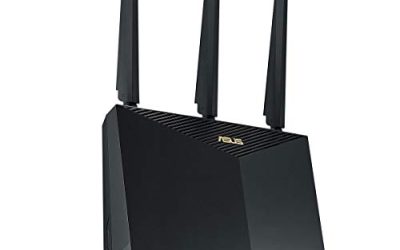
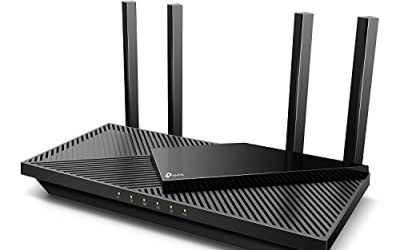
The TP-Link Archer AX10 is a Wi-Fi 6 router at a modest tier, with a gigabit WAN port, four gigabit LAN ports, and a processor that handles several devices at once. Its Wi-Fi 6 radio improves performance when phones, laptops, and TVs all compete, and its app makes setup and guest networking simple. It is the cheapest sensible route into Wi-Fi 6 for a small household.
This router fits a household that wants modern Wi-Fi without a modern price tag. It suits a flat or a small house with several devices, a wired PC or console, and modest broadband. It also fits anyone upgrading from an older router and wanting Wi-Fi 6 as the main improvement.
Its range is solid for a small home but will not cover a large house alone. It has no multi-gigabit port and no USB port for storage sharing. Its processor is capable for its tier but will not match a performance router under heavy load with many simultaneous streams.
TP-Link Archer AX55
Check the TP-Link Archer AX55 on Amazon
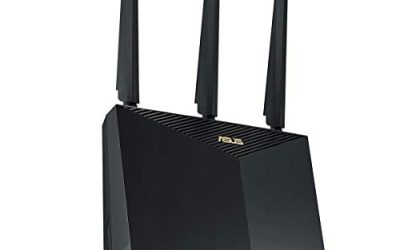
The TP-Link Archer AX55 is a Wi-Fi 6 router with a gigabit WAN port, four gigabit LAN ports, and a stronger processor than the value models in this guide. Its Wi-Fi 6 radio handles a busy household well, and its QoS settings let you prioritize gaming or streaming when the network is loaded. Its app covers setup, guest networking, and parental controls in clear steps, and its firmware receives regular updates.
This router fits a household that wants a cheap router with real headroom. It suits a family home with fast broadband, a wired PC or console, and several wireless devices that all need attention at once. It also fits anyone who wants to buy once and keep the router for years without outgrowing it quickly.
Its range covers a flat or a small house well but will not cover a large multi-floor home alone. It has no multi-gigabit port, so broadband above a gigabit needs a different model. Its extra features add menus that a simple household may never open, but they do not get in the way of basic use.
Comparison Table
| Product | Best for | Key specs |
|---|---|---|
| TP-Link Archer A7 | Small household, proven | Dual-band, gigabit ports, 3 antennas |
| TP-Link Archer C7 | Lowest tier, spare room | Dual-band, gigabit ports, 6 antennas |
| TP-Link Archer AX10 | Wi-Fi 6 on a modest tier | Wi-Fi 6, gigabit ports, app setup |
| TP-Link Archer AX55 | Cheap with headroom | Wi-Fi 6, gigabit ports, stronger CPU |
Which One Is Right for You?
Start with your broadband and your home. For a small household with modest broadband, the Archer A7 is the proven pick, and the Archer C7 covers the same ground at the lowest tier for a spare room or a rental. If you want modern Wi-Fi, the Archer AX10 is the cheapest sensible route into Wi-Fi 6. If your household is busier, or your broadband is faster, the Archer AX55 is worth the step up: its stronger processor and Wi-Fi 6 radio give it headroom the value models lack. In every case, check that the router’s ports are gigabit, place it centrally and out in the open, and keep its firmware updated.
A final point worth weighing is what happens when your household grows. A cheap router that covers a flat today may struggle when a second person starts working from home, or when a smart TV, a console, and several phones all stream at once. The Archer AX55 is the pick that grows best in this guide, because its stronger processor and Wi-Fi 6 radio give it headroom the value models lack. If you expect that growth, buying the AX55 now costs less than replacing the A7 in a year. Also check the placement before you blame the router: a router hidden in a cabinet, on the floor, or at one end of the house will leave dead zones however good its radio is. Place it centrally, out in the open, and at about chest height, and keep its firmware updated so security fixes reach it.
Frequently Asked Questions
What makes a router cheap but still good?
A good cheap router has gigabit ports, a modern Wi-Fi standard, stable firmware, and enough range for your home. It gives up multi-gigabit ports, tri-band Wi-Fi, and the strongest processors, none of which matter for a small household with modest broadband. Stability and honest specifications matter more than a long feature list.
Is Wi-Fi 6 worth it on a cheap router?
Yes, when several devices share the network. Wi-Fi 6 handles many devices at once better than older standards, which shows at busy times when phones, laptops, and TVs all compete. For a single device or a very small household, the difference is smaller, and an older standard still works.
How many devices can a cheap router handle?
A modern cheap router handles a household of phones, laptops, TVs, and smart devices without trouble. The limit appears when many devices stream video at once, or when a weak processor must also run QoS and parental controls. If your household has more than a dozen active devices, a stronger model is worth considering.
Should I replace my provider-supplied router with a cheap one?
Often yes. A provider-supplied router is usually a basic model, and a cheap router from a known maker can give you better Wi-Fi, gigabit ports, and a clearer app. Check that the new router works with your connection type, and keep the provider’s device if it also acts as your modem.
Disclosure: As an Amazon Associate, we may earn from qualifying purchases.
FAQ
Which One Is Right for You?
What makes a router cheap but still good?
Is Wi-Fi 6 worth it on a cheap router?
How many devices can a cheap router handle?
Should I replace my provider-supplied router with a cheap one?
More from Amazon
Programs that pair well with the guide above. Offers and eligibility are set by Amazon and may change.
Free shipping on eligible items, Prime Video and more. Eligible new members can start with a free trial.
Start a Prime free trialAd-free music streaming. Eligible new subscribers can start with a free trial.
Try Music Unlimited freeA Prime membership for ages 18-24 with a trial period. Eligibility is set by Amazon.
See Prime for Young AdultsAudiobooks and podcasts to listen to on the go. Eligible new members can start with a free trial.
Try Audible freeAs an Amazon Associate we earn from qualifying purchases.