Our Short List of 3
All 5 Picks at a Glance
| Product | Specs | Action |
|---|---|---|
 Dell UltraSharp 27 4K Thunderbolt Hub Monitor U2725QE | Check price on Amazon | |
 Dell 27 Plus 4K USB-C Monitor S2725QC | Check price on Amazon | |
 Dell G2724D 27-Inch Gaming Monitor | Check price on Amazon | |
 Alienware 27 QD-OLED Gaming Monitor AW2725DF | Check price on Amazon | |
 Dell 24 Gaming Monitor SE2426HG | Check price on Amazon |
Our Top Picks
As an Amazon Associate, we earn from qualifying purchases made through links on this page.
Some buyers settle on the brand before they settle on the screen. If your laptop, dock and warranty history already sit inside the Dell ecosystem, it makes sense to ask a narrower question: which Dell monitor fits the desk in front of you? This roundup answers that question across the whole Dell desktop range rather than inside one niche. The five picks below are all Dell-built computer monitors, checked model by model against Dell documentation, and they split into clear roles: a Thunderbolt hub flagship for laptop desks, an everyday 4K screen with speakers built in, a compact high-refresh panel for small desks and fast games, a 1440p gaming monitor with a fully adjustable stand, and a QD-OLED flagship for players who want the strongest motion and contrast Dell sells.
Two boundaries keep this list honest. This site already carries a Dell gaming buying guide that explains the G, SE, S Plus and Alienware lines without naming product picks, and a Dell color-accurate roundup aimed at photo editing that uses four UltraSharp hub models. This article is the general Dell list that sits between them: it covers work, everyday use and play in one place, and it repeats none of the four editing models, so the two pages complement rather than duplicate each other. Every specification below comes from Dell documentation or the matching Amazon listing for that exact model code.
What to look for in a Dell computer monitor
Begin with the line, not the size. Dell sorts its monitors into families, and the family tells you more than the diagonal does. UltraSharp is the work and creator flagship line, with IPS Black panels, factory color calibration and the deepest hubs. The Plus and S ranges cover everyday home and office desks, usually with USB-C and built-in speakers. P models are plain business screens. G models are the mainstream gaming line, SE models are the entry gaming line, and Alienware is Dell premium gaming badge, where the QD-OLED panels live. Picking the family first stops you paying for a hub you will never use, or missing one you need every day.
Match resolution to the work. A 27-inch 4K panel renders text and spreadsheets with far finer edges than a 1080p screen of the same size, which matters across an eight-hour desk day. For gaming, 1440p at 27 inches is the balance most graphics cards can drive at high frame rates, while 4K gaming demands a strong card. A 24-inch 1080p screen looks soft beside either, but it suits a small desk and undemanding hardware.
Decide whether the monitor is also your dock. Dell hub monitors carry USB-C or Thunderbolt inputs that send picture, data and laptop charging down one cable. The strongest hub in this list delivers up to 140 watts, adds wired Ethernet and a KVM switch, and can feed a second display downstream. Simpler USB-C models still charge a laptop at up to 65 watts but drop the Ethernet and the extra ports. If your laptop already lives on a separate dock, a plain gaming panel with DisplayPort and HDMI is the cleaner buy.
Read the refresh figure with the connection in mind. A headline refresh figure usually applies to one input only. On the 1440p gaming pick below, DisplayPort reaches 165 Hz while the HDMI ports top out lower, so the cable you choose changes the screen you get. For desk work, 120 Hz panels now appear even in the work lines, and the smoother scrolling is easy to feel next to a 60 Hz screen.
Check the stand and the warranty. Height adjustment is the single ergonomic feature that matters most, and Dell reserves its full height, tilt, swivel and pivot stands for the UltraSharp, G and Alienware lines, while the entry SE line adjusts for tilt only. On coverage, UltraSharp and Alienware models carry Dell Premium Panel Exchange and multi-year warranties, and Dell documents burn-in coverage inside the warranty term of its Alienware QD-OLED monitors.
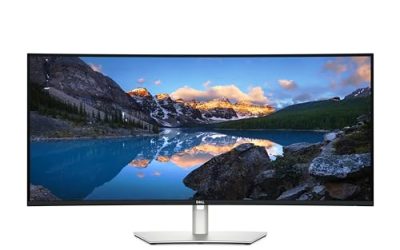
Dell UltraSharp 27 4K Thunderbolt Hub Monitor U2725QE
See the Dell UltraSharp U2725QE on Amazon
The U2725QE is the most complete desk monitor Dell builds, and it earns the top spot here because it replaces a separate docking station for most laptop setups. The 27-inch panel runs at 4K resolution on an IPS Black panel with a 120 Hz refresh rate. Dell documents a 3000:1 contrast ratio for the panel, roughly triple the figure of a conventional IPS screen, along with 99 percent DCI-P3 color coverage, full sRGB coverage and factory color calibration. It is certified for DisplayHDR 600.
The hub is the real argument. A Thunderbolt 4 upstream port delivers up to 140 watts of charging to a connected laptop, a Thunderbolt downstream port can feed a second display in a chain, and the monitor adds 2.5 gigabit Ethernet, a built-in KVM switch, HDMI 2.1, DisplayPort 1.4 in and out, and a set of USB ports for desk peripherals. One cable on the desk handles picture, power, network and accessories. The stand adjusts for height, tilt, swivel and pivot, and Dell backs the model with its Premium Panel Exchange coverage.
Who it suits: laptop-first workers, especially anyone running a high-draw 16-inch notebook, who want one cable and a wired network connection at the desk. The limitations follow from the same spec sheet. The 120 Hz ceiling sits below the gaming panels in this list, there are no built-in speakers, and the feature set is wasted on a desktop PC that already has a dock and a tower full of ports.
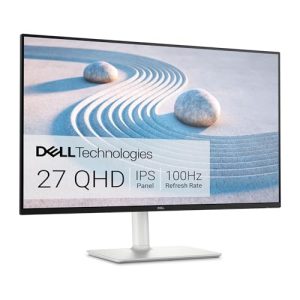
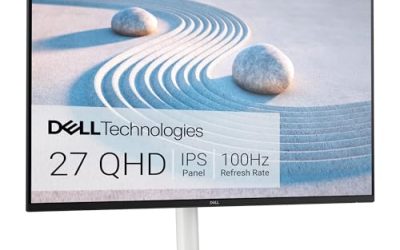
Dell 27 Plus 4K USB-C Monitor S2725QC
See the Dell S2725QC on Amazon
The S2725QC is the everyday 4K pick: a 27-inch 4K IPS panel in Dell Plus line, built for a mixed desk of documents, browsing, video and lighter gaming. Dell lists a 120 Hz refresh rate with AMD FreeSync Premium support, 99 percent sRGB coverage and a 1500:1 contrast ratio. A USB-C input with up to 65 watts of power delivery means a single cable can run the picture and charge most thin laptops, and the height-adjustable stand keeps the screen at eye level without a riser.
Two built-in 5-watt speakers separate it from the UltraSharp above. They will not replace a soundbar, but they clear a pair of desk speakers off a small setup and handle calls and video without extra hardware. Dell ComfortView Plus low-blue-light tuning is documented for the panel, aimed at long reading and writing sessions.
Who it suits: home and small-office users who want one 4K screen for work and entertainment, with speakers and laptop charging included. The limitations are the mirror image of the flagship: the hub is a single USB-C connection rather than a full dock, so there is no wired Ethernet, no KVM and no downstream display port, and 65 watts will not keep a large gaming laptop charged under load.
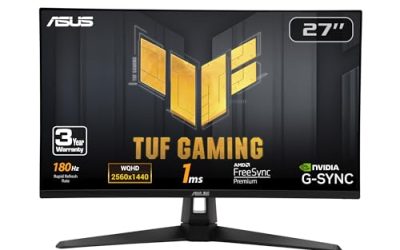
Dell G2724D 27-Inch Gaming Monitor
The G2724D is Dell mainstream gaming answer at 27 inches: a Fast IPS panel at 2560 by 1440 resolution with a 165 Hz refresh rate over DisplayPort and a 1 millisecond gray-to-gray figure in its Extreme mode. Dell documents AMD FreeSync Premium and NVIDIA G-SYNC Compatible support, so the adaptive sync works with either GPU family, plus DisplayHDR 400 and 99 percent sRGB coverage.
Two details lift it above the entry gaming tier. The stand adjusts for height, pivot, swivel and tilt, which is uncommon at this level of the G line and makes the monitor easier to share between a seated desk and a standing setup. And the port layout pairs one DisplayPort 1.4 input with two HDMI inputs, so a PC and two consoles can stay connected at once.
Who it suits: PC players whose graphics card targets 1440p, and mixed PC-and-console desks. The limitations are written into the connections: the HDMI inputs cap the refresh rate below the 165 Hz available over DisplayPort, there is no USB hub and no USB-C input, and there are no speakers, so audio needs a headset or separate speakers.
Alienware 27 QD-OLED Gaming Monitor AW2725DF
See the Alienware AW2725DF on Amazon
The AW2725DF is the performance flagship of this list. Its 26.7-inch QD-OLED panel runs at 2560 by 1440 with a 360 Hz refresh rate and a 0.03 millisecond gray-to-gray response figure in Dell documentation, the fastest combination Dell sells in this size. OLED pixels switch off individually, so dark scenes hold true black beside bright highlights in a way no backlit panel in this roundup can match. Dell lists 99 percent DCI-P3 coverage, DisplayHDR True Black 400, AMD FreeSync Premium Pro and VESA AdaptiveSync support.
Connections cover a modern gaming desk: HDMI 2.1, two DisplayPort 1.4 inputs, a USB hub and AlienFX perimeter lighting. The stand adjusts for height, tilt, swivel and pivot. Dell documents a three-year warranty for this model that includes OLED burn-in coverage, which is the clause that matters most on this panel technology.
Who it suits: competitive players with a graphics card that can feed very high frame rates, and anyone who plays story games in a dark room. The limitations are real. The 1440p resolution renders text less sharply than the 4K picks above, Dell documents pixel-refresh maintenance cycles that the panel runs to protect itself, and the feature set is pointed entirely at gaming rather than office docking.
Dell 24 Gaming Monitor SE2426HG
See the Dell SE2426HG on Amazon
The SE2426HG covers the corner the bigger screens cannot: a compact desk. It is a 23.8-inch class monitor, sold in Dell 24-inch gaming line, with Full HD resolution and a 240 Hz top refresh rate in Dell listing for the model. That pairing of a small panel and a very high refresh figure is aimed at fast competitive titles, where a modest graphics card can hold the frame rates the screen can show. As the entry gaming line, it keeps the connection set simple and the stand adjusts for tilt.
Who it suits: players in dorm rooms, shared rooms and small apartments, and anyone adding a fast second screen beside a laptop. The limitations are the entry position in the range: 1080p detail is visibly coarser than the 1440p and 4K picks for text work, the tilt-only stand needs a riser or an arm for proper eye height, and there is no USB-C docking, so a laptop desk still needs its own charger and hub.
Comparison table
| Model | Size and resolution | Panel and refresh | Connections and hub | Best for |
|---|---|---|---|---|
| Dell UltraSharp U2725QE | 27-inch, 3840 by 2160 | IPS Black, 120 Hz | Thunderbolt 4 hub, 140 W charging, 2.5 GbE, KVM | Laptop desks that need a dock replacement |
| Dell S2725QC | 27-inch, 3840 by 2160 | IPS, 120 Hz | USB-C with 65 W charging, built-in speakers | Everyday 4K work and entertainment |
| Dell G2724D | 27-inch, 2560 by 1440 | Fast IPS, 165 Hz | DisplayPort 1.4, two HDMI, no hub | 1440p gaming on PC and console |
| Alienware AW2725DF | 26.7-inch, 2560 by 1440 | QD-OLED, 360 Hz | HDMI 2.1, two DisplayPort 1.4, USB hub | Competitive play and dark-room gaming |
| Dell SE2426HG | 23.8-inch, 1920 by 1080 | 240 Hz top refresh | Simple gaming connection set, tilt stand | Small desks and fast competitive titles |
Frequently asked questions
Is a Dell UltraSharp worth choosing over the Plus line for a home desk?
Choose the UltraSharp when the hub matters: Thunderbolt connections, wired Ethernet, a KVM switch and up to 140 watts of laptop charging. If your desk needs only a screen, speakers and basic USB-C charging, the S2725QC covers that role with a simpler connection set.
Can one cable run the picture and charge my laptop on these monitors?
Yes on the two USB-C models. The U2725QE delivers up to 140 watts over Thunderbolt 4, enough for large performance laptops, while the S2725QC delivers up to 65 watts, which suits most thin notebooks. The three gaming picks have no USB-C video input, so a laptop connects to them over HDMI or DisplayPort and keeps its own charger.
Do these Dell monitors work with a Mac?
The two 4K USB-C models connect to a Mac over a single cable for picture and charging, and the KVM on the U2725QE can share peripherals between a Mac and a Windows PC. The gaming models accept a Mac over HDMI or DisplayPort, but their high refresh figures and adaptive sync are documented for PC graphics hardware, so a Mac will generally run them at standard refresh rates.
What warranty coverage do Dell monitors carry?
UltraSharp and Alienware models carry multi-year Dell warranties with Premium Panel Exchange, under which Dell replaces a panel with even a single bright pixel during the term. For the QD-OLED AW2725DF, Dell documents that the three-year warranty includes burn-in coverage. Exact terms follow the model and region, so check the documentation packed with the specific monitor.
Which of these is the right second monitor for a dual-screen desk?
The S2725QC is the easiest pairing for a work desk because it adds speakers and USB-C charging beside a main screen. Players building a two-screen gaming setup usually pair the G2724D as the main panel with the SE2426HG as the fast secondary screen for chat, streams and competitive titles.
Conclusion
Dell range is wide, but the right pick follows the desk, not the badge. If one cable should run your whole workstation, the U2725QE is the most complete monitor Dell makes. If the screen is for everyday work and entertainment, the S2725QC keeps the 4K panel and speakers while trimming the dock. Players should split by ambition: the G2724D for balanced 1440p play with a proper stand, the AW2725DF for the fastest and deepest picture Dell sells, and the SE2426HG when the desk is small and the games are fast. Every model here is a current Dell computer monitor with its specification published by the maker, so the choice comes down to which set of documented strengths matches the way you actually sit and play.
More from Amazon
Programs that pair well with the guide above. Offers and eligibility are set by Amazon and may change.
Free shipping on eligible items, Prime Video and more. Eligible new members can start with a free trial.
Start a Prime free trialAd-free music streaming. Eligible new subscribers can start with a free trial.
Try Music Unlimited freeA Prime membership for ages 18-24 with a trial period. Eligibility is set by Amazon.
See Prime for Young AdultsAudiobooks and podcasts to listen to on the go. Eligible new members can start with a free trial.
Try Audible freeAs an Amazon Associate we earn from qualifying purchases.