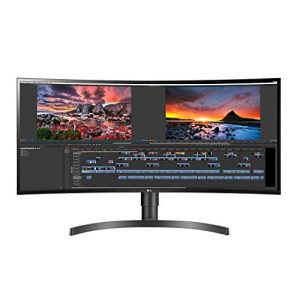
Our Short List of 3

- Size: 27 inches
- Resolution: 1920 x 1080 (Full HD)
- Panel type: IPS
- Refresh rate: 100Hz maximum

- Size: 27 inches
- Resolution: 1920 x 1080 (Full HD)
- Panel type: IPS
- Refresh rate: 100Hz

- Size: 23.8 inches
- Resolution: 1920 x 1080 (Full HD)
- Panel type: IPS
- Refresh rate: 100Hz
All 5 Picks at a Glance
| Product | Specs | Action |
|---|---|---|
| HP Series 3 327se |
| Check price on Amazon |
| HP Series 5 527sw |
| Check price on Amazon |
| HP Series 5 524sa |
| Check price on Amazon |
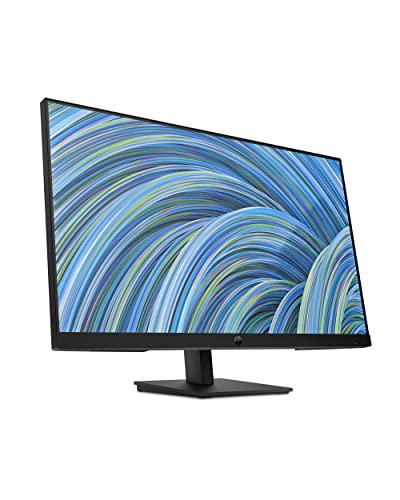 HP 27h |
| Check price on Amazon |
 HP M27fw |
| Check price on Amazon |
Key takeaways
- Compare five HP monitors for home office work, from a 27-inch Series 3 display with built-in speakers to Series 5 panels with 100Hz IPS screens.
A home office monitor has a different job from a gaming display. It has to keep text sharp through long documents, stay comfortable across a full working day, connect cleanly to a laptop or desktop, and fit a desk that also holds a keyboard, a notebook and a coffee mug. HP sells more office monitors than almost anyone, and its current line covers that brief from several directions at once, which makes narrowing the range down to the right model the real task.
This guide collects five HP monitors that suit home working, all built on Full HD IPS panels. Four are 27-inch models and one is a 23.8-inch screen for smaller desks. Between them they cover the features that matter most at a work desk: height-adjustable stands, built-in speakers for calls, refresh rates above the old 60Hz baseline, and port sets that still include VGA for older hardware alongside HDMI and, on one model, DisplayPort. Every figure quoted below comes from the maker’s own published specification for that exact model.
Below, each monitor is presented with its published specification, followed by a buying guide that explains how to choose between screen sizes, stands and connection types for a home office setup.
Disclosure: As an Amazon Associate, we earn from qualifying purchases made through links on this page, at no extra cost to you.
HP Series 3 327se
- Size: 27 inches
- Resolution: 1920 x 1080 (Full HD)
- Panel type: IPS
- Refresh rate: 100Hz maximum
The Series 3 327se is the newest design in this guide and the most complete all-rounder of the five. Its 27-inch IPS panel runs at Full HD with a maximum refresh rate of 100Hz over its digital inputs, so scrolling through long documents and spreadsheets looks noticeably smoother than on a 60Hz screen, and the 5ms gray-to-gray response time with overdrive keeps motion tidy during video. HP publishes a 1300:1 static contrast ratio, a step above the 1000:1 figure common in this class, with 250 nits of brightness and a three-sided borderless bezel that suits side-by-side multi-monitor desks.
Two features lift it above a basic work screen. The first is the four-way adjustable stand, which covers tilt, swivel, pivot and height, so the panel can be set at eye level and even turned portrait for reading long pages. The second is the pair of integrated 2W speakers, which handle calls and clips without extra desk hardware. Connectivity is the broadest here as well: one HDMI 1.4 input, one DisplayPort 1.2 input and one VGA port, so a modern laptop, a desktop and an older machine can all connect. HP Eye Ease with Eyesafe certification keeps a low-blue-light filter active without shifting colours, and HP Display Center software lets you adjust settings from the computer. For a single screen that has to do a bit of everything at a home desk, the 327se is the easiest recommendation in the group.
HP Series 5 527sw
- Size: 27 inches
- Resolution: 1920 x 1080 (Full HD)
- Panel type: IPS
- Refresh rate: 100Hz
The 527sw is HP’s white Series 5 model, aimed at home desks where the monitor is part of the room rather than hidden in a study. The 27-inch IPS panel runs at Full HD and up to 100Hz, with a published 1500:1 contrast ratio and 300 nits of brightness, both stronger figures than the class baseline. Colour coverage is 99 percent of sRGB, so photos and design work hold up well, and the anti-glare treatment with HP Eye Ease, certified by Eyesafe, keeps the screen readable under household lighting.
Connectivity covers two HDMI 1.4 ports and one VGA port, which makes the 527sw a natural hub for a work laptop plus a second machine or a console, switched from the on-screen menu. The stand adjusts for tilt only, and HP does not publish VESA mount compatibility for this model, so it is best suited to desks where the supplied stand will stay in place. There are no built-in speakers, so call audio runs through the computer or a headset. In exchange, the slim profile, integrated cable containment and white finish make it the tidiest-looking option here, and the 100Hz refresh keeps everyday motion smooth. Buyers furnishing a living-room desk or a shared family workspace will find the 527sw the most natural fit of the five.
HP Series 5 524sa
- Size: 23.8 inches
- Resolution: 1920 x 1080 (Full HD)
- Panel type: IPS
- Refresh rate: 100Hz
The 524sa shrinks the Series 5 formula to 23.8 inches, which is the right size for narrow desks, kitchen-counter workspaces and second screens that sit beside a laptop. The smaller panel carries the same core specification as its 27-inch sibling: Full HD resolution on an IPS panel, a 100Hz refresh rate, 5ms gray-to-gray response with overdrive, 300 nits of brightness, a 1500:1 contrast ratio and 99 percent sRGB coverage. At this size, Full HD also produces a denser pixel pitch, so text looks a touch crisper than on the 27-inch models.
What sets the 524sa apart in the Series 5 line is sound. A pair of integrated 2W speakers is built in, with 3.5mm audio jacks for input and output, so video calls and media play without separate speakers taking up the limited desk space this size is chosen for. Ports are one HDMI 1.4 and one VGA, and the stand adjusts for tilt. HP Eye Ease with Eyesafe certification provides the always-on low-blue-light filter, and the thin, light cabinet with cable containment keeps a small setup looking clean. For a compact home office that still needs speakers and a smooth 100Hz picture, the 524sa covers both in a single unit.
HP 27h
- Size: 27 inches
- Resolution: 1920 x 1080 (Full HD)
- Panel type: IPS
- Refresh rate: 75Hz
The HP 27h is built specifically for hybrid workers, and its stand gives that away: 100mm of height adjustment plus tilt, on a 27-inch screen with a three-sided micro-edge bezel. Setting the panel at eye level is the single most useful comfort change at a desk used all day, and the 27h includes it without moving up to HP’s business ranges. The IPS panel runs at Full HD and 75Hz, a step above the 60Hz baseline, with a 5ms gray-to-gray response time and 300 nits of brightness.
Built-in dual speakers cover call audio, and the port set of two HDMI 1.4 inputs and one VGA input lets a work laptop and a personal machine share the screen. A low blue light mode supports long sessions, and the slim cabinet keeps the footprint modest for a 27-inch model. The 27h sits between the consumer M series and the P series business line in spirit: home-friendly connections and speakers, paired with the ergonomic stand that office monitors are bought for. Anyone whose neck and shoulders complain by mid-afternoon, and who wants the fix built into the monitor rather than a separate arm, will find the 27h the most directly comfortable pick here.
HP M27fw
- Size: 27 inches
- Resolution: 1920 x 1080 (Full HD)
- Panel type: IPS
- Refresh rate: 75Hz
The M27fw is the white member of HP’s M series, a line designed for home use, and it remains a clean, simple work screen. The 27-inch IPS panel runs at Full HD and 75Hz with AMD FreeSync support, which keeps motion smooth when the frame rate varies, and the published figures include 300 nits of brightness, a 1000:1 contrast ratio and 99 percent sRGB coverage. The anti-glare panel and HP Eye Ease, with Eyesafe certification, suit rooms where the desk faces daylight.
Two HDMI 1.4 ports and one VGA port handle connections, and the slim stand adjusts for tilt. HP builds cable containment into the stand riser, which keeps the two or three leads a home desk usually carries gathered in one channel. There are no speakers on this model, so it pairs best with a laptop whose own audio you already use, or with a headset for calls. The white and silver finish matches lighter rooms in the same way as the 527sw, but the M27fw keeps the simpler 75Hz panel and the M series’ understated styling. For a tidy second screen in a bedroom or living space, where the monitor has to look like furniture when it is off, the M27fw fits the brief well.
Buying Guide: How to Choose an HP Monitor for a Home Office
Screen size and resolution. All five monitors here are Full HD, which splits into two experiences. At 23.8 inches, as on the 524sa, text is dense and sharp, and the screen fits desks where depth is limited. At 27 inches, the same resolution gives larger text and more room for two windows side by side, at a slightly softer pixel density. If your work is mostly documents, mail and calls, either works; if you keep a spreadsheet and a browser open together all day, the 27-inch models earn their footprint.
The stand matters more than most specifications. A tilt-only stand is fine on a desk at the right height, but a height-adjustable stand, like the ones on the 327se and 27h, lets you put the top of the screen near eye level, which is the position ergonomics guidance consistently recommends. The 327se adds swivel and pivot, and pivot is genuinely useful for reading long documents or code in portrait. If you plan to use a monitor arm instead, check VESA compatibility before choosing, because it is not published for every model here.
Refresh rate. The move from 60Hz to 75Hz or 100Hz does not change static work, but scrolling, window dragging and video all look smoother. Three of the five monitors here run at 100Hz and two at 75Hz, so every pick is above the old baseline; the difference between 75Hz and 100Hz is subtle in office tasks and should not outweigh stand or port choices.
Ports and connections. HDMI is universal across the five. DisplayPort appears only on the 327se, and VGA survives on all of them for older desktops and docks. None of these five models carries USB-C video input, so a laptop connects over HDMI and charges from its own adapter; if single-cable docking is a firm requirement, look at HP’s E series instead. Two HDMI ports, as on the 527sw, 27h and M27fw, suit desks where two machines share one screen.
Speakers and eye comfort. Built-in speakers on the 327se, 524sa and 27h remove a pair of boxes and their cables from the desk, and they are entirely adequate for calls. Every model here includes a low-blue-light mode or an always-on Eye Ease filter, which is worth using for evening work.
Frequently Asked Questions
Is 27 inches too big for a home office desk?
It depends on desk depth. A 27-inch screen viewed from roughly an arm’s length fills the field of view comfortably for two-window work, and all four 27-inch models here use slim stands with modest footprints. On a shallow desk under about 60cm deep, the 23.8-inch 524sa leaves more room and keeps the whole screen in easy view.
Do I need a height-adjustable stand?
If the monitor will sit on a standard desk and you work at it for most of the day, height adjustment is the feature you will feel most. The 327se and 27h include it. With a tilt-only model, a stand riser or a small stack of books under the base achieves the same geometry, as long as the screen ends up with its top edge near eye level.
Can these monitors connect to a laptop with USB-C only?
Yes, with an adapter or a USB-C to HDMI cable, since every model here has HDMI inputs. The monitor will not charge the laptop or carry USB data, because none of the five publishes a USB-C input, so the laptop keeps its own power adapter. For a one-cable desk, a USB-C docking monitor from HP’s E series is the appropriate line.
Which of these is best for video calls?
The models with built-in speakers simplify calls the most: the 327se, 524sa and 27h. None of the five has an integrated camera, so your laptop webcam or a separate USB camera handles the picture either way. Of the three with speakers, the 327se adds the broadest port set and the most adjustable stand for a permanent desk.
Conclusion
HP’s home office range divides neatly once you know which feature leads. The Series 3 327se is the most complete package, with a 100Hz panel, DisplayPort, speakers and a four-way stand. The Series 5 527sw suits bright, shared rooms in white, and the 524sa compresses the same idea into 23.8 inches with speakers included. The 27h is the ergonomic pick, built around its height-adjustable stand for hybrid workers, and the M27fw is the simple, tidy second screen. Match the stand and the ports to your desk first, and the right model follows from there.
More from Amazon
Programs that pair well with the guide above. Offers and eligibility are set by Amazon and may change.
Free shipping on eligible items, Prime Video and more. Eligible new members can start with a free trial.
Start a Prime free trialAd-free music streaming. Eligible new subscribers can start with a free trial.
Try Music Unlimited freeA Prime membership for ages 18-24 with a trial period. Eligibility is set by Amazon.
See Prime for Young AdultsAudiobooks and podcasts to listen to on the go. Eligible new members can start with a free trial.
Try Audible freeAs an Amazon Associate we earn from qualifying purchases.