Our Short List of 3

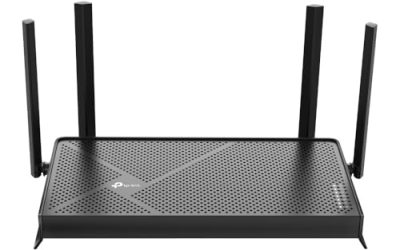
- Best overall: TP-Link Archer BE550 — Tri-band Wi-Fi 7, five 2.5G ports, and a 6 GHz band for homes that want a long-lived, do-everything router. View on Amazon
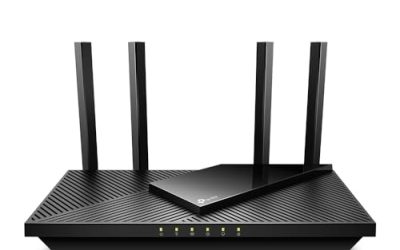
- Best for gaming and control: ASUS RT-AX86U Pro — Dual-band Wi-Fi 6 with a dedicated gaming port, a 2.5G port, and the most configurable software in this guide. View on Amazon
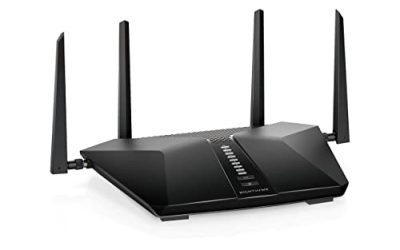
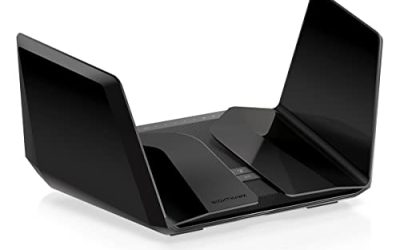
- Best Wi-Fi 6E pick: NETGEAR Nighthawk RAXE300 — Tri-band Wi-Fi 6E with a 6 GHz band and eight streams for busy households with many devices. View on Amazon
- Best value: TP-Link Archer AX55 — Dual-band Wi-Fi 6 with AX3000 class speeds, four gigabit LAN ports, and a USB 3.0 port for smaller homes. View on Amazon

- Dedicated gaming port plus a 2.5G port
- Fast 2.0 GHz quad-core processor with 1 GB of RAM
- Subscription-free AiProtection security
- Deep traffic controls, VPN server and client, and AiMesh expansion

- Tri-band Wi-Fi 6E with a dedicated 6 GHz band
- Eight streams and six concealed high-performance antennas
- Listing states coverage up to 2,500 square feet and up to 40 devices
- Five gigabit ports, one 2.5G multi-gig port, plus a USB 3.0 port
All 4 Picks at a Glance
| Product | Specs | Action |
|---|---|---|
| Our Top Picks |
| Check price on Amazon |
| 2. ASUS RT-AX86U Pro — Best for Gaming and Control |
| Check price on Amazon |
| 3. NETGEAR Nighthawk RAXE300 — Best Wi-Fi 6E Pick |
| Check price on Amazon |
 4. TP-Link Archer AX55 — Best Value |
| Check price on Amazon |
Our Top Picks
As an Amazon Associate I earn from qualifying purchases.
The Short Answer
If you want one straightforward answer, the TP-Link Archer BE550 is the pick that fits the most households right now. It is a tri-band Wi-Fi 7 router with a 6 GHz band, five 2.5G Ethernet ports, and enough wireless headroom for gaming, 4K streaming, and a house full of connected gadgets at the same time. It is the simplest way to buy a router once and not think about an upgrade for years.
That said, there is no single router that suits every home. A smaller household with a modest internet plan does not need a Wi-Fi 7 flagship, and a competitive gamer may care more about a dedicated gaming port and granular traffic controls than about a 6 GHz band. The right choice depends on the size of your home, the number of devices on your network, whether you game or stream in high resolution, and how fast your internet plan is.
This guide compares four standalone routers that cover those situations: a value Wi-Fi 6 pick for smaller homes, a gaming-focused Wi-Fi 6 router with deep controls, a tri-band Wi-Fi 6E router for busy households, and a Wi-Fi 7 flagship for homes that want the longest useful life.
Our Top Picks
- Best overall: TP-Link Archer BE550 — Tri-band Wi-Fi 7, five 2.5G ports, and a 6 GHz band for homes that want a long-lived, do-everything router. View on Amazon
- Best for gaming and control: ASUS RT-AX86U Pro — Dual-band Wi-Fi 6 with a dedicated gaming port, a 2.5G port, and the most configurable software in this guide. View on Amazon
- Best Wi-Fi 6E pick: NETGEAR Nighthawk RAXE300 — Tri-band Wi-Fi 6E with a 6 GHz band and eight streams for busy households with many devices. View on Amazon
- Best value: TP-Link Archer AX55 — Dual-band Wi-Fi 6 with AX3000 class speeds, four gigabit LAN ports, and a USB 3.0 port for smaller homes. View on Amazon
Quick Comparison
| Router | Wi-Fi Standard | Bands | Wireless Class | Wired Ports | Best For |
|---|---|---|---|---|---|
| TP-Link Archer BE550 | Wi-Fi 7 | Tri-band (2.4, 5, 6 GHz) | BE9300 | Five 2.5G ports | Most households, future-proofing |
| ASUS RT-AX86U Pro | Wi-Fi 6 | Dual-band (2.4, 5 GHz) | AX5700 | 2.5G port plus gaming port | Gaming and deep controls |
| NETGEAR Nighthawk RAXE300 | Wi-Fi 6E | Tri-band (2.4, 5, 6 GHz) | AXE7800 | Five gigabit + one 2.5G port | Busy households, many devices |
| TP-Link Archer AX55 | Wi-Fi 6 | Dual-band (2.4, 5 GHz) | AX3000 | Four gigabit LAN ports | Smaller homes, value |
How to Choose
Match the router to your internet plan
A router cannot deliver more speed than your internet plan provides, so start with the plan, not the router. If your plan tops out at gigabit speeds, a Wi-Fi 6 router with gigabit ports is enough on the wired side. If you have a multi-gigabit fiber plan, look for 2.5G ports, because a router with only gigabit ports becomes the bottleneck the moment traffic passes through it. The Archer BE550 is the only pick here with 2.5G ports on every Ethernet connection, which is why it suits multi-gigabit plans best. The RT-AX86U Pro has one 2.5G port, which covers a single wired device or the connection to the modem.
Wi-Fi 6, Wi-Fi 6E, or Wi-Fi 7
Wi-Fi 6 is the baseline worth buying in 2026. It handles many devices at once through OFDMA and MU-MIMO, and it is more than fast enough for streaming, video calls, and online gaming. Wi-Fi 6E adds a 6 GHz band, which is less crowded than the 2.4 GHz and 5 GHz bands and gives newer phones, laptops, and consoles a cleaner channel. Wi-Fi 7 adds wider 320 MHz channels and Multi-Link Operation, which lets a device use more than one band at the same time for lower latency and steadier throughput.
Coverage and device count
Manufacturers publish coverage figures, and the listing for the RAXE300 states coverage up to 2,500 square feet and support for up to 40 devices, while the BE550 listing states coverage up to 2,000 square feet. Treat those figures as rough guidance: walls, floors, and building materials cut range in ways a single number cannot capture. A single router works well in most apartments and single-floor homes. In a large or multi-floor house, a router that supports mesh expansion is worth having, because you can add a satellite node later instead of replacing the router.
Ports and wired connections
Wireless gets the attention, but wired ports decide how well a router serves a desk, a console, and a television. Count the devices you want wired: a gaming PC, a console, a streaming box, and a network storage drive fill four ports quickly. The Archer AX55 has four gigabit LAN ports, which is enough for a modest wired setup. The BE550 has five 2.5G ports, the most flexible wired layout here. The RT-AX86U Pro adds a dedicated gaming port that prioritizes traffic from whatever is plugged into it.
Security and software
Every router here supports WPA3 encryption, guest networks, and parental controls, but the depth of the software differs. ASUS AiProtection on the RT-AX86U Pro is subscription-free and includes intrusion prevention plus a VPN server and client. TP-Link HomeShield on the Archer models covers basic network security and parental controls, with some advanced features tied to a subscription, so confirm on the listing which features are included without one. NETGEAR Armor on the RAXE300 follows a similar pattern. Whatever you buy, install the latest firmware during setup and change the default admin password before connecting your devices.
The Picks in Detail
1. TP-Link Archer BE550 — Best Overall
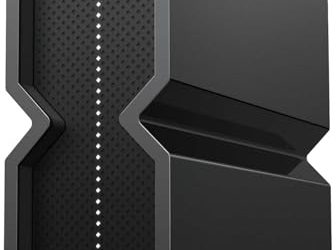
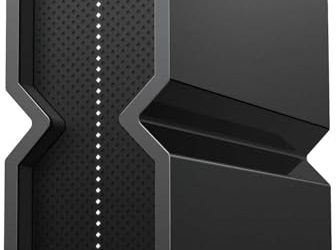
The Archer BE550 is a tri-band Wi-Fi 7 router built around a BE9300 class wireless design, with 5,760 Mbps on the 6 GHz band, 2,880 Mbps on the 5 GHz band, and 574 Mbps on the 2.4 GHz band, according to the listing. Six internal antennas sit inside a vertical tower, and the listing states coverage up to 2,000 square feet. Every Ethernet port runs at 2.5G: one 2.5G WAN port and four 2.5G LAN ports. That port layout is the standout feature here, because no wired connection is capped at gigabit speed, so a multi-gigabit plan can actually reach a wired PC or console.
Wi-Fi 7 features include 320 MHz channels and Multi-Link Operation for steadier connections during gaming and streaming. EasyMesh support allows a compatible node later if a corner of the house stays out of reach, and a USB port covers shared storage.
Pros:
- Tri-band Wi-Fi 7 with a 6 GHz band and 320 MHz channels
- All five Ethernet ports run at 2.5G
- EasyMesh support for later coverage expansion
- Six internal antennas in a compact tower design
- VPN support included
Cons:
- No external antennas, so placement matters more than on models with adjustable antennas
- Wi-Fi 7 benefits only reach devices that support the standard
- Heavier and taller than the value pick, so check shelf space before ordering
2. ASUS RT-AX86U Pro — Best for Gaming and Control
- Dedicated gaming port plus a 2.5G port
- Fast 2.0 GHz quad-core processor with 1 GB of RAM
- Subscription-free AiProtection security
- Deep traffic controls, VPN server and client, and AiMesh expansion
The RT-AX86U Pro is a dual-band Wi-Fi 6 gaming router with an AX5700 class design, built around a 2.0 GHz quad-core processor and 1 GB of RAM. That processing power matters when the router is juggling gaming traffic, streaming, VPN duties, and parental controls at the same time. A dedicated gaming port prioritizes the device plugged into it, and a 2.5G port handles a multi-gigabit modem connection or a fast wired device. Adaptive QoS, port forwarding, and a mobile game mode give gamers fine-grained control over how traffic is handled, and AiMesh support lets the router join a larger ASUS mesh network later.
The software is the strongest argument for this router. AiProtection Pro is subscription-free and covers intrusion prevention and malicious site blocking, and the router supports VPN server and client modes. The ASUS app and web interface expose more settings than the TP-Link or NETGEAR apps in this guide, including per-device bandwidth monitoring. That depth suits households that want to see what is happening on their network and tune it. The trade-off is the absence of a 6 GHz band: this dual-band router cannot use the cleaner 6 GHz channel that the Wi-Fi 6E and Wi-Fi 7 picks provide.
Pros:
Cons:
3. NETGEAR Nighthawk RAXE300 — Best Wi-Fi 6E Pick
- Tri-band Wi-Fi 6E with a dedicated 6 GHz band
- Eight streams and six concealed high-performance antennas
- Listing states coverage up to 2,500 square feet and up to 40 devices
- Five gigabit ports, one 2.5G multi-gig port, plus a USB 3.0 port
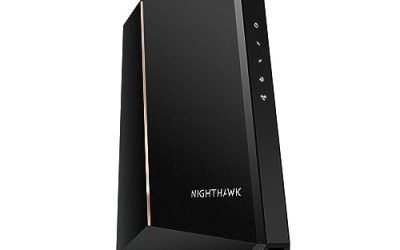
The Nighthawk RAXE300 is a tri-band Wi-Fi 6E router with an AXE7800 class design, combining 2.4 GHz, 5 GHz, and 6 GHz bands for up to 7.8 Gbps of combined wireless throughput, according to the listing. Eight streams and six high-performance antennas concealed under the winged Nighthawk housing drive the coverage, which the listing states at up to 2,500 square feet with support for up to 40 devices. A 1.7 GHz quad-core processor handles the routing load. Five gigabit Ethernet ports, one 2.5G multi-gig port, and one USB 3.0 port cover wired devices and shared storage.
The 6 GHz band is the reason to choose this router over a dual-band Wi-Fi 6 model. Newer laptops, phones, and consoles that support Wi-Fi 6E get a band with far less congestion than the 5 GHz band, which shows up as steadier speeds in a busy household. One caution belongs here: a Renewed listing for this model circulates under a separate ASIN, so match the listing by ASIN B0B1LZMH78 and model RAXE300-100NAS, and confirm the new condition before ordering.
Pros:
Cons:
4. TP-Link Archer AX55 — Best Value
- AX3000 class Wi-Fi 6 with 160 MHz channels on the 5 GHz band
- Four gigabit LAN ports plus a USB 3.0 port
- OFDMA and MU-MIMO for simultaneous multi-device traffic
- EasyMesh support for later expansion
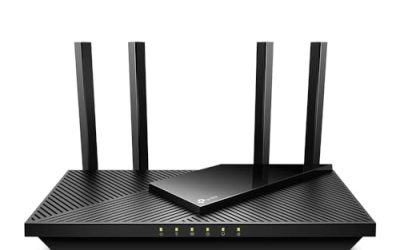
The Archer AX55 is a dual-band Wi-Fi 6 router with an AX3000 class design: 2,402 Mbps on the 5 GHz band with 160 MHz channels, plus 574 Mbps on the 2.4 GHz band. Four high-performance external antennas, OFDMA, and MU-MIMO let it handle many devices at once, and it carries one gigabit WAN port, four gigabit LAN ports, and a USB 3.0 port. HomeShield covers basic network security and parental controls, and EasyMesh support allows later expansion with a compatible node.
This is the right pick for a smaller home, an apartment, or a household whose internet plan tops out at gigabit speed. It delivers the core benefits of Wi-Fi 6 — efficient multi-device handling and strong 5 GHz speeds — without paying for a 6 GHz band or 2.5G ports that a modest plan cannot use. Several similar TP-Link AX3000 listings exist, so match the Archer AX55 name and ASIN exactly when ordering.
Pros:
Cons:
Who Should Choose What
Choose the TP-Link Archer BE550 if you want one router that covers gaming, streaming, remote work, and a growing smart home for years, especially with a multi-gigabit internet plan. Its five 2.5G ports and Wi-Fi 7 radios give it the longest useful life in this guide.
Choose the ASUS RT-AX86U Pro if you game competitively or want the deepest control over your network. The dedicated gaming port, the traffic controls, and the subscription-free security suite matter more for that household than a 6 GHz band.
Choose the NETGEAR Nighthawk RAXE300 if your household has many newer devices and you want the 6 GHz band now without stepping up to Wi-Fi 7. Its tri-band layout and stated device capacity suit busy family networks.
Choose the TP-Link Archer AX55 if your home is smaller, your internet plan tops out at gigabit speed, and you want solid Wi-Fi 6 without paying for features you cannot use.
Common Mistakes
Buying speed you cannot use. A BE9300 class router does not make a gigabit internet plan faster. Check your plan first, then buy the router that matches it, with a little headroom for the next plan upgrade.
Putting the router in a corner. Routers broadcast in all directions, so a router hidden behind a television, inside a cabinet, or on the floor covers far less of a home than the same router on an open shelf near the center of the house.
Ignoring the wired side. A household with a gaming PC, a console, and a streaming box needs enough LAN ports. Count them before ordering, and remember that a router with only gigabit ports caps every wired device at gigabit speed.
Skipping firmware updates. Routers ship with firmware that ages. Install the latest firmware during setup, enable automatic updates if the router supports them, and change the default admin password on day one.
Mixing up similar listings. Several routers in this category have near-identical names and separate listings for new and Renewed units. Match the model name and ASIN exactly, and confirm the condition field before ordering, especially on the RAXE300.
Expecting one router to cover a large multi-floor house. A single router struggles through several floors and thick walls. If dead zones persist after good placement, add a compatible mesh node rather than replacing a router that is otherwise fine.
FAQ
Do I need Wi-Fi 7, or is Wi-Fi 6 enough?
Wi-Fi 6 is enough for most homes today. It handles streaming, gaming, video calls, and dozens of devices without strain. Wi-Fi 7 is worth it if you plan to keep the router for many years, own newer Wi-Fi 7 devices, or have a multi-gigabit internet plan. The Archer BE550 is the pick for that situation, while the Archer AX55 covers the Wi-Fi 6 case at a lower tier.
What is the 6 GHz band, and does it matter?
The 6 GHz band is an extra frequency range that Wi-Fi 6E and Wi-Fi 7 routers use. It is less crowded than the 2.4 GHz and 5 GHz bands, so compatible devices get a cleaner channel with less interference from neighbors. It matters most in apartments and dense neighborhoods, and only for devices that support Wi-Fi 6E or Wi-Fi 7.
How many devices can these routers handle?
The RAXE300 listing states support for up to 40 devices. The other listings in this guide do not state a headline device count. Real capacity depends on what the devices are doing: a network of smart bulbs and sensors is light work, while several simultaneous 4K streams and game downloads are heavy work. Any router here handles a typical household.
Is a mesh system better than a single router?
A mesh system wins in a large or multi-floor home where a single router cannot reach every room. A single powerful router wins in apartments and smaller homes, where it is simpler and easier to manage. Three of the picks here support mesh expansion with compatible nodes, so a single router now does not lock you out of mesh later.
Do I still need a modem with these routers?
Yes, unless your internet provider supplies a combined modem and router unit. These are standalone routers, so they need a modem or an ONT box from your provider to connect to the internet.
Can I use a gaming router if I do not play games?
Yes. A gaming router is a standard router with extra traffic controls and a prioritized port. The RT-AX86U Pro works well as a general home router, and its security suite and monitoring tools are useful for any household.
Conclusion
The best network routers share the same strengths: clean band layout, enough wired ports for the devices that matter, security that needs no subscription for basic protection, and a path to expand coverage later. The TP-Link Archer BE550 leads this guide because it combines Wi-Fi 7, a 6 GHz band, and five 2.5G ports. The ASUS RT-AX86U Pro is the pick for gamers and households that want deep control. The NETGEAR Nighthawk RAXE300 brings the 6 GHz band to a busy Wi-Fi 6E household. The TP-Link Archer AX55 covers smaller homes with Wi-Fi 6 value.
FAQ
Do I need Wi-Fi 7, or is Wi-Fi 6 enough?
What is the 6 GHz band, and does it matter?
How many devices can these routers handle?
Is a mesh system better than a single router?
Do I still need a modem with these routers?
Can I use a gaming router if I do not play games?
More from Amazon
Programs that pair well with the guide above. Offers and eligibility are set by Amazon and may change.
Free shipping on eligible items, Prime Video and more. Eligible new members can start with a free trial.
Start a Prime free trialAd-free music streaming. Eligible new subscribers can start with a free trial.
Try Music Unlimited freeA Prime membership for ages 18-24 with a trial period. Eligibility is set by Amazon.
See Prime for Young AdultsAudiobooks and podcasts to listen to on the go. Eligible new members can start with a free trial.
Try Audible freeAs an Amazon Associate we earn from qualifying purchases.