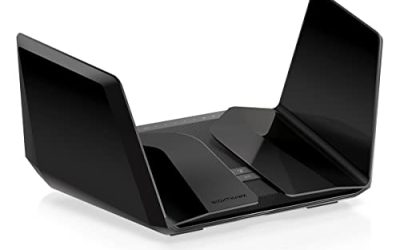
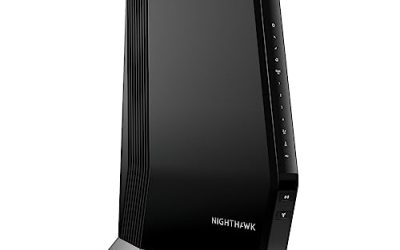
Our Short List of 3

- Best for: Apartments and smaller homes on gigabit plans that want Wi-Fi 7 and multi-gig ports at a modest cost.
- Wi-Fi 7, dual-band BE3600, up to 2882 Mbps on 5 GHz
- 2.5 gigabit WAN port plus a second 2.5 gigabit LAN port and three gigabit LAN ports
- Quad-core 2.0 GHz processor, USB 3.0 port, EasyMesh support
- WPA3 security, HomeShield, VPN server, MLO multi-link operation

- Best for: Homes that want a proven, fast Wi-Fi 6 router with strong gaming features and lifetime security included.
- Wi-Fi 6, dual-band AX5700, up to 4804 Mbps on 5 GHz with 160 MHz channels
- One configurable 2.5 gigabit WAN/LAN port, four gigabit LAN ports, one dedicated gaming port
- 2.0 GHz quad-core processor, 1 GB memory, AiMesh support
- AiProtection Pro lifetime security, adaptive QoS, Mobile Game Mode
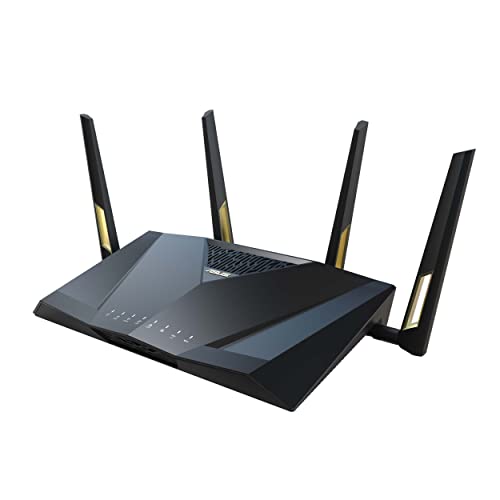
- Best for: Larger homes with many wired devices and a multi-gigabit plan that needs two fast ports.
- Wi-Fi 6, dual-band AX6000, up to 4804 Mbps on 5 GHz with 160 MHz channels
- Two 2.5 gigabit WAN/LAN ports, four gigabit LAN ports, USB 3.2 port
- 2.0 GHz quad-core processor, 1 GB memory, WAN aggregation and load balancing
- AiProtection Pro lifetime security, adaptive QoS, AiMesh support
All 4 Picks at a Glance
| Product | Specs | Action |
|---|---|---|
| 1. TP-Link Archer BE230 — Best Budget Wi-Fi 7 Pick for Gigabit Plans |
| Check price on Amazon |
| 2. ASUS RT-AX86U Pro — Best All-Round Wi-Fi 6 Pick for Fast Plans |
| Check price on Amazon |
| 3. ASUS RT-AX88U Pro — Best for Many Wired Devices on a Fast Plan |
| Check price on Amazon |
 4. NETGEAR Nighthawk RS300 — Best Tri-Band Wi-Fi 7 Pick for Large, Busy Homes |
| Check price on Amazon |
Our Top Picks
The best routers for high speed internet do one job that most routers never get tested on: they pass the full speed of a fast plan through to your devices instead of quietly capping it. A gigabit plan is only as fast as the slowest link in the chain, and the router is usually that link. An older router with a gigabit WAN port can never deliver more than a gigabit to the home, and in practice it delivers less once Wi-Fi overhead, distance, and a dozen connected devices take their share. If you pay for a gigabit or faster plan and your speed tests never get close to it, the router is the first place to look.
This guide takes a narrower angle than a general home router roundup: every router below has at least one 2.5 gigabit WAN port, so it can accept a multi-gigabit connection and still have headroom above a gigabit plan. Every pick is a standalone router that plugs into your existing modem or fiber terminal. The four picks cover a budget Wi-Fi 7 entry point, two proven Wi-Fi 6 workhorses with multi-gig ports, and a tri-band Wi-Fi 7 router for larger homes.
How to Choose a Router for High Speed Internet
Start with your plan speed, not the box
Before comparing routers, confirm the speed of the plan you actually pay for. Plans sold as gigabit usually deliver around 940 megabits per second over a wired connection because of network overhead, and plans sold as 2 gigabit or faster need a router with a matching multi-gigabit WAN port. A router whose fastest port is 1 gigabit will cap any plan above that speed, no matter how impressive its wireless speed rating looks on the box.
The WAN port is the bottleneck that matters most
The WAN port is where the internet enters the router, so its speed is the ceiling for the whole home. A 2.5 gigabit WAN port handles gigabit plans with room to spare and accepts plans up to 2.5 gigabits. Some routers in this guide have two 2.5 gigabit ports, which lets one serve as the WAN input while the other gives a wired device such as a gaming PC or network storage drive a faster-than-gigabit link. Check the port layout before buying, because a router can advertise a 2.5 gigabit port that is shared between WAN and LAN duties, meaning it can serve one role or the other but not both at once.
Wi-Fi 6, Wi-Fi 6E, and Wi-Fi 7 in plain terms
Wi-Fi 6 is the current mainstream standard and is fast enough for gigabit plans when the router has wide 160 MHz channels and a strong radio. Wi-Fi 6E adds the 6 GHz band, a cleaner lane with less interference from neighbors, which helps in apartments and dense housing. Wi-Fi 7 adds wider channels, multi-link operation that lets a device use two bands at once, and better handling of many simultaneous connections. None of these standards makes a slow internet plan faster. What they do is reduce the loss between the router and your devices, so more of the plan speed survives the trip across the room.
Coverage is a rating, not a promise
Manufacturers quote coverage in square feet for open floor plans with few walls, so treat the number as a best case. A single router covers a small apartment or a single-story home well, but thick walls, brick, metal, and multiple floors cut range quickly. If the farthest bedroom or office is two rooms and a floor away, a router with mesh expansion support lets you add a matching node later instead of replacing the whole setup.
Processor and memory decide how it behaves under load
A fast plan with many devices stresses the router’s processor, not just its radios. Video calls, game downloads, cloud backups, and smart home gadgets all create simultaneous connections, and a weak processor shows up as lag spikes and dropped connections when the household is busy. A quad-core processor with at least 1 GB of memory is a reasonable floor for a high speed home network.
Security and controls without a subscription
Every router here includes security features that do not require a paid subscription. Look for WPA3 encryption, automatic security updates, and a guest network so visitors use a separate network from your main devices. Parental controls and a built-in VPN server are useful extras in a family home.
What a new router cannot fix
A router cannot fix a slow plan, a faulty modem, or a provider outage. It also cannot fix a device with an old wireless adapter or a laptop sitting behind three walls. Before buying, run a wired speed test directly from the modem to confirm the plan delivers what you pay for. If the wired test is slow, the problem is upstream of the router. If the wired test is fast and Wi-Fi is slow, a new router is the right fix.
The 4 Best Routers for High Speed Internet
1. TP-Link Archer BE230 — Best Budget Wi-Fi 7 Pick for Gigabit Plans
- Best for: Apartments and smaller homes on gigabit plans that want Wi-Fi 7 and multi-gig ports at a modest cost.
- Wi-Fi 7, dual-band BE3600, up to 2882 Mbps on 5 GHz
- 2.5 gigabit WAN port plus a second 2.5 gigabit LAN port and three gigabit LAN ports
- Quad-core 2.0 GHz processor, USB 3.0 port, EasyMesh support
- WPA3 security, HomeShield, VPN server, MLO multi-link operation
Apartments and smaller homes on gigabit plans that want Wi-Fi 7 and multi-gig ports at a modest cost.
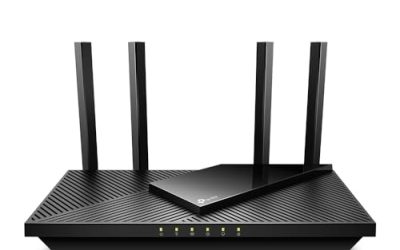
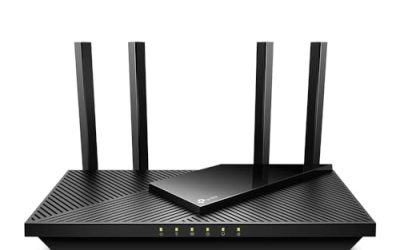
The TP-Link Archer BE230 is the most affordable way to get a genuine Wi-Fi 7 router with multi-gigabit wired ports. It is a dual-band BE3600 router, which means it covers the 2.4 GHz and 5 GHz bands with combined wireless speeds up to 3.6 gigabits per second. It has no 6 GHz band, but the two 2.5 gigabit ports are the real story for high speed internet.
Setup runs through the TP-Link Tether app or a web interface, and the router supports EasyMesh, so a second compatible TP-Link unit can extend coverage later. It includes HomeShield security features, a VPN server, and a USB 3.0 port for sharing a drive across the network. TP-Link rates coverage up to 2,000 square feet, which fits apartments and smaller homes.
The trade-off is range and capacity. Four antennas and a dual-band design mean this is not the pick for a large multi-story home or for a household with more than a hundred connected devices. It is the right pick for a smaller home on a gigabit plan where the goal is to stop the router from being the bottleneck without paying flagship money. Check it out on Amazon: TP-Link Archer BE230
Key specs:
2. ASUS RT-AX86U Pro — Best All-Round Wi-Fi 6 Pick for Fast Plans
- Best for: Homes that want a proven, fast Wi-Fi 6 router with strong gaming features and lifetime security included.
- Wi-Fi 6, dual-band AX5700, up to 4804 Mbps on 5 GHz with 160 MHz channels
- One configurable 2.5 gigabit WAN/LAN port, four gigabit LAN ports, one dedicated gaming port
- 2.0 GHz quad-core processor, 1 GB memory, AiMesh support
- AiProtection Pro lifetime security, adaptive QoS, Mobile Game Mode
Homes that want a proven, fast Wi-Fi 6 router with strong gaming features and lifetime security included.
The ASUS RT-AX86U Pro is a dual-band Wi-Fi 6 router rated AX5700, and it remains one of the most balanced routers for a high speed plan. It pairs a 2.0 GHz quad-core processor with 1 GB of memory, so it stays responsive when game downloads, video calls, and streaming run at the same time. ASUS states that it supports internet connections up to 2 gigabits through WAN aggregation, and its configurable 2.5 gigabit port can serve as a WAN or LAN connection. Wireless speeds reach up to 4804 Mbps on the 5 GHz band with 160 MHz channels, which is enough to carry a gigabit plan to a modern laptop in the same room.
Gaming features are a real strength here rather than decoration. A dedicated gaming LAN port gives a console or PC priority, adaptive quality of service shapes traffic so a download does not choke a live game, and Mobile Game Mode lowers latency for phones. AiProtection Pro provides network security for the life of the product with no subscription, and AiMesh support means the router can join a mesh network with other ASUS routers if coverage needs to grow.
The main limitation is the single 2.5 gigabit port. It can be the WAN input or a fast LAN link, but not both, so a household with a multi-gigabit plan and a wired multi-gig device will have to choose. For a gigabit plan, that is not a problem in practice. Check it out on Amazon: ASUS RT-AX86U Pro
Key specs:
3. ASUS RT-AX88U Pro — Best for Many Wired Devices on a Fast Plan
- Best for: Larger homes with many wired devices and a multi-gigabit plan that needs two fast ports.
- Wi-Fi 6, dual-band AX6000, up to 4804 Mbps on 5 GHz with 160 MHz channels
- Two 2.5 gigabit WAN/LAN ports, four gigabit LAN ports, USB 3.2 port
- 2.0 GHz quad-core processor, 1 GB memory, WAN aggregation and load balancing
- AiProtection Pro lifetime security, adaptive QoS, AiMesh support
Larger homes with many wired devices and a multi-gigabit plan that needs two fast ports.
The ASUS RT-AX88U Pro is the wired-connectivity pick in this guide. It is a dual-band Wi-Fi 6 router rated AX6000, with combined speeds up to 1148 Mbps on 2.4 GHz and 4804 Mbps on 5 GHz, driven by a 2.0 GHz quad-core processor with 1 GB of memory. Where it stands apart is the port layout: two 2.5 gigabit ports that can be configured for WAN and LAN duty, plus four gigabit LAN ports and a USB 3.2 port.
WAN aggregation and load balancing add flexibility for households with two internet connections or a provider that supports bonded WAN links. The same AiProtection Pro lifetime security, adaptive QoS, parental controls, and AiMesh expansion found on the RT-AX86U Pro are included here.
Choose this model when the network has several devices that never move: a desktop PC, a console, a smart TV, and network storage all benefit from wired links, and this router has enough fast ports to serve them without a separate switch. Check it out on Amazon: ASUS RT-AX88U Pro
Key specs:
4. NETGEAR Nighthawk RS300 — Best Tri-Band Wi-Fi 7 Pick for Large, Busy Homes
- Best for: Large homes with multi-gigabit plans, many devices, and Wi-Fi 7 phones and laptops.
- Wi-Fi 7, tri-band BE9300, up to 9.3 Gbps combined across 2.4, 5, and 6 GHz
- Dedicated 2.5 gigabit WAN port, two 2.5 gigabit LAN ports, two gigabit LAN ports
- Quad-core 2.0 GHz processor, coverage up to 2,500 sq. ft., up to 100 devices
- USB 3.0 port, Nighthawk app management, WPA3 security
Large homes with multi-gigabit plans, many devices, and Wi-Fi 7 phones and laptops.
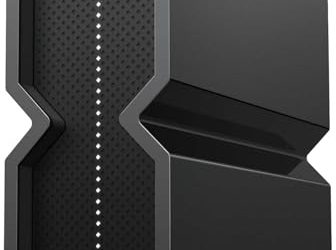
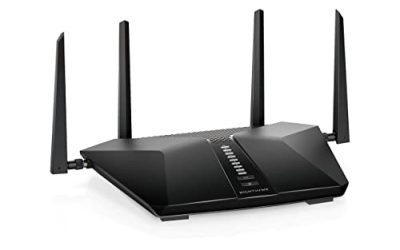
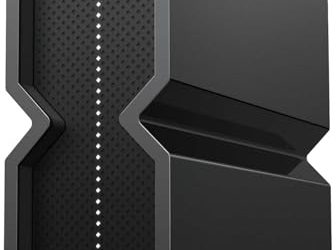
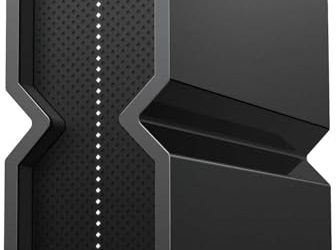
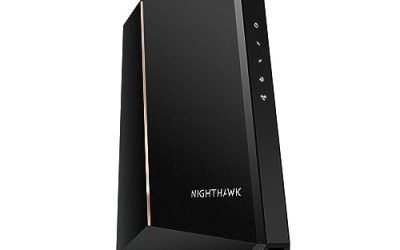
The NETGEAR Nighthawk RS300 is the tri-band Wi-Fi 7 router in this guide, rated BE9300 across the 2.4 GHz, 5 GHz, and 6 GHz bands. Combined wireless speeds reach up to 9.3 gigabits per second, and the 6 GHz band gives newer phones and laptops a clean lane away from the crowded 2.4 GHz and 5 GHz bands. A quad-core 2.0 GHz processor drives the router, and NETGEAR rates it for up to 100 connected devices and coverage up to 2,500 square feet in open layouts.
The wired side is built for multi-gigabit plans: a dedicated 2.5 gigabit WAN port takes the internet input, and two 2.5 gigabit LAN ports plus two gigabit LAN ports serve wired devices. A USB 3.0 port supports shared storage, and the Nighthawk app handles setup and management. Because the WAN port is dedicated rather than shared with LAN duty, a multi-gigabit plan and a wired multi-gig device can run at full speed at the same time.
The RS300 is a router only, so it needs a separate modem or a provider gateway set to bridge mode, connected by Ethernet. It is also the largest and most expensive pick here, which makes it the wrong choice for a small apartment. For a larger home with a fast plan, many devices, and newer Wi-Fi 7 hardware, it is the most complete option in this guide. Check it out on Amazon: NETGEAR Nighthawk RS300
Key specs:
Comparison Table
| Router | Wi-Fi | Bands | Combined Speed | 2.5G WAN | Extra 2.5G LAN | Coverage | Mesh Expansion |
|---|---|---|---|---|---|---|---|
| TP-Link Archer BE230 | Wi-Fi 7 | Dual-band | BE3600 | Yes | 1 port | Up to 2,000 sq. ft. | EasyMesh |
| ASUS RT-AX86U Pro | Wi-Fi 6 | Dual-band | AX5700 | Yes, shared | None | Large home | AiMesh |
| ASUS RT-AX88U Pro | Wi-Fi 6 | Dual-band | AX6000 | Yes | 1 port | Large home | AiMesh |
| NETGEAR Nighthawk RS300 | Wi-Fi 7 | Tri-band | BE9300 | Yes, dedicated | 2 ports | Up to 2,500 sq. ft. | Nighthawk app |
Which Router Fits Your Plan
Match the router to the plan first and the home second. On a gigabit plan in an apartment or small home, the Archer BE230 delivers Wi-Fi 7 and multi-gig ports without flagship cost. Where gaming latency matters and security without a subscription is a priority, the RT-AX86U Pro is the balanced choice. If the network has several wired devices that deserve fast ports, the RT-AX88U Pro solves that with two 2.5 gigabit ports. On a plan faster than a gigabit, or in a large home full of Wi-Fi 7 devices, the Nighthawk RS300 uses its dedicated WAN port and 6 GHz band to carry the full speed.
Frequently Asked Questions
Do I need a 2.5 gigabit port for a gigabit internet plan?
Strictly, no. A gigabit WAN port can carry a gigabit plan, but only just, and real-world overhead means the router has no headroom. A 2.5 gigabit WAN port removes that ceiling, so the router is never the reason a speed test falls short. If the plan is already faster than a gigabit, a multi-gigabit WAN port is not optional, it is required.
Is Wi-Fi 7 worth it for high speed internet?
Wi-Fi 7 is worth it when your devices support it and your plan is fast enough to benefit. Multi-link operation and wider channels reduce the speed lost between the router and the device, which matters most on gigabit and faster plans. If your phones and laptops are a few years old and support only Wi-Fi 6, a good Wi-Fi 6 router with a 2.5 gigabit port delivers the same plan speed for less money.
Can a new router make my internet faster than my plan?
No. A router can only deliver the speed the plan provides, and a good router delivers more of it to each device. If a wired test from the modem already shows the full plan speed, the plan is fine and the router or the Wi-Fi environment is the limit. If the wired test is slow, the problem is the plan, the modem, or the provider line, and no router will fix it.
Should I choose a standalone router or a mesh system?
A single powerful router is the right choice when one well-placed unit covers the home, which is true for most apartments and single-story homes. A mesh system is better when the home has multiple floors, thick walls, or dead zones that one router cannot reach. Two picks in this guide support mesh expansion, so a single router can grow into a mesh network later if coverage turns out to be a problem.
Conclusion
The best routers for high speed internet are the ones that get out of the way of a fast plan. A 2.5 gigabit WAN port is the feature that separates them from ordinary routers, because it is the only way to pass a gigabit or faster connection through without capping it at the front door. The TP-Link Archer BE230 is the budget Wi-Fi 7 entry point, the ASUS RT-AX86U Pro is the balanced all-round pick, the ASUS RT-AX88U Pro serves homes with many wired devices, and the NETGEAR Nighthawk RS300 covers large homes on multi-gigabit plans. Confirm the plan speed, check the port layout, and pick the router whose strengths match the home.
Disclosure: As an Amazon Associate, we earn from qualifying purchases.
FAQ
Do I need a 2.5 gigabit port for a gigabit internet plan?
Is Wi-Fi 7 worth it for high speed internet?
Can a new router make my internet faster than my plan?
Should I choose a standalone router or a mesh system?
More from Amazon
Programs that pair well with the guide above. Offers and eligibility are set by Amazon and may change.
Free shipping on eligible items, Prime Video and more. Eligible new members can start with a free trial.
Start a Prime free trialAd-free music streaming. Eligible new subscribers can start with a free trial.
Try Music Unlimited freeA Prime membership for ages 18-24 with a trial period. Eligibility is set by Amazon.
See Prime for Young AdultsAudiobooks and podcasts to listen to on the go. Eligible new members can start with a free trial.
Try Audible freeAs an Amazon Associate we earn from qualifying purchases.