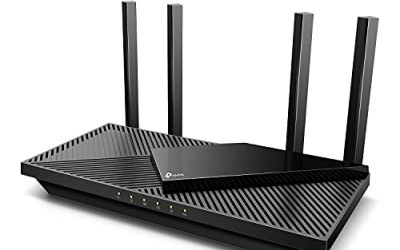
Our Short List of 3
All 4 Picks at a Glance
| Product | Specs | Action |
|---|---|---|
 TP-Link ER605 Omada Gigabit VPN Router | Check price on Amazon | |
 MikroTik hEX RB750Gr3 | Check price on Amazon | |
 TP-Link ER7206 Omada Gigabit VPN Router | Check price on Amazon | |
 Ubiquiti EdgeRouter X | Check price on Amazon |
Key takeaways
- Compare the best non wireless routers: wired gigabit routers for stable Ethernet connections, VPN support, and reliable home or office networking.
The best non wireless routers are built for one job: moving data over Ethernet cables with speed and stability that a radio signal cannot match. If your home office, gaming setup, media server, or small business runs on wired connections, a dedicated wired router removes the weakest link in the chain. There is no radio to interfere with neighboring networks and no signal that fades through walls.
A wired router still does everything a conventional router does. It assigns addresses to devices on your local network, manages traffic between your home network and your internet connection, protects the network with a firewall, and often supports virtual private network connections for remote work. The difference is that every connection it makes is physical. Each device plugs into a port, and each port delivers its full rated speed without sharing airtime with anything else.
This guide covers the best non wireless routers for homes and small offices, from compact five-port units to rack-ready models with fiber uplinks and multi-WAN failover. Every pick is wired-only, with no built-in Wi-Fi radio; you can add an access point later if you need wireless coverage.
How to Choose
Port Count and Port Speed
Count the wired devices you need to connect today, then add two or three spare ports for growth. A five-port router covers a modem connection plus four devices, which suits a small desk setup. Larger homes and offices with a switch in the mix can get by with fewer router ports, since the switch expands the network. Gigabit Ethernet is the baseline for any modern wired router. If your internet plan exceeds gigabit speed, or you move large files between local devices, look for 2.5-gigabit ports or an SFP port for a fiber module.
WAN Flexibility and Multi-WAN Support
The WAN port is where your internet connection plugs in. Some wired routers offer a single fixed WAN port, while others let you reassign LAN ports as extra WAN ports. Multi-WAN support matters if you have two internet connections, or if you want a mobile broadband dongle as a backup. Load balancing spreads traffic across both connections, while failover keeps the network online when the primary line drops. A single WAN port suits a home with one internet plan; multi-WAN support is worth it for a small business or anyone working from home with no tolerance for outages.
VPN Support
A wired router with VPN support lets remote workers connect securely to a home or office network, and lets a small business link branch offices over encrypted tunnels. Look for the protocols the router supports. IPsec and OpenVPN are the most common choices for site-to-site and remote-access setups, while WireGuard has become popular for its speed and simple configuration. Check how many simultaneous tunnels the router supports and whether its VPN throughput is high enough for the work you plan to do through it.
Management Software and Ease of Use
Wired routers range from plug-and-play boxes with a simple web interface to professional units that expect you to configure firewall rules, VLANs, and quality-of-service policies by hand. A small office without an IT specialist will get more value from a router with a clean dashboard, a phone app, and sensible defaults, while an enthusiast may prefer a router that exposes every setting. Some brands also offer a central controller that manages the router alongside switches and access points from one screen, which is a genuine advantage if you plan to expand.
Power over Ethernet
Power over Ethernet, usually shortened to PoE, lets a router send power through the same cable that carries data. This matters when you plan to add access points, cameras, or voice-over-IP phones, because those devices can run from a single cable instead of needing a wall outlet. Some wired routers accept PoE input on their WAN port, which lets them sit in a spot with no nearby outlet. Others pass PoE through to a connected access point. If you have no PoE devices, this feature adds nothing; if you plan to add access points later, it saves you from buying a separate PoE injector or switch.
Throughput and Processing Power
A router’s headline port speed is not the same as the speed it can sustain while inspecting traffic. The processor, memory, and hardware acceleration determine how fast the router can move packets when the firewall, VPN, and quality-of-service features are all active. A budget wired router may advertise gigabit ports yet slow down once its security features are turned on, so look for throughput figures with features enabled and favor a dual-core or quad-core processor with at least 256 MB of memory. For a gigabit internet plan with VPN traffic, a stronger processor is not a luxury; it is what keeps the connection at full speed.
Form Factor and Placement
Wired routers come in three shapes: compact desktop boxes, wall-mountable units, and rack-mountable hardware. A desktop box suits a home office shelf or a media cabinet. A rack-mountable router belongs in a server rack or a network closet, and it often includes mounting brackets in the box. Fanless designs run silently and suit living spaces, while rack units with fans belong in a closet or rack. An external power adapter is easy to replace, while an internal supply keeps the desk tidy.
Top Picks
TP-Link ER605 Omada Gigabit VPN Router
TP-Link ER605 Omada Gigabit VPN Router
The TP-Link ER605 is the most versatile wired router in this guide for its size and feature set. It packs five gigabit Ethernet ports into a compact metal case, and the port roles are flexible: depending on the hardware version, up to three ports can serve as WAN connections, with the rest acting as LAN ports. A USB port adds a fourth WAN option for a mobile broadband dongle, a useful backup for a home office.
VPN support is thorough. The router handles IPsec, OpenVPN, L2TP, and PPTP tunnels, with enough simultaneous connections for a small team working remotely. The SPI firewall and DoS defense add a layer of protection that a basic consumer gateway does not offer. Load balancing and failover are built in, so two internet lines can share traffic or cover for each other automatically.
The ER605 also integrates with TP-Link’s Omada software-defined networking platform. With a controller in place, the router, switches, and access points in the same network can be managed from one dashboard. Without a controller, the router still works as a standalone unit managed through its web interface.
Who it is for: home offices, small businesses, and enthusiasts who want multi-WAN support, VPN tunnels, and Omada integration in a compact wired router.
Caveats: there is no built-in Wi-Fi, so wireless devices need a separate access point. The exact port layout varies between hardware versions, so confirm the port map for the unit you receive before planning the wiring. Omada app and cloud management require a separate controller.
MikroTik hEX RB750Gr3
The MikroTik hEX, model RB750Gr3, is a five-port gigabit Ethernet router designed for locations where wireless connectivity is not required. It is a favorite among enthusiasts because it runs RouterOS, one of the most capable router operating systems available at this size. RouterOS supports VLANs, firewall rules, quality-of-service policies, VPN tunnels, and scripting, which gives an experienced user almost unlimited control over the network.
The hardware is modest on paper and efficient in practice. A dual-core processor running at 880 MHz and 256 MB of memory handle gigabit routing with hardware acceleration, and the unit includes a USB port, a microSD slot, and PoE input on the first port. That PoE input lets the router sit in a spot with no wall outlet, powered by a PoE switch or injector.
RouterOS is the hEX’s greatest strength and its steepest learning curve. The interface exposes hundreds of settings, and the defaults are less forgiving than a consumer router.
Who it is for: enthusiasts, home lab builders, and small offices that want deep configuration control and RouterOS features in a compact, low-cost wired router.
Caveats: the learning curve is steep, and the default configuration is less beginner-friendly than most rivals. There is no built-in Wi-Fi, and the five ports are all gigabit, so faster-than-gigabit internet plans will be limited by the port speed.
TP-Link ER7206 Omada Gigabit VPN Router
TP-Link ER7206 Omada Gigabit VPN Router
The TP-Link ER7206 steps up from the ER605 with more ports, a fiber option, and stronger VPN performance. It offers one gigabit SFP port and five gigabit RJ45 ports, with up to four ports configurable as WAN connections. That SFP port accepts a fiber module, which suits offices with a fiber internet connection or a fiber link to another building. A USB 3.0 port supports a mobile broadband dongle or USB storage.
VPN support covers IPsec, SSL, GRE, WireGuard, PPTP, L2TP, and OpenVPN, which is a broader protocol list than most routers in this class. The ER7206 also supports load balancing and failover across its WAN ports, and it integrates with the Omada platform for centralized management alongside switches and access points.
The unit ships with a rackmount kit and the same clean Omada web dashboard as the smaller ER605. For a small business that has outgrown a five-port router, or a home with a fiber connection and several wired devices, the ER7206 is a logical next step.
Who it is for: small businesses and advanced home networks that need a fiber uplink, four WAN ports, broad VPN protocol support, and rack mounting.
Caveats: there is no built-in Wi-Fi, so access points are needed for wireless devices. The feature set is deeper than a home user may need, and Omada app and cloud management require a separate controller. The unit is larger than a desktop router, so plan for rack or shelf space.
Ubiquiti EdgeRouter X
The Ubiquiti EdgeRouter X, model ER-X, is a compact five-port gigabit router that runs EdgeOS, a fork of a well-known open-source routing platform. It is one of the most popular wired routers among home network enthusiasts, and the reason is simple: it delivers professional routing features in a small, quiet, affordable box. EdgeOS supports VLANs, firewall policies, quality-of-service rules, VPN tunnels, and dynamic routing protocols, all managed through a web interface or a command line.
The hardware is built around a dual-core processor running at 880 MHz with 256 MB of memory, which is enough to route a gigabit connection with hardware offloading enabled. The fifth port supports passive PoE passthrough, which lets the router power a connected access point from the same cable that carries its data, as long as the router itself is powered by a 24-volt PoE source. That detail makes the EdgeRouter X a neat fit for a single access point setup with minimal cabling.
EdgeOS rewards users who are comfortable with networking concepts, and the community around the EdgeRouter line is large and helpful. It is also fanless, so it runs silently on a desk or a shelf.
Who it is for: enthusiasts and home users who want a capable, quiet, low-cost wired router with professional features and a strong community behind it.
Caveats: there is no built-in Wi-Fi, and the interface assumes some networking knowledge. Throughput drops noticeably if hardware offloading is disabled or if heavy firewall rules are applied. Confirm the exact listing and model before buying, since similar EdgeRouter X variants exist with different port layouts.
Ubiquiti EdgeRouter 4
The Ubiquiti EdgeRouter 4, model ER-4, is the most powerful wired router in this guide, and it is aimed at users who need serious routing performance without a rack-sized box. It carries three gigabit RJ45 routing ports and one gigabit SFP port, backed by a quad-core processor running at 1 GHz, 1 GB of memory, and 4 GB of onboard storage. Ubiquiti rates its forwarding performance at up to 3.4 million packets per second, with a line rate of 4 Gbps for larger packets.
That performance makes the ER-4 a strong choice for a gigabit or multi-gigabit internet connection with VPN traffic, heavy firewall rules, and quality-of-service policies all running at once. The SFP port accepts a fiber module for a fiber uplink or a fiber link to a switch. EdgeOS provides the same professional feature set as the smaller EdgeRouter X, including VLANs, firewall policies, dynamic routing, and VPN support, with a web interface and command-line access.
The compact metal case is fanless, so the ER-4 runs silently on a desk or in a network closet. For a home with a fast internet plan, a media server, and several wired devices, the ER-4 removes the router as a bottleneck.
Who it is for: power users, home lab builders, and small businesses that need high throughput, an SFP fiber port, and professional EdgeOS features in a quiet, compact wired router.
Caveats: there is no built-in Wi-Fi, and EdgeOS assumes networking knowledge. The port count is modest for the performance on offer, so a switch is usually needed alongside it. Confirm the listing matches the ER-4 model, since Ubiquiti sells several EdgeRouter variants with similar names.
Comparison Table
| Router | Ports | WAN Options | VPN Protocols | PoE | Management |
|---|---|---|---|---|---|
| TP-Link ER605 | 5x Gigabit RJ45 | Up to 3 WAN plus USB WAN | IPsec, OpenVPN, L2TP, PPTP | No | Web UI, Omada controller |
| MikroTik hEX RB750Gr3 | 5x Gigabit RJ45 | 1 WAN | IPsec, OpenVPN, L2TP, PPTP | PoE in on port 1 | Web UI, RouterOS |
| TP-Link ER7206 | 5x Gigabit RJ45, 1x SFP | Up to 4 WAN plus USB WAN | IPsec, SSL, GRE, WireGuard, OpenVPN, L2TP, PPTP | No | Web UI, Omada controller |
| Ubiquiti EdgeRouter X | 5x Gigabit RJ45 | 1 WAN | IPsec, OpenVPN, L2TP, PPTP | PoE passthrough on port 5 | Web UI, EdgeOS, CLI |
| Ubiquiti EdgeRouter 4 | 3x Gigabit RJ45, 1x SFP | 1 WAN | IPsec, OpenVPN, L2TP, PPTP | No | Web UI, EdgeOS, CLI |
Which One Is Right for You?
Choose the TP-Link ER605 if you want the most flexible small wired router for a home office. Its multi-WAN support, VPN tunnels, and Omada integration cover the needs of remote workers and small teams, and its compact size keeps it out of the way.
Choose the MikroTik hEX RB750Gr3 if you enjoy configuring networks and want RouterOS control at a low cost. It is the best fit for a home lab, a hobbyist setup, or a small office with someone comfortable managing firewall rules and VLANs.
Choose the TP-Link ER7206 if you need a fiber uplink, four WAN ports, or the widest VPN protocol support in this guide. It suits a small business, a fiber-connected home, or a network that is growing beyond what a five-port desktop router can handle.
Choose the Ubiquiti EdgeRouter X if you want a quiet, capable, low-cost wired router with a large community behind it. It is a strong match for a home network with one internet connection and a single access point powered through PoE passthrough.
Choose the Ubiquiti EdgeRouter 4 if raw routing performance is the priority. It handles fast internet plans, VPN traffic, and heavy firewall rules without slowing down, and its SFP port opens the door to fiber connections.
Whichever router you pick, pair it with a good switch if you have more wired devices than ports, and add an access point if you still need wireless coverage in part of the home.
Frequently Asked Questions
Do non wireless routers work with a regular internet connection?
Yes. A wired router connects to your modem or fiber terminal with an Ethernet cable, exactly like the WAN port on a conventional router. Devices connect through cables, or through a switch and access points you add yourself.
Can I add Wi-Fi to a wired router later?
Yes. Connect a wireless access point to any LAN port, and it broadcasts the wireless network while the router handles addressing, firewalling, and traffic management. This lets you place the access point where coverage is best, instead of where the router happens to sit.
Is a wired router faster than a wireless router?
For devices connected by cable, a wired router delivers its full port speed without the interference, distance limits, or shared airtime that affect wireless connections. The router itself does not make the internet faster, but it removes the wireless link as a bottleneck between wired devices and the internet connection.
How many ports do I need on a wired router?
Count the wired devices that must connect directly, plus the modem, and add two spare ports for growth. If the count exceeds the router’s ports, add a gigabit switch to one LAN port, which expands the network cheaply.
Disclosure: As an Amazon Associate, we may earn from qualifying purchases.
FAQ
Which One Is Right for You?
Do non wireless routers work with a regular internet connection?
Can I add Wi-Fi to a wired router later?
Is a wired router faster than a wireless router?
How many ports do I need on a wired router?
More from Amazon
Programs that pair well with the guide above. Offers and eligibility are set by Amazon and may change.
Free shipping on eligible items, Prime Video and more. Eligible new members can start with a free trial.
Start a Prime free trialAd-free music streaming. Eligible new subscribers can start with a free trial.
Try Music Unlimited freeA Prime membership for ages 18-24 with a trial period. Eligibility is set by Amazon.
See Prime for Young AdultsAudiobooks and podcasts to listen to on the go. Eligible new members can start with a free trial.
Try Audible freeAs an Amazon Associate we earn from qualifying purchases.