Our Short List of 3

- Best for: Households upgrading to Wi-Fi 6 on a modest budget.
- AX3000 dual-band Wi-Fi 6, with 2402 Mbps on 5 GHz and 574 Mbps on 2.4 GHz
- 1 Gigabit WAN port and 4 Gigabit LAN ports
- USB 3.0 port for shared storage or a printer
- OFDMA and MU-MIMO for serving many devices at once

- Best for: Gamers and busy households that need low latency and a fast wired port.
- AX5700 dual-band Wi-Fi 6
- 2.5 gigabit WAN/LAN port plus gigabit LAN ports
- AiProtection Pro security with automatic updates
- Adaptive QoS for prioritising gaming or calls

- Best for: Larger homes with many wired devices and several heavy users.
- AX5400 dual-band Wi-Fi 6
- 5 Gigabit Ethernet ports
- 160 MHz channel support on the 5 GHz band
- NETGEAR Armor security features
All 4 Picks at a Glance
| Product | Specs | Action |
|---|---|---|
| TP-Link Archer AX55 |
| Check price on Amazon |
| ASUS RT-AX86U Pro |
| Check price on Amazon |
| NETGEAR Nighthawk RAX50 |
| Check price on Amazon |
 TP-Link Archer AXE75 |
| Check price on Amazon |
Our Top Picks
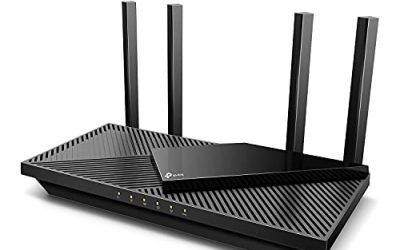
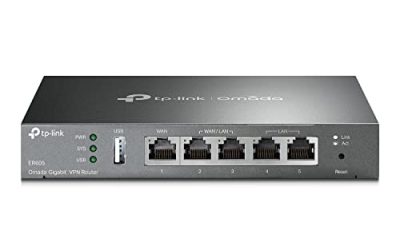
- TP-Link AXE5400 Tri-Band WiFi 6E RouterWiFi 6E, Tri-Band AXE540012.91 x 10.43 x 4.72 inches1.5 poundsCheck on Amazon
A broadband router is the box that decides whether a fast internet plan actually feels fast in every room. The modem brings the connection into the house, but the router shapes it into Wi-Fi coverage, wired ports and controls, so a weak router can waste a good plan while a well-matched one makes the same plan feel far more reliable. Choosing one means matching the router to the plan speed, the size of the home and the number of devices that will share it.
This guide is for households replacing an old or ISP-supplied router, renters setting up their first home network, and gamers or remote workers who need steady latency and strong coverage. Every product below was chosen from the names and specifications shown on its Amazon product page, with a focus on broadband-ready gigabit ports, modern Wi-Fi standards and features that genuinely help a home connection.
Quick Picks
As an Amazon Associate we earn from qualifying purchases
| Product | Best for | Key spec from title |
|---|---|---|
| TP-Link Archer AX55 | A first Wi-Fi 6 upgrade on a budget | AX3000 dual-band Wi-Fi 6 |
| ASUS RT-AX86U Pro | Gaming and heavy households | AX5700 dual-band Wi-Fi 6 |
| NETGEAR Nighthawk RAX50 | Large homes with many wired devices | AX5400 dual-band Wi-Fi 6 |
| TP-Link Archer AXE75 | Newer devices that use the 6 GHz band | AXE5400 tri-band Wi-Fi 6E |
How to Choose
Match the router to the broadband plan
A router cannot deliver more speed than the broadband plan behind it, and it should not become the bottleneck either. Check the plan speed first, then look for a router whose WAN port and Wi-Fi class comfortably exceed it, so the router has headroom for peak hours and future plan upgrades. A gigabit WAN port is the baseline for most fibre and cable plans, while a 2.5 gigabit port suits households on multi-gigabit plans or with a fast network-attached storage box. If the current plan is modest, a mid-range Wi-Fi 6 router is usually the sensible ceiling, because a flagship router adds little when the connection itself is the limit.
Coverage and the layout of the home
Coverage depends on the size and shape of the home, the materials in the walls, and where the router can sit. A single router works well in a small flat or a home with the router placed centrally, while larger or multi-storey homes benefit from mesh-compatible routers that can add satellite units later. Look at the number and placement of external antennas, the supported bands, and whether the router can join a mesh system from the same brand. Thick brick or concrete walls absorb signal far more than plasterboard, so a router with strong range matters more in an older house than in an open-plan new build.
Wired ports and device count
Wi-Fi gets the attention, but the wired ports decide how well desktops, consoles, televisions and work computers behave. Count the devices that will stay plugged in and compare that with the number of gigabit LAN ports, remembering that one port is usually reserved for the modem connection. A router with four LAN ports plus a USB port covers most homes, while a spare USB port lets the household share a printer or an external drive across the network. Households with dozens of connected gadgets should also check that the router supports OFDMA and MU-MIMO, which help it serve many devices at once without long waits.
Security, controls and ease of setup
A broadband router guards everything connected to the home network, so its security and parental controls deserve real attention. Look for built-in network protection, automatic security updates, a guest network for visitors, and the ability to pause internet access for specific devices. The setup process matters too, especially for first-time buyers: a clear phone app with step-by-step guidance beats a dense web interface. Check whether advanced features sit behind a subscription, since some brands charge a recurring fee for their full protection suite while others include the basics free for the life of the device.
The 4 Best Options
TP-Link Archer AX55
- Best for: Households upgrading to Wi-Fi 6 on a modest budget.
- AX3000 dual-band Wi-Fi 6, with 2402 Mbps on 5 GHz and 574 Mbps on 2.4 GHz
- 1 Gigabit WAN port and 4 Gigabit LAN ports
- USB 3.0 port for shared storage or a printer
- OFDMA and MU-MIMO for serving many devices at once
Households upgrading to Wi-Fi 6 on a modest budget.
No 2.5 gigabit port, so it cannot pass through a multi-gigabit plan at full speed.
The Archer AX55 is the sensible starting point for a household moving from an ISP-supplied router to Wi-Fi 6 without spending on features it will never use. It handles everyday broadband well, with enough wireless capacity for streaming, video calls and browsing across several devices at once. Setup runs through the Tether app, which walks a new owner through the connection in a few minutes, and the router supports EasyMesh, so a compatible satellite can extend coverage later if a dead spot appears. It suits flats and smaller houses where one well-placed router covers the whole home.
ASUS RT-AX86U Pro
- Best for: Gamers and busy households that need low latency and a fast wired port.
- AX5700 dual-band Wi-Fi 6
- 2.5 gigabit WAN/LAN port plus gigabit LAN ports
- AiProtection Pro security with automatic updates
- Adaptive QoS for prioritising gaming or calls
Gamers and busy households that need low latency and a fast wired port.
The taller vertical shape needs upright space on a shelf, so measure the spot before ordering.
The RT-AX86U Pro is built for households where gaming, 4K streaming and working from home all compete for the same connection. Its Wi-Fi 6 radio carries a higher combined speed rating than the budget picks, and the 2.5 gigabit port gives a wired gaming PC or a fast storage box a clear path to a multi-gigabit plan. AiMesh support means it can join or lead a mesh network, and the Adaptive QoS settings let the owner prioritise gaming traffic or video calls over background downloads. The vertical design also helps its antennas sit clear of clutter on a desk or shelf.
NETGEAR Nighthawk RAX50
- Best for: Larger homes with many wired devices and several heavy users.
- AX5400 dual-band Wi-Fi 6
- 5 Gigabit Ethernet ports
- 160 MHz channel support on the 5 GHz band
- NETGEAR Armor security features
Larger homes with many wired devices and several heavy users.
Some advanced Armor features need a subscription after the included trial period ends.
The Nighthawk RAX50 fits larger homes where several devices stay wired and the wireless network has to reach through more walls. It carries five gigabit Ethernet ports, so a desktop, console, television and work computer can all stay plugged in without adding a switch. The Wi-Fi 6 radio supports the faster 160 MHz channel width on the 5 GHz band, which helps newer laptops and phones reach higher wireless speeds close to the router. NETGEAR Armor provides built-in security scanning, and the Nighthawk app handles setup and device management from a phone.
TP-Link Archer AXE75
- Best for: Dense neighbourhoods and households with newer Wi-Fi 6E devices.
- AXE5400 tri-band Wi-Fi 6E with a dedicated 6 GHz band
- 1 Gigabit WAN port and 4 Gigabit LAN ports
- USB 3.0 port for shared storage or a printer
- OFDMA and MU-MIMO for serving many devices at once
Dense neighbourhoods and households with newer Wi-Fi 6E devices.
Older devices cannot use the 6 GHz band, so the benefit depends on owning or buying Wi-Fi 6E hardware.
The Archer AXE75 adds the 6 GHz band of Wi-Fi 6E, which gives newer phones, laptops and headsets a cleaner channel with less interference from neighbours. That matters most in flats and dense streets, where the 2.4 GHz and 5 GHz bands are crowded by dozens of nearby networks. The tri-band design keeps older devices on the familiar bands while newer ones move to 6 GHz, and the router still carries gigabit wired ports, a USB 3.0 port and the HomeShield security suite. It is the pick for buyers whose devices already support Wi-Fi 6E or who expect to add some soon.
Which One Fits Your Situation
Replacing an ISP router in a small home
The TP-Link Archer AX55 is the right call here. It covers a flat or small house with Wi-Fi 6, gigabit ports and a simple app setup, and it costs far less than a flagship router while still beating most ISP-supplied boxes. Add a mesh satellite later only if a far room turns out to be a dead spot.
Gaming, streaming and working from home at once
The ASUS RT-AX86U Pro suits this mix. Its higher wireless capacity and 2.5 gigabit port keep a wired gaming PC fast while the rest of the household streams and joins video calls, and the QoS settings let the owner put gaming traffic first during evening sessions.
A large home with many wired devices
The NETGEAR Nighthawk RAX50 fits best. Five gigabit ports cover a desktop, console, television and work computer without a separate switch, and its stronger wireless reach helps the signal travel further through a bigger floor plan. The extra ports also leave room for a network drive or a second console later, so the setup can grow without replacing the router.
A flat full of neighbouring networks
The TP-Link Archer AXE75 is the pick. Its 6 GHz band gives newer devices a clean channel away from the crowded 2.4 GHz and 5 GHz bands, which is exactly the problem in apartment blocks where every neighbour runs their own router. Older devices simply stay on the familiar bands, so nothing in the household loses its connection.
Common Mistakes
- Buying a flagship router for a slow broadband plan, so the connection itself stays the limit.
- Placing the router in a cupboard, behind the television or on the floor, where the signal is blocked before it leaves the room.
- Forgetting to count wired devices, then discovering there are fewer LAN ports than desktops, consoles and televisions.
- Ignoring whether security features need a paid subscription after the trial period.
- Choosing a Wi-Fi 6E router when none of the household devices supports the 6 GHz band yet.
Frequently Asked Questions
Do I need a new router if my broadband plan is already fast?
A fast plan still needs a router that can pass its speed through, so an old router with a slow WAN port or older Wi-Fi can hold the whole home back. Compare the router’s WAN port speed and Wi-Fi class with the plan speed. If they match, the problem is more likely placement or interference.
Is Wi-Fi 6E worth it for a broadband connection?
Wi-Fi 6E adds a 6 GHz band with less interference, which helps most in flats and dense streets where many networks overlap. It does not raise the broadband speed itself, and only newer devices can use the 6 GHz band. Buyers with several Wi-Fi 6E phones or laptops will notice the difference; households with older devices will not.
How many wired ports should a broadband router have?
Four gigabit LAN ports suit most homes, covering a desktop, a console, a television and a work computer with room to spare. Households with more wired devices should look for five ports or plan to add a small gigabit switch. Remember that the WAN port connects to the modem and does not count toward the devices that can be plugged in.
Can I use my own router with my broadband provider?
Most cable and fibre providers allow a personal router, though some require the provider’s modem or gateway to stay in place in bridge mode. Check the provider’s guidance before ordering, and confirm whether the connection needs a specific setting such as PPPoE credentials or a VLAN tag. Keep the provider’s equipment until the new router is working.
FAQ
Do I need a new router if my broadband plan is already fast?
Is Wi-Fi 6E worth it for a broadband connection?
How many wired ports should a broadband router have?
Can I use my own router with my broadband provider?
More from Amazon
Programs that pair well with the guide above. Offers and eligibility are set by Amazon and may change.
Free shipping on eligible items, Prime Video and more. Eligible new members can start with a free trial.
Start a Prime free trialAd-free music streaming. Eligible new subscribers can start with a free trial.
Try Music Unlimited freeA Prime membership for ages 18-24 with a trial period. Eligibility is set by Amazon.
See Prime for Young AdultsAudiobooks and podcasts to listen to on the go. Eligible new members can start with a free trial.
Try Audible freeAs an Amazon Associate we earn from qualifying purchases.