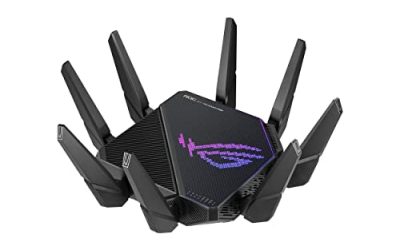
Our Short List of 3

- Best for: A single-floor office that needs reliable Wi-Fi and wired ports for a till and printer.
- AX3000 dual-band Wi-Fi 6 router
- 4 high-gain external antennas
- 4 gigabit LAN ports and 1 gigabit WAN port
- 1 USB 3.0 port

- Best for: A busy office on a fast fibre line that wants traffic prioritisation and mesh expansion.
- AX5700 dual-band Wi-Fi 6 router
- 2.5-gigabit port and 4 gigabit LAN ports
- Adaptive QoS and Mobile Game Mode
- AiMesh compatible

- Best for: A medium-sized office or shop floor with many devices connected all day.
- AX5400 dual-band Wi-Fi 6 router, 6-stream
- Coverage up to 2,500 sq. ft., up to 25 devices
- 4 gigabit LAN ports
- 1 USB 3.0 port
All 3 Picks at a Glance
| Product | Specs | Action |
|---|---|---|
| TP-Link Archer AX55 |
| Check price on Amazon |
| ASUS RT-AX86U |
| Check price on Amazon |
| NETGEAR Nighthawk RAX50 |
| Check price on Amazon |
Key takeaways
- Find the best wireless routers for small business with our guide to coverage, device capacity, VPN support and mesh options for offices of every size.
A small business router has a harder job than a home router. It must keep a dozen or more devices online at once, carry video calls without stuttering, and stay up all day without a reboot. The wrong pick shows up as frozen meetings, card readers that drop offline, and staff hotspotting from their phones. The right one disappears into the background and simply works, day after day. A router that handles the whole team at once keeps calls clear and files moving, even at the busiest hour.
This guide is for owners of small offices, shops, studios and clinics who need steady Wi-Fi for staff and guests alike. We picked the four routers below from the names and specifications on their Amazon pages, weighing coverage, device capacity, wired ports and business-friendly features such as VPN support and guest networks, so you can match a router to the way your workplace actually runs.
Quick Picks
As an Amazon Associate we earn from qualifying purchases
| Product | Best for | Key spec from title |
|---|---|---|
| TP-Link Archer AX55 | Single-floor office with wired till and printer | AX3000 dual-band Wi-Fi 6, 4 gigabit LAN ports |
| ASUS RT-AX86U | Busy office on a fast fibre line | AX5700 dual-band Wi-Fi 6, 2.5-gigabit port |
| NETGEAR Nighthawk RAX50 | Medium office with many devices online | AX5400 dual-band Wi-Fi 6, 6-stream, 2,500 sq. ft. |
| TP-Link Deco X55 3-Pack | Multi-room or two-floor business | AX3000 Wi-Fi 6 mesh, covers up to 6,500 sq. ft. |
How to Choose
Coverage and floor plan
Start with the space the router must cover, not the speed on the box. A single open-plan office of a few hundred square feet is served well by one strong standalone router placed near the centre, while a two-floor office or a shop with a stockroom behind a thick wall needs either a mesh system or a router with enough range to reach the far corner. Check the coverage figure on the listing and treat it as a best-case number for open space. Walls, metal shelving and neighbouring networks all shrink real-world reach, so a router rated for a larger area than your floor plan leaves useful headroom.
Device capacity and speed class
Count every device that will connect, including staff phones, laptops, printers, card readers, cameras and smart displays, then add guests. A router that handles twenty devices comfortably will struggle when a busy morning pushes that number past thirty. The speed class on the listing, such as AX3000 or AX5400, describes combined throughput across bands rather than the speed any single device reaches, so use it to compare models, not to predict a download time. Look for Wi-Fi 6 with OFDMA and MU-MIMO, which share airtime more fairly when many devices talk at once.
Wired ports and VPN support
Wi-Fi carries the laptops, but the fixed equipment in a small business usually works better on a cable. Count the wired devices that need a port: a point-of-sale terminal, a printer, a desktop PC and a network drive add up quickly, and a router with only two LAN ports forces an extra switch into the setup. Four gigabit LAN ports cover most small offices without extra hardware. VPN support matters when staff work from home or a second site, because it lets them reach office files and printers securely. Check whether the listing mentions VPN server and client support before you buy.
Mesh expansion and guest networks
A guest network keeps customer phones off the network that holds your till, your files and your printers, which is a basic piece of business hygiene. Check that the router lets you run a separate guest network with its own name and password. Mesh support matters when the office grows: a router that joins a mesh system lets you add a node later instead of replacing the whole setup. Some standalone routers support mesh with matching models, while mesh kits cover larger spaces from the start. Decide whether you need one strong box now or a system that can stretch across rooms later.
The 4 Best Options
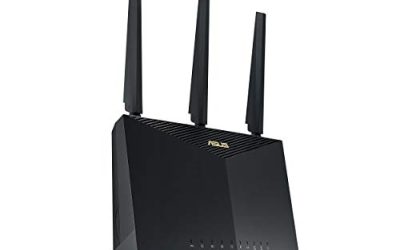
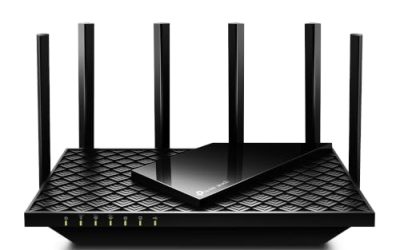
TP-Link Archer AX55
- Best for: A single-floor office that needs reliable Wi-Fi and wired ports for a till and printer.
- AX3000 dual-band Wi-Fi 6 router
- 4 high-gain external antennas
- 4 gigabit LAN ports and 1 gigabit WAN port
- 1 USB 3.0 port
A single-floor office that needs reliable Wi-Fi and wired ports for a till and printer.
Coverage is rated for open space, so thick walls or a second floor will shrink its reach.
The Archer AX55 is the straightforward pick for a small office that wants solid Wi-Fi 6 without a complicated setup. Its AX3000 dual-band radios, four high-gain antennas and four gigabit LAN ports cover a single-floor office with room for wired till and printer connections. VPN server and client support lets remote staff reach office resources securely, and the USB 3.0 port shares a drive or printer across the network. EasyMesh support means a matching node can extend coverage later if the office grows into a second room.
Watch out for: Coverage is rated for open space, so thick walls or a second floor will shrink its reach.
ASUS RT-AX86U
- Best for: A busy office on a fast fibre line that wants traffic prioritisation and mesh expansion.
- AX5700 dual-band Wi-Fi 6 router
- 2.5-gigabit port and 4 gigabit LAN ports
- Adaptive QoS and Mobile Game Mode
- AiMesh compatible
A busy office on a fast fibre line that wants traffic prioritisation and mesh expansion.
It is a large upright unit, so it needs a shelf with depth rather than a cramped corner.
The RT-AX86U suits a small business that runs on a fast fibre line and wants headroom for the future. Its AX5700 dual-band Wi-Fi 6 radios and a 2.5-gigabit port give wired devices a faster lane, while AiMesh support lets it join a wider mesh network as the office grows. Adaptive QoS prioritises video calls and point-of-sale traffic when the network gets busy, and the built-in AiProtection security runs without a subscription. A dedicated gaming port doubles as a priority port for the machine that must never lag.
Watch out for: It is a large upright unit, so it needs a shelf with depth rather than a cramped corner.
NETGEAR Nighthawk RAX50
- Best for: A medium-sized office or shop floor with many devices connected all day.
- AX5400 dual-band Wi-Fi 6 router, 6-stream
- Coverage up to 2,500 sq. ft., up to 25 devices
- 4 gigabit LAN ports
- 1 USB 3.0 port
A medium-sized office or shop floor with many devices connected all day.
All Ethernet ports are gigabit only, so it cannot use a multi-gigabit internet plan at full speed.
The Nighthawk RAX50 is the capacity pick for an office where many devices stay connected all day. Its six-stream AX5400 Wi-Fi 6 design is rated for up to 25 devices and coverage of up to 2,500 square feet, which suits a medium-sized open office or a shop floor. Four gigabit LAN ports and a USB 3.0 port cover wired printers and shared storage, and the Nighthawk app makes setup and guest-network management straightforward. NETGEAR Armor adds a layer of network security across connected devices.
Watch out for: All Ethernet ports are gigabit only, so it cannot use a multi-gigabit internet plan at full speed.
TP-Link Deco X55 3-Pack
The Deco X55 three-pack is the pick for a business spread across several rooms or two floors. Its three mesh units work as one network, covering up to 6,500 square feet, so staff move between rooms without dropping a video call or rejoining a different network name. Each unit carries three gigabit ports, which keeps wired devices connected in every room, and Ethernet backhaul support keeps the link between units fast when cables are available. Setup runs through the Deco app, and the system replaces a separate router and range extenders.
Specs
- AX3000 Wi-Fi 6 mesh system, 3-pack
- Coverage up to 6,500 sq. ft.
- 3 gigabit ports per unit
- Ethernet backhaul support
- Replaces wireless router and extender
- Deco app setup and management
Best for: A multi-room or two-floor business that needs one seamless network everywhere.
Watch out for: It is a dual-band mesh system, so the backhaul shares airtime with devices unless Ethernet backhaul is wired in.
Which One Fits Your Situation
A single-room office with a handful of staff
Pick the Archer AX55. One strong standalone router covers a single room easily, its four LAN ports take the till and printer, and VPN support covers the occasional remote worker. There is no mesh hardware to manage and no second unit to place, so the setup stays simple and the network stays predictable from the first day.
A shop or clinic with customers on guest Wi-Fi
Pick the Nighthawk RAX50. Its device capacity handles staff equipment plus customer phones, and a separate guest network keeps visitors away from the till and office files. The Nighthawk app makes it easy to check who is connected and to pause guest access at closing time without touching the main network.
A two-floor office with dead spots
Pick the Deco X55 three-pack. A single router rarely reaches through two floors and thick walls, and extenders create a second network name that staff must switch between. The three mesh units form one network across both floors, and the gigabit port on each unit keeps a wired printer or desktop connected wherever it sits.
A team that works from video calls all day
Pick the RT-AX86U. Adaptive QoS keeps video calls smooth when someone else starts a large download, and the 2.5-gigabit port gives the main wired machine a faster lane. AiMesh support means the office can add a node later instead of replacing the router when the team grows into a second room.
Common Mistakes
- Buying on speed class alone without checking how many devices the router is rated for.
- Placing the router in a back room or inside a cabinet, where walls and metal shelving cut its signal. Test the signal in every room before you commit to a spot.
- Skipping the guest network and letting customer phones share the network that holds the till and files.
- Forgetting to count wired devices, then discovering the router has too few LAN ports for the printer and till.
- Choosing a mesh kit for a single small room, where one strong standalone router would do the same job.
Frequently Asked Questions
How many devices can a small business router handle?
It depends on the model. The routers in this guide are rated for roughly 25 devices and up, which covers a small team plus guests. Count staff phones, laptops, printers and card readers first, then add guests, and pick a router whose rated capacity sits comfortably above that total.
Do I need a mesh system for a small office?
Not usually. A single strong router covers one open room well. Mesh earns its place when the office spans two floors, several rooms or a shop with a stockroom behind thick walls, where one router leaves dead spots that a second network name would only make worse.
What is a guest network and why does a business need one?
A guest network is a separate Wi-Fi network with its own name and password for customers and visitors. It keeps their phones off the network that holds your till, files and printers, which protects business data and stops a guest device from slowing down staff work.
Should a small business router have VPN support?
Yes, if anyone works from home or a second site. VPN support lets remote staff reach office files, printers and internal tools securely over the internet. Check the listing for VPN server and client support before buying, since not every router includes it.
FAQ
How many devices can a small business router handle?
Do I need a mesh system for a small office?
What is a guest network and why does a business need one?
Should a small business router have VPN support?
More from Amazon
Programs that pair well with the guide above. Offers and eligibility are set by Amazon and may change.
Free shipping on eligible items, Prime Video and more. Eligible new members can start with a free trial.
Start a Prime free trialAd-free music streaming. Eligible new subscribers can start with a free trial.
Try Music Unlimited freeA Prime membership for ages 18-24 with a trial period. Eligibility is set by Amazon.
See Prime for Young AdultsAudiobooks and podcasts to listen to on the go. Eligible new members can start with a free trial.
Try Audible freeAs an Amazon Associate we earn from qualifying purchases.