Our Short List of 3

- Best for: A Mac desk where one Thunderbolt cable should carry everything.
- 27-inch IPS panel, 5120 x 2880 resolution
- DCI-P3 99 percent color coverage
- 500 nits brightness
- Thunderbolt 3 input with up to 94W power delivery

- Best for: A 5K screen that works as a monitor by day and a smart display by night.
- 27-inch 5K panel, 5120 x 2880 resolution
- 99 percent DCI-P3 color coverage
- Factory-calibrated color accuracy, Delta E under 2
- Thunderbolt 4 connectivity with 96W charging

- Best for: Large-format color work with a second screen chained from the first.
- 32-inch 4K IPS Black panel, 3840 x 2160 resolution
- 2000:1 contrast ratio
- 98 percent DCI-P3 coverage, full sRGB and Rec.709 coverage
- Delta E under 2, factory calibrated
All 3 Picks at a Glance
| Product | Specs | Action |
|---|---|---|
| LG UltraFine 5K |
| Check price on Amazon |
| Samsung ViewFinity S9 |
| Check price on Amazon |
| BenQ PD3225U |
| Check price on Amazon |
Key takeaways
- Compare the best thunderbolt monitors for Mac and PC, from a 5K panel with one-cable charging to a 32-inch 4K creator display with daisy-chain support.
A Thunderbolt monitor connects a laptop with one cable and turns it into a full desk setup, carrying video, data and charging at the same time. The difference from a plain USB-C screen is speed and chaining: Thunderbolt moves data fast enough for storage and docks, and it can link a second monitor from the first. The three monitors below cover 5K sharpness, smart features and large-format color work.
This guide is for Mac and PC owners who want a single-cable desk, creators who edit photo and video, and anyone tired of a tangle of adapters behind the monitor. It suits home offices, studios and shared desks where one cable should do the work of five, and the right pick keeps the desk clear of adapters, hubs and spare chargers. Each monitor below was picked from the name and specifications on its Amazon page, with resolution, color coverage and port details checked against what the listing shows, so the screen you choose should behave as described here.
Quick Picks
As an Amazon Associate we earn from qualifying purchases
| Product | Best for | Key spec from title |
|---|---|---|
| LG UltraFine 5K | The sharpest Mac screen with one cable | 27-inch 5K IPS, Thunderbolt 3, 94W |
| Samsung ViewFinity S9 | A 5K smart screen with a camera | 27-inch 5K, Thunderbolt 4, 4K camera |
| BenQ PD3225U | A large 4K creator screen with a chain | 32-inch 4K IPS Black, Thunderbolt 3, 85W |
How to Choose
Thunderbolt generation decides speed and chaining
Thunderbolt 3 moves data at up to 40 gigabits per second, which is enough for a 5K picture, a dock and storage on one cable. Thunderbolt 4 keeps the same speed but guarantees stricter minimums, so every port behaves the same way. Thunderbolt 5 doubles the speed again and suits multi-monitor chains and fast drives. Check which generation your laptop supports, since a Thunderbolt 4 monitor still works on a Thunderbolt 3 port, just at the older port’s limits. Match the monitor to the laptop, not to the newest number on the box, since a Thunderbolt 5 screen on a Thunderbolt 3 laptop still runs at the older port’s speed.
Power delivery decides whether one cable charges the laptop
A Thunderbolt port that delivers 85W or more charges most laptops while you work, while a weaker port only slows the drain. A 14-inch MacBook Pro runs well on 85W to 96W, while a 16-inch model under heavy load may need more. Check the exact wattage on the listing, since two monitors can both claim Thunderbolt and deliver very different charging power. A monitor with strong power delivery turns one cable into a dock, a charger and a screen at once. A weak port, by contrast, leaves the laptop draining slowly even while it is plugged in, so the wattage figure deserves a careful look.
Resolution and color shape the work
A 27-inch 5K panel renders text and images with exceptional sharpness, since the pixel density keeps every edge smooth. A 32-inch 4K panel shows more at once and suits timelines, spreadsheets and large canvases. Wide color coverage matters for photo and video work, where a screen that covers most of the DCI-P3 range shows richer colors than a basic panel. Factory calibration and a low Delta E figure keep the colors you see honest against the file you export, which matters when a client judges your work on a different screen. A panel with poor coverage can hide a color shift until the file is already delivered.
Daisy-chaining and hubs extend the desk
A monitor with a downstream Thunderbolt port can link a second screen from the first, so one cable from the laptop drives two monitors. A built-in USB hub connects a keyboard, a drive and a headset without a separate dock. Check the downstream port and the hub on the listing, since these features turn a monitor into the center of the desk. A KVM switch adds more value, letting one keyboard and mouse serve two computers through the same screen, Check the hub ports too, since a monitor with only one spare USB port still leaves you hunting for a dock.
The 3 Best Options
LG UltraFine 5K
- Best for: A Mac desk where one Thunderbolt cable should carry everything.
- 27-inch IPS panel, 5120 x 2880 resolution
- DCI-P3 99 percent color coverage
- 500 nits brightness
- Thunderbolt 3 input with up to 94W power delivery
A Mac desk where one Thunderbolt cable should carry everything.
The Thunderbolt 3 design has no HDMI or DisplayPort input, and new stock is limited.
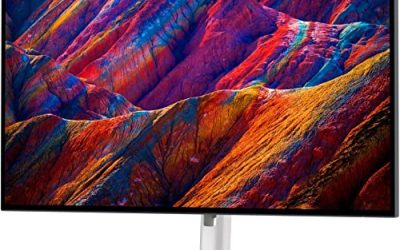
The UltraFine 5K is a 27-inch IPS monitor built for the Mac, with a 5120 x 2880 panel that renders text and images with exceptional sharpness. A single Thunderbolt 3 cable carries the picture, data and up to 94W of charging, while three USB-C ports act as a small hub. A built-in camera and speakers handle video calls without extra hardware, and the wide color coverage suits photo work. The adjustable stand sets the screen at eye level, and the panel holds its color well across the whole display. The 5K density keeps small text sharp for coders and writers who stare at fine print all day,
Samsung ViewFinity S9
- Best for: A 5K screen that works as a monitor by day and a smart display by night.
- 27-inch 5K panel, 5120 x 2880 resolution
- 99 percent DCI-P3 color coverage
- Factory-calibrated color accuracy, Delta E under 2
- Thunderbolt 4 connectivity with 96W charging
A 5K screen that works as a monitor by day and a smart display by night.
Two recent sources report the Amazon listing as unavailable, so verify the listing before ordering.
The ViewFinity S9 is a 27-inch 5K monitor with Thunderbolt 4, a matte anti-glare panel and a 4K SlimFit camera that snaps on for video calls. Its wide color coverage and factory calibration suit photo and video work, while the built-in smart TV apps and Gaming Hub turn the screen into a media display after work. A single Thunderbolt 4 cable connects a Mac or a PC, and the slim metal design with a height-adjustable stand fits a tidy desk. The matte panel cuts glare in a bright room, and the smart apps turn the screen into a media display once work ends for the day.
BenQ PD3225U
- Best for: Large-format color work with a second screen chained from the first.
- 32-inch 4K IPS Black panel, 3840 x 2160 resolution
- 2000:1 contrast ratio
- 98 percent DCI-P3 coverage, full sRGB and Rec.709 coverage
- Delta E under 2, factory calibrated
Large-format color work with a second screen chained from the first.
The 32-inch size needs a deep desk, and the screen is heavy to move alone.
The PD3225U is a 32-inch 4K IPS Black monitor built for creators, with wide color coverage, factory calibration and a Thunderbolt 3 port that daisy-chains a second 4K screen. Its USB-C connection delivers up to 85W of charging, and a KVM switch shares the keyboard and mouse between two computers. The Hotkey Puck puts color modes and input switching within reach, and the slim design with a metal base suits a large desk where a 32-inch canvas earns its space. The IPS Black panel lifts contrast well above a standard IPS screen, so dark scenes in video work look deeper and documents gain a crisper edge.
Which One Fits Your Situation
For a Mac desk with one cable
Pick the LG UltraFine 5K, since its Thunderbolt 3 connection carries the picture, data and 94W of charging through a single cable. The built-in camera and speakers handle calls without extra hardware, and the 5K panel keeps text razor sharp. It suits a MacBook Pro or Mac mini desk where simplicity matters most, since one cable carries the picture, the charging and the peripherals together.
For a desk that doubles as a media spot
Pick the Samsung ViewFinity S9, since its smart TV apps, Gaming Hub and 4K camera turn the monitor into a media display after work. The Thunderbolt 4 connection keeps the Mac or PC link to one cable, and the matte panel cuts glare in a bright room. It suits a living room desk or a small apartment, where it works as a monitor by day and a media display by night.
For creators who need a large canvas
Pick the BenQ PD3225U, since its 32-inch 4K panel shows more of a timeline, a canvas or a spreadsheet at once. The daisy-chain port leaves room for a second screen, and the KVM switch serves two computers through one keyboard. It suits photo editors, video editors and designers who work on large projects, since the wide canvas shows a full timeline without constant scrolling.
For a two-monitor setup from one cable
Pick the BenQ PD3225U, since its Thunderbolt 3 downstream port links a second 4K screen from the first. One cable from the laptop drives both monitors, and the KVM switch shares the peripherals between them. It suits a desk where two screens beat one, without a tangle of cables, and the shared keyboard and mouse keep the workspace to a single set of controls.
Common Mistakes
- Buying a Thunderbolt monitor for a laptop whose USB-C port does not support Thunderbolt at all, which leaves you with an expensive screen that shows nothing.
- Ignoring the power delivery wattage and finding the laptop drains slowly while plugged in, which defeats the point of a single-cable desk.
- Choosing a 5K monitor for a laptop that cannot drive it at full resolution, so the screen runs softer than the listing promised.
- Forgetting that a daisy chain needs a certified cable, not any USB-C cable from a drawer, since a plain cable cannot carry the video signal.
- Picking a screen by resolution alone and ignoring the color coverage that photo work needs, so photos look right on screen and wrong everywhere else.
Frequently Asked Questions
Does a Thunderbolt monitor work with a USB-C laptop?
A Thunderbolt monitor works on a laptop with a Thunderbolt port, and on many USB-C ports that support DisplayPort video, though at lower data speeds. A USB-C port without video support cannot drive the monitor at all, so check the laptop’s port specifications first. Look for the lightning symbol beside the port, which marks a Thunderbolt connection.
Can one Thunderbolt cable charge a laptop and drive a monitor?
Yes. One Thunderbolt cable can carry the picture, move data and charge the laptop. How much charge it delivers depends on the monitor: 85W to 96W covers most 14-inch laptops in normal work, while a bigger machine under heavy load may want more. Match the wattage on the listing to your laptop before relying on one cable.
Is 5K worth it over 4K on a Thunderbolt monitor?
A 5K panel is worth it at 27 inches, since the higher pixel density keeps text and images sharper than 4K at the same size. The difference shows most for reading and photo work. A 4K panel is still excellent, especially at 32 inches, where the larger screen shows more at once. Pick 5K for sharpness and 4K for size.
Can I chain two monitors from one Thunderbolt port?
Yes, when the first monitor has a downstream Thunderbolt port, you can link a second monitor from it with a certified Thunderbolt cable. The laptop sees both screens through the single upstream connection, which keeps the desk tidy. Check the downstream port on the listing, since not every Thunderbolt monitor offers one, and use a certified cable for a stable chain.
FAQ
Does a Thunderbolt monitor work with a USB-C laptop?
Can one Thunderbolt cable charge a laptop and drive a monitor?
Is 5K worth it over 4K on a Thunderbolt monitor?
Can I chain two monitors from one Thunderbolt port?
More from Amazon
Programs that pair well with the guide above. Offers and eligibility are set by Amazon and may change.
Free shipping on eligible items, Prime Video and more. Eligible new members can start with a free trial.
Start a Prime free trialAd-free music streaming. Eligible new subscribers can start with a free trial.
Try Music Unlimited freeA Prime membership for ages 18-24 with a trial period. Eligibility is set by Amazon.
See Prime for Young AdultsAudiobooks and podcasts to listen to on the go. Eligible new members can start with a free trial.
Try Audible freeAs an Amazon Associate we earn from qualifying purchases.