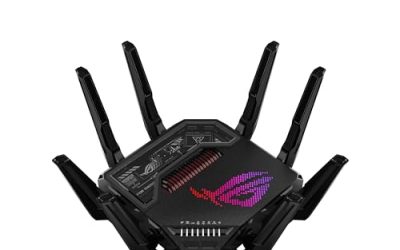
Our Short List of 3

- Wi-Fi standard: Wi-Fi 7 (802.11be), quad-band, BE30000 combined class as published
- Bands: 2.4 GHz, 5 GHz and two 6 GHz bands with 320 MHz channels and 4096-QAM
- Gaming features as listed: Triple-level Game Acceleration, dedicated gaming port, Mobile Game Mode
- Ports as listed: dual 10G ports, 2.5G ports, USB ports

- Wi-Fi standard: Wi-Fi 7 (802.11be), tri-band, BE19000 combined class as published
- Per-band rates as listed: 11,520 Mbps (6 GHz), 5,760 Mbps (5 GHz), 1,376 Mbps (2.4 GHz), 12 streams
- Gaming features as listed: Turbo game acceleration, dedicated gaming port and gaming panel
- Ports as listed: 2× 10G, 4× 2.5G, USB 3.0
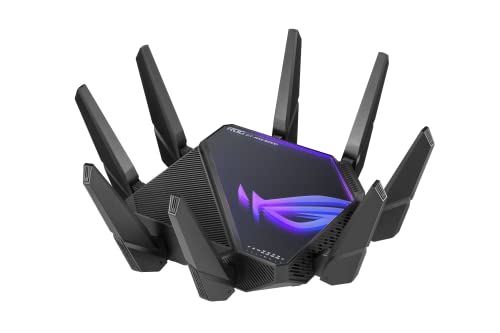
- Wi-Fi standard: Wi-Fi 6E (802.11ax), quad-band, AXE16000 combined class as published
- Bands: 2.4 GHz, two 5 GHz bands and 6 GHz
- Gaming features as listed: Triple-level Game Acceleration, dedicated gaming port
- Ports as listed: dual 10G ports, 2.5G WAN port, USB ports
All 5 Picks at a Glance
| Product | Specs | Action |
|---|---|---|
| 1. ASUS ROG Rapture GT-BE98 Pro |
| Check price on Amazon |
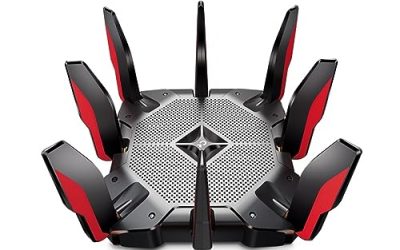
| 2. TP-Link Archer GE800 |
| Check price on Amazon |
| 3. ASUS ROG Rapture GT-AXE16000 |
| Check price on Amazon |
 4. TP-Link Archer GXE75 |
| Check price on Amazon |
 5. NETGEAR Nighthawk RS700S |
| Check price on Amazon |
Our Top Picks
- ASUS ROG Rapture GT-BE98 Pro WiFi 7 GamingQuad-Band13.7 x 8.6 x 13.7 inches4.4 poundsCheck on Amazon
A household that games and streams at the same time asks a lot of one box. A ranked match, a voice chat and a 4K film in the next room all compete for the same airtime, and the router decides which packets move first. The five routers below are current standalone models from ASUS, TP-Link and NETGEAR whose published specifications target exactly that workload: Wi-Fi 7 or Wi-Fi 6E radios, multi-gigabit wired ports, and traffic-management features the makers publish for gaming, such as dedicated gaming ports, game acceleration modes and adaptive QoS.
Disclosure: As an Amazon Associate, we earn from qualifying purchases made through links on this page, at no extra cost to you.
What gaming and streaming ask of a router
Latency handling matters more than headline speed. The big combined figures on a router box are the sum of every band added together, and no single device ever sees that total. What shapes a gaming session is how the router queues traffic when the network is busy. Published gaming features address that queue: a dedicated gaming port gives one wired device priority treatment, game acceleration modes prioritise game packets through the connection, and QoS settings let an owner rank a console or PC above background downloads and cloud backups.
Band choice shapes streaming headroom. Wi-Fi 6E added the 6 GHz band, and Wi-Fi 7 widens it further with 320 MHz channels and Multi-Link Operation, which lets a compatible device use more than one band at once. A less crowded 6 GHz band is well suited to a streaming box or a VR headset in the same room as the router, while the 5 GHz and 2.4 GHz bands carry devices further away and older hardware that cannot use 6 GHz at all.
Wired ports still carry the heaviest loads. Every maker below publishes multi-gigabit Ethernet on at least some models: 2.5G ports for a gaming PC or a network-attached storage box, and 10G ports on the flagships for fibre plans above a gigabit and fast local transfers. A wired connection removes wireless contention entirely, which is why the dedicated gaming ports on these models are wired ports.
Coverage figures carry conditions. The square-foot figures quoted in the Specs blocks are the makers’ own published numbers for open layouts; walls, floors and building materials reduce real reach, and each maker’s figure is measured under its own conditions, so treat them as orientation rather than a guarantee.
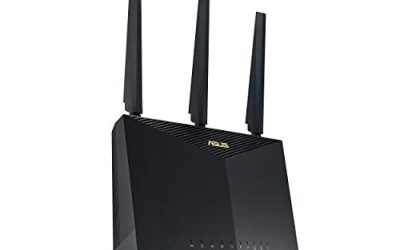
1. ASUS ROG Rapture GT-BE98 Pro
- Wi-Fi standard: Wi-Fi 7 (802.11be), quad-band, BE30000 combined class as published
- Bands: 2.4 GHz, 5 GHz and two 6 GHz bands with 320 MHz channels and 4096-QAM
- Gaming features as listed: Triple-level Game Acceleration, dedicated gaming port, Mobile Game Mode
- Ports as listed: dual 10G ports, 2.5G ports, USB ports
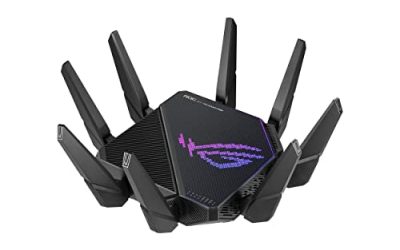
The GT-BE98 Pro is ASUS’s quad-band Wi-Fi 7 flagship and the only router in this roundup with two separate 6 GHz radios. ASUS publishes a BE30000 combined class with 320 MHz channels and 4096-QAM on the 6 GHz bands, and that second 6 GHz radio is the streaming-relevant detail: one 6 GHz band can serve a gaming PC while the other carries a streaming device, instead of both queues sharing a single band. ASUS also publishes Triple-level Game Acceleration, a dedicated gaming port and Mobile Game Mode, plus AiMesh support for owners who later add a second ASUS unit as a satellite.
The wired side matches the wireless side. The published port layout pairs dual 10G ports with 2.5G ports, so a multi-gigabit fibre line, a wired gaming rig and a media server can all run at full link speed at once. ASUS lists coverage at up to 3,500 square feet under its own test conditions.
2. TP-Link Archer GE800
- Wi-Fi standard: Wi-Fi 7 (802.11be), tri-band, BE19000 combined class as published
- Per-band rates as listed: 11,520 Mbps (6 GHz), 5,760 Mbps (5 GHz), 1,376 Mbps (2.4 GHz), 12 streams
- Gaming features as listed: Turbo game acceleration, dedicated gaming port and gaming panel
- Ports as listed: 2× 10G, 4× 2.5G, USB 3.0
TP-Link’s Archer GE800 is a tri-band Wi-Fi 7 gaming router in the BE19000 class. TP-Link publishes per-band rates of 11,520 Mbps on 6 GHz, 5,760 Mbps on 5 GHz and 1,376 Mbps on 2.4 GHz, across 12 streams and eight antennas. For a mixed gaming and streaming household, the published feature set is the draw: Turbo game acceleration, a dedicated gaming port, and a gaming panel in the interface that surfaces the traffic the acceleration is handling.
The port layout is the joint-strongest in this group alongside the ASUS flagship: two 10G ports and four 2.5G ports, plus a USB 3.0 port for shared storage. That layout suits a home where the router also feeds a wired streaming server or a capture PC. TP-Link’s HomeShield service covers the security side, and the listing notes that some advanced HomeShield features sit behind the maker’s subscription tier, so check which features are included before relying on them.
3. ASUS ROG Rapture GT-AXE16000
- Wi-Fi standard: Wi-Fi 6E (802.11ax), quad-band, AXE16000 combined class as published
- Bands: 2.4 GHz, two 5 GHz bands and 6 GHz
- Gaming features as listed: Triple-level Game Acceleration, dedicated gaming port
- Ports as listed: dual 10G ports, 2.5G WAN port, USB ports
The GT-AXE16000 is the Wi-Fi 6E entry in ASUS’s ROG line and a quad-band design: it splits its output across 2.4 GHz, two 5 GHz bands and the 6 GHz band, in the AXE16000 combined class. The second 5 GHz band gives an owner a natural split for a streaming-heavy household — one 5 GHz band can be reserved for entertainment devices while the other serves work and gaming hardware, with 6 GHz left for the closest, fastest clients.
ASUS publishes the same gaming toolkit as its Wi-Fi 7 flagship: Triple-level Game Acceleration, a 2.5G WAN port, and dual 10G ports for wired devices and fast local storage. AiMesh support is included, as is VPN Fusion, which lets selected devices route through a VPN while the rest of the network stays on the plain connection — a setup streamers use to keep a broadcast machine separate. Owners whose internet plan sits at or below a gigabit and who already own Wi-Fi 6E clients get the full benefit of this model today.
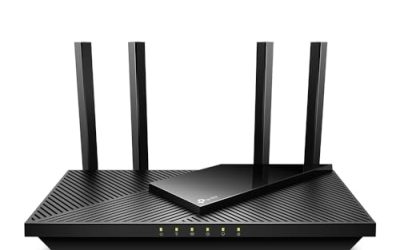
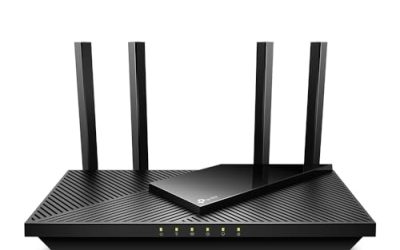
4. TP-Link Archer GXE75
- Wi-Fi standard: Wi-Fi 6E (802.11ax), tri-band, AXE5400 combined class as published
- Per-band rates as listed: 574 Mbps (2.4 GHz), 2,402 Mbps (5 GHz), 2,402 Mbps (6 GHz), 6 streams
- Gaming features as listed: game acceleration, dedicated gaming port and gaming panel
- Ports as listed: 1× 2.5G, 4× 1G, USB 3.0
The Archer GXE75 brings the gaming feature set down to a tri-band Wi-Fi 6E design in the AXE5400 class, with published rates of 574 Mbps on 2.4 GHz and 2,402 Mbps on each of the 5 GHz and 6 GHz bands across six streams. TP-Link publishes an exclusive game acceleration feature, a dedicated gaming port and a gaming panel, the same interface ideas as the flagship GE800, scaled to a gigabit-class home.
The wired layout fits that role: one 2.5G port and four gigabit ports, plus USB 3.0. A single 2.5G port is enough for the one device that matters most — the gaming PC or the streaming box — while consoles, TVs and smart-home hardware run happily on the gigabit ports and the three wireless bands. HomeShield and EasyMesh support round out the published feature list, and the housing carries the RGB lighting TP-Link fits to its gaming line.
5. NETGEAR Nighthawk RS700S
- Wi-Fi standard: Wi-Fi 7 (802.11be), tri-band, BE19000 class, up to 19 Gbps combined as published
- Coverage and capacity as listed: up to 3,500 sq. ft., up to 200 devices
- Ports as listed: 10G internet port, 10G LAN port, 4× gigabit LAN, USB 3.0
- Processor as listed: quad-core 2.6 GHz
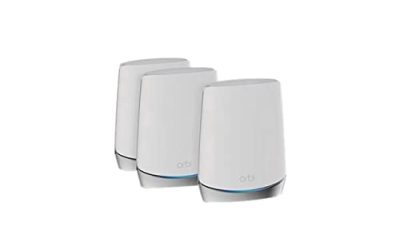
The RS700S is NETGEAR’s flagship standalone Wi-Fi 7 router, a tri-band BE19000 model that NETGEAR rates at up to 19 Gbps combined, with coverage published at up to 3,500 square feet and support for up to 200 devices. Where the ASUS and TP-Link models lead with gaming branding, the Nighthawk leans on raw capacity and its wired layout: a 10G internet port, a separate 10G LAN port, four gigabit LAN ports and a USB 3.0 port. That second 10G port matters for streaming setups that pull media from a local server at the same time as a game session runs.
NETGEAR publishes a quad-core 2.6 GHz processor behind the radios, WPA3 security, and its Armor security service, with the listing offering a year of Armor included; Armor continues as the maker’s subscription after that period, so factor the renewal terms into a long-term comparison. The upright tower housing keeps the footprint small on a desk or shelf next to the gaming setup it serves.
How to choose between them
Start with your internet plan and your clients. A plan above a gigabit, or a NAS that serves game installs and media locally, justifies the dual 10G layouts of the GT-BE98 Pro, Archer GE800 and RS700S; on a gigabit or slower plan, the GXE75’s single 2.5G port covers the same job for the main wired machine. Next, count your 6 GHz clients: Wi-Fi 7 devices gain the most from the three Wi-Fi 7 models, while a house full of Wi-Fi 6E laptops and consoles is fully served by the GT-AXE16000 or GXE75 today.
Then look at how your household actually splits traffic. Two 6 GHz radios (GT-BE98 Pro) or a spare 5 GHz band (GT-AXE16000) give streaming its own lane; a single shared set of bands asks the QoS and gaming-port features to do that work instead, which both TP-Link models publish in detail. Finally, check the ongoing terms: the security suites differ, with ASUS publishing its network security as subscription-free on the ROG line, TP-Link placing advanced HomeShield features behind a tier, and NETGEAR continuing Armor as a subscription after the included year.
Frequently Asked Questions
Does a gaming router lower ping on any connection?
A router can only manage traffic inside your home network and on its way out. Published gaming features prioritise game packets over other household traffic, which helps when downloads, streams or cloud backups compete at the same moment; they cannot change the route your provider takes beyond your home or fix a congested line.
Is Wi-Fi 7 worth choosing over Wi-Fi 6E for gaming and streaming?
Wi-Fi 7 adds 320 MHz channels on 6 GHz and Multi-Link Operation, and both help households with Wi-Fi 7 clients and several simultaneous streams. With Wi-Fi 6E or older clients, a 6E router such as the GT-AXE16000 or Archer GXE75 delivers its full published feature set today, and the client devices, not the router badge, decide which standard is actually used.
Should a gaming PC or a streaming box get the wired gaming port?
Give the wired gaming port to the device most sensitive to delay, which is usually the machine playing the game, since a live stream carries a buffer that absorbs small delays. If one machine does both jobs, it takes the port, and the remaining devices split the other ports and bands.
Can these routers replace a mesh system in a large home?
Each maker publishes a single-unit coverage figure measured under its own conditions, and real reach depends on the building. The ASUS models publish AiMesh support and the GXE75 publishes EasyMesh support, so a compatible second unit can extend coverage later; the RS700S is a standalone design, and NETGEAR sells its mesh systems under the separate Orbi line.
More from Amazon
Programs that pair well with the guide above. Offers and eligibility are set by Amazon and may change.
Free shipping on eligible items, Prime Video and more. Eligible new members can start with a free trial.
Start a Prime free trialAd-free music streaming. Eligible new subscribers can start with a free trial.
Try Music Unlimited freeA Prime membership for ages 18-24 with a trial period. Eligibility is set by Amazon.
See Prime for Young AdultsAudiobooks and podcasts to listen to on the go. Eligible new members can start with a free trial.
Try Audible freeAs an Amazon Associate we earn from qualifying purchases.