Our Top Picks
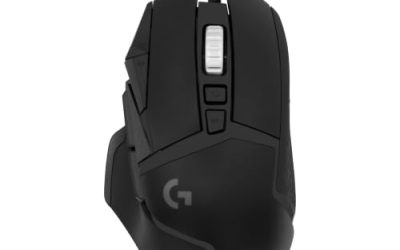
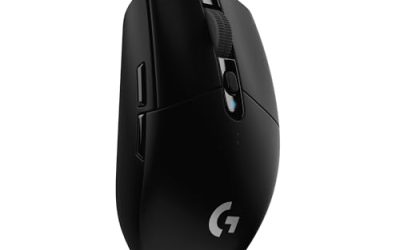
 Logitech G502 LIGHTSPEED Wireless Gaming MouseWireless5.19 x 2.95 x 1.57 inches0.81 poundsCheck on Amazon
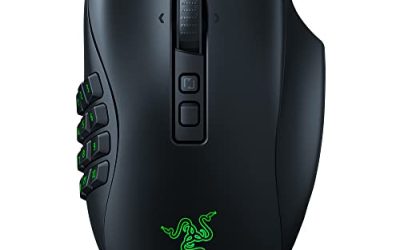
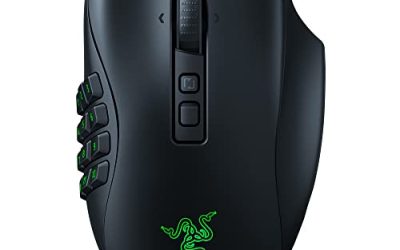
 Razer Basilisk V3 Customizable RGB Wired Ergonomic GamingMouse2.96 x 5.12 x 1.67 inches0.2 poundsCheck on Amazon
 Razer DeathAdder V3 Pro Wireless Gaming Mouse1000 Hz5.01 x 2.65 x 1.69 inches0.1 poundsCheck on Amazon
A mouse that has to game at night and work all day is a compromise by definition, and the honest question is which side of the compromise you live on. Pure esports mice are light and precise but offer a working day almost nothing: no horizontal scroll, no multi-device pairing, no shape for eight hours of spreadsheets. Pure office mice reverse the problem, with lovely wheels and sensors that feel a step behind in a fast game.
This guide is for hybrid users: people who edit, code, write or analyse by day and play in the evening, often on the same desk and sometimes the same machine. Every mouse below was chosen from its Amazon listing for traits that serve both lives, an ergonomic shape, a sensor with real gaming credentials, and connectivity or wheel features that earn their place at work, and each entry is frank about which side it favours.
Quick Picks
As an Amazon Associate we earn from qualifying purchases.
| Product | Best for | Key spec from title |
|---|---|---|
| Logitech MX Master 3S | Work-first users who game casually in the evening | 8K DPI Darkfield sensor that tracks on glass, MagSpeed wheel |
| Logitech G502 LIGHTSPEED | Gamers who want one serious mouse that also handles work | HERO 25K sensor, LIGHTSPEED wireless, 11 programmable buttons |
| Razer Basilisk V3 | Players who want an ergonomic gaming shape and a document-friendly wheel | Focus+ 26K sensor, HyperScroll tilt wheel, 11 buttons |
| Razer DeathAdder V3 Pro | Long-session comfort with a light, simple gaming mouse | 63g ergonomic shell, Focus Pro 30K sensor, 90 hour battery |
How to Choose
Decide which side of the desk gets priority
Count your hours honestly. If work takes forty hours a week and gaming takes five, an ergonomic work-first mouse with a capable sensor will serve you better than a tournament mouse with a token Bluetooth mode. If ranked play is your serious hobby and work is mostly email and documents, start from the gaming side instead. The four mice here are arranged along exactly that spectrum, and the right answer is the one whose compromises land on the hours you spend less, not the ones you spend most.
The sensor has to be honest gaming hardware
Productivity mice often hide modest sensors behind big DPI numbers. For the hybrid role, look for a named gaming or high-performance sensor in the listing, with a DPI range that covers both a multi-monitor desktop and in-game sensitivity changes. The listings here quote sensors from an 8K DPI Darkfield that tracks on glass to 25K and 30K gaming sensors. Any of them can game; what separates them is tracking behaviour at speed, so prefer the models whose sensor is also sold in a dedicated gaming mouse.
Wheels and buttons are where work is won or lost
A free-spinning or electromagnetic wheel turns a hundred-page document or a wide spreadsheet from a chore into a flick, and a tilt wheel handles horizontal scrolling without keyboard shortcuts. Extra programmable buttons, thumb rests and gesture controls matter more across a work week than a few grams of weight. When you read the listings, weigh the wheel description and button layout as heavily as the sensor, because those are the features your working day will actually touch every hour. A basic wheel, by contrast, is the specification that hybrid buyers most often regret underestimating once the first long document arrives.
Connectivity decides how the mouse fits your setup
A hybrid mouse often serves two machines, a work laptop and a gaming PC, or a laptop that docks and undocks daily. Bluetooth plus a USB receiver, as several listings here offer, lets one mouse follow you between them without re-pairing rituals. Check how many devices the listing says the mouse can pair with and how switching works. Also note the charging story: USB-C and long battery claims reduce the chance of the mouse dying during a call or a ranked match alike.
The 4 Best Options
Logitech MX Master 3S

The MX Master 3S is the work-first end of this guide: its listing leads with an 8K DPI Darkfield sensor that tracks even on glass, a MagSpeed electromagnetic wheel that races through long documents, Quiet Clicks and an ergonomic shape built for full work days. It connects over Bluetooth or its Logi Bolt receiver and charges by USB-C. For gaming, the sensor is genuinely capable for strategy, RPG and casual play, and the shape stays comfortable for hours. It suits the professional whose gaming is relaxed and whose working day is anything but.
Specs
- Sensor: 8K DPI Darkfield, tracks on glass
- Scroll wheel: MagSpeed electromagnetic scrolling
- Clicks: Quiet Clicks
- Connectivity: Bluetooth and Logi Bolt USB receiver
- Charging: USB-C
- Model: 910-006557 (graphite)
Best for: Professionals who want the best work mouse here and game at a relaxed pace.
Watch out for: This is not an esports sensor or shape: it is heavier than gaming mice and its polling is office-grade, so serious FPS players should look at the game-first picks below instead.
ASIN: B09HM94VDS
Logitech G502 LIGHTSPEED
The G502 LIGHTSPEED is the game-first hybrid: its listing quotes the HERO 25K sensor, 1ms LIGHTSPEED wireless, 11 programmable buttons and up to 60 hours of battery, with PowerPlay charging compatibility for desks that support it. The dual-mode wheel spins freely through long documents, the extra buttons take work shortcuts as happily as game binds, and tunable weights let you set the feel once for both lives. It suits the player who games seriously every evening and needs a mouse that does not embarrass itself during the working day that precedes it.
Specs
- Sensor: HERO 25K
- Wireless: LIGHTSPEED, 1ms report rate
- Buttons: 11 programmable
- Battery: up to 60 hours
- Extras: PowerPlay charging compatible, tunable weights
- Model: 910-005565
Best for: Serious gamers who want flagship gaming hardware that still earns its place at work.
Watch out for: It is one of the heavier wireless mice in its class, and PowerPlay charging needs the separate mat, so budget and desk space accordingly; the wired HERO version is a different listing and ASIN.
ASIN: B07L4BM851
Razer Basilisk V3
The Basilisk V3 splits the difference from the gaming side. Its listing highlights a Focus+ 26K optical sensor, 11 programmable buttons and the HyperScroll tilt wheel, which tilts for horizontal scrolling in wide spreadsheets and unlocks into free-spin for long documents or web pages. The sculpted ergonomic shell with a thumb rest suits long days better than a flat esports shape, and the multi-function paddle can carry a work shortcut as easily as a game bind. It fits hybrid users who sit closer to the gaming end but still spend real hours in documents.
Specs
- Sensor: Razer Focus+ 26K optical
- Buttons: 11 programmable
- Scroll wheel: HyperScroll tilt wheel with free-spin mode
- Trigger: multi-function paddle
- Lighting: Chroma RGB underglow
- Model: RZ01-04000100-R3U1
Best for: Hybrid users who game most evenings and want a wheel that genuinely helps at work.
Watch out for: It is wired, which some two-machine setups will find limiting, and there is no Bluetooth for a quick laptop pairing; a wireless Basilisk variant is a separate product with its own listing.
ASIN: B09C13PZX7
Razer DeathAdder V3 Pro
The DeathAdder V3 Pro is the minimalist hybrid: an ergonomic shell that supports the palm through a full day, at 63 grams light enough that evening gaming never feels sluggish. The listing quotes a Focus Pro 30K sensor, Gen-3 optical switches, HyperSpeed wireless and up to 90 hours of battery, which means it can live on a work desk all week and still be charged and ready on Friday night. Five buttons keep it simple, which suits users whose work is reading, writing and calls rather than shortcut-heavy production work.
Specs
- Weight: 63g
- Sensor: Razer Focus Pro 30K optical
- Switches: Razer Optical Mouse Switches Gen-3
- Wireless: HyperSpeed Wireless
- Buttons: 5 programmable
- Battery: up to 90 hours
- Model: RZ01-04630100-R3G1
Best for: Users who want one light, comfortable mouse for long work days and evening play.
Watch out for: There is no tilt wheel, no Bluetooth and only five buttons, so shortcut-heavy workflows will outgrow it; if your job lives in spreadsheets, the two wheel-focused picks above serve it better.
ASIN: B0B6XZLNHQ
Which One Fits Your Situation
Your job is documents, spreadsheets and calls, gaming is a hobby
Choose the Logitech MX Master 3S. The MagSpeed wheel and glass-tracking sensor will improve every working hour, the shape is built for full days, and casual or mid-paced gaming still feels perfectly responsive. Only committed FPS players will find its limits, and they are not the audience this mouse was designed for.
You game seriously and work at the same desk
Take the Logitech G502 LIGHTSPEED. It gives up nothing meaningful in a game, while the free-spinning wheel, eleven buttons and long battery cover the working day without complaint. One mouse, one set of muscle memory, and no swapping devices when the workday ends and the session begins. That continuity of feel is worth more across a full week than any single specification on the box.
You live in wide spreadsheets but still play shooters
The Razer Basilisk V3 is your middle path. The tilt wheel handles horizontal scrolling the way your work actually needs, the sensor and shape are proper gaming hardware, and the paddle adds one more bind for either life. Accept the cable as the price of the combination, and of never having to charge anything in the middle of a busy week.
You switch between a work laptop and a gaming PC
Look at the DeathAdder V3 Pro for simplicity or the MX Master 3S for multi-device polish. The Razer is light, long-lasting and shape-comfortable on both desks, while the Logitech is the one designed around multi-machine professional setups. Decide by whether your evenings or your workdays make the stronger claim on your time, your attention and your desk space.
Common Mistakes
- Buying a pure esports mouse for a desk where it will spend ninety percent of its life in documents.
- Judging a hybrid mouse by maximum DPI alone and ignoring the wheel, which work uses every hour.
- Forgetting to check how many devices the mouse can pair with when your setup has two machines.
- Choosing the heaviest ergonomic mouse for fast-paced gaming, then blaming the sensor for the feel.
- Mixing up wired and wireless variants of the same model family when ordering.
Frequently Asked Questions
Can one mouse really do both gaming and office work well?
Yes, if you accept a deliberate compromise and choose which side matters more. The mice here pair genuine gaming sensors with ergonomic shapes, useful wheels and flexible connectivity, which covers the large majority of players and professionals. Only specialists at either extreme, tournament FPS players or all-day spreadsheet analysts, are better served by two dedicated mice.
Is the MX Master 3S good enough for gaming?
For strategy, RPG, simulation and casual play, yes: its 8K DPI sensor is accurate and the shape is comfortable for long sessions. For fast competitive shooters it is the weakest pick in this guide, because it is heavy and its polling is designed for office use. Match it to the games you actually play rather than the games you might play.
What matters more for productivity, the wheel or the buttons?
For most office work, the wheel. A free-spinning or tilt wheel changes how documents, code and spreadsheets feel every single hour, while extra buttons help specific shortcut-heavy workflows. If your job involves constant horizontal scrolling or very long files, prioritise the wheel descriptions in the listings; if you live by macros and app shortcuts, count the programmable buttons instead.
Should a hybrid mouse be wired or wireless?
Wireless suits the hybrid role better for most people, because the same mouse can follow a laptop between rooms and still perform in games, and the battery figures in these listings stretch from days to weeks. Wired models like the Basilisk V3 cost less and never need charging. Decide by how many machines and rooms the mouse must serve, not by gaming habit alone.
FAQ
Can one mouse really do both gaming and office work well?
Is the MX Master 3S good enough for gaming?
What matters more for productivity, the wheel or the buttons?
Should a hybrid mouse be wired or wireless?
More from Amazon
Programs that pair well with the guide above. Offers and eligibility are set by Amazon and may change.
Free shipping on eligible items, Prime Video and more. Eligible new members can start with a free trial.
Start a Prime free trialAd-free music streaming. Eligible new subscribers can start with a free trial.
Try Music Unlimited freeA Prime membership for ages 18-24 with a trial period. Eligibility is set by Amazon.
See Prime for Young AdultsAudiobooks and podcasts to listen to on the go. Eligible new members can start with a free trial.
Try Audible freeAs an Amazon Associate we earn from qualifying purchases.