Our Top Picks
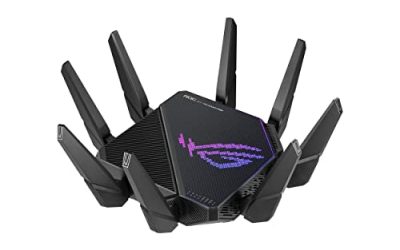
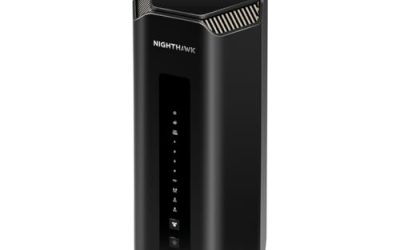
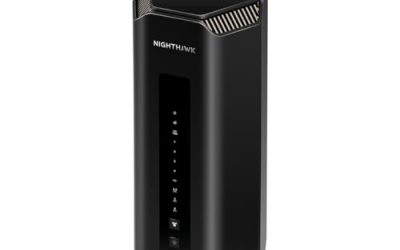
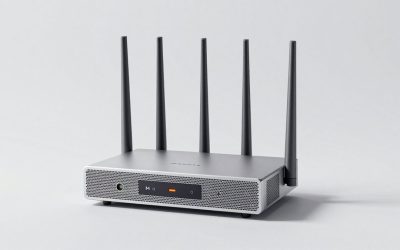
 ASUS ROG Rapture GT-BE98 Pro WiFi 7 GamingQuad-Band13.7 x 8.6 x 13.7 inches4.4 poundsCheck on Amazon

Buying an ethernet router is really a decision about sockets: how many wired ports you get, how fast each one runs, and whether a second internet line can plug in beside the first. A gaming PC, a NAS and a streaming box all fight for the same LAN, and the router whose ports are too few or too slow becomes the bottleneck no Wi-Fi headline can fix.
That is why this list ranks routers on their wired side alone. Port counts and per-port speeds come straight from each product page, and the five picks split into two camps: Wi-Fi 7 flagships whose listings headline dual 10G and banks of 2.5G ports, and wired-only gateways built for multi-WAN failover. Whichever camp fits your rack, the port layout is the thing to compare first.
Quick Picks
As an Amazon Associate we earn from qualifying purchases.
| Product | Best for | Key spec from title |
|---|---|---|
| ASUS ROG Rapture GT-BE98 Pro | Gamers wiring a PC and NAS at 10G | Dual 10G Port |
| ASUS RT-BE88U | Homes mixing 10G, SFP+ and many gigabit devices | Dual 10G Ports, SFP+, 34G WAN/LAN Capacity |
| TP-Link Archer BE800 | Buyers who want 10G in and 2.5G to every room | 2×10G + 4×2.5G Ports |
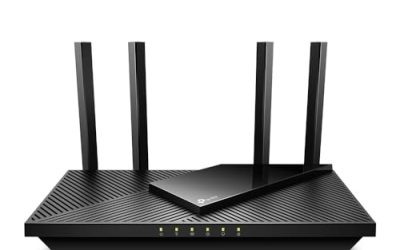
| TP-Link ER7206 | Small offices needing multi-WAN load balancing | Multi-WAN Professional Wired Gigabit VPN Router |
| TP-Link ER605 V2 | Budget wired networks with a USB failover line | Up to 3 WAN Ethernet Ports + 1 USB WAN |
How to Choose
Count ports by speed tier, not by total
A port count means little until you split it by speed. Ten gigabit ports move data no faster than one gigabit port does; what changes your network is how many ports run at 2.5G or 10G. List the devices that actually need speed — a gaming PC, a NAS, a media server — and check the router gives each one a fast socket, because anything left over drops to gigabit. The ASUS flagships below dedicate several 2.5G and 10G ports to the LAN, while the TP-Link gateways trade speed for sheer wired flexibility.
Decide how many WAN ports you really need
Most homes run one internet line, so one WAN port is enough. Multi-WAN matters when a dropped connection costs you work or a ranked match: a second line can fail over automatically or share the load. The two TP-Link gateways here are built around that idea, offering several configurable WAN ports plus, on the smaller model, a USB port for a mobile modem. If you will never add a second line, spend the money on faster LAN ports instead of WAN flexibility you will leave unused.
Match the uplink to your fastest device
A 10G port only earns its place when something on the other end of the cable can use it. Pairing a dual-10G router with a gigabit-only PC leaves the headline feature idle, while a 10G NAS behind a gigabit router is capped before it starts. Check the network card in your PC and the ports on your storage before choosing: the GT-BE98 Pro and RT-BE88U suit desks that already run 10G hardware, whereas 2.5G LAN ports are the realistic step up for most current motherboards.
Wired-only gateway or Wi-Fi router
A wired-only gateway such as the ER7206 or ER605 V2 has no radios at all, so wireless coverage has to come from separate access points you place yourself. That split suits offices and larger homes where one router cannot cover the floor plan anyway. A Wi-Fi router keeps everything in one box and one admin page, which is simpler for a single-room setup. Decide which shape your network takes before comparing models, because the two types solve different problems and their prices rarely overlap.
The 5 Best Options
ASUS ROG Rapture GT-BE98 Pro
This is the pick for a desk that already owns 10G hardware and wants the router to stop being the ceiling. Its wired side pairs a 10G port that can serve as WAN or LAN with a second 10G LAN port, so a gaming PC and a NAS can both run at full speed while the internet arrives on the other socket. Four 2.5G ports handle consoles and streaming boxes, and ASUS quotes up to 31G of wired capacity across the layout. Triple-level game acceleration is a bonus; the port map is the real reason to buy it.
Specs
- Dual 10G ports: 1× 10G WAN/LAN and 1× 10G LAN
- 1× 2.5G WAN/LAN, 3× 2.5G LAN and 1× 1G LAN
- Up to 31G wired capacity as listed
- Quad-band Wi-Fi 7, up to 30 Gbps combined
- 2.6 GHz quad-core CPU
- 8 external antennas
- Dimensions 13.7 × 8.6 × 13.7 in; 4.4 lb
Best for: Gamers running a 10G PC and a 10G NAS on the same router.
Watch out for: It is a large, tall unit, so measure your shelf or desk space before ordering, and confirm your PC and NAS actually have 10G cards to feed both fast ports.
ASIN: B0CPQYSXCW
ASUS RT-BE88U
Where the ROG model chases gaming features, the RT-BE88U is the wired-capacity workhorse of this list. Its listing breaks the ports down as one 10G RJ45 WAN/LAN, one 10G SFP+ socket, a 2.5G WAN/LAN, three more 2.5G LAN ports and four gigabit LAN ports, adding up to a quoted 34G of WAN/LAN capacity. That mix suits a home where a fibre SFP+ module, a fast NAS and a shelf of gigabit devices all need homes at once. AiMesh support lets it anchor a wider ASUS setup later without replacing the core router.
Specs
- 1× 10G RJ45 WAN/LAN and 1× 10G SFP+
- 1× 2.5G WAN/LAN and 3× 2.5G LAN
- 4× gigabit LAN ports
- 34G WAN/LAN capacity as listed
- Dual-band Wi-Fi 7 BE7200, up to 7,200 Mbps, no 6 GHz band
- USB 3.2 Gen 1 port
- 2.6 GHz quad-core CPU; 2 GB RAM
- AiMesh and AiProtection Pro, subscription-free
Best for: Mixed networks combining SFP+ fibre, 10G storage and many gigabit devices.
Watch out for: There is no 6 GHz band, so Wi-Fi clients top out on 5 GHz; also budget for an SFP+ module or DAC cable, since the SFP+ socket does not take a plain Ethernet plug.
ASIN: B0D55SWRSM
TP-Link Archer BE800

The Archer BE800 takes a simpler approach to fast wiring: two 10G ports that can each act as WAN or LAN, then four 2.5G LAN ports for everything else. For most homes that is the practical layout — the modem and one fast device get 10G, while PCs, consoles and TVs share generously fast 2.5G sockets. The listing adds an LED screen and eight antennas, but the reason it belongs here is that port split, which covers a multi-room wired setup without paying for a second tier of features you may never open.
Specs
- 1× 10 Gbps WAN/LAN RJ45 port
- 1× 10 Gbps SFP+/RJ45 combo WAN/LAN port
- 4× 2.5 Gbps LAN ports
- USB 3.0 port
- Tri-band Wi-Fi 7 BE19000, 19 Gbps combined
- LED screen
- 8 high-performance antennas
Best for: Homes wanting one 10G uplink and 2.5G wired runs to several rooms.
Watch out for: The four 2.5G ports are LAN-only and cannot be reassigned as WAN, so if one 10G port takes your internet line, exactly one 10G LAN port remains — plan the NAS connection around that.
ASIN: B0C4VZWTM7
TP-Link ER7206

The ER7206 drops wireless entirely and concentrates on being a wired front door for a serious network. It is a gigabit VPN router with multi-WAN load balancing, an SFP WAN/LAN port among its gigabit sockets, and TP-Link’s Omada SDN integration for managing switches and access points from one controller. That makes it a fit for a small office, a rental property or a home lab where uptime matters more than headline LAN speed. Every port is gigabit, so it suits networks whose bottleneck is the internet line rather than local transfers.
Specs
- Wired-only gigabit VPN router, no Wi-Fi radios
- Multi-WAN with load balance
- 1× SFP WAN/LAN port among its gigabit ports
- Omada SDN integrated
- SPI firewall
- VPN support including IPsec and OpenVPN
- Data transfer rate listed as 1 Gbps
Best for: Small offices and home labs that need multi-WAN failover and central management.
Watch out for: This listing spans more than one hardware revision, and port totals and VPN extras differ between revisions — check the revision shown on the product page and do not assume a specific revision’s figures.
ASIN: B08TQN7NMG
TP-Link ER605 V2

The ER605 V2 is the compact, low-cost way into the same wired-gateway idea. Its five gigabit ports can be arranged as one fixed WAN, two that switch between WAN and LAN, and two LAN, giving up to three WAN connections, and a USB port accepts a mobile modem as another backup path. Omada SDN integration and an SPI firewall come along at a size and weight that disappear onto a shelf. For a home office whose priority is never losing the connection during the workday, it covers the essentials without the flagship spend.
Specs
- Wired-only gigabit VPN router, no Wi-Fi radios
- Five gigabit ports: 1× WAN, 2× WAN/LAN, 2× LAN
- Up to 3 WAN Ethernet ports plus 1× USB WAN for a 4G/3G modem
- VPN: up to 20 LAN-to-LAN IPsec, 16 OpenVPN, 16 L2TP and 16 PPTP tunnels
- Omada SDN integrated
- SPI firewall
- Weight 0.79 lb
Best for: Home offices wanting cheap multi-WAN failover with a USB modem backup.
Watch out for: All ports are gigabit, so it will cap a faster-than-gigabit internet plan or fast local transfers; you will also need separate access points for any Wi-Fi.
ASIN: B08QTXNWZ1
Which One Fits Your Situation
You game competitively and store everything on a NAS
Pick the ASUS ROG Rapture GT-BE98 Pro. Its second 10G port is a dedicated LAN socket, so the NAS keeps full speed even while the first 10G port carries your internet line, and the 2.5G ports absorb consoles and a streaming PC without touching the fast pair. That headroom shows up whenever a large game download and a backup job run at the same time.
Your home mixes fibre, fast storage and lots of wired gadgets
The ASUS RT-BE88U fits best. The SFP+ socket takes a fibre module directly, the 10G RJ45 serves your fastest machine, and four gigabit LAN ports mean older devices never need a switch. Its 34G listed capacity is the headroom a growing wired home actually uses. It is the one box here that treats port variety as the main event.
You want one box that covers a family home
Choose the TP-Link Archer BE800. Two flexible 10G ports handle the modem and a NAS or gaming PC, four 2.5G LAN ports wire the rest of the house, and you skip the separate access points and controllers that the gateway route requires. Everything is configured in one admin page, which keeps the setup simple for non-technical households.
Your connection dropping is the real problem
Look at the TP-Link gateways. The ER7206 suits a small office balancing several wired lines under Omada management, while the ER605 V2 is the smaller spend for a home office, adding a USB modem path so a mobile backup can keep you online when the main line fails. Either way, the wired side stops being a single point of failure.
Common Mistakes
- Counting total ports instead of ports at the speed you need, then discovering only one socket runs faster than gigabit.
- Buying a dual-10G router before checking that the PC and NAS on the other ends actually have 10G network cards.
- Assuming every port on a router can become a WAN port, when many models fix their 2.5G ports as LAN-only.
- Choosing a wired-only gateway and forgetting it has no Wi-Fi, so access points still need to be bought and placed.
- Ignoring hardware revisions on business gateways, whose port counts and VPN features can change between versions under one listing.
Frequently Asked Questions
Is a 10G port worth it if my internet plan is slower?
Yes, for local traffic. The internet line only uses the WAN side; a 10G LAN port still moves files between your PC and NAS at full speed inside the house. If nothing local runs faster than gigabit, though, the port sits idle and a 2.5G model is the smarter buy.
What does multi-WAN actually do for a home network?
Multi-WAN lets a router use two or more internet connections at once. It can fail over to the backup when the main line drops, or balance sessions across lines so one household member’s download does not stall another’s call. The TP-Link gateways above are built around this, including a USB modem option on the ER605 V2.
Can I use one of these routers with my existing mesh or access points?
Generally yes. The wired-only gateways are designed to feed separate access points, and the ER7206 and ER605 V2 manage TP-Link Omada access points from the same controller. The ASUS models support AiMesh, while the Archer BE800 lists EasyMesh, so check that your existing wireless gear speaks the same system before mixing brands.
Do I need special cables for 2.5G and 10G ports?
For short home runs, the Cat5e and Cat6 cables most people already own usually carry 2.5G without trouble, and Cat6 handles 10G over typical room-to-room distances. Longer or in-wall runs benefit from Cat6a. SFP+ sockets are different: they need a transceiver module or a DAC cable rather than a standard Ethernet plug.
FAQ
Is a 10G port worth it if my internet plan is slower?
What does multi-WAN actually do for a home network?
Can I use one of these routers with my existing mesh or access points?
Do I need special cables for 2.5G and 10G ports?
More from Amazon
Programs that pair well with the guide above. Offers and eligibility are set by Amazon and may change.
Free shipping on eligible items, Prime Video and more. Eligible new members can start with a free trial.
Start a Prime free trialAd-free music streaming. Eligible new subscribers can start with a free trial.
Try Music Unlimited freeA Prime membership for ages 18-24 with a trial period. Eligibility is set by Amazon.
See Prime for Young AdultsAudiobooks and podcasts to listen to on the go. Eligible new members can start with a free trial.
Try Audible freeAs an Amazon Associate we earn from qualifying purchases.