Our Short List of 3

- Best for: A first vertical mouse for right-handed players who want a gentle change of grip.
- Wireless Bluetooth or Logi Bolt USB connection
- Quiet clicks
- 4 buttons
- 57-degree angle

- Best for: Ergonomic gaming with long battery life and room for custom controls.
- Right-handed ergonomic shape
- Focus Pro 30K sensor
- HyperSpeed 2.4GHz wireless, Bluetooth, and USB-C wired connections
- 14-zone Chroma underglow

- Best for: Vertical-grip players who want a gaming sensor and multi-device switching.
- 6-button vertical ergonomic design
- Focus Pro 30K sensor
- Multi-device connection
- Chroma RGB lighting
All 4 Picks at a Glance
| Product | Specs | Action |
|---|---|---|
| Logitech Lift Vertical Graphite |
| Check price on Amazon |
| Razer Pro Click V2 |
| Check price on Amazon |
| Razer Pro Click V2 Vertical |
| Check price on Amazon |
 Logitech G502 HERO |
| Check price on Amazon |
Our Top Picks
Pros & cons
- 11 programmable buttons add extensive control customization
- Adjustable weights let you fine-tune balance and feel
- LIGHTSYNC RGB syncs lighting with other Logitech gear
- Wired connection limits cable-free desk setups
- Heavier than typical lightweight esports mice at 0.27 pounds

An ergonomic gaming mouse asks you to choose between a familiar shape and a shape that holds your hand differently. A standard right-handed shell keeps every button where your fingers expect it, while a vertical shell turns the grip sideways and rests the hand in a more upright position. Both styles can carry a strong sensor and plenty of buttons, so the real decision is which posture feels natural after an hour of play, not which spec sheet looks longest.
This guide fits players who game for long stretches, office workers who want one mouse for work and play, and anyone whose current mouse leaves the hand feeling tired by evening. It also fits shoppers comparing vertical designs with classic ergonomic shells before committing to a new grip. Every pick below comes from its Amazon product title and listing details, with sensor, angle, button count and connection details taken from those listings.
Quick Picks
As an Amazon Associate we earn from qualifying purchases.
| Product | Best for | Key spec from title |
|---|---|---|
| Logitech MX Master 3S | Quiet, comfortable daily use with gaming on the side | 8K DPI Darkfield sensor that tracks on glass |
| Logitech Lift Vertical Graphite | A first vertical mouse for right-handed players | 57-degree angle with Quiet clicks and 4 buttons |
| Razer Pro Click V2 | Ergonomic play with long battery life | Focus Pro 30K sensor with 9 programmable controls |
| Razer Pro Click V2 Vertical | A vertical grip with a gaming sensor | 6-button vertical design with Focus Pro 30K sensor |
| Logitech G502 HERO | Button-heavy games in a classic ergonomic shell | HERO 25K sensor with 11 programmable buttons |
How to Choose
Shape First, Sensor Second
Sensor numbers dominate mouse marketing, yet shape decides whether you still enjoy holding the mouse in the third hour of a session. A right-handed ergonomic shell supports the palm with a sculpted curve and a thumb rest, while a vertical shell rotates the wrist into a handshake position and spreads contact across the side of the hand. Try to picture your usual grip before you compare sensors: palm players need length and a raised back, claw players need a shorter shell with a defined hump, and fingertip players need a light body they can lift easily. A sensor upgrade never fixes a shell that fights your hand, so settle the shape first and let the sensor follow.
Vertical Angle and Hand Position
Vertical mice differ in how far they tilt the hand, and the angle changes the feel more than any button layout does. The Logitech Lift holds the hand at 57 degrees, a clear tilt that still leaves thumb and fingers close to their usual places. A steeper design rotates the hand further and can feel strange for the first few days, even when the buttons sit within easy reach. Give a new angle a full week of regular use before judging it, because the first evening always feels awkward. If you switch between a vertical mouse and a standard one during the day, choose the angle that feels relaxed rather than the one that looks most dramatic.
Buttons, Weight and Grip Style
Button count matters most when your games reward shortcuts, macros, or quick weapon swaps, and extra buttons only help when your thumb reaches them without shifting the hand. The mice here range from 4 to 11 programmable buttons, so count the commands you actually use before chasing the largest number. Weight matters too: a heavier mouse feels steady for careful aiming, while a lighter mouse suits fast flicks and long sessions where the arm does the work. Check whether the listing mentions adjustable weights, because a mouse that lets you tune its heft adapts to both styles. Balance the two together, since a button-rich mouse that feels heavy will sit unused no matter how capable its sensor is.
Connection, Battery and Charging
Connection shapes how the mouse fits your desk as much as its shape does. Bluetooth suits laptops and shared desks, a wireless receiver suits a gaming setup, and a wired USB-C connection suits players who never want to think about charging mid-match. The Razer Pro Click V2 covers all three with HyperSpeed wireless, Bluetooth, and USB-C wired play, while the MX Master 3S charges over USB-C and the Lift runs over Bluetooth or its Logi Bolt receiver. Check the battery claim and how the mouse charges, because a mouse that dies during play is a worse problem than a slightly lower sensor rating. A long battery life and a charging cable earn a model its place on a busy desk.
The 5 Best Options
Logitech MX Master 3S
The MX Master 3S suits players who spend as much time working as gaming and want one quiet, comfortable mouse for both. Its sculpted right-handed shape fills the palm, its Darkfield sensor tracks on glass as well as on a desk mat, and its Quiet Clicks keep late-night clicks from carrying across the room. The 8K DPI sensor gives plenty of headroom for fast movement across large monitors, and USB-C charging plus Bluetooth keeps the desk tidy. It is not a button-heavy esports mouse, so treat it as a comfort-first pick with gaming ability rather than a tournament tool.
Specs
- 8K DPI Darkfield sensor
- Tracks on glass
- Quiet Clicks
- USB-C charging
- Bluetooth connection
- Ergonomic right-handed shape
Best for: Quiet daily use that also covers evening gaming sessions.
Watch out for: Confirm the colour variant on the listing before ordering, since the ASIN below appeared for Pale Grey in mirror listings.
Logitech Lift Vertical Graphite
- Best for: A first vertical mouse for right-handed players who want a gentle change of grip.
- Wireless Bluetooth or Logi Bolt USB connection
- Quiet clicks
- 4 buttons
- 57-degree angle
A first vertical mouse for right-handed players who want a gentle change of grip.
Check that a right-handed vertical grip suits your hand before ordering, since the shape cannot be flipped for left-handed use.
The Lift Vertical Graphite suits right-handed players who are curious about a vertical grip but do not want to relearn every button. Its 57-degree angle holds the hand upright while keeping the four buttons and scroll wheel within easy reach, and Quiet clicks keep it discreet in shared rooms. Bluetooth and the Logi Bolt USB receiver give two wireless routes to the same mouse, so it moves between a laptop and a desktop without a cable swap. The button count stays modest, which keeps the learning curve short and the grip simple to remember.
Watch out for: Check that a right-handed vertical grip suits your hand before ordering, since the shape cannot be flipped for left-handed use.
Razer Pro Click V2
- Best for: Ergonomic gaming with long battery life and room for custom controls.
- Right-handed ergonomic shape
- Focus Pro 30K sensor
- HyperSpeed 2.4GHz wireless, Bluetooth, and USB-C wired connections
- 14-zone Chroma underglow
Ergonomic gaming with long battery life and room for custom controls.
Check the stated battery figure against your own usage pattern, since heavy wireless play shortens any quoted battery life.
The Razer Pro Click V2 suits ergonomic players who still want a proper gaming sensor, a long battery life, and plenty of programmable controls. Its right-handed shape pairs with the Focus Pro 30K sensor, and its HyperSpeed wireless, Bluetooth, and USB-C wired modes cover every desk setup from a laptop to a full tower. Nine programmable controls give room for game shortcuts, media keys, and productivity macros without crowding the thumb. The 14-zone Chroma underglow adds a glow beneath the shell, and the stated battery life stretches to 3.5 months, so charging rarely interrupts play.
Watch out for: Check the stated battery figure against your own usage pattern, since heavy wireless play shortens any quoted battery life.
Razer Pro Click V2 Vertical
- Best for: Vertical-grip players who want a gaming sensor and multi-device switching.
- 6-button vertical ergonomic design
- Focus Pro 30K sensor
- Multi-device connection
- Chroma RGB lighting
Vertical-grip players who want a gaming sensor and multi-device switching.
Expect normal click sounds from this model, since the listing does not describe silent switches.
The Razer Pro Click V2 Vertical suits players who want the upright grip of a vertical mouse without giving up a gaming-grade sensor. Its six-button layout keeps the essentials close at hand, the Focus Pro 30K sensor handles fast movement, and multi-device support lets it switch between machines. Chroma RGB lighting runs through the shell, and the vertical shape holds the hand in a handshake position during long sessions. Note that this model is not silent, so its clicks will sound like a standard gaming mouse rather than the hushed clicks of the Lift or the MX Master 3S.
Watch out for: Expect normal click sounds from this model, since the listing does not describe silent switches.
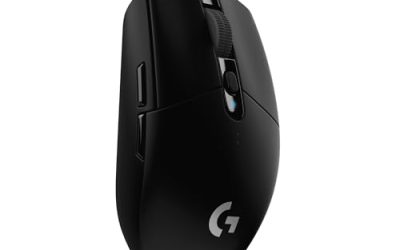
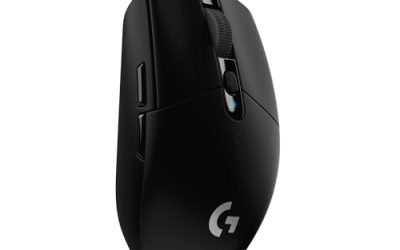
Logitech G502 HERO
- Best for: Button-heavy games played with a classic wired ergonomic shell.
- Ergonomic shape
- HERO 25K sensor
- 11 programmable buttons
- On-board memory
Button-heavy games played with a classic wired ergonomic shell.
Check the cable length and your desk layout, since a wired mouse needs a clear route to the computer.
The G502 HERO suits players who love a classic ergonomic gaming shell and want a button for nearly everything. Its sculpted right-handed body, thumb rest, and 11 programmable buttons make it a strong pick for games with many commands, and on-board memory carries your setup between computers. The HERO 25K sensor tracks precisely across a wide sensitivity range, and the familiar shape means most players settle into it within a session or two. It is a wired mouse, so it trades wireless freedom for a connection that never needs charging.
Watch out for: Check the cable length and your desk layout, since a wired mouse needs a clear route to the computer.
Which One Fits Your Situation
Long Evenings of Play
Long sessions reward a shape that lets the hand rest naturally, and the Razer Pro Click V2 Vertical answers with its upright grip and Focus Pro 30K sensor. The vertical hold spreads contact across the hand, while the gaming sensor keeps aiming sharp when a session turns competitive. If a full vertical grip feels like too big a change, the Logitech MX Master 3S offers a gentler route with its sculpted palm support and Quiet Clicks.
One Mouse for Work and Games
A single mouse for work and play needs quiet clicks, a comfortable all-day shape, and a sensor that handles both spreadsheets and games. The Logitech MX Master 3S fits that brief best, with its 8K DPI Darkfield sensor, USB-C charging, and Bluetooth connection for laptops. The Razer Pro Click V2 runs second here, thanks to its three connection modes and nine programmable controls that suit macros as well as game shortcuts.
A First Vertical Mouse
First-time vertical buyers should begin with a modest angle and a simple button layout, and the Logitech Lift Vertical Graphite fits that brief with its 57-degree tilt and four buttons. The shape changes the grip without moving every control, so the adjustment period stays short. The Razer Pro Click V2 Vertical suits buyers who already know they like vertical mice and want a stronger sensor in the same style of grip.
Button-Heavy Games and Shortcuts
Games with many commands need buttons the thumb can reach without disturbing the aim, and the Logitech G502 HERO fits that brief with 11 programmable buttons and on-board memory. Its classic ergonomic shell keeps the hand settled while the thumb works the side controls. The Razer Pro Click V2 suits players who want nearly as many controls in a more relaxed ergonomic shell, with nine programmable controls and wireless freedom.
Common Mistakes
- Choosing by sensor number alone and ignoring whether the shell matches your grip and hand size.
- Buying a vertical mouse and judging it after one evening, before the new grip has time to feel normal.
- Picking the mouse with the most buttons when your thumb can only reach two or three of them comfortably.
- Forgetting to check the connection type, so a Bluetooth-only plan meets a desktop with no Bluetooth.
- Ordering a colour variant without checking the listing, since the same model can carry different ASINs per finish.
Frequently Asked Questions
Is a vertical mouse better for gaming than a standard ergonomic mouse?
Neither shape wins outright, because the choice depends on your grip and the games you play. A vertical mouse holds the hand upright and can feel relaxed during long sessions, while a standard ergonomic shell keeps buttons and the sensor in familiar places for fast play. Try the shape that matches your usual grip, and give a vertical design a week before deciding.
How many buttons does an ergonomic gaming mouse need?
Most players use between four and seven buttons regularly, covering primary clicks, a scroll wheel, and two or three thumb buttons for common commands. The G502 HERO offers 11 programmable buttons for games with many shortcuts, while the Lift keeps things simple with four. Count the commands you press in a typical match, then choose a mouse that covers them without crowding your thumb.
Can I use an ergonomic mouse for work as well as gaming?
Yes, and several picks here suit both roles. The MX Master 3S pairs quiet clicks with a comfortable sculpted shape for long workdays, while the Razer Pro Click V2 adds programmable controls that work for macros and shortcuts. Check the connection options first, since a mouse that pairs over Bluetooth suits a laptop, while a wired model suits a fixed desk.
Do ergonomic gaming mice need a special mousepad?
No special pad is required, and every mouse here works on a standard desk mat. The MX Master 3S goes further with a Darkfield sensor that tracks on glass, which helps on bare desks and glossy surfaces. A clean, flat mat still helps any sensor track smoothly, so replace a worn or uneven pad before blaming the mouse for rough movement.
FAQ
Is a vertical mouse better for gaming than a standard ergonomic mouse?
How many buttons does an ergonomic gaming mouse need?
Can I use an ergonomic mouse for work as well as gaming?
Do ergonomic gaming mice need a special mousepad?
More from Amazon
Programs that pair well with the guide above. Offers and eligibility are set by Amazon and may change.
Free shipping on eligible items, Prime Video and more. Eligible new members can start with a free trial.
Start a Prime free trialAd-free music streaming. Eligible new subscribers can start with a free trial.
Try Music Unlimited freeA Prime membership for ages 18-24 with a trial period. Eligibility is set by Amazon.
See Prime for Young AdultsAudiobooks and podcasts to listen to on the go. Eligible new members can start with a free trial.
Try Audible freeAs an Amazon Associate we earn from qualifying purchases.