Our Short List of 3

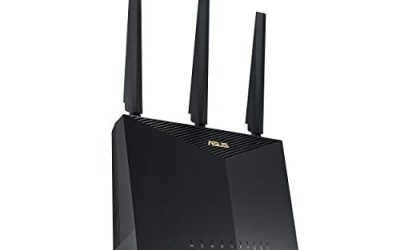
- Best for: A Spectrum household buying its first Wi-Fi 6 router.
- Wi-Fi 6 dual band, AX1800 speeds
- 5 GHz band up to 1201 Mbps and 2.4 GHz band up to 574 Mbps
- 4 gigabit LAN ports and 1 gigabit WAN port
- OFDMA and MU-MIMO for many connected devices
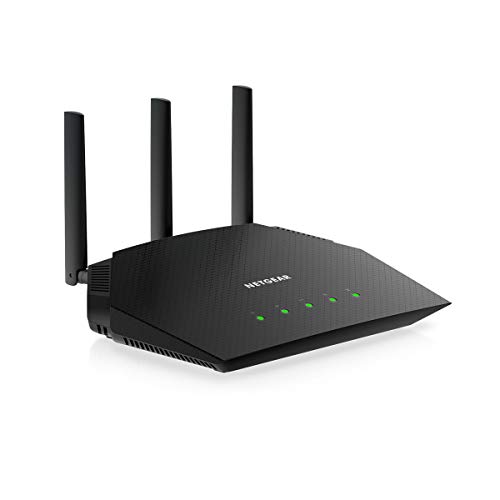
- Best for: A household that wants app-managed Wi-Fi with little fuss.
- Wi-Fi 6 dual band, AX1800 speeds
- 4 gigabit Ethernet LAN ports and 1 gigabit WAN port
- Nighthawk app for setup and device management
- OFDMA for smoother traffic with many devices

- Best for: A home that may add a mesh node for wider coverage later.
- Wi-Fi 6 dual band, AX3000 speeds
- 5 GHz band up to 2402 Mbps and 2.4 GHz band up to 574 Mbps
- 4 gigabit LAN ports and 1 gigabit WAN port
- AiMesh support for adding a second ASUS router
All 4 Picks at a Glance
| Product | Specs | Action |
|---|---|---|
| TP-Link Archer AX21 |
| Check price on Amazon |
| NETGEAR R6700AX |
| Check price on Amazon |
| ASUS RT-AX3000 |
| Check price on Amazon |
 TP-Link Archer A7 |
| Check price on Amazon |
Our Top Picks
Time Warner Cable became Spectrum in 2016, so anyone still searching for a router for Time Warner Cable is really shopping for a router that works on a Spectrum connection. Spectrum publishes an approved list for modems and modem-router combos only, not standalone routers, which means the router itself is your choice. The real decision is which standalone router to pair with the modem Spectrum gave you, and how much speed, range and control you need from it.
This guide is for households on a Spectrum connection, for people who want to replace a rented gateway with their own router, and for anyone setting up a home network that has to reach every room. Each router below was picked from the names and specifications shown on its Amazon page, with attention to Wi-Fi generation, wired ports and the setup steps that come with a Spectrum modem.
Quick Picks
As an Amazon Associate we earn from qualifying purchases
| Product | Best for | Key spec from title |
|---|---|---|
| TP-Link Archer AX21 | A first Wi-Fi 6 router for a Spectrum modem | Wi-Fi 6 AX1800, 4 gigabit LAN ports |
| NETGEAR R6700AX | A household that wants a simple app-managed router | Wi-Fi 6 AX1800, Nighthawk app |
| ASUS RT-AX3000 | A home that needs mesh-ready coverage | Wi-Fi 6 AX3000, AiMesh support |
| TP-Link Archer A7 | A smaller home on a basic Spectrum plan | AC1750 dual band, 4 gigabit LAN ports |
How to Choose
Start with the modem, not the router
A standalone router cannot replace the modem on a Spectrum line, so the first check is what sits between the wall and the router. Spectrum supplies a modem, and the router plugs into it with an Ethernet cable. If your Spectrum device is a gateway that combines modem and router, put it in bridge mode or ask Spectrum how to turn off its Wi-Fi before you add your own router, because two routers on one line fight over addresses and slow everything down. Confirm the modem has a free Ethernet port and that its lights show an online connection before you buy anything.
Match the Wi-Fi generation to the household
Wi-Fi 6 routers handle many connected devices better than older Wi-Fi 5 models, because they schedule traffic more efficiently and keep video calls steady while a game downloads in the background. A home with a dozen phones, laptops, TVs and smart devices will notice the difference. A smaller household with a few devices and a basic plan can do fine on a Wi-Fi 5 model, but the gap in price between the two generations has narrowed enough that Wi-Fi 6 is the sensible default. Look for dual-band support so phones can use the faster 5 GHz band nearby and the longer-reaching 2.4 GHz band further away.
Count the wired ports before you buy
Every router in this guide has four gigabit LAN ports, and that number matters more than it first looks. A desktop, a console and a TV box can fill three ports before you realise it, leaving nothing for a network drive or a second console. If you plan to wire more than four devices, budget for a small gigabit switch alongside the router. Check the WAN port speed too, since a gigabit WAN port is what lets the router pass a full gigabit Spectrum plan through to the house. A router with a slower WAN port caps the whole connection no matter how fast the plan is.
Check setup, app control and parental tools
Router setup has become a phone-app job, and the quality of that app shapes the first week with the device. A good app walks through connecting to the modem, naming the network and setting a password without a manual. Look for a guest network for visitors, so guests never see the shared drives on the home network. Parental controls matter for families, letting you pause the internet per device or block categories of sites. Some routers bundle security subscriptions that expire after a trial, so read what stays free and what needs a paid plan.
The 4 Best Options
TP-Link Archer AX21
- Best for: A Spectrum household buying its first Wi-Fi 6 router.
- Wi-Fi 6 dual band, AX1800 speeds
- 5 GHz band up to 1201 Mbps and 2.4 GHz band up to 574 Mbps
- 4 gigabit LAN ports and 1 gigabit WAN port
- OFDMA and MU-MIMO for many connected devices
A Spectrum household buying its first Wi-Fi 6 router.
The HomeShield security features include a trial period, so check what stays free after it ends.
The Archer AX21 is the straightforward pick for a Spectrum household that wants modern Wi-Fi 6 without a complicated setup. It runs a dual-band AX1800 network, which gives the 5 GHz band room for streaming and gaming while the 2.4 GHz band reaches the far rooms and the smart devices. Its four gigabit LAN ports cover a desktop, a console and a TV box with one spare, and the Tether app walks through setup in a few minutes. It pairs well with a Spectrum modem in bridge mode and handles a busy evening of video calls, streaming and downloads without drama.
NETGEAR R6700AX
- Best for: A household that wants app-managed Wi-Fi with little fuss.
- Wi-Fi 6 dual band, AX1800 speeds
- 4 gigabit Ethernet LAN ports and 1 gigabit WAN port
- Nighthawk app for setup and device management
- OFDMA for smoother traffic with many devices
A household that wants app-managed Wi-Fi with little fuss.
NETGEAR Armor is a trial, so decide whether to pay for it after the trial ends.
The R6700AX suits a household that wants the router to stay out of the way once it is running. It is a Wi-Fi 6 AX1800 router with four gigabit Ethernet ports and a Nighthawk app that handles setup, guest networks and device lists from a phone. Its dual-band design keeps the faster 5 GHz band for the living room and the longer-reaching 2.4 GHz band for bedrooms and smart home gear. The router works with a Spectrum modem in the usual way, with one Ethernet cable from the modem to the router WAN port, and it holds up well when several people stream and game at once.
ASUS RT-AX3000
- Best for: A home that may add a mesh node for wider coverage later.
- Wi-Fi 6 dual band, AX3000 speeds
- 5 GHz band up to 2402 Mbps and 2.4 GHz band up to 574 Mbps
- 4 gigabit LAN ports and 1 gigabit WAN port
- AiMesh support for adding a second ASUS router
A home that may add a mesh node for wider coverage later.
AiMesh needs a second compatible ASUS router, so budget for that node if coverage is already thin.
The RT-AX3000 is the pick for a home that may need more coverage later, because it supports AiMesh and can join a second ASUS router into one network. On its own it is an AX3000 dual-band Wi-Fi 6 router, with a faster 5 GHz band than the AX1800 models here and four gigabit LAN ports for wired devices. Its AiProtection security runs without a subscription, which is a real difference from routers that charge after a trial. Setup runs through the ASUS Router app, and the router pairs with a Spectrum modem like any standalone router, needing only the modem in bridge mode and one Ethernet cable.
TP-Link Archer A7
- Best for: A smaller home on a basic Spectrum plan.
- AC1750 dual-band Wi-Fi 5
- 5 GHz band up to 1300 Mbps and 2.4 GHz band up to 450 Mbps
- 4 gigabit LAN ports and 1 gigabit WAN port
- 3 external antennas
A smaller home on a basic Spectrum plan.
Wi-Fi 5 handles fewer simultaneous devices than Wi-Fi 6, so it suits lighter households.
The Archer A7 is the plain choice for a smaller home on a basic Spectrum plan, where Wi-Fi 5 is enough and the budget matters. It is an AC1750 dual-band router with three external antennas and four gigabit LAN ports, and it covers a flat or a small house without fuss. Setup runs through the Tether app, and it supports Alexa voice commands for the guest network. It will not keep up with a house full of 4K streams and gaming the way a Wi-Fi 6 model does, but for a couple of people browsing, streaming and working from home, it is a steady and simple box.
Which One Fits Your Situation
A first router to replace a rented gateway
Pick the TP-Link Archer AX21. It is a Wi-Fi 6 router with a simple app setup, four gigabit ports and enough speed for a family that streams, games and works from home. Plug the Spectrum modem into its WAN port, run the Tether app, and the network is up in minutes. It is the least complicated way to stop renting a gateway and own the router outright.
A house where the app matters most
Pick the NETGEAR R6700AX. The Nighthawk app makes it easy to see every connected device, set up a guest network and pause the internet per device, which suits households where someone manages the network for everyone else. Its AX1800 Wi-Fi 6 radio keeps several streams steady at once, and the four wired ports cover the main living-room devices.
A home that may need mesh coverage later
Pick the ASUS RT-AX3000. Its AiMesh support means a second ASUS router can join the network later without starting over, which is useful if a dead spot shows up in a far bedroom. Its faster 5 GHz band and subscription-free AiProtection make it a strong single router now and a sensible base for a mesh later.
A small home on a basic plan
Pick the TP-Link Archer A7. It is a Wi-Fi 5 router with enough range for a flat or a small house and four gigabit ports for the wired devices that matter. It costs less than the Wi-Fi 6 models here, and for a household with a few devices and a basic Spectrum plan, that trade is a fair one.
Common Mistakes
- Buying a standalone router and expecting it to replace the Spectrum modem, when a modem is still needed on the line.
- Leaving the Spectrum gateway in router mode, so two routers fight over addresses and the network slows down.
- Choosing a router with a WAN port slower than the Spectrum plan, which caps the whole connection.
- Ignoring how many wired devices need ports, then running out of LAN ports on the first day.
- Forgetting that security subscriptions on some routers expire after a trial, so features disappear unless you pay.
Frequently Asked Questions
Does Time Warner Cable still exist as a provider?
No, Time Warner Cable became Spectrum in 2016, so the brand no longer sells internet service. A router bought for a Time Warner Cable line is really a router for a Spectrum connection, and it connects the same way, through a Spectrum modem. Spectrum publishes an approved list for modems and modem-router combos only, not for standalone routers.
Can I use my own router with Spectrum?
Yes, you can use your own standalone router with Spectrum by connecting it to the Spectrum modem with an Ethernet cable. If Spectrum supplied a gateway that combines modem and router, put it in bridge mode or ask Spectrum to turn off its Wi-Fi first. That avoids two routers handing out addresses on the same network.
Do I need a modem as well as a router?
Yes, a standalone router cannot replace the modem on a Spectrum line. The modem talks to the cable network and the router creates the home Wi-Fi network and hands out addresses. Every router in this guide assumes a Spectrum modem is already in place, with one Ethernet cable running from the modem to the router WAN port.
Is Wi-Fi 6 worth it for a Spectrum connection?
Wi-Fi 6 is worth it for most households because it handles many connected devices better than Wi-Fi 5, keeping calls and streams steady during downloads. A smaller household with a few devices can do fine on Wi-Fi 5, but the price gap is small, so Wi-Fi 6 is the sensible default for a router you plan to keep for years.
FAQ
Does Time Warner Cable still exist as a provider?
Can I use my own router with Spectrum?
Do I need a modem as well as a router?
Is Wi-Fi 6 worth it for a Spectrum connection?
More from Amazon
Programs that pair well with the guide above. Offers and eligibility are set by Amazon and may change.
Free shipping on eligible items, Prime Video and more. Eligible new members can start with a free trial.
Start a Prime free trialAd-free music streaming. Eligible new subscribers can start with a free trial.
Try Music Unlimited freeA Prime membership for ages 18-24 with a trial period. Eligibility is set by Amazon.
See Prime for Young AdultsAudiobooks and podcasts to listen to on the go. Eligible new members can start with a free trial.
Try Audible freeAs an Amazon Associate we earn from qualifying purchases.