Our Short List of 3

- Best for: Players who want a comfortable, quiet all-rounder for typing and evening games.
- Switch type: Mech-Dome keys
- Backlighting: LIGHTSYNC RGB
- Design: Spill-resistant with integrated palm rest and adjustable feet
- Controls: Dedicated media controls

- Best for: Players who want quiet membrane keys, simple media controls, and bright zone lighting.
- Model number: CH-9226C65-NA
- Switch type: Membrane, quiet and responsive
- Backlighting: Ten-zone RGB, iCUE compatible
- Controls: Dedicated media keys plus Win lock and brightness buttons

- Best for: Lighting fans who want per-key Chroma RGB effects on a quiet membrane board.
- Model number: RZ03-03400200-R3U1
- Switch type: Membrane with soft, cushioned keys
- Backlighting: Individually backlit keys with Razer Chroma RGB
- Anti-ghosting: Built-in key rollover for up to ten commands at once
All 4 Picks at a Glance
| Product | Specs | Action |
|---|---|---|
| Logitech G213 Prodigy |
| Check price on Amazon |
| Corsair K55 CORE RGB |
| Check price on Amazon |
| Razer Cynosa V2 |
| Check price on Amazon |
 SteelSeries Apex 3 |
| Check price on Amazon |
Our Top Picks
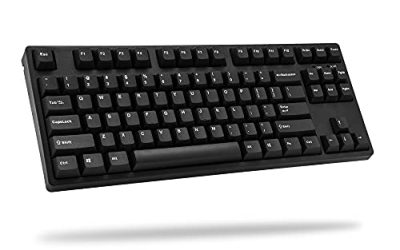
- CORSAIR K55 CORE RGB Membrane Wired Gaming Keyboard17.77"L x 5.57"W x 1.38"H1.7 poundsCheck on Amazon
Casual gaming asks something different from a keyboard than competitive play does. The same board usually has to handle a full day of typing, then a relaxed evening session, without loud switches annoying everyone nearby or a tiring layout wearing out your wrists. The real decision is about comfort, noise, and everyday durability rather than raw speed. A spill-resistant deck, a decent wrist rest, and keys that feel soft under long messages matter more here than tournament features most players never touch.
This guide is for players who game a few nights a week and type on the same desk the rest of the time. Every pick below is a wired full-size or tenkeyless keyboard sold on Amazon, chosen from listing details: the Logitech G213 Prodigy and Razer Cynosa V2 for cushioned membrane keys, the Corsair K55 RGB PRO and K55 CORE RGB for media controls and macro options, and the SteelSeries Apex 3 for quiet switches and a magnetic wrist rest.
Quick Picks
As an Amazon Associate we earn from qualifying purchases
| Product | Best for | Key spec from title |
|---|---|---|
| Logitech G213 Prodigy | Comfort-first everyday play | Mech-Dome keys with LIGHTSYNC RGB backlighting |
| Corsair K55 RGB PRO | Macros and streaming shortcuts | Six macro keys with Elgato Stream Deck integration |
| Corsair K55 CORE RGB | Quiet typing on a simple setup | Ten-zone RGB with quiet, responsive switches |
| Razer Cynosa V2 | Per-key lighting fans | Individually backlit Chroma RGB keys |
| SteelSeries Apex 3 | Quiet switches and wrist support | Whisper Quiet switches with magnetic wrist rest |
How to Choose
Switch Feel and Noise Level
The switch decides how a keyboard feels during both a long document and a late gaming session. Membrane and mech-dome designs, like the keys on the Logitech G213 Prodigy and Razer Cynosa V2, press softly and stay quiet, which suits shared rooms and open-plan homes. Mechanical switches feel crisper but can sound sharp on a hard desk. SteelSeries takes a middle path with its Whisper Quiet gaming switches on the Apex 3. Think about who hears your keyboard as much as how it feels, because a board that annoys the household rarely stays on the desk for long.
Layout, Size, and Wrist Support
Full-size boards keep the number pad, which helps with spreadsheets, data entry, and games that bind extra commands to those keys. A tenkeyless layout frees mouse space on smaller desks but drops that pad entirely. Wrist support matters over long mixed sessions: the SteelSeries Apex 3 includes a premium magnetic wrist rest, the Corsair K55 RGB PRO ships with a detachable palm rest, and the Logitech G213 Prodigy builds one into the frame. If your desk is shallow, also check the listed depth of each board before ordering, since a rest adds several inches in front of the keys.
Lighting Style and Software
Lighting ranges from simple zones to fully individual keys. The Razer Cynosa V2 backlights every key on its own through Razer Chroma RGB, while the Corsair K55 CORE RGB divides its lighting into ten zones and the K55 RGB PRO into five. Zone lighting still looks clean and is simpler to set up, while per-key lighting lets you highlight a specific control group for a favorite game. Most effects run through companion software such as Corsair iCUE or Razer Synapse, so check that the software supports your operating system and decide whether you want deep customization or a board that looks good with minimal setup.
Spill Resistance and Everyday Durability
A casual desk usually holds coffee, water, or a soft drink within elbow range, so spill resistance is practical rather than cosmetic. The Corsair K55 RGB PRO carries an IP42 rating for dust and spill resistance, the SteelSeries Apex 3 is rated IP32 for water resistance, and the Corsair K55 CORE RGB is listed as withstanding drink spills up to a stated volume. The Logitech G213 Prodigy and Razer Cynosa V2 both describe spill-resistant designs as well. Ratings differ in what they cover, so treat them as protection against accidents, not as permission to soak the board, and unplug any keyboard after a spill.
The 5 Best Options
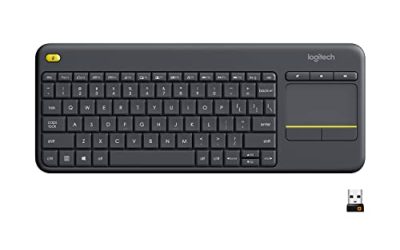
Logitech G213 Prodigy
- Best for: Players who want a comfortable, quiet all-rounder for typing and evening games.
- Switch type: Mech-Dome keys
- Backlighting: LIGHTSYNC RGB
- Design: Spill-resistant with integrated palm rest and adjustable feet
- Controls: Dedicated media controls
Players who want a comfortable, quiet all-rounder for typing and evening games.
The palm rest is built in rather than detachable, so the footprint stays large on shallow desks.
The G213 Prodigy suits players who want one comfortable board for work and play without learning new software habits. Its Mech-Dome keys are tuned for a tactile response while staying closer to membrane quiet, and the integrated palm rest plus adjustable feet make long typing days easier on the wrists. LIGHTSYNC RGB backlighting adds color without per-key complexity, dedicated media controls keep volume and playback within reach, and the spill-resistant design fits a desk where drinks sit nearby. It is a sensible first gaming keyboard for a shared home office or family PC.
Corsair K55 RGB PRO
The K55 RGB PRO fits casual players who also stream, record clips, or like having shortcuts ready. Six dedicated macro keys can record commands on the board, handle more complex sequences through iCUE, or trigger streaming actions through Elgato Stream Deck software. Five-zone dynamic RGB backlighting keeps the look lively, the IP42 rating guards against dust and spill accidents, and the detachable palm rest supports longer sessions. Dedicated media and volume keys round out a board aimed at a desk that does a bit of everything, from homework and office tasks to weekend co-op games.
Specs
- Model number: CH-9226765-NA/FF
- Backlighting: Five-zone dynamic RGB, controlled through Corsair iCUE
- Macro keys: Six dedicated keys with Elgato Stream Deck software integration
- Protection: IP42 dust and spill resistant
- Extras: Detachable palm rest, dedicated media and volume keys
- Connection: USB wired
- Dimensions: 18.94 x 6.57 x 1.42 inches
Best for: Casual players who want macro keys for games, streaming, or everyday shortcuts.
Watch out for: The macro and lighting features rely on iCUE software for full programming, which adds setup time.
ASIN: B08Y681W3X
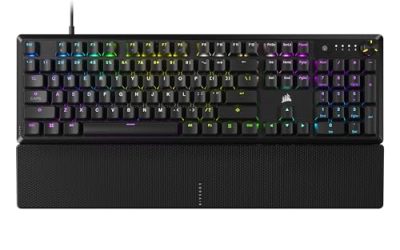
Corsair K55 CORE RGB
- Best for: Players who want quiet membrane keys, simple media controls, and bright zone lighting.
- Model number: CH-9226C65-NA
- Switch type: Membrane, quiet and responsive
- Backlighting: Ten-zone RGB, iCUE compatible
- Controls: Dedicated media keys plus Win lock and brightness buttons
Players who want quiet membrane keys, simple media controls, and bright zone lighting.
There are no dedicated macro keys, so shortcut fans should look at the K55 RGB PRO instead.
The K55 CORE RGB is the simpler Corsair option, built for quiet, responsive keypresses and an easy setup. Its membrane switches keep noise down for shared spaces, and ten-zone RGB backlighting gives the desk more color than the PRO model while staying manageable through iCUE. Four dedicated media buttons cover volume and playback, with Win lock and brightness buttons alongside them. The listing states spill resistance against drink spills, plus twelve-key rollover and a 1000Hz polling rate, which is plenty of responsiveness for relaxed play. It suits a first gaming setup or a family computer that needs to stay calm and tidy.
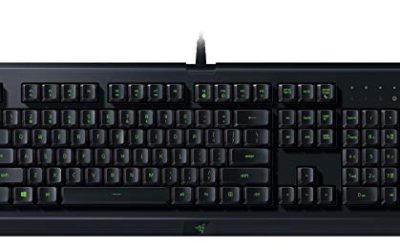
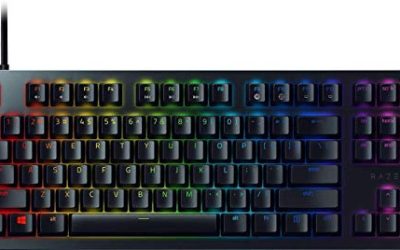
Razer Cynosa V2
- Best for: Lighting fans who want per-key Chroma RGB effects on a quiet membrane board.
- Model number: RZ03-03400200-R3U1
- Switch type: Membrane with soft, cushioned keys
- Backlighting: Individually backlit keys with Razer Chroma RGB
- Anti-ghosting: Built-in key rollover for up to ten commands at once
Lighting fans who want per-key Chroma RGB effects on a quiet membrane board.
There is no wrist rest in the box, so budget for a separate one if you type for hours.
The Cynosa V2 is the pick for players who care most about lighting. Every key is individually backlit and powered by Razer Chroma RGB, with support for millions of colors and effects that can sync with compatible games and other Razer gear. The cushioned membrane keys stay quiet during long sessions, built-in key rollover with anti-ghosting handles up to ten simultaneous commands, and Razer Hypershift lets keys carry secondary functions for players who enjoy tinkering. Dedicated media keys and a spill-resistant design keep it practical for daily use, and the listing rates the board for up to eighty million clicks.
SteelSeries Apex 3
- Best for: Players in shared spaces who want quiet switches and a snap-on wrist rest.
- Switch type: Whisper Quiet gaming switches
- Backlighting: 10-zone RGB illumination
- Protection: IP32 water resistant
- Wrist rest: Premium magnetic wrist rest included
Players in shared spaces who want quiet switches and a snap-on wrist rest.
Lighting is divided into ten zones rather than per-key control, so effects are less detailed than the Cynosa V2.
The Apex 3 targets players who find mechanical boards too loud but still want a proper gaming feature set. Its Whisper Quiet gaming switches are built for low noise, and the listing pairs them with ten-zone RGB illumination and an IP32 water resistance rating for peace of mind around drinks. The premium magnetic wrist rest snaps on and off, which helps when the same desk alternates between work and play. As a full-size board it keeps the number pad for everyday tasks, and the quiet character makes it a good fit for bedrooms, dorms, and living rooms where other people are trying to relax nearby.
Which One Fits Your Situation
You Type All Day and Game After Work
Choose a board with soft keys and wrist support, such as the Logitech G213 Prodigy with its integrated palm rest or the SteelSeries Apex 3 with its magnetic rest. Quiet membrane or low-noise switches keep long documents comfortable, and dedicated media keys help when you switch from a spreadsheet to a game without changing hardware or settings.
Your Desk Is Shared With Family
Spill resistance and simple controls matter most here. The Corsair K55 CORE RGB handles drink spills, keeps four media buttons within easy reach, and avoids complicated macro setups that confuse other users. A wired connection also means no pairing issues when different people sit down, and zone lighting is easy to tone down or switch off.
You Stream or Record Clips for Fun
The Corsair K55 RGB PRO fits this desk best. Its six macro keys can trigger streaming commands through Elgato Stream Deck software or store game shortcuts through iCUE, while five-zone RGB keeps the setup looking presentable on camera. The detachable palm rest helps during long recording sessions, and the IP42 rating adds protection around drinks.
You Play in a Bedroom or Dorm Room
Quiet keys protect your roommate and your neighbors. The Razer Cynosa V2 and SteelSeries Apex 3 both keep noise low, while the Cynosa adds per-key lighting for a more personal setup. Measure your desk first, since both are full-size boards, and consider that a separate wrist rest may be needed with the Cynosa V2.
Common Mistakes
- Buying a loud mechanical board for a shared room without checking how the switches sound on a hard desk.
- Ignoring desk depth, then discovering a full-size keyboard with a palm rest leaves no room for the mouse.
- Paying for per-key RGB when simple zone lighting would cover everything you actually use.
- Assuming spill resistance means waterproof, and continuing to use a keyboard right after a serious spill.
- Forgetting to check software compatibility, then finding the lighting and macro tools do not support your operating system.
Frequently Asked Questions
Is a membrane keyboard good enough for casual gaming?
Yes, for relaxed play a membrane board covers everything most casual players need. The listings for the Logitech G213 Prodigy and Razer Cynosa V2 describe soft, cushioned keys with anti-ghosting support for everyday commands. Mechanical switches feel different and often sound louder, so the choice comes down to comfort, noise, and budget rather than a clear performance gap at this level.
Do these keyboards work well for office typing too?
They do, and that dual role is the point of this guide. Full-size layouts keep the number pad for spreadsheets, media keys help during calls and music playback, and quiet switches suit shared offices. Boards with wrist rests, such as the SteelSeries Apex 3 and Corsair K55 RGB PRO, also support longer typing days more comfortably than a bare, compact deck.
What does spill resistance actually protect against?
It protects against accidents, not immersion. Ratings such as the IP42 protection on the Corsair K55 RGB PRO and IP32 on the SteelSeries Apex 3 describe resistance to dust and splashes under test conditions. A knocked-over drink is the intended scenario. You should still unplug the keyboard, let it dry fully, and avoid soaking any board, whatever its listing claims.
Do I need to install software to use the RGB lighting?
Basic lighting usually works as soon as the keyboard is plugged in, but full customization needs the companion app. Corsair boards use iCUE for lighting effects and macro programming, while the Razer Cynosa V2 uses Razer Synapse for Chroma settings and Hypershift functions. If you prefer zero setup, zone-lit boards still look good with their onboard effects alone.
FAQ
Is a membrane keyboard good enough for casual gaming?
Do these keyboards work well for office typing too?
What does spill resistance actually protect against?
Do I need to install software to use the RGB lighting?
More from Amazon
Programs that pair well with the guide above. Offers and eligibility are set by Amazon and may change.
Free shipping on eligible items, Prime Video and more. Eligible new members can start with a free trial.
Start a Prime free trialAd-free music streaming. Eligible new subscribers can start with a free trial.
Try Music Unlimited freeA Prime membership for ages 18-24 with a trial period. Eligibility is set by Amazon.
See Prime for Young AdultsAudiobooks and podcasts to listen to on the go. Eligible new members can start with a free trial.
Try Audible freeAs an Amazon Associate we earn from qualifying purchases.