Our Top Picks
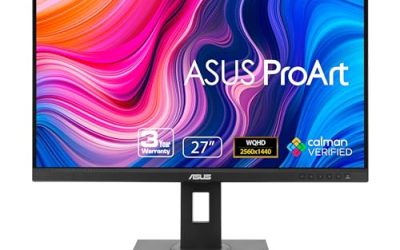
 ASUS TUF Gaming VG27AQ3A 27 Inch 1440p 180Hz14.4" x 24.2" x 2.1"24.2 x 8.4 x 17.9 inches10.1 poundsCheck on Amazon
Shopping for the best 3k monitors can feel confusing, because the term “3K” gets used in more than one way. In most listings, a 3K monitor means a display with a horizontal resolution close to three thousand pixels, and the most common example is QHD at 2560 x 1440. Some brands also label 2880 x 1620 panels as 3K. Either way, the idea is the same: a clear step up in sharpness from Full HD, without the heavy graphics card demands of a full 4K panel.
A 3K monitor sits in a sweet spot. Text looks crisp, games look detailed, and movies fill the screen with far more texture than a 1080p display can manage. At the same time, a mid-range graphics card can still push high frame rates at this resolution, which is why so many PC gamers settle here. Content creators, students, and office workers get the same benefit: more room for windows, sharper fonts, and less eye strain during long sessions.
This guide explains what 3K really means, what to look for before you buy, and which models stand out right now. Every pick below is a QHD-class display sold on Amazon US, chosen for a different kind of buyer, from competitive gaming to immersive curved play.
What Does 3K Actually Mean?
The “K” in monitor marketing refers roughly to the horizontal pixel count in thousands. A 4K display is 3840 pixels wide, a 2K display is around 2048 pixels wide, and a 3K display lands near 3000 pixels wide. In practice, the label most often attached to 2560 x 1440 monitors, which are also sold as QHD or WQHD. That resolution gives you about 1.7 times the pixels of Full HD, which is a visible jump on a 27-inch screen.
Some manufacturers use 3K to describe 2880 x 1620 panels, which are closer to the literal number. Those are less common in the gaming monitor market, so most shoppers comparing “3K monitors” are really comparing QHD monitors. The advice in this guide applies to both, because the buying decisions are the same: panel type, refresh rate, size, and connectivity matter far more than the exact marketing label.
One thing to keep in mind is pixel density. A 27-inch QHD monitor has roughly 109 pixels per inch, which is a good balance for a desktop viewed at arm’s length. Text stays sharp without needing display scaling, and games look clean without the anti-aliasing workload that 4K demands. Go much larger than 32 inches at this resolution and the image starts to soften, which is why most 3K monitors sit in the 27-inch range.
How to Choose the Best 3K Monitor
Panel Type: IPS, VA, or TN
The panel type shapes everything about how a monitor looks. IPS panels are the most popular choice for 3K monitors because they offer wide viewing angles and accurate colors, which suit gaming, photo work, and general use alike. Their contrast is decent but not class-leading, and they can show a slight glow in very dark scenes.
VA panels trade a little color accuracy and viewing angle for much deeper blacks and higher contrast. That makes them a strong fit for curved gaming monitors and for anyone who watches movies in a dim room. Response times on older VA panels could smear in fast motion, but modern fast VA panels have narrowed that gap considerably.
TN panels are rare in the 3K class today. They were once the speed kings, but IPS panels now match or beat them on response time while looking far better. Unless you find a TN model at a steep discount, there is little reason to choose one.
Refresh Rate and Response Time
Refresh rate is measured in hertz, and it tells you how many times per second the screen redraws. A 60Hz monitor redraws 60 times per second, while a 144Hz or 165Hz monitor redraws far more often, making motion look smoother and controls feel more responsive. For gaming, 144Hz is the practical baseline in this class, and 165Hz or 180Hz models are now common.
Response time measures how quickly a pixel changes color, and lower is better for reducing ghosting behind fast-moving objects. Look for 1ms figures, but read them carefully: manufacturers measure response time in different ways, and a 1ms MPRT figure is not the same as a 1ms gray-to-gray figure. In practice, any modern 144Hz or faster IPS or VA panel in this roundup handles fast games well.
Adaptive Sync
Adaptive sync technology matches the monitor’s refresh rate to your graphics card’s frame output, which removes screen tearing and stutter. AMD FreeSync and NVIDIA G-SYNC Compatible are the two main systems, and most modern 3K monitors support at least one of them. If you own an NVIDIA card, check for G-SYNC Compatible certification. If you own an AMD card, FreeSync Premium is the label to look for. Many monitors support both.
Size and Curve
The 27-inch size dominates the 3K market for good reason. It is large enough to feel immersive, small enough to fit on a standard desk, and the pixel density at QHD keeps text sharp. A 32-inch 3K monitor works too, but the image is a little softer, so it suits people who sit further back or who want a bigger canvas for multitasking.
Curved monitors, usually rated at 1500R or 1000R, wrap the image slightly around your field of view. A tighter curve like 1000R feels more immersive for gaming, while a gentler 1500R curve is a comfortable middle ground. Flat panels are better if you do design work where straight lines matter, or if you plan to mount two monitors side by side.
Ports and Ergonomics
Check the ports before you buy. You want at least one DisplayPort input, because that is the connection that unlocks the highest refresh rates at QHD. HDMI is useful for consoles and secondary devices, but older HDMI versions may cap the refresh rate. Two HDMI ports plus one DisplayPort is a comfortable minimum.
Ergonomics matter more than most buyers expect. A stand that adjusts for height, tilt, and pivot lets you set the screen at eye level, which reduces neck strain over long sessions. VESA mounting support is worth having too, because it leaves the door open for a monitor arm later.
Top Picks: The Best 3K Monitors
1. LG 27GL83A-B UltraGear — Best Overall 3K Monitor
The LG 27GL83A-B has been a default recommendation in the QHD class for years, and it earns that status. Its 27-inch IPS panel runs at 2560 x 1440 with a 144Hz refresh rate and a 1ms response time, which covers competitive gaming and smooth everyday use in one package. Colors are accurate out of the box, with wide viewing angles that hold up when you shift in your chair.
NVIDIA G-SYNC compatibility and AMD FreeSync support mean tear-free gaming on either brand of graphics card, and HDR10 support adds a little extra punch to supported games and video. The stand adjusts for height, tilt, and pivot, so you can rotate the screen vertically for reading long documents or code. HDMI and DisplayPort inputs cover the usual connections.
This is the monitor to buy if you want one display that does everything well without a complicated decision. It is equally at home with fast shooters, strategy games, spreadsheets, and streaming video, and its IPS panel keeps colors honest for light photo and video work.
View the LG 27GL83A-B on Amazon
2. ASUS TUF Gaming VG27AQ3A — Best 3K Monitor for Fast Gaming
The ASUS TUF Gaming VG27AQ3A pushes the refresh rate higher, to 180Hz, while keeping the same 27-inch QHD Fast IPS formula. That extra headroom makes motion visibly smoother in fast-paced games, and the 1ms response time keeps ghosting to a minimum. ASUS adds its Extreme Low Motion Blur Sync feature, which combines backlight strobing with adaptive sync for clearer motion in supported titles.
Color coverage is generous at 130 percent of the sRGB space, so games look vivid and saturated, and the HDR support adds depth to bright highlights. Built-in speakers are a handy bonus for a clean desk setup, though a dedicated headset or speaker pair still sounds better. FreeSync Premium and G-SYNC compatibility cover both major graphics card brands.
Choose this model if your priority is competitive gaming and you want the fastest panel in this roundup. The 180Hz refresh rate is the headline, but the strong color performance means it doubles as a solid everyday display too.
View the ASUS TUF Gaming VG27AQ3A on Amazon
3. Samsung Odyssey G55C — Best Curved 3K Monitor
The Samsung Odyssey G55C takes a different approach with a 27-inch curved VA panel. Its 1000R curve is one of the tightest available, wrapping the image around your view for a genuinely immersive feel in racing games, flight simulators, and open-world adventures. The 165Hz refresh rate and 1ms response time keep motion smooth, and the VA panel delivers deep blacks with a high contrast ratio that IPS panels cannot match.
HDR10 support and AMD FreeSync round out the gaming feature set, and the Eye Care design with reduced blue light and flicker-free operation helps during long sessions. The curved screen also works well for productivity, since it keeps the edges of a wide spreadsheet or timeline closer to your eyes.
Pick the Odyssey G55C if you want immersion above all else and you mostly play in a dimmer room where the VA panel’s contrast shines. It is also a strong choice if you simply prefer the feel of a curved display over a flat one.
View the Samsung Odyssey G55C on Amazon
4. Dell S2722DGM — Best 3K Monitor for Mixed Gaming and Work
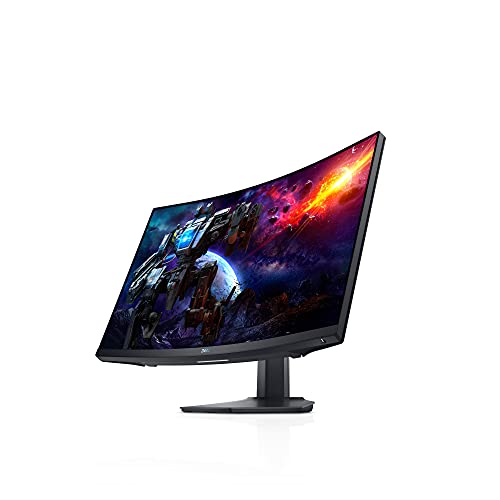
The Dell S2722DGM pairs a 27-inch curved QHD VA panel with a 165Hz refresh rate, aiming squarely at buyers who split their time between games and work. Its 1500R curve is gentler than the Samsung’s, which makes it a comfortable fit for office tasks as well as play. The VA panel’s 3000:1 contrast ratio gives dark scenes real depth, and 99 percent sRGB coverage keeps colors accurate enough for everyday creative tasks.
Height and tilt adjustment on the stand make it easy to dial in a comfortable viewing position, and the anti-glare coating helps in brighter rooms. FreeSync Premium support keeps gameplay smooth, and the 165Hz refresh rate over DisplayPort covers fast action without fuss.
This is the pick for a shared desk that handles work calls in the morning and games in the evening. It does not chase the highest refresh rate or the flashiest design, but it covers the fundamentals with a well-built, comfortable package.
View the Dell S2722DGM on Amazon
Comparison Table
| Monitor | Size | Panel | Refresh Rate | Curve | Adaptive Sync |
|---|---|---|---|---|---|
| LG 27GL83A-B UltraGear | 27-inch | IPS | 144Hz | Flat | G-SYNC Compatible, FreeSync |
| ASUS TUF Gaming VG27AQ3A | 27-inch | Fast IPS | 180Hz | Flat | G-SYNC Compatible, FreeSync Premium |
| Samsung Odyssey G55C | 27-inch | VA | 165Hz | 1000R | FreeSync |
| Dell S2722DGM | 27-inch | VA | 165Hz | 1500R | FreeSync Premium |
Which 3K Monitor Should You Buy?
Start with your main use. If you play competitive shooters and want the smoothest motion, the ASUS TUF Gaming VG27AQ3A with its 180Hz panel is the natural pick. If you want one monitor that handles everything reliably, the LG 27GL83A-B remains the safest all-rounder in this class. If immersion and contrast matter most, the Samsung Odyssey G55C and its tight 1000R curve deliver the most cinematic experience. And if your desk serves double duty for work and play, the Dell S2722DGM balances both worlds with a gentler curve and a comfortable stand.
Also think about your graphics card. A mid-range card from the last few generations can drive QHD at high settings in most games, but very demanding titles may need settings tuned down to hold high frame rates. That is part of the appeal of 3K: you get a visibly sharper image than Full HD without needing a flagship card to enjoy it.
Desk space deserves a thought too. A 27-inch monitor fits comfortably on most desks, but curved models need a little more depth, and a monitor arm can free up space underneath. Measure your desk before ordering, and check that your graphics card has a DisplayPort output to unlock the full refresh rate.
FAQ
Is a 3K monitor the same as a QHD monitor?
In most listings, yes. The term 3K is usually applied to QHD monitors with a 2560 x 1440 resolution, which is the most common “3K” class on the market. A small number of panels use 2880 x 1620 and carry the same label. Either way, both sit between Full HD and 4K in sharpness and in the graphics power they demand.
Is 3K enough for gaming, or should I buy 4K?
For most gamers, 3K is the better balance. It looks noticeably sharper than Full HD, and a mid-range graphics card can run games at high frame rates without struggling. A 4K monitor demands a much stronger graphics card to reach the same frame rates, and the extra sharpness is harder to notice on a 27-inch screen at normal viewing distance.
What refresh rate should a 3K gaming monitor have?
Look for at least 144Hz if you play games regularly. That refresh rate makes motion smoother and controls feel more responsive than a standard 60Hz display. Models at 165Hz and 180Hz add a little more smoothness, and they are worth it if your graphics card can push frame rates that high in the games you play.
Do I need a special cable for a 3K monitor?
Use DisplayPort for the best results. DisplayPort reliably carries QHD resolution at high refresh rates, while older HDMI versions can cap the refresh rate. Most monitors in this roundup include a DisplayPort cable in the box, but check the contents list before you buy so you are not caught without one.
Are curved 3K monitors good for office work?
Yes, with a small caveat. A gentle curve like 1500R works well for spreadsheets, timelines, and multitasking, because it keeps the edges of the screen at a similar distance from your eyes. A very tight curve like 1000R feels more immersive for gaming but can make straight lines look slightly bent in design work, so flat panels suit precision tasks better.
Conclusion
The best 3k monitors deliver a sharp, smooth image without demanding a flagship graphics card, and that balance is exactly why the QHD class remains so popular. The LG 27GL83A-B is the dependable all-rounder, the ASUS TUF Gaming VG27AQ3A leads on speed, the Samsung Odyssey G55C wins on immersion, and the Dell S2722DGM covers work and play in one comfortable package. Pick the one that matches how you actually spend time at your desk, check that your graphics card has a DisplayPort output, and you will get a display that feels like a genuine upgrade for years.
Disclosure: As an Amazon Associate, we earn from qualifying purchases.
FAQ
What Does 3K Actually Mean?
Which 3K Monitor Should You Buy?
Is a 3K monitor the same as a QHD monitor?
Is 3K enough for gaming, or should I buy 4K?
What refresh rate should a 3K gaming monitor have?
Do I need a special cable for a 3K monitor?
Are curved 3K monitors good for office work?
More from Amazon
Programs that pair well with the guide above. Offers and eligibility are set by Amazon and may change.
Free shipping on eligible items, Prime Video and more. Eligible new members can start with a free trial.
Start a Prime free trialAd-free music streaming. Eligible new subscribers can start with a free trial.
Try Music Unlimited freeA Prime membership for ages 18-24 with a trial period. Eligibility is set by Amazon.
See Prime for Young AdultsAudiobooks and podcasts to listen to on the go. Eligible new members can start with a free trial.
Try Audible freeAs an Amazon Associate we earn from qualifying purchases.