Our Short List of 3

- Best for: Button-heavy games at a fixed desk in a classic ergonomic shell.
- HERO 25K sensor with up to 25,600 DPI
- 11 programmable buttons
- Adjustable weight system
- Wired connection

- Best for: Wireless play with a versatile scroll wheel and a full ergonomic grip.
- Focus Pro 30K optical sensor
- HyperScroll tilt wheel
- 11 programmable buttons
- Wireless connection

- Best for: Long wireless sessions in a familiar G502 shape with rare charging.
- HERO 25K sensor
- LIGHTFORCE hybrid optical-mechanical switches
- Up to 140 hours of battery life
- LIGHTSPEED wireless connection
All 3 Picks at a Glance
| Product | Specs | Action |
|---|---|---|
| Logitech G502 HERO |
| Check price on Amazon |
| Razer Basilisk V3 Pro |
| Check price on Amazon |
| Logitech G502 X LIGHTSPEED |
| Check price on Amazon |
Our Top Picks
Pros & cons
- 11 programmable buttons add extensive control customization
- Adjustable weights let you fine-tune balance and feel
- LIGHTSYNC RGB syncs lighting with other Logitech gear
- Wired connection limits cable-free desk setups
- Heavier than typical lightweight esports mice at 0.27 pounds

A comfortable gaming mouse is not the one with the highest sensor number. It is the one whose shape matches your grip, whose weight stays out of the way, and whose buttons fall under your thumb without forcing your hand into an awkward stretch. Two mice with the same sensor can feel different after hours, because shell length, palm height and balance decide comfort far more than tracking numbers do. The real decision is about fit first: how your hand rests, and whether the grip feels relaxed when a session runs long.
This guide fits players who game for several hours at a time, palm-grip players whose current mouse leaves the wrist tired, and anyone moving from a basic office mouse to a shape built for gaming. It also fits shoppers who want a wireless mouse without giving up an ergonomic shell. Every pick below comes from its Amazon product title and listing details, with sensor, button count, weight system, connection type and battery life taken from those listings.
Quick Picks
As an Amazon Associate we earn from qualifying purchases.
| Product | Best for | Key spec from title |
|---|---|---|
| Logitech G502 HERO | Button-heavy games in a classic wired ergonomic shell | HERO 25K sensor with 11 programmable buttons |
| Razer Basilisk V3 Pro | Wireless play with a fast sensor and a versatile scroll wheel | Focus Pro 30K sensor with HyperScroll tilt wheel |
| Logitech G502 X LIGHTSPEED | Long wireless sessions in a familiar G502 shape | HERO 25K sensor with up to 140 hours of battery life |
How to Choose
Shape and Grip Style
Shape decides comfort before any other feature. A right-handed ergonomic shell with a sculpted curve and a thumb rest supports the palm and keeps the thumb off the desk surface, which suits palm-grip players who rest the whole hand on the mouse. Claw players need a shorter shell with a defined hump that supports the fingers without forcing the palm flat, while fingertip players need a compact body they can lift and reposition easily. All three picks here use a right-handed ergonomic shape, so compare their length and thumb rest placement rather than their sensor numbers. If your current mouse feels too flat, look for a higher back; if your thumb cramps, look for a wider rest.
Weight and Balance
Weight changes how a mouse feels over a long session more than buyers expect. A heavier mouse can feel steady and planted for careful aiming, yet that same weight tires the wrist when the arm moves it across a large pad for hours. A lighter mouse suits fast flicks and repeated repositioning, but a body that is too light can feel vague when you hold a steady aim. Balance matters as much as total weight: a mouse heavy at the front drags differently from one heavy at the back. The G502 HERO lets you tune its weight with an adjustable system, while the G502 X LIGHTSPEED starts lighter as a wireless design. Choose the weight that lets your arm relax.
Wired or Wireless for Long Sessions
The wired versus wireless choice affects comfort through cable drag and battery habits rather than raw performance. A wired mouse never needs charging and never runs flat, but its cable can catch on the desk edge and pull the mouse off line. A wireless mouse removes that drag and lets the hand move freely, yet it asks you to watch battery life and charge it between sessions. The Basilisk V3 Pro and the G502 X LIGHTSPEED both run wireless, with the G502 X LIGHTSPEED listing up to 140 hours of battery life. If you play at a fixed desk and dislike charging, a wired pick is simpler; if you move the mouse widely, wireless is the more comfortable experience.
Buttons and Sensor Without the Strain
Extra buttons only help when your thumb reaches them without shifting the whole hand, so count the commands you actually use before chasing the largest number. All three mice here list 11 programmable buttons, which covers weapon swaps, ability keys, macros and push-to-talk for most games, and their thumb clusters sit in the same ergonomic zone. The sensors differ on paper: the two Logitech picks list the HERO 25K sensor, while the Basilisk V3 Pro lists the Focus Pro 30K sensor. Both track far beyond what most players need, so treat sensor resolution as a tiebreaker rather than a deciding factor. Pick the button layout that keeps your thumb relaxed, then let the sensor follow.
The 3 Best Options
Logitech G502 HERO
- Best for: Button-heavy games at a fixed desk in a classic ergonomic shell.
- HERO 25K sensor with up to 25,600 DPI
- 11 programmable buttons
- Adjustable weight system
- Wired connection
Button-heavy games at a fixed desk in a classic ergonomic shell.
Check the cable length against your desk setup so the cord reaches comfortably without pulling.
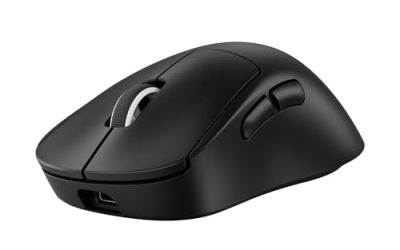
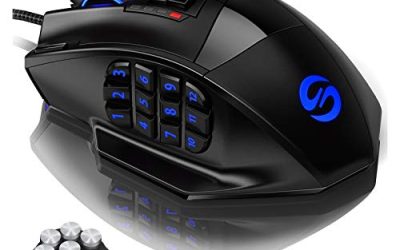
The Logitech G502 HERO is the comfort pick for players who want a proven ergonomic shell with plenty of buttons and a wired connection. Its right-handed shape carries a thumb rest and a sculpted grip that supports the palm through long sessions, and the 11 programmable buttons cover the commands most games ask for. The adjustable weight system lets you tune the heft until the mouse feels planted without dragging your wrist, which suits so many different hands. It fits players who sit at one desk, play button-heavy games, and want a familiar shape that has stayed popular for a reason.
Watch out for: Check the cable length against your desk setup so the cord reaches comfortably without pulling.
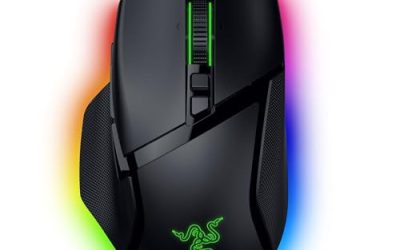
Razer Basilisk V3 Pro
- Best for: Wireless play with a versatile scroll wheel and a full ergonomic grip.
- Focus Pro 30K optical sensor
- HyperScroll tilt wheel
- 11 programmable buttons
- Wireless connection
Wireless play with a versatile scroll wheel and a full ergonomic grip.
Confirm the charging setup you plan to use, since a wireless mouse needs a routine for topping up between sessions.
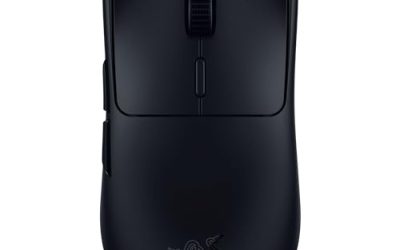
The Razer Basilisk V3 Pro suits players who want wireless freedom without giving up an ergonomic right-handed shape. Its thumb rest and sculpted shell support a palm grip through long sessions, while the HyperScroll tilt wheel adds a second way to scroll, tilt and cycle through weapons or menus without moving the hand. The Focus Pro 30K sensor tracks fast movement cleanly, and the 11 programmable buttons give MMO and shooter players the shortcuts they use most. It fits players who move the mouse widely across a large pad, dislike cable drag, and want a scroll wheel that does more than scroll.
Watch out for: Confirm the charging setup you plan to use, since a wireless mouse needs a routine for topping up between sessions.
Logitech G502 X LIGHTSPEED
- Best for: Long wireless sessions in a familiar G502 shape with rare charging.
- HERO 25K sensor
- LIGHTFORCE hybrid optical-mechanical switches
- Up to 140 hours of battery life
- LIGHTSPEED wireless connection
Long wireless sessions in a familiar G502 shape with rare charging.
Check that the wireless receiver placement keeps a clear line to the mouse on a crowded desk.
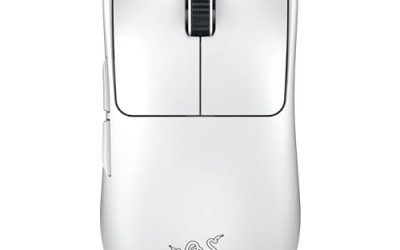
The Logitech G502 X LIGHTSPEED takes the familiar G502 shape wireless and lightens it, which makes it the easiest pick here for long sessions. The right-handed ergonomic shell keeps the same thumb rest and palm support that G502 players know, while the LIGHTFORCE switches give the main buttons a crisp feel. The headline comfort feature is endurance: the listing promises up to 140 hours of battery life, so the mouse keeps going through weeks of evening sessions before it needs a charge. It fits players who already like the G502 shape, want to cut the cable, and would rather charge rarely than think about battery at all.
Watch out for: Check that the wireless receiver placement keeps a clear line to the mouse on a crowded desk.
Which One Fits Your Situation
Long Evening Sessions With a Palm Grip
If your sessions run for hours and your whole hand rests on the mouse, choose the Logitech G502 X LIGHTSPEED. Its ergonomic shell supports the palm, its lighter wireless body reduces arm fatigue, and up to 140 hours of battery life means the mouse is ready every evening without a charging routine. The familiar G502 shape also means there is little adjustment period before long sessions feel natural again.
Button-Heavy Games at a Fixed Desk
If you play games with many abilities, weapon slots and macros, and your mouse stays at one desk, choose the Logitech G502 HERO. Its 11 programmable buttons sit within easy thumb reach, the adjustable weight system lets you tune the balance for steady aiming, and the wired connection means the mouse is always ready. The classic shell has carried this role for years because it fits so many hands.
Wireless Freedom With a Scroll Wheel That Does More
If cable drag bothers you and you use the scroll wheel constantly, choose the Razer Basilisk V3 Pro. Its HyperScroll tilt wheel handles scrolling, tilting and cycling through options, its ergonomic shell supports long sessions, and the Focus Pro 30K sensor keeps up with fast play. Wireless freedom plus a versatile wheel makes it the most flexible pick here.
A First Comfortable Gaming Mouse
If you are moving from a basic mouse and want a safe first upgrade, choose the Logitech G502 HERO. Its shape is the most familiar of the three, its button layout is easy to learn, and the adjustable weights let you experiment until the feel is right. Starting with a proven wired shape also keeps the setup simple, with no battery habits to build.
Common Mistakes
- Choosing by sensor number instead of shape, then finding the shell fights your grip after an hour of play.
- Picking the mouse with the most buttons when your thumb cannot reach half of them without shifting your hand.
- Ignoring weight and balance, so a heavy mouse tires the wrist during long sessions.
- Buying a wireless mouse without a charging routine, then running flat in the middle of a game.
- Judging a new grip after one evening instead of giving the hand a full week to adjust.
Frequently Asked Questions
Is a heavier gaming mouse more comfortable?
A heavier mouse is not automatically more comfortable. Weight helps when it steadies careful aiming, yet it tires the wrist when the arm moves the mouse across a large pad for hours. The right weight depends on your grip and how much you move the mouse. Adjustable weights, like the system on the G502 HERO, let you test different feels until the balance suits your hand.
Does a wireless mouse feel different during long sessions?
A wireless mouse feels freer because there is no cable dragging or catching on the desk edge, which matters most when you move the mouse widely. The trade-off is battery management: you need a charging habit so the mouse never runs flat mid-game. With up to 140 hours listed for the G502 X LIGHTSPEED, charging is a rare task rather than a daily chore.
How long should I try a new mouse shape before deciding?
Give a new shape at least a full week of regular play before judging it. The first evening always feels strange, because your hand compares the new shell with the old one it already knows. By the end of a week, the grip either settles into something natural or the discomfort shows up in the same place every session, which tells you the shape is wrong.
Are vertical mice more comfortable than ergonomic gaming mice?
Vertical mice suit some hands because they rotate the wrist into a handshake position, yet they are a different grip rather than a better version. An ergonomic gaming mouse keeps a familiar orientation with a sculpted shell and a thumb rest, which suits players who want comfort without relearning how to hold the mouse. Try the ergonomic shape first unless a vertical angle feels natural to you.
FAQ
Is a heavier gaming mouse more comfortable?
Does a wireless mouse feel different during long sessions?
How long should I try a new mouse shape before deciding?
Are vertical mice more comfortable than ergonomic gaming mice?
More from Amazon
Programs that pair well with the guide above. Offers and eligibility are set by Amazon and may change.
Free shipping on eligible items, Prime Video and more. Eligible new members can start with a free trial.
Start a Prime free trialAd-free music streaming. Eligible new subscribers can start with a free trial.
Try Music Unlimited freeA Prime membership for ages 18-24 with a trial period. Eligibility is set by Amazon.
See Prime for Young AdultsAudiobooks and podcasts to listen to on the go. Eligible new members can start with a free trial.
Try Audible freeAs an Amazon Associate we earn from qualifying purchases.