Our Short List of 3

- Best for: Gamers and power users on fast Spectrum plans who want a 2.5G wired option.
- Brand: ASUS
- Model name: RT-AX86U PRO
- WiFi generation: Wi-Fi 6, dual band
- Data transfer rate: 5700 Megabits Per Second

- Best for: Families in mid-size homes on gigabit-tier Spectrum plans who want one powerful router.
- Brand: NETGEAR
- Model number: RAX50-100NAS
- Wireless class: AX5400 dual band WiFi 6, 6 streams
- Wireless speed: up to 5.4 Gbps

- Best for: Homes with fast wired devices or storage that can use 2.5 Gbps ports today.
- Brand: TP-Link
- Model name: Archer AX55 Pro
- Wireless class: AX3000 dual band WiFi 6
- Maximum upstream rate: 2.5 Gigabits Per Second
All 4 Picks at a Glance
| Product | Specs | Action |
|---|---|---|
| ASUS RT-AX86U Pro |
| Check price on Amazon |
| NETGEAR Nighthawk RAX50 |
| Check price on Amazon |
| TP-Link Archer AX55 Pro |
| Check price on Amazon |
 TP-Link Archer AX21 |
| Check price on Amazon |
Our Top Picks
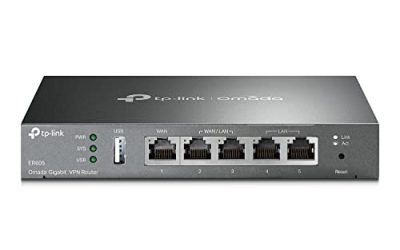
- TP-Link AX3000 WiFi 6 Router10.3 x 5.3 x 1.6 inches10.28 x 5.3 x 1.62 inches1.2 poundsCheck on Amazon
Spectrum supplies the modem, so the router decision is really about what happens after that box: how much wireless speed your plan can actually use, how far the signal has to travel, and how many devices compete for airtime at once. Buying far beyond your plan tier wastes money, while buying too small leaves gigabit service stranded at the modem.
This guide is for Spectrum households replacing a rented or aging router behind a Spectrum modem, whether the goal is stronger coverage, more wired ports, or a network that keeps up with a house full of screens. The five picks come straight from their Amazon listings: a simple AX1800 starter, two mid-range WiFi 6 routers, a mesh system for larger homes, and a gaming model with a 2.5G port and a dedicated gaming connection.
Quick Picks
As an Amazon Associate we earn from qualifying purchases
| Product | Best for | Key spec from title |
|---|---|---|
| ASUS RT-AX86U Pro | Gaming and fast wired links | AX5700 with 2.5G port and gaming port |
| NETGEAR Nighthawk RAX50 | Busy mid-size homes | AX5400 with coverage up to 2,500 sq. ft. |
| TP-Link Archer AX55 Pro | Multi-gig wired setups | AX3000 with 2 x 2.5 Gbps ports |
| TP-Link Deco X55 (2-Pack) | Whole-home mesh coverage | AX3000 covering up to 4,500 sq. ft. |
| TP-Link Archer AX21 | Simple, smaller households | AX1800 dual band gigabit router |
How to Choose
Match the router class to your Spectrum plan
A router cannot deliver more than the plan feeding it, and the listing speed class tells you where the ceiling sits. An AX1800 model like the Archer AX21 suits households on lower and mid-tier Spectrum plans, where 1.8 Gbps of combined wireless capacity already exceeds what the modem hands over. Faster plans deserve AX3000 or AX5400 hardware, and anyone paying for gigabit service should avoid older WiFi 5 routers entirely. Check the plan speed on your Spectrum statement first, then pick the class that covers it with headroom for several devices streaming at once.
Decide between one router and a mesh system
A single router placed near the middle of the home works well for apartments and compact houses, and it keeps setup to one device and one app. Larger homes, thick walls, and rooms far from the modem point toward mesh, where a second unit relays the signal instead of leaving distant rooms on a weak connection. The Deco X55 listing rates its two-pack for up to 4,500 square feet, while standalone models here state smaller footprints or none at all. Measure your space honestly, count the floors involved, and let the layout, not habit, make this call.
Count wired ports and their speeds
Wireless gets the attention, but wired ports decide how a desk, console, or television connects. Most picks here offer gigabit LAN ports, which match typical Spectrum plans, while the ASUS RT-AX86U Pro and the Archer AX55 Pro add 2.5 Gbps ports for faster local transfers or future plan upgrades. List everything you would rather plug in than leave on WiFi: a gaming PC, a work laptop dock, a network drive, a smart TV. If that list is longer than the port count, plan on a small switch or choose the router with the faster, more flexible port layout.
Check the features your household will actually use
Listings compete on extras, and only some matter day to day. Parental controls help families set schedules, QoS lets a router favour a work call or a game over background downloads, and VPN support on models like the Archer AX55 Pro suits remote workers. Security differs too: ASUS includes AiProtection Pro without a subscription, while NETGEAR Armor on the RAX50 starts with a trial period. Guest networks are worth having if visitors or smart devices should stay off your main network. Rank these features by your own routine before comparing headline speeds.
The 5 Best Options
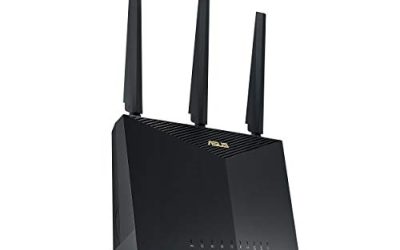
ASUS RT-AX86U Pro
- Best for: Gamers and power users on fast Spectrum plans who want a 2.5G wired option.
- Brand: ASUS
- Model name: RT-AX86U PRO
- WiFi generation: Wi-Fi 6, dual band
- Data transfer rate: 5700 Megabits Per Second
Gamers and power users on fast Spectrum plans who want a 2.5G wired option.
It is a single standalone unit, so very large homes may still need an AiMesh node added later.
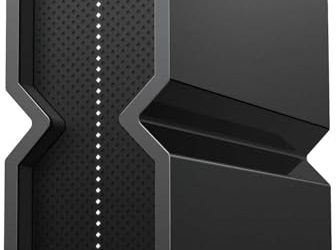
The RT-AX86U Pro is the pick for Spectrum homes where gaming and wired speed matter most. Its listing pairs an AX5700 dual band WiFi 6 rating with a 2.5G port and a dedicated gaming port, so a console or PC can take the fastest wired path while everything else shares the wireless bands. A 2.0 GHz quad-core processor and AiMesh support mean it can anchor a demanding single-router setup now and join a mesh later. Subscription-free AiProtection Pro security rounds out a listing aimed squarely at performance-focused households.
NETGEAR Nighthawk RAX50
- Best for: Families in mid-size homes on gigabit-tier Spectrum plans who want one powerful router.
- Brand: NETGEAR
- Model number: RAX50-100NAS
- Wireless class: AX5400 dual band WiFi 6, 6 streams
- Wireless speed: up to 5.4 Gbps
Families in mid-size homes on gigabit-tier Spectrum plans who want one powerful router.
NETGEAR Armor and Smart Parental Controls begin with a 30-day free trial rather than permanent inclusion.
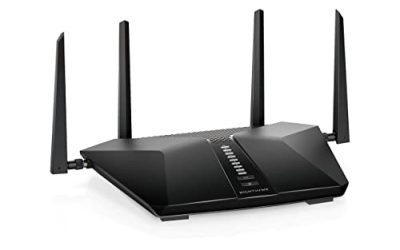
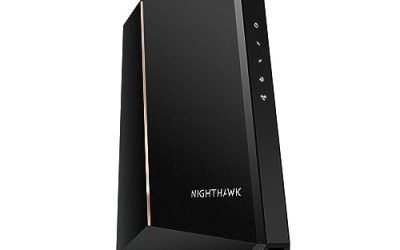
The Nighthawk RAX50 fits busy mid-size homes that want one strong router rather than a mesh kit. NETGEAR rates it at AX5400 with wireless speeds up to 5.4 Gbps across six streams, and the listing states coverage up to 2,500 square feet for up to 25 devices. It is designed for internet plans up to 1 Gbps, which lines up with the fastest common Spectrum tiers, and the Nighthawk app handles setup and management. Four gigabit Ethernet ports and a USB 3.0 port cover the wired basics for consoles, TVs, and shared storage.
TP-Link Archer AX55 Pro
- Best for: Homes with fast wired devices or storage that can use 2.5 Gbps ports today.
- Brand: TP-Link
- Model name: Archer AX55 Pro
- Wireless class: AX3000 dual band WiFi 6
- Maximum upstream rate: 2.5 Gigabits Per Second
Homes with fast wired devices or storage that can use 2.5 Gbps ports today.
Wireless capacity is AX3000 class, so very device-heavy homes may prefer a higher AX rating instead.
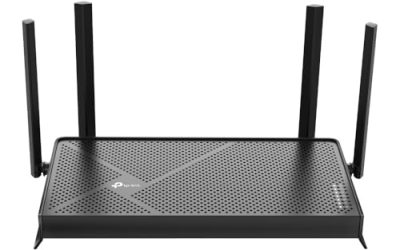
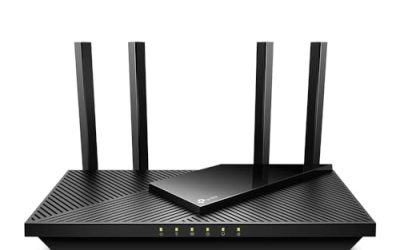
The Archer AX55 Pro suits households whose wired gear is outgrowing gigabit ports. Its listing highlights two 2.5 Gbps ports alongside four 1 Gbps ports, an unusual mix at the AX3000 class, so a fast NAS, a gaming PC, or a future multi-gig plan has somewhere to land. Wireless speeds reach 2402 Mbps on the 5 GHz band, and the router doubles as a VPN router with OFDMA and MU-MIMO for crowded device lists. For a Spectrum customer planning upgrades around the router rather than replacing it, this port layout is the headline.
TP-Link Deco X55 (2-Pack)
The Deco X55 two-pack is the answer when one router cannot reach every room on a Spectrum connection. The listing rates the pair for coverage up to 4,500 square feet and support for up to 150 connected devices, with AI-driven mesh that learns the home environment and steers connections automatically. Each unit carries three gigabit Ethernet ports, and wired Ethernet backhaul is supported if your home has cabling between rooms. Setup and control run through the Deco app, and TP-Link HomeShield adds basic network security, QoS, and parental controls at no cost.
Specs
- Brand: TP-Link
- Model number: Deco X55(2-pack)
- Wireless class: AX3000 WiFi 6 mesh system
- Coverage: up to 4,500 sq. ft.
- Device support: up to 150 devices
- Ports: 3 Gigabit Ethernet ports per unit, 6 in total
- Backhaul: supports wired Ethernet backhaul
- In the box: 2 Deco X55 units, 1 RJ45 Ethernet cable, 2 power adapters
- Item weight: 3.54 pounds
Best for: Larger or multi-room homes where a single router leaves dead zones on Spectrum service.
Watch out for: Advanced HomeShield Pro features require a paid subscription, and each unit offers only three ports.
ASIN: B09WTM34DF
TP-Link Archer AX21
- Best for: Apartments and smaller homes on lower or mid-tier Spectrum plans wanting simple WiFi 6.
- Brand: TP-Link
- Model number: Archer AX21
- Wireless class: AX1800 dual band WiFi 6
- Wireless speed: up to 1200 Mbps on 5 GHz, up to 574 Mbps on 2.4 GHz
Apartments and smaller homes on lower or mid-tier Spectrum plans wanting simple WiFi 6.
The AX1800 ceiling and gigabit ports leave little headroom if you later upgrade to a faster plan.
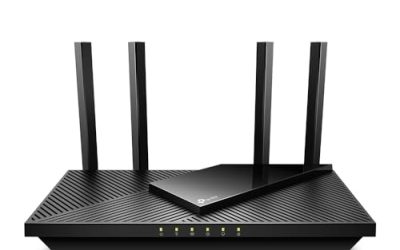
The Archer AX21 is the straightforward choice for smaller Spectrum households that simply want dependable WiFi 6 behind the modem. Its listing promises 1.8 Gbps of total bandwidth, split between up to 1200 Mbps on 5 GHz and up to 574 Mbps on 2.4 GHz, with beamforming and four high-gain antennas for coverage. TP-Link states plainly that it works with Spectrum and other major providers, with a modem required, and setup runs through the Tether app or a web interface. Open VPN and PPTP VPN server support and WPA3 security add depth beyond its entry positioning.
Which One Fits Your Situation
A small apartment on an entry Spectrum plan
When the home is compact and the plan sits at the lower tiers, raw speed class matters less than a clean, stable signal in every room. The Archer AX21 covers that ground with WiFi 6, four antennas, and an app-guided setup, and its listing names Spectrum directly among supported providers. Save the bigger hardware for a bigger space or a faster plan.
A family home where the far bedrooms drop out
Dead zones at the edges of the house call for a second broadcast point, not a stronger single box fighting through walls. The Deco X55 two-pack spreads AX3000 coverage across up to 4,500 square feet, learns the layout through its AI-driven mesh, and can use wired backhaul where cabling exists. Place one unit by the Spectrum modem and the second halfway toward the weak rooms.
A gamer who also streams and downloads heavily
Competitive play rewards the wired path, and the RT-AX86U Pro is built around exactly that, with a dedicated gaming port, a 2.5G port, and a quad-core processor to keep traffic moving. Its AX5700 wireless capacity handles the rest of the household while the console or PC stays plugged in. Mobile Game Mode and port forwarding support round out a listing written for players.
A busy house on a gigabit plan with lots of devices
When phones, laptops, televisions, and smart gear all compete at once, stream count and total capacity decide how the evening feels. The Nighthawk RAX50 brings six streams, AX5400 speeds, and stated support for plans up to 1 Gbps, matching the top common Spectrum tier. Its four gigabit ports keep the fixed gear wired, leaving wireless airtime for everything mobile.
Common Mistakes
- Buying a modem-router combo when Spectrum already supplies the modem, then discovering the router side cannot be updated or repositioned easily.
- Choosing a router far above the plan speed and expecting downloads to get faster than the Spectrum tier allows.
- Placing the router beside the modem in a corner or cabinet, then blaming the hardware for weak signal in distant rooms.
- Forgetting to reboot the Spectrum modem after swapping routers, so the new router never receives a fresh connection.
- Leaving the default admin password and outdated firmware in place instead of updating both during the first setup session.
Frequently Asked Questions
Does a new router need activation with Spectrum?
No separate activation applies to a standalone router, because Spectrum provisions the modem, not the hardware behind it. Connect the router WAN port to the modem, power cycle the modem so it recognises the new device, then run the router setup app or web wizard. If the connection does not come up, a modem reboot almost always resolves the handshake.
Will any of these routers work with every Spectrum plan?
Each pick connects behind a Spectrum modem over Ethernet, so the pairing itself is universal across residential plans. What changes with the plan is headroom: the Archer AX21 suits lower tiers, while the RAX50 states support for plans up to 1 Gbps and the ASUS adds a 2.5G port. Match the speed class to your tier so the router never becomes the bottleneck.
Can I stop renting equipment if I buy my own router?
Spectrum provides a modem without a separate equipment charge on current plans, while its router option carries a monthly fee, so supplying your own router removes that router charge. You keep using the Spectrum modem and simply attach your router to it. Check your latest statement to confirm which equipment charges appear, since plan terms change over time and vary by region.
Should I choose mesh or a single powerful router?
Choose mesh when the home is large, spread across floors, or built with materials that block signal, because a second unit relays coverage into rooms a single router reaches weakly. A single router suits apartments and compact homes where it can sit centrally. The Deco X55 listing rates its two-pack at 4,500 square feet, which gives a practical yardstick for deciding.
FAQ
Does a new router need activation with Spectrum?
Will any of these routers work with every Spectrum plan?
Can I stop renting equipment if I buy my own router?
Should I choose mesh or a single powerful router?
More from Amazon
Programs that pair well with the guide above. Offers and eligibility are set by Amazon and may change.
Free shipping on eligible items, Prime Video and more. Eligible new members can start with a free trial.
Start a Prime free trialAd-free music streaming. Eligible new subscribers can start with a free trial.
Try Music Unlimited freeA Prime membership for ages 18-24 with a trial period. Eligibility is set by Amazon.
See Prime for Young AdultsAudiobooks and podcasts to listen to on the go. Eligible new members can start with a free trial.
Try Audible freeAs an Amazon Associate we earn from qualifying purchases.