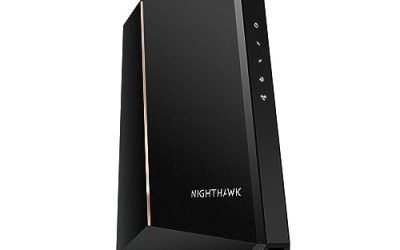
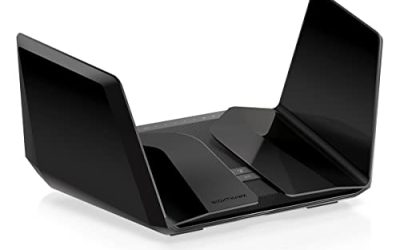
Our Short List of 3

- Best for: home offices that want per-device and per-port traffic prioritisation from a mainstream app-driven router, with the desk phone or ATA on the prioritised path.
- Wi-Fi 6 (802.11ax) AX5700, up to 5700 Mbps, 160MHz channels
- 2.5 Gbps port; aggregated 2 Gbps WAN connections
- Dedicated gaming port
- Mobile Game Mode via the ASUS Router app

- Best for: technical home-office users who want OpenWrt SQM (cake/fq_codel), the direct fix for the bufferbloat that makes VoIP calls break up when the connection is busy.
- 8-stream Wi-Fi 6, up to 6 Gbps (1148 Mbps + 4804 Mbps bands as the listing states)
- Dual 2.5G ports (WAN and LAN)
- Pre-installed OpenWrt
- WireGuard up to 900 Mbps; OpenVPN up to 880 Mbps

- Best for: small offices that want phones isolated on their own VLAN/SSID with Synology Router Manager traffic control, separate from staff and guest traffic.
- Tri-band Wi-Fi 6, 4×4, 160MHz
- 2.5 Gbps Ethernet port
- VLAN segmentation; multiple SSIDs
- Parental controls; Threat Prevention; VPN
All 3 Picks at a Glance
| Product | Specs | Action |
|---|---|---|
| ASUS RT-AX86U Pro |
| Check price on Amazon |
| GL.iNet Flint 2 (GL-MT6000) |
| Check price on Amazon |
| Synology RT6600ax |
| Check price on Amazon |
Our Top Picks
A VoIP call uses very little bandwidth, yet it still breaks up the moment someone uploads a large file, joins a video meeting or starts a cloud backup. The real decision is not raw Wi-Fi speed; it is whether your router can put voice packets at the front of the queue and keep them there when the connection gets busy. Routers that treat every packet alike will always let a bulk transfer talk over you.
Three kinds of buyer are served below: home workers who want prioritisation handled inside a friendly app, technical users willing to run proper queue management, and small offices that need phones fenced off on their own network segment. Each pick earned its place from controls named on its own listing: a dedicated priority port, pre-installed OpenWrt, or VLAN segmentation with multiple SSIDs.
Quick Picks
As an Amazon Associate we earn from qualifying purchases.
| Product | Best for | Key spec |
|---|---|---|
| ASUS RT-AX86U Pro | App-driven port and device prioritisation | AX5700 Wi-Fi 6 with a 2.5 Gbps port |
| GL.iNet Flint 2 (GL-MT6000) | OpenWrt queue management against bufferbloat | Dual 2.5G ports with pre-installed OpenWrt |
| Synology RT6600ax | Phones isolated on their own VLAN and SSID | Tri-band Wi-Fi 6 with VLAN segmentation |
How to Choose
Prioritisation You Can Actually Set
Look for traffic controls you can point at a specific device or port, not a vague promise of fast Wi-Fi. Useful routers let you rank the desk phone or the adapter behind it above laptops and game consoles, so a call keeps its place when the household gets busy. Per-port priority is especially handy because a phone stays plugged into one socket permanently. If the settings only offer generic modes with no way to name your phone, the feature will not help when it matters.
Queue Management on the Uplink
Most call breakup at home is bufferbloat: the router’s upload queue fills with bulk traffic, and voice packets wait behind it until the delay becomes audible. Smart queue management, such as the cake and fq_codel algorithms available under OpenWrt, fixes this by fairly sharing the uplink and keeping latency low under load. It asks a little more of the owner than a toggle in an app, because you set it against your real upload speed. For households whose calls fail exactly when the connection is busiest, it is the most direct cure on this page.
A Wired Path for the Phone
Voice gear should not fight for airtime. A desk phone or analogue telephone adapter belongs on an Ethernet cable, where its traffic is predictable and free from Wi-Fi interference, channel congestion and roaming hiccups. Check the port count and speeds before buying: a 2.5 Gbps socket gives headroom for a fast fibre uplink or a network-attached drive, while ordinary gigabit ports still suit most phones perfectly well. What matters is that one port can be reserved for voice full-time, rather than shared through a chain of switches and extenders.
Separating Voice Onto Its Own Network
Small offices gain from keeping phones on their own VLAN or SSID, apart from staff laptops and guest devices. Separation stops a misbehaving gadget or a visitor’s malware from sharing a broadcast domain with your calls, and it makes troubleshooting far simpler. One related setting deserves suspicion: SIP ALG, a helper some routers enable by default, rewrites call signalling and is a well-known cause of one-way audio and phones that stop ringing. Whatever router you choose, know where that switch lives so you can turn it off if call setup misbehaves.
The 3 Best Options
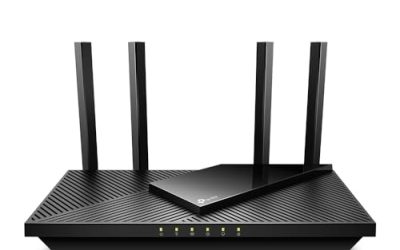
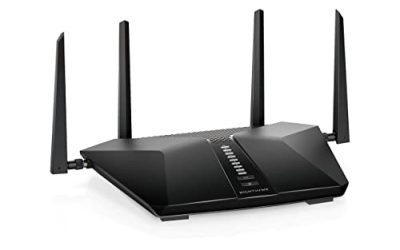
ASUS RT-AX86U Pro
- Best for: home offices that want per-device and per-port traffic prioritisation from a mainstream app-driven router, with the desk phone or ATA on the prioritised path.
- Wi-Fi 6 (802.11ax) AX5700, up to 5700 Mbps, 160MHz channels
- 2.5 Gbps port; aggregated 2 Gbps WAN connections
- Dedicated gaming port
- Mobile Game Mode via the ASUS Router app
home offices that want per-device and per-port traffic prioritisation from a mainstream app-driven router, with the desk phone or ATA on the prioritised path.
the listing sells gaming features, and there is no dedicated VoIP mode named on it — the voice benefit comes from the same QoS and port-priority controls. Also confirm you are buying the Pro model, since the older non-Pro RT-AX86U is a separate listing.
This is the straightforward recommendation for a home worker who wants voice priority without learning new firmware. Its dedicated gaming port exists to put one wired device first in line, and that same port-priority mechanism is exactly what a desk phone or adapter needs: plug the phone in there and its traffic outranks the rest of the desk. AiProtection Pro adds subscription-free security filtering, Instant Guard offers a one-click VPN for working away, and AiMesh support lets the unit join a wider ASUS setup later instead of being replaced.
Watch out for: the listing sells gaming features, and there is no dedicated VoIP mode named on it — the voice benefit comes from the same QoS and port-priority controls. Also confirm you are buying the Pro model, since the older non-Pro RT-AX86U is a separate listing.
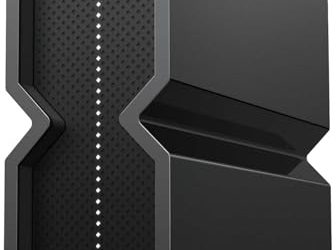
GL.iNet Flint 2 (GL-MT6000)
- Best for: technical home-office users who want OpenWrt SQM (cake/fq_codel), the direct fix for the bufferbloat that makes VoIP calls break up when the connection is busy.
- 8-stream Wi-Fi 6, up to 6 Gbps (1148 Mbps + 4804 Mbps bands as the listing states)
- Dual 2.5G ports (WAN and LAN)
- Pre-installed OpenWrt
- WireGuard up to 900 Mbps; OpenVPN up to 880 Mbps
technical home-office users who want OpenWrt SQM (cake/fq_codel), the direct fix for the bufferbloat that makes VoIP calls break up when the connection is busy.
SQM is an OpenWrt capability reached through the router’s OpenWrt base, not a one-tap consumer feature, so expect to configure it yourself. Offers for this listing run through storefront sellers on Amazon, so confirm the seller is the GL.iNet storefront on the live listing before ordering.
The Flint 2 is the pick for buyers who already know their enemy is bufferbloat. It ships with OpenWrt pre-installed, which opens the door to smart queue management using cake or fq_codel — the technique that keeps call audio intact while uploads saturate the line. Dual 2.5G ports cover both WAN and LAN duties, the VPN figures are strong enough for a permanently tunnelled work connection, and the generous memory and storage leave room for packages like AdGuard Home. Nothing here is hidden behind a gaming skin; it is a tinker’s router that happens to suit voice extremely well.
Watch out for: SQM is an OpenWrt capability reached through the router’s OpenWrt base, not a one-tap consumer feature, so expect to configure it yourself. Offers for this listing run through storefront sellers on Amazon, so confirm the seller is the GL.iNet storefront on the live listing before ordering.
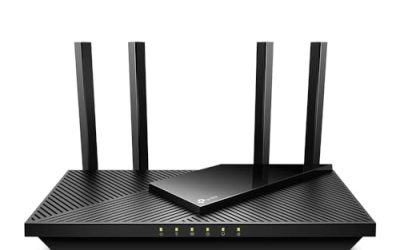
Synology RT6600ax
- Best for: small offices that want phones isolated on their own VLAN/SSID with Synology Router Manager traffic control, separate from staff and guest traffic.
- Tri-band Wi-Fi 6, 4×4, 160MHz
- 2.5 Gbps Ethernet port
- VLAN segmentation; multiple SSIDs
- Parental controls; Threat Prevention; VPN
small offices that want phones isolated on their own VLAN/SSID with Synology Router Manager traffic control, separate from staff and guest traffic.
availability signals for this model conflict across channels, so confirm a live featured offer for the exact ASIN B09ZQ5W4G7 before ordering — and do not substitute a sibling or other-region listing for this US version.
Synology’s router suits a small office that thinks in segments. VLAN support with multiple SSIDs lets you give phones their own corner of the network, away from staff machines and guest traffic, while Synology Router Manager handles the traffic control on top. Tri-band Wi-Fi 6 with 160MHz channels keeps wireless capacity high for everyone else, the 2.5 Gbps Ethernet port covers a fast uplink or shared storage, and the built-in Threat Prevention and parental controls round out an admin-friendly package. It is the most deliberate, infrastructure-minded choice of the three.
Watch out for: availability signals for this model conflict across channels, so confirm a live featured offer for the exact ASIN B09ZQ5W4G7 before ordering — and do not substitute a sibling or other-region listing for this US version.
Which One Fits Your Situation
Your Calls Crackle Whenever the House Gets Busy
That pattern points at bufferbloat rather than weak signal, so choose the GL.iNet Flint 2. Its OpenWrt base lets you run cake or fq_codel queue management on the uplink, which keeps voice packets moving while uploads and backups compete. It rewards an evening of setup with calls that stay clear at the worst times of day.
You Want Priority Set Once, From an App
Pick the ASUS RT-AX86U Pro. Put the desk phone or its adapter on the dedicated priority port, confirm the ranking inside the ASUS Router app, and get on with your work. There is no custom firmware to learn, and the mainstream controls are enough for a single home worker whose main demand is that calls outrank everything else.
You Run a Small Office With Staff and Guests
The Synology RT6600ax fits best here. Place the phones on a dedicated VLAN and SSID so guest devices and staff laptops never share their segment, then manage the whole arrangement from Synology Router Manager. The separation also simplifies fault-finding: when call quality dips, you already know exactly which network the phones live on.
Your Internet Arrives Over a Fast Fibre Line
All three routers carry a 2.5 Gbps-class port, so none will bottleneck a gigabit-plus service. Choose by control style rather than socket speed: the Flint 2 if you will tune queue management yourself, the RT-AX86U Pro for app-led priority, or the RT6600ax when the fibre feeds a segmented office network.
Common Mistakes
- Buying the fastest headline Wi-Fi class while ignoring traffic controls, then wondering why calls still stutter under load.
- Leaving the desk phone on congested Wi-Fi when a cable and a reserved port would remove the interference entirely.
- Forgetting SIP ALG: leaving it enabled can produce one-way audio and phones that never ring, whatever router you own.
- Assuming any of these routers includes phone service — they prioritise traffic for a VoIP service you already subscribe to.
- Ordering a sibling or other-region variant of a model instead of the exact listing reviewed, especially where availability is patchy.
Frequently Asked Questions
Does a Router Include VoIP Phone Service?
No. None of these routers provides a dial tone, a number or calling minutes. They manage your local network so that traffic from a VoIP service you already pay for — or one supplied by your employer — reaches your phone promptly and in order. You still need the service itself, plus a compatible desk phone or adapter.
Should My Desk Phone Be Wired or Wireless?
Wired, whenever the layout allows it. An Ethernet connection removes Wi-Fi congestion, interference and roaming from the equation, and it lets port-based priority features do their job properly. Reserve wireless for handsets that genuinely move around the building, and keep them on a less crowded band or their own SSID where the router supports one.
What Is SIP ALG, and Should It Be On?
SIP ALG is a router helper that rewrites the signalling messages VoIP phones use to set up calls. In practice it frequently mangles them, causing one-way audio, failed transfers and phones that stop ringing. Most VoIP providers advise switching it off, so it is worth locating the setting on any new router before your first important call.
Will Queue Management Slow Down Everything Else?
Barely, and usually imperceptibly. Smart queue management caps the uplink at slightly below its true rate so the router, not the modem, controls the queue. Bulk transfers lose a sliver of peak speed but finish just as reliably, while interactive traffic — calls, meetings, remote desktops — gains the low, stable latency it actually needs.
FAQ
Does a Router Include VoIP Phone Service?
Should My Desk Phone Be Wired or Wireless?
What Is SIP ALG, and Should It Be On?
Will Queue Management Slow Down Everything Else?
More from Amazon
Programs that pair well with the guide above. Offers and eligibility are set by Amazon and may change.
Free shipping on eligible items, Prime Video and more. Eligible new members can start with a free trial.
Start a Prime free trialAd-free music streaming. Eligible new subscribers can start with a free trial.
Try Music Unlimited freeA Prime membership for ages 18-24 with a trial period. Eligibility is set by Amazon.
See Prime for Young AdultsAudiobooks and podcasts to listen to on the go. Eligible new members can start with a free trial.
Try Audible freeAs an Amazon Associate we earn from qualifying purchases.