Our Short List of 3

- Best for: Designers in compact cases who want the most capable NVIDIA card here for heavy layered files and 3D work.
- NVIDIA GeForce RTX 5070 Ti; 16GB GDDR7 on a 256-bit interface
- PCIe 5.0; WINDFORCE cooling system
- GPU clock speed: 2600 MHz
- Model number: GV-N507TEAGLE OC-16GD

- Best for: Freelancers and small studios that need genuine 16GB headroom for everyday design applications on a sensible budget.
- NVIDIA GeForce RTX 5060 Ti; 16GB GDDR7
- EPIC-X RGB OC triple-fan cooler
- Model number: VCG5060T16TFXXPB1-O
- 3-year limited warranty

- Best for: Designers running multi-monitor, colour-critical setups who prefer AMD hardware and want four display outputs.
- AMD Radeon RX 9070 XT (RDNA 4); 16GB GDDR6
- Dual HDMI / Dual DisplayPort outputs
- Model number: 11348-02-20G
All 4 Picks at a Glance
| Product | Specs | Action |
|---|---|---|
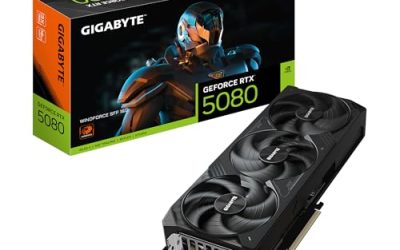
| GIGABYTE GeForce RTX 5070 Ti Eagle OC SFF 16G |
| Check price on Amazon |
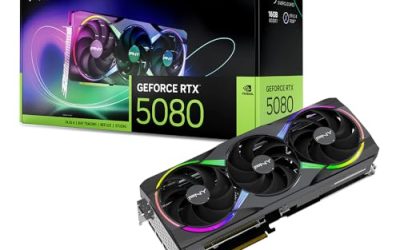
| PNY GeForce RTX 5060 Ti 16GB EPIC-X RGB OC |
| Check price on Amazon |
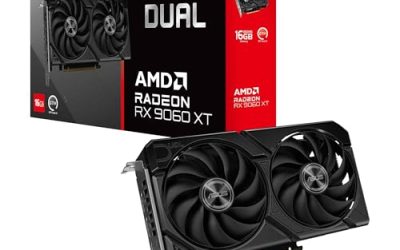
| Sapphire Pure AMD Radeon RX 9070 XT Gaming OC 16GB |
| Check price on Amazon |
 NVIDIA RTX 2000 Ada Generation 16GB |
| Check price on Amazon |
Key takeaways
- The best graphics cards for graphic design, compared on 16GB VRAM, display outputs and creator drivers for Photoshop, Illustrator and 3D work.
Choosing a graphics card for design work is not about frame rates. The real decision is whether the card can hold your largest layered files in memory without stuttering, feed a colour-accurate reference monitor alongside your working display, and run on the driver track your applications are actually validated against. A card that tops a gaming chart can still be the wrong buy if its memory runs out halfway through a print-resolution canvas.
The four cards below all carry 16GB of memory, because that headroom is what separates a smooth design workstation from a frustrating one. Solo freelancers who want modern NVIDIA power in a compact build get the Gigabyte RTX 5070 Ti Eagle OC SFF. Value-focused designers get the same 16GB from the PNY RTX 5060 Ti. AMD loyalists get the Sapphire Pure RX 9070 XT, while studio professionals who need certified drivers and ECC memory get the NVIDIA RTX 2000 Ada.
Quick Picks
As an Amazon Associate we earn from qualifying purchases.
| Product | Best for | Key spec |
|---|---|---|
| GIGABYTE GeForce RTX 5070 Ti Eagle OC SFF 16G | Compact builds needing top NVIDIA design power | 16GB GDDR7, 256-bit interface |
| PNY GeForce RTX 5060 Ti 16GB EPIC-X RGB OC | Designers who want 16GB without the flagship tier | 16GB GDDR7, triple-fan cooler |
| Sapphire Pure Radeon RX 9070 XT Gaming OC 16GB | AMD builds driving several high-resolution displays | 16GB GDDR6, dual HDMI / dual DisplayPort |
| NVIDIA RTX 2000 Ada Generation 16GB | Studios that require certified professional drivers | 16GB GDDR6 with ECC |
How to Choose
Memory capacity comes before raw speed
Layered Photoshop documents, print-resolution Illustrator files and texture-heavy 3D scenes all live in graphics memory while you work. When that memory fills up, the application spills work back to system RAM and every brush stroke, zoom and filter preview starts to lag. That is why every card in this roundup carries 16GB: it is the capacity that lets a designer keep a huge canvas, several open documents and a browser full of reference images resident at once. An 8GB card may open the same files, but it will not hold them comfortably through a long editing session.
Count the display outputs, not just the resolution
Most designers work across at least two screens: a colour-accurate reference panel and a second display for palettes, email or a client preview. Before buying, map the card’s physical outputs against the inputs on your monitors, because a card with the wrong mix of HDMI and DisplayPort sockets forces you into adapters that can complicate colour-managed workflows. The Sapphire Pure in this list, for example, provides dual HDMI and dual DisplayPort connections. Also confirm the card can drive your panel at its native resolution and refresh rate through the socket you actually plan to use.
Pick the driver track your software expects
NVIDIA maintains a Studio driver branch tuned and validated for creative applications, while AMD offers its Pro driver line for professional work, and true workstation cards add ISV certification, where the driver is formally tested against named professional packages. For a freelancer in Photoshop and Illustrator, the mainstream creator drivers are usually enough. For a studio running certified CAD or compositing pipelines, the certification itself is the product, and that is exactly the gap the RTX 2000 Ada fills in this roundup. Decide which track your software list needs before comparing anything else.
Check physical fit and power delivery early
A graphics card that does not fit your case or exceeds your power supply helps nobody. Measure the free length inside your chassis and compare it with the card’s cooler: the triple-fan PNY EPIC-X is a long card, while the Gigabyte Eagle OC is built to a small-form-factor brief and the RTX 2000 Ada uses a blower cooler that suits compact workstation cases. Then confirm your power supply meets the card’s requirement and has the right connectors spare. Doing these two checks on paper takes minutes; discovering a clash after delivery costs you a return.
The 4 Best Options
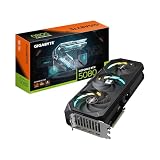
GIGABYTE GeForce RTX 5070 Ti Eagle OC SFF 16G
- Best for: Designers in compact cases who want the most capable NVIDIA card here for heavy layered files and 3D work.
- NVIDIA GeForce RTX 5070 Ti; 16GB GDDR7 on a 256-bit interface
- PCIe 5.0; WINDFORCE cooling system
- GPU clock speed: 2600 MHz
- Model number: GV-N507TEAGLE OC-16GD
Designers in compact cases who want the most capable NVIDIA card here for heavy layered files and 3D work.
Confirm the listing’s model number reads GV-N507TEAGLE OC-16GD before ordering, because Gigabyte sells closely named 5070 Ti variants and the card you want is this Eagle OC SFF version specifically.
This is the strongest all-round design card in the list, pairing the RTX 5070 Ti chip with 16GB of GDDR7 memory on a 256-bit interface, so large canvases and GPU-accelerated filters have both capacity and bandwidth to work with. Gigabyte builds it to a small-form-factor brief, which makes it unusually easy to fit into the compact towers many home studios use, and the WINDFORCE cooling system is there to keep long export and rendering sessions stable. Designers who want the current NVIDIA generation, Studio driver support and no compromises on memory will find this the natural first choice.
PNY GeForce RTX 5060 Ti 16GB EPIC-X RGB OC
- Best for: Freelancers and small studios that need genuine 16GB headroom for everyday design applications on a sensible budget.
- NVIDIA GeForce RTX 5060 Ti; 16GB GDDR7
- EPIC-X RGB OC triple-fan cooler
- Model number: VCG5060T16TFXXPB1-O
- 3-year limited warranty
Freelancers and small studios that need genuine 16GB headroom for everyday design applications on a sensible budget.
Check the listing carefully so you order the 16GB version of the 5060 Ti rather than the separate 8GB variant, and make sure the offer is for a new card rather than a Renewed listing.
PNY’s EPIC-X version of the RTX 5060 Ti is the value route to a 16GB design workstation. It carries the same memory capacity as the flagship-tier cards in this roundup, which is the specification that matters most for big design files, and wraps it in a triple-fan cooler that should stay composed during long batch exports. A 3-year limited warranty adds some reassurance for a card that will work daily. If your workload is Photoshop, Illustrator, InDesign and light 3D rather than heavy rendering, this card covers it without paying for performance you will rarely touch.
Sapphire Pure AMD Radeon RX 9070 XT Gaming OC 16GB
- Best for: Designers running multi-monitor, colour-critical setups who prefer AMD hardware and want four display outputs.
- AMD Radeon RX 9070 XT (RDNA 4); 16GB GDDR6
- Dual HDMI / Dual DisplayPort outputs
- Model number: 11348-02-20G
Designers running multi-monitor, colour-critical setups who prefer AMD hardware and want four display outputs.
Availability signals for this ASIN conflict: one listing reproduction shows it as currently unavailable while a tracker recorded a current price, so confirm the model number 11348-02-20G and a live featured offer for this exact ASIN on the product page before ordering.
Sapphire’s Pure edition gives AMD loyalists a design card with 16GB of GDDR6 memory and a genuinely useful output layout: dual HDMI and dual DisplayPort sockets make it easy to run a colour-critical monitor beside a second working screen without adapter juggling. The white Pure styling also suits the clean desk setups many designers favour. Although the card wears a Gaming OC badge, its value here is memory capacity and display flexibility for creative applications, backed by AMD’s current RDNA 4 architecture. It is the pick for designers whose software stack plays well with Radeon hardware.
NVIDIA RTX 2000 Ada Generation 16GB
- Best for: Studios and professionals whose applications demand ISV-certified drivers, ECC memory and workstation support channels.
- 16GB GDDR6 with ECC
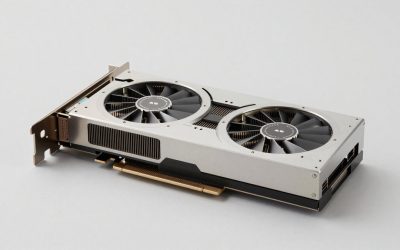
- Blower-style active fan thermal solution
- Model number: 900-5G192-2541-000
Studios and professionals whose applications demand ISV-certified drivers, ECC memory and workstation support channels.
This listing has been flagged as limited availability, and several marketplace offers circulate for the same card, so confirm a live featured offer for this exact ASIN on the product page before ordering.
This is the professional outlier in the roundup: a workstation card built for environments where driver certification matters more than headline performance. Its 16GB of GDDR6 memory carries ECC, which detects and corrects memory errors, a feature studios value when a corrupted frame or a crashed render costs real money. The blower-style cooler exhausts heat directly out of the case, suiting the compact, densely packed workstations common in agencies. Supplied through PNY, it runs NVIDIA’s professional driver branch with formal application certification, which is precisely what the consumer cards above cannot offer.
Which One Fits Your Situation
You juggle huge layered files all day
If your typical document is a print-resolution Photoshop file with dozens of layers and smart objects, memory capacity is your bottleneck, and both NVIDIA picks answer it. The Gigabyte RTX 5070 Ti adds the strongest chip and GDDR7 bandwidth for filter-heavy work, while the PNY RTX 5060 Ti delivers the same 16GB capacity for less demanding pipelines. Either way, you are buying headroom that keeps previews fluid instead of spilling work back to system memory.
You colour-grade across two or three monitors
A reference display plus a working screen is the standard design desk, and output layout decides how painless that setup is. The Sapphire Pure RX 9070 XT leads here with dual HDMI and dual DisplayPort sockets, so a colour-accurate panel and a second monitor connect directly without adapters. Pair it with a properly calibrated display and you have a credible colour-critical station. Designers already committed to AMD drivers will find this the most natural fit in the roundup.
Your studio requires certified, supported hardware
Agencies and in-house teams running certified CAD, DCC or compositing pipelines cannot treat drivers as an afterthought. The NVIDIA RTX 2000 Ada is built for that world: ECC memory guards against silent data errors, the professional driver branch is formally validated against named applications, and the blower cooler suits compact office workstations. It trades raw consumer performance for stability and support, which is the right exchange when the card’s output is billable client work with deadlines attached.
You are upgrading an older design PC
If your current card predates the 16GB era, almost any pick here transforms daily work, but the PNY RTX 5060 Ti 16GB is the balanced step up: modern architecture, generous memory and a warranty, without demanding a flagship budget. Check your power supply and case length against its triple-fan cooler before ordering. Owners of very small cases should look at the compact Gigabyte Eagle OC SFF instead, which was designed for exactly that constraint.
Common Mistakes
- Buying an 8GB card because the chip name matches a 16GB model, then discovering that large design files exhaust its memory within minutes.
- Judging cards by gaming benchmarks and frame rates instead of the memory capacity, display outputs and driver support that design applications actually use.
- Ignoring the physical output layout, then finding the card cannot connect a reference monitor and a second display without adapters.
- Ordering a closely named sibling variant, a bundle or a Renewed listing instead of the exact model and ASIN the review covered.
- Skipping the case and power-supply check, so a long triple-fan cooler or a higher power draw turns the upgrade into a return.
Frequently Asked Questions
Is 16GB of memory really necessary for graphic design?
For light logo work and web graphics, no, but serious design files grow quickly. A print-resolution Photoshop document with many layers, smart objects and history states can consume several gigabytes on its own, and having multiple documents open multiplies that. Sixteen gigabytes gives you room to work across files and applications without slowdowns, which is why every card in this roundup carries that capacity rather than eight.
Should a designer choose NVIDIA or AMD?
Both work well in mainstream design applications; the practical differences sit elsewhere. NVIDIA offers its Studio driver branch and the widest software optimisation across creative tools, plus the certified workstation line represented here by the RTX 2000 Ada. AMD counters with strong memory capacity and flexible display outputs, as the Sapphire Pure shows. Choose based on your applications’ preferences, your monitor connections and the driver ecosystem you already know.
Do I need a certified workstation card for design work?
Only if your software or your clients demand it. Freelancers in Photoshop, Illustrator and similar tools are well served by consumer cards on creator drivers. Certified cards like the RTX 2000 Ada earn their place in studios running validated pipelines, where ISV certification, ECC memory and support channels reduce risk on production work. If nobody asks you for certification, the consumer picks here deliver more raw capability.
Will these cards drive a high-resolution colour-accurate monitor?
Yes, provided the connections line up. Each card here can drive high-resolution displays, and the Sapphire Pure’s dual HDMI and dual DisplayPort layout makes multi-monitor setups especially simple. What the card cannot do is make an ordinary panel colour-accurate: that depends on the monitor’s own panel quality and calibration. Budget for a proper reference display and a calibration routine alongside whichever card you choose.
FAQ
Is 16GB of memory really necessary for graphic design?
Should a designer choose NVIDIA or AMD?
Do I need a certified workstation card for design work?
Will these cards drive a high-resolution colour-accurate monitor?
More from Amazon
Programs that pair well with the guide above. Offers and eligibility are set by Amazon and may change.
Free shipping on eligible items, Prime Video and more. Eligible new members can start with a free trial.
Start a Prime free trialAd-free music streaming. Eligible new subscribers can start with a free trial.
Try Music Unlimited freeA Prime membership for ages 18-24 with a trial period. Eligibility is set by Amazon.
See Prime for Young AdultsAudiobooks and podcasts to listen to on the go. Eligible new members can start with a free trial.
Try Audible freeAs an Amazon Associate we earn from qualifying purchases.