Our Short List of 3

- Best for: 4K high-refresh gaming in a compact or small-form-factor case.
- 16GB GDDR7 memory
- 256-bit memory bus
- PCIe 5.0 interface
- WINDFORCE cooling system

- Best for: 1440p high-refresh gaming with headroom for demanding titles.
- 16GB GDDR7 memory
- 256-bit memory bus
- 2572 MHz boost speed
- PCIe 5.0 interface

- Best for: Mainstream 1440p gaming and multi-monitor setups in mid-size cases.
- 12GB GDDR7 memory at 28 Gbps
- 192-bit memory bus
- Extreme Performance 2557 MHz
- DisplayPort 2.1a x3 and HDMI 2.1b
All 4 Picks at a Glance
| Product | Specs | Action |
|---|---|---|
| GIGABYTE GeForce RTX 5080 WINDFORCE SFF 16G |
| Check price on Amazon |
| PNY GeForce RTX 5070 Ti OC Triple Fan |
| Check price on Amazon |
| MSI GeForce RTX 5070 12G VENTUS 2X OC |
| Check price on Amazon |
 PNY GeForce RTX 5060 Ti OC Dual Fan (16GB) |
| Check price on Amazon |
Key takeaways
- Compare four NVIDIA graphics cards for gaming: RTX 5080, 5070 Ti, 5070 and 5060 Ti boards with GDDR7 memory, PCIe 5.0 and DLSS 4, matched to your monitor.
Buying an NVIDIA card right now is less about picking a brand than picking a tier. Every board in this roundup is a current RTX 50-series model on the Blackwell architecture, so the real decision is how much GPU your monitor actually demands: a 4K high-refresh panel, a fast 1440p screen, and a 1080p esports setup each point at a different card. Board-partner naming makes it harder, because near-identical model names hide different coolers, memory configurations and listings.
This guide is for four kinds of buyer: 4K players who want maximum headroom, 1440p gamers chasing high frame rates, small-form-factor builders working around tight cases, and value-focused players who still want 16GB of memory. The four cards below were chosen from their Amazon listing names and stated specifications, spanning the RTX 5080 down to the RTX 5060 Ti, so each budget and resolution lands on a sensible option.
Quick Picks
As an Amazon Associate we earn from qualifying purchases.
| Product | Best for | Key spec |
|---|---|---|
| GIGABYTE GeForce RTX 5080 WINDFORCE SFF 16G | 4K high-refresh gaming in a compact case | 16GB GDDR7, 256-bit |
| PNY GeForce RTX 5070 Ti OC Triple Fan | 1440p high-refresh with room to spare | 16GB GDDR7, 2572 MHz boost |
| MSI GeForce RTX 5070 12G VENTUS 2X OC | Mainstream 1440p in a dual-fan build | 12GB GDDR7, 2557 MHz |
| PNY GeForce RTX 5060 Ti OC Dual Fan (16GB) | 1080p and lighter 1440p in small cases | 16GB GDDR7, 2-slot design |
How to Choose
Match the GPU tier to your monitor
Start with the screen you already own, not the card you wish you needed. A 4K 144Hz monitor can absorb everything an RTX 5080 delivers, while a 1080p 60Hz display would waste most of that power. The RTX 5070 Ti suits 1440p high-refresh play, the RTX 5070 covers mainstream 1440p and very fast 1080p, and the RTX 5060 Ti targets 1080p plus lighter 1440p. Buying one tier above your monitor leaves performance unused; buying below it means lowering settings within a year.
Read memory capacity and bus width together
VRAM figures only make sense next to the memory bus. The RTX 5080 and RTX 5070 Ti pair 16GB of GDDR7 with a wide 256-bit bus, which feeds high-resolution textures comfortably. The RTX 5060 Ti also carries 16GB but on a 128-bit bus, so its capacity helps texture-heavy games while its bandwidth suits lower resolutions. The RTX 5070’s 12GB on a 192-bit bus sits between the two. Judge the pairing, not the gigabyte number alone.
Measure your case before you order
Board partners build the same GPU into very different physical cards. The PNY RTX 5070 Ti here uses a 2.98-slot triple-fan cooler that needs a roomy case and clear airflow, while the RTX 5060 Ti is a slim 2-slot dual-fan design and the RTX 5080 WINDFORCE is built to an SFF-ready form factor for compact enclosures. Measure available length, count free expansion slots, and check GPU support clearance before choosing, because a card that does not fit is not a bargain at any tier.
Check outputs and platform support
All four cards use PCIe 5.0 and current display standards, but the details differ. The MSI RTX 5070 lists three DisplayPort 2.1a outputs plus HDMI 2.1b, which matters if you run multiple high-refresh monitors; the PNY boards list HDMI and DisplayPort 2.1. PCIe 5.0 cards also run in older PCIe 4.0 and 3.0 slots, so a platform upgrade is not required. DLSS 4 support across this range adds frame-generation headroom that stretches each tier further.
The 4 Best Options
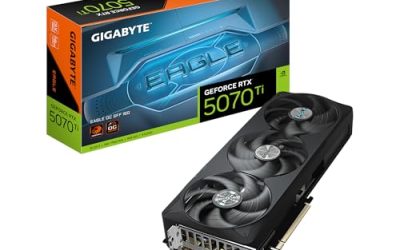
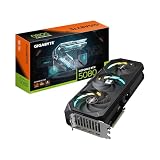
GIGABYTE GeForce RTX 5080 WINDFORCE SFF 16G
- Best for: 4K high-refresh gaming in a compact or small-form-factor case.
- 16GB GDDR7 memory
- 256-bit memory bus
- PCIe 5.0 interface
- WINDFORCE cooling system
4K high-refresh gaming in a compact or small-form-factor case.
Availability on this listing has been inconsistent, so confirm a live featured offer for the exact ASIN on the product page before ordering, and make sure the card you receive is the non-OC WINDFORCE SFF model named here.
The strongest card in this roundup is also the one aimed at smaller builds, an unusual combination. Its 16GB of GDDR7 on a 256-bit bus gives it the memory system to drive 4K gaming at high settings, and the WINDFORCE cooling system handles that output inside an SFF-ready form factor rather than an oversized flagship shroud. Choose it if you play at 4K, use ray tracing heavily, or want the longest useful life from a single purchase without rebuilding around a full-tower case.
Watch out for: Availability on this listing has been inconsistent, so confirm a live featured offer for the exact ASIN on the product page before ordering, and make sure the card you receive is the non-OC WINDFORCE SFF model named here.
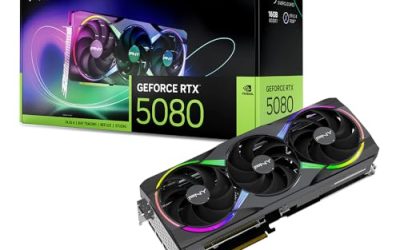
PNY GeForce RTX 5070 Ti OC Triple Fan
- Best for: 1440p high-refresh gaming with headroom for demanding titles.
- 16GB GDDR7 memory
- 256-bit memory bus
- 2572 MHz boost speed
- PCIe 5.0 interface
1440p high-refresh gaming with headroom for demanding titles.
The cooler occupies nearly three slots, so verify your case has the depth and an unobstructed slot layout before buying, and check that your power supply meets the card maker’s recommendation for this tier.
This is the sweet spot for a 1440p high-refresh monitor. The RTX 5070 Ti pairs 16GB of GDDR7 with a 256-bit bus, matching the memory configuration of the card above it while sitting a tier lower in raw output. PNY’s triple-fan cooler spreads across 2.98 slots, and the stated 2572 MHz boost speed reflects its factory overclock. Blackwell architecture and DLSS 4 support round out a card aimed at players who want high settings and high frame rates at the same time.
Watch out for: The cooler occupies nearly three slots, so verify your case has the depth and an unobstructed slot layout before buying, and check that your power supply meets the card maker’s recommendation for this tier.
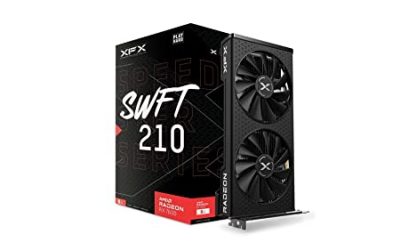
MSI GeForce RTX 5070 12G VENTUS 2X OC
- Best for: Mainstream 1440p gaming and multi-monitor setups in mid-size cases.
- 12GB GDDR7 memory at 28 Gbps
- 192-bit memory bus
- Extreme Performance 2557 MHz
- DisplayPort 2.1a x3 and HDMI 2.1b
Mainstream 1440p gaming and multi-monitor setups in mid-size cases.
Two codes circulate for this model name, so confirm a live featured offer for the exact ASIN printed below on the product page before ordering, and check the listing title matches the VENTUS 2X OC model exactly.
The Ventus 2X is the straightforward mainstream pick: a dual-fan RTX 5070 that fits where triple-fan cards cannot. Its 12GB of GDDR7 runs at 28 Gbps across a 192-bit bus, and MSI rates the card at an Extreme Performance speed of 2557 MHz. Output coverage is generous for the class, with three DisplayPort 2.1a connections and HDMI 2.1b, so multi-monitor desks are well served. It suits 1440p gaming at sensible settings and very fast 1080p play.
Watch out for: Two codes circulate for this model name, so confirm a live featured offer for the exact ASIN printed below on the product page before ordering, and check the listing title matches the VENTUS 2X OC model exactly.
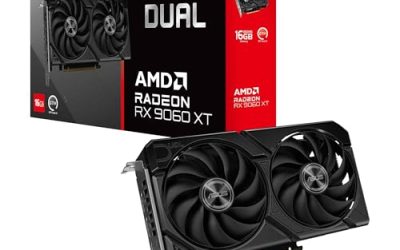
PNY GeForce RTX 5060 Ti OC Dual Fan (16GB)
- Best for: 1080p and lighter 1440p gaming in small or budget-conscious builds.
- 16GB GDDR7 memory
- 128-bit memory bus
- 2692 MHz boost speed
- SFF-Ready design
1080p and lighter 1440p gaming in small or budget-conscious builds.
Stock on this listing has been patchy, so confirm a live featured offer for the exact ASIN on the product page before ordering, and make sure the listing is the 16GB version rather than a smaller-memory variant.
The entry point to this range still brings 16GB of GDDR7, which matters for texture-heavy games that strain smaller memory pools. That capacity runs on a 128-bit bus, positioning the card for 1080p and lighter 1440p rather than maximum settings at high resolution. PNY keeps the hardware compact: a 2-slot dual-fan cooler in an SFF-Ready design, with a stated 2692 MHz boost speed, PCIe 5.0 and DLSS 4. It is the natural pick for a small build or a first Blackwell upgrade.
Watch out for: Stock on this listing has been patchy, so confirm a live featured offer for the exact ASIN on the product page before ordering, and make sure the listing is the 16GB version rather than a smaller-memory variant.
Which One Fits Your Situation
You game at 4K on a high-refresh monitor
Take the GIGABYTE RTX 5080 WINDFORCE SFF. It is the only card here with both the GPU tier and the 256-bit memory system to hold high settings at 4K without leaning on upscaling in every title, and its SFF-ready sizing means it does not force a case change on top of the card itself.
You play at 1440p and want frame rates to spare
The PNY RTX 5070 Ti OC is your card. Its 16GB of memory and 256-bit bus mirror the flagship’s configuration, so texture loads at 1440p stay comfortable, while the triple-fan cooler keeps the factory overclock fed with airflow. Leave the 5080 to the 4K crowd and put the difference toward a faster monitor.
Your case is compact and space is the hard limit
Start with the PNY RTX 5060 Ti, whose 2-slot dual-fan cooler and SFF-Ready design fit genuinely small enclosures. If your compact case has more depth and your budget stretches, the RTX 5080 WINDFORCE SFF delivers flagship output in a form factor designed for exactly this constraint. Measure first either way, because compact cases punish assumptions.
You run several monitors for work and play
Choose the MSI RTX 5070 VENTUS 2X OC. Three DisplayPort 2.1a outputs plus HDMI 2.1b give it the broadest display coverage in this group, so a multi-screen desk connects without adapters or compromises. Its dual-fan cooler also leaves neighbouring slots freer than the near-three-slot PNY 5070 Ti, which helps when other expansion cards share the board.
Common Mistakes
- Buying on the GPU name alone, then receiving a different board variant than intended because several listings share near-identical titles.
- Comparing VRAM figures without the bus width, and assuming a 16GB card on a narrow bus outperforms a 12GB card on a wider one at every resolution.
- Skipping the tape measure: triple-fan and near-three-slot coolers regularly collide with drive cages, front radiators and neighbouring expansion cards.
- Ordering a renewed or refurbished listing by accident when a brand-new board was the plan, because the two often sit one click apart.
- Forgetting the power supply, and discovering after delivery that the existing unit lacks the wattage headroom or connectors the new tier expects.
Frequently Asked Questions
Is 12GB of VRAM enough for 1440p gaming?
For most current titles at 1440p, yes. The RTX 5070’s 12GB of GDDR7 on a 192-bit bus handles high settings comfortably, and DLSS 4 extends that further. Games with extreme texture packs at maximum settings can push past it, which is where the 16GB cards above earn their place, but mainstream 1440p play is well within this card’s design.
Will a PCIe 5.0 card work in my older motherboard?
Yes. PCIe generations are backward compatible, so any card in this roundup runs in a PCIe 4.0 or 3.0 x16 slot. The bandwidth difference at these GPU tiers is small in practice, which means an older platform is rarely a reason to delay a graphics upgrade or to pick a lesser card than your monitor warrants.
What separates the RTX 5070 Ti from the RTX 5080?
They share the same 16GB GDDR7 memory on a 256-bit bus, so the gap is GPU output rather than memory. The RTX 5080 is the stronger card and the right choice for 4K, while the 5070 Ti delivers most of the experience at 1440p for less. Match the tier to your resolution instead of buying the flagship by default.
Why do the same graphics cards appear under multiple listings?
Board partners sell one GPU in many variants: different coolers, factory overclocks, colours and memory sizes, each with its own listing and stock. That is why this guide prints one exact ASIN per model. Before ordering, match the listing title and ASIN to the card named here so the board that arrives is the one reviewed.
FAQ
Is 12GB of VRAM enough for 1440p gaming?
Will a PCIe 5.0 card work in my older motherboard?
What separates the RTX 5070 Ti from the RTX 5080?
Why do the same graphics cards appear under multiple listings?
More from Amazon
Programs that pair well with the guide above. Offers and eligibility are set by Amazon and may change.
Free shipping on eligible items, Prime Video and more. Eligible new members can start with a free trial.
Start a Prime free trialAd-free music streaming. Eligible new subscribers can start with a free trial.
Try Music Unlimited freeA Prime membership for ages 18-24 with a trial period. Eligibility is set by Amazon.
See Prime for Young AdultsAudiobooks and podcasts to listen to on the go. Eligible new members can start with a free trial.
Try Audible freeAs an Amazon Associate we earn from qualifying purchases.