Our Short List of 3

- Best for: Mac users who want 5K sharpness from one cable
- 27-inch IPS panel with 5120 x 2880 native resolution
- Brightness of 500 cd/m² and DCI-P3 99 percent color gamut
- Thunderbolt 3 port with up to 94W power delivery
- Built-in camera and speaker

- Best for: Color-checked design work at 27 inches
- 27-inch IPS panel with 3840 x 2160 resolution
- 100 percent sRGB and Rec.709 with 95 percent P3, Delta E of 3 or less
- Two Thunderbolt 3 ports with 65W power delivery
- Two HDMI 2.0 ports, one DisplayPort 1.4 port and a USB hub

- Best for: A larger 32-inch designer canvas
- 32-inch IPS panel with 3840 x 2160 resolution
- AQCOLOR with 100 percent sRGB and Rec.709 plus 95 percent P3
- Delta E of 3 or less with factory calibration and Pantone validation
- Thunderbolt 3 with USB-C charging up to 85W
All 5 Picks at a Glance
| Product | Specs | Action |
|---|---|---|
| LG UltraFine 5K 27MD5KL-B |
| Check price on Amazon |
| BenQ PD2725U |
| Check price on Amazon |
| BenQ PD3220U |
| Check price on Amazon |
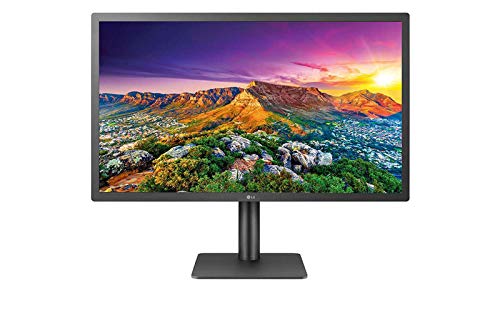 LG UltraFine 4K 24MD4KL-B |
| Check price on Amazon |
 LG 38WN95C-W |
| Check price on Amazon |
Key takeaways
- Compare the best Thunderbolt 3 monitors for single-cable desks, covering 4K and 5K picks, charging wattage, daisy chaining and color coverage.
The real decision with a Thunderbolt 3 monitor is whether one cable can honestly run your whole desk. A true Thunderbolt 3 display carries the picture, USB data and laptop charging over a single connection, while a plain USB-C screen may offer video and little else. Before anything else, check the charging wattage against your laptop, confirm the port is genuinely Thunderbolt 3 rather than USB-C with video only, and decide whether you need a second Thunderbolt port for daisy chaining another display.
This guide is for laptop-first desk setups, especially MacBook users and designers who want a cleaner cable run. The picks below come straight from Amazon listings: the LG UltraFine 5K 27MD5KL-B with 94W charging, the BenQ PD2725U and PD3220U designer panels with P3 color and KVM switching, the compact LG UltraFine 4K 24MD4KL-B with two Thunderbolt 3 ports, and the wide LG 38WN95C-W with a 144Hz Nano IPS panel.
Quick Picks
As an Amazon Associate we earn from qualifying purchases
| Product | Best for | Key spec from title |
|---|---|---|
| LG UltraFine 5K 27MD5KL-B | Mac users who want 5K sharpness | 5120 x 2880 IPS with Thunderbolt 3 and 94W power delivery |
| BenQ PD2725U | Color-checked design work at 27 inches | 4K IPS with 95 percent P3 and USB-C 65W |
| BenQ PD3220U | A larger 32-inch designer canvas | 4K IPS with 85W USB-C, daisy chain and KVM switch |
| LG UltraFine 4K 24MD4KL-B | Compact desks that still want 4K | 23.7-inch 4K IPS with two Thunderbolt 3 ports |
| LG 38WN95C-W | Ultrawide multitasking and play | 3840 x 1600 Nano IPS at 144Hz with Thunderbolt 3 |
How to Choose
Confirm the port is really Thunderbolt 3
Plenty of monitors wear a USB-C socket yet only accept a video signal, with slow data and weak charging behind it. A genuine Thunderbolt 3 port moves video, data and power together at up to 40 Gb/s, which is what makes the single-cable desk possible. Read the listing wording closely: the LG UltraFine models and both BenQ PD panels name Thunderbolt 3 outright, and the BenQ PD2725U lists two Thunderbolt 3 ports in the box. If a listing only says USB-C, treat the hub speeds and charging as unknown until the port type is stated.
Match the charging wattage to your laptop
Power delivery figures vary more than buyers expect, and an underpowered monitor leaves a big laptop draining slowly while it works. The LG UltraFine 5K tops this group at 94W, the BenQ PD3220U and the smaller LG UltraFine 4K deliver 85W, and the BenQ PD2725U delivers 65W, which suits slimmer notebooks better than power-hungry workstations. Compare the number in the listing title or specifications with the wattage printed on the charger that came with your laptop. If the monitor supplies less than your machine draws under load, keep the original charger nearby for heavy sessions.
Pick resolution and size for the work you do
Screen choice shapes everything downstream. The 27-inch LG UltraFine 5K pushes 5120 x 2880 pixels for razor-sharp text, while the 38-inch LG 38WN95C-W spreads 3840 x 1600 across a curved 21:9 panel that replaces a dual-monitor pair. Between them sit three 4K options: the 32-inch BenQ PD3220U for a roomy canvas, the 27-inch PD2725U as the middle ground, and the 23.7-inch LG UltraFine 4K for tight desks. Designers should also weigh color coverage, since the BenQ panels list 95 percent P3 with factory calibration, while general office work rarely needs it.
Check daisy chaining and the built-in hub
A second Thunderbolt port changes how a desk grows. The LG UltraFine 4K carries two Thunderbolt 3 ports, so a second 4K display can chain from the first, and both BenQ PD models list daisy chain support in their titles. Hub ports matter just as much: the PD2725U adds two HDMI 2.0 inputs, a DisplayPort 1.4 input and a USB hub, which helps mixed Mac and PC desks, while the LG UltraFine 5K keeps things simpler with three USB ports and a built-in camera and speakers. Count your peripherals before choosing, not after.
The 5 Best Options
LG UltraFine 5K 27MD5KL-B
- Best for: Mac users who want 5K sharpness from one cable
- 27-inch IPS panel with 5120 x 2880 native resolution
- Brightness of 500 cd/m² and DCI-P3 99 percent color gamut
- Thunderbolt 3 port with up to 94W power delivery
- Built-in camera and speaker
Mac users who want 5K sharpness from one cable
No HDMI or DisplayPort inputs, so non-Thunderbolt sources cannot connect directly
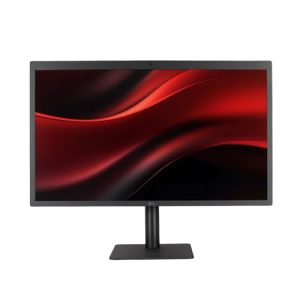
Mac owners who want the sharpest single-cable desk should start here. The 27-inch IPS panel runs a full 5120 x 2880 resolution at 500 cd/m² of brightness with a DCI-P3 99 percent color gamut, so text stays crisp and photo work holds its color. Its Thunderbolt 3 port delivers up to 94W, enough for larger MacBook Pro models, and the built-in camera and speakers remove two more desk accessories. There are no HDMI or DisplayPort inputs, so this is a Thunderbolt-first screen for Mac-centered setups rather than a shared family display.
BenQ PD2725U
- Best for: Color-checked design work at 27 inches
- 27-inch IPS panel with 3840 x 2160 resolution
- 100 percent sRGB and Rec.709 with 95 percent P3, Delta E of 3 or less
- Two Thunderbolt 3 ports with 65W power delivery
- Two HDMI 2.0 ports, one DisplayPort 1.4 port and a USB hub
Color-checked design work at 27 inches
65W charging can fall short for larger, power-hungry laptops under load
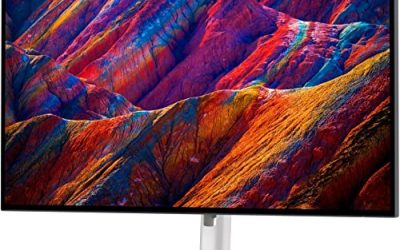
Designers working at 27 inches get a carefully specced package here. The 4K IPS panel covers 100 percent sRGB and Rec.709 plus 95 percent P3, ships with a calibration report, and carries Pantone Validated and Calman Verified status in the listing. Two Thunderbolt 3 ports support daisy chaining, the KVM switch and Hotkey Puck G2 simplify a two-computer desk, and the stand adjusts for height, tilt, swivel and pivot. Charging tops out at 65W, so it pairs best with lighter notebooks rather than the largest workstation laptops.
BenQ PD3220U
- Best for: A larger 32-inch designer canvas
- 32-inch IPS panel with 3840 x 2160 resolution
- AQCOLOR with 100 percent sRGB and Rec.709 plus 95 percent P3
- Delta E of 3 or less with factory calibration and Pantone validation
- Thunderbolt 3 with USB-C charging up to 85W
A larger 32-inch designer canvas
Built for design work, so high-refresh gaming features are absent
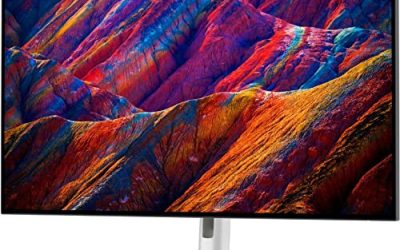
Anyone who finds 27 inches cramped should look at this 32-inch sibling in BenQ’s designer line. The listing pairs the 4K IPS panel with AQCOLOR technology, 100 percent sRGB and Rec.709 coverage, 95 percent P3, and a factory calibration with a Delta E of 3 or less. Thunderbolt 3 connectivity brings 85W of USB-C charging, daisy chain support for a second display, and a KVM switch for moving between machines, while the built-in USB hub keeps peripherals on the monitor instead of the laptop. It is a work-first panel, so gaming features stay off the spec sheet.
LG UltraFine 4K 24MD4KL-B
- Best for: Compact desks that still want 4K
- 23.7-inch IPS panel with 3840 x 2160 resolution
- Brightness of 500 cd/m² and P3 wide color gamut
- Two Thunderbolt 3 ports, input with 85W power delivery and one output
- Three downstream USB-C ports
Compact desks that still want 4K
No physical buttons, since brightness and volume run through macOS
Small desks rarely get a true Thunderbolt 3 option, and this 23.7-inch UltraFine fills that gap. The 4K IPS panel reaches 500 cd/m² with a P3 wide color gamut, and a single included Thunderbolt 3 cable supplies up to 85W of charging. Unusually for its size, it carries two Thunderbolt 3 ports, so a second 4K display can daisy chain from it, plus three downstream USB-C ports for accessories and built-in stereo speakers. Brightness and volume follow macOS controls rather than physical buttons, which suits Mac users and may frustrate everyone else.
LG 38WN95C-W
- Best for: Ultrawide multitasking and play
- 38-inch curved Nano IPS panel with 3840 x 1600 resolution
- 21:9 aspect ratio with a matte screen finish
- 144Hz refresh rate and 1ms response time
- Thunderbolt 3 connectivity with DisplayPort and headphone connections
Ultrawide multitasking and play
The wide curved footprint needs a deep desk and careful stand placement
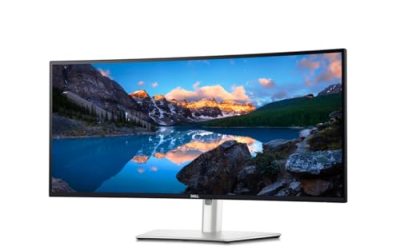
This curved 38-inch ultrawide is the pick for people replacing two monitors with one sweeping screen. The Nano IPS panel runs 3840 x 1600 at a 144Hz refresh rate with a 1ms response time, VESA DisplayHDR 600, and both G-SYNC compatibility and AMD FreeSync support, so it handles fast games alongside work. Thunderbolt 3 anchors the connection list alongside two HDMI ports, DisplayPort and two USB ports, and the stand adjusts for height, swivel and tilt. Built-in stereo speakers cover basic audio for calls and casual viewing.
Which One Fits Your Situation
You edit photos and video on a Mac laptop
Start with color coverage and charging, because both decide whether the monitor disappears into your workflow. The BenQ PD2725U and PD3220U list 95 percent P3 with factory calibration, while the LG UltraFine 5K reaches a DCI-P3 99 percent gamut with 94W charging for bigger MacBook Pro models. Pick the screen size you can grade on comfortably, then confirm the wattage covers your machine under render loads.
You want one wide screen instead of two monitors
A single ultrawide removes the bezel gap and the second stand from your desk. The LG 38WN95C-W stretches 3840 x 1600 across a curved 38-inch panel, leaving room for a timeline beside a preview window or two documents side by side. Its Thunderbolt 3 connection still runs the laptop over one cable, and the 144Hz refresh keeps scrolling and casual gaming smooth after work.
Your desk is small but you still want 4K
Compact desks usually force a choice between screen quality and space, and the LG UltraFine 4K avoids that trade. Its 23.7-inch panel keeps the 4K pixel count, the 85W Thunderbolt 3 charging clears the laptop brick off the desk, and the second Thunderbolt 3 port leaves room to chain another display later if the setup grows.
You split the desk between work and fast-paced games
Most Thunderbolt 3 monitors refresh at 60Hz, which is fine for documents and editing but plain in fast games. The LG 38WN95C-W is the exception in this group, with a 144Hz Nano IPS panel, 1ms response time and adaptive sync for both major GPU camps. It still docks a work laptop over Thunderbolt 3 during the day, so one screen covers both halves of the routine.
Common Mistakes
- Assuming every USB-C monitor is a Thunderbolt 3 monitor, then discovering the hub ports and charging are far weaker than expected.
- Ignoring the charging wattage and pairing a 65W monitor with a workstation laptop that drains its battery while plugged in.
- Buying a 5K or ultrawide panel before checking that the laptop’s Thunderbolt 3 port can drive that resolution at the full refresh rate.
- Forgetting that macOS supports daisy chaining over Thunderbolt while many Windows laptops handle a second chained display differently.
- Using a cheap long USB-C cable that is not rated for Thunderbolt 3 speeds, which can drop the link to slower data rates.
Frequently Asked Questions
Can a Thunderbolt 3 monitor work with a Thunderbolt 4 or 5 laptop?
Yes. Thunderbolt 4 and Thunderbolt 5 ports accept Thunderbolt 3 displays, and the monitor simply runs at Thunderbolt 3 speeds. The connection still carries video, data and charging over the one cable, so an older TB3 screen remains a sensible desk purchase even after a laptop upgrade.
Does one cable really charge the laptop and carry the picture?
That is the core promise of these monitors. A single Thunderbolt 3 cable moves the display signal, USB data for the monitor’s hub, and power back to the laptop at the wattage the listing states, whether that is 65W, 85W or 94W on the models in this guide.
Can I daisy chain two Thunderbolt 3 monitors from one laptop port?
On models with a second Thunderbolt port, yes. The LG UltraFine 4K lists two Thunderbolt 3 ports for chaining a second 4K display, and both BenQ PD monitors list daisy chain support. Your laptop and operating system still set the ceiling, so check the host limits before ordering a pair.
What cable do I need to get full Thunderbolt 3 speed?
Use a certified Thunderbolt 3 cable, ideally the one included with the monitor. Length matters: short passive cables carry the full 40 Gb/s rate, while longer passive cables often drop to half speed. A generic USB-C charging cable may pass power and a picture yet quietly limit data and chaining.
FAQ
Can a Thunderbolt 3 monitor work with a Thunderbolt 4 or 5 laptop?
Does one cable really charge the laptop and carry the picture?
Can I daisy chain two Thunderbolt 3 monitors from one laptop port?
What cable do I need to get full Thunderbolt 3 speed?
More from Amazon
Programs that pair well with the guide above. Offers and eligibility are set by Amazon and may change.
Free shipping on eligible items, Prime Video and more. Eligible new members can start with a free trial.
Start a Prime free trialAd-free music streaming. Eligible new subscribers can start with a free trial.
Try Music Unlimited freeA Prime membership for ages 18-24 with a trial period. Eligibility is set by Amazon.
See Prime for Young AdultsAudiobooks and podcasts to listen to on the go. Eligible new members can start with a free trial.
Try Audible freeAs an Amazon Associate we earn from qualifying purchases.