Our Short List of 3

- Best for: Laptop programmers who want smooth scrolling, one-cable docking, and a fully adjustable stand.

- Best for: Programmers with power-hungry laptops who want 96W USB-C charging and full DisplayPort connectivity.

- Best for: Developers who keep many windows open and want a big 32-inch canvas with a built-in KVM switch.
All 4 Picks at a Glance
| Product | Specs | Action |
|---|---|---|
| 1. Dell 27 Plus 4K USB-C Monitor S2725QC — Best Overall for Coding |
| Check price on Amazon |
| 2. LG UltraFine 27UP850-W — Best USB-C Charging for Coding Laptops |
| Check price on Amazon |
| 3. Samsung ViewFinity S8 S80D 32-Inch — Best Large 4K Monitor for Multi-Window Coding |
| Check price on Amazon |
 4. ASUS ProArt Display PA279CRV — Best Color Accuracy for Coding and Design |
| Check price on Amazon |
Our Top Picks
The best 4K monitors for coding turn long programming sessions into something far easier on the eyes. A 3840 x 2160 panel packs four times the pixels of a 1080p display, so code stays crisp at small font sizes, and you can keep an editor, a terminal, a browser, and documentation open side by side without constant window juggling. If you write code for a living, or you are learning to program and spend hours staring at text, the right 4K display is one of the most practical upgrades you can make to your desk.
Coding places unusual demands on a monitor. Games reward high refresh rates and fast response times, while video editing rewards wide color gamuts. Programmers mostly need razor-sharp text, a comfortable viewing distance, enough screen space for multiple panes, and a stand that lets the panel sit exactly where your neck wants it. A monitor that nails those basics will serve you better than a flashy gaming display with features you will never use.
This guide explains what to look for in a 4K coding monitor, then reviews four strong options: a smooth 120 Hz Dell for laptop users, a proven LG with powerful USB-C charging, a large 32-inch Samsung for multi-window work, and a color-accurate ASUS for developers who also do design work. Every pick below is a 4K IPS monitor sold on Amazon, and each one suits a different kind of coding setup.
How to Choose a 4K Monitor for Coding
Resolution and Pixel Density
A 4K panel at 27 inches delivers about 163 pixels per inch, which makes text look noticeably sharper than the same resolution stretched across a larger screen or a 1440p panel of the same size. Small fonts stay readable, anti-aliasing artifacts fade away, and long lines of code keep clean edges. At 32 inches, the same 3840 x 2160 resolution drops to roughly 140 pixels per inch, which is still sharp, but the bigger win is raw screen space: you can run your editor at a comfortable scale and still fit a second window beside it.
For most programmers, 27 inches is the sweet spot. It fits a normal desk, keeps the whole screen inside your field of view, and pairs well with standard scaling settings in Windows and macOS. Choose 32 inches if you regularly work with three or more panes at once, or if you sit further back from your desk.
Panel Type
IPS panels are the standard choice for coding. They offer wide viewing angles, so text does not shift in contrast when you lean to one side, and they reproduce colors accurately enough for documentation, UI work, and the occasional design task. VA panels can show deeper blacks, but their narrower viewing angles and slower pixel response can make text look slightly smeared when you scroll quickly through a long file. TN panels are fast but have poor viewing angles, and they rarely make sense for a text-heavy workload.
Text Clarity and Eye Comfort
Look for a matte anti-glare coating, which cuts reflections from windows and overhead lights without dulling the image. Flicker-free backlighting and a low blue light mode also matter when you code late into the evening. Some monitors carry eye-comfort certifications from independent labs; these are worth a glance, but the most important test is simple: at your normal viewing distance, can you read 10-point code for an hour without strain? A 4K IPS panel with good factory calibration usually passes that test easily.
USB-C and Connectivity
If you code on a laptop, a USB-C port with power delivery changes your whole desk setup. One cable carries the video signal, charges the laptop, and connects the monitor’s USB hub, so you can plug a keyboard, mouse, and headset into the monitor and dock everything by plugging in a single cable. Check the wattage: 65W covers most ultrabooks and 13-inch laptops, while 90W or more is better for 14-inch and 16-inch machines that draw more power under load.
Desktop programmers should make sure the monitor has at least one DisplayPort input and an HDMI port. DisplayPort is the most reliable path to full 4K at 60 Hz or higher from a desktop graphics card, and a second HDMI port lets you hook up a work laptop or a test machine without swapping cables.
Ergonomics
A coding monitor should adjust to you, not the other way around. Height adjustment lets you set the top of the screen at or slightly below eye level, which keeps your neck neutral. Pivot rotation is genuinely useful for programmers: turning a 27-inch 4K panel into portrait mode gives you a tall column that shows far more lines of code at once, which is ideal for reading long functions or reviewing diffs. Tilt and swivel round out the basics, and a standard VESA mount means you can move to a monitor arm later if you want to reclaim desk space.
Refresh Rate
You do not need a 144 Hz or 240 Hz panel for coding, but a 120 Hz refresh rate does make scrolling through long files feel smoother, and mouse movement looks more fluid. It is a nice bonus rather than a requirement. A solid 60 Hz panel is perfectly fine for programming, and it usually costs less. Do not pay a large premium for refresh rate alone; spend that money on panel quality, USB-C power, or a better stand instead.
Top Picks: Best 4K Monitors for Coding
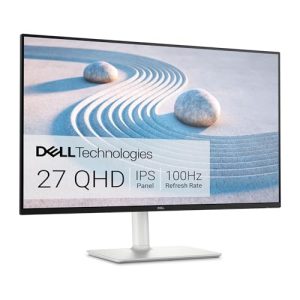
1. Dell 27 Plus 4K USB-C Monitor S2725QC — Best Overall for Coding
- Best for: Laptop programmers who want smooth scrolling, one-cable docking, and a fully adjustable stand.
Laptop programmers who want smooth scrolling, one-cable docking, and a fully adjustable stand.
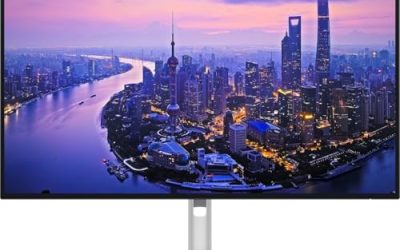
The Dell S2725QC is the most well-rounded 4K coding monitor in this roundup. Its 27-inch IPS panel runs at 3840 x 2160 with a 120 Hz refresh rate, so scrolling through a long source file feels noticeably smoother than on a standard 60 Hz display. The 99 percent sRGB coverage keeps colors accurate for documentation and light UI work, and the 1500:1 contrast ratio gives code good separation from its background, even in a bright room.
For laptop programmers, the single USB-C port is the star feature. It carries video and charges your laptop at up to 65W, so one cable docks your machine, powers it, and connects any peripherals plugged into the monitor’s USB ports. The stand adjusts for height, tilt, swivel, and pivot, which means portrait mode for long code files is one rotation away. Built-in speakers are a handy bonus for video calls and tutorials, and AMD FreeSync Premium keeps motion smooth if you unwind with a game after work.
The main limitation is connectivity for desktop users: the S2725QC has two HDMI 2.1 ports but no DisplayPort input, so a desktop PC connects over HDMI. That is fine for coding at 4K and 120 Hz over modern HDMI, but it is worth knowing before you buy. Dell also backs the monitor with its ComfortView Plus low blue light technology, which helps during late-night sessions.
Check the Dell S2725QC on Amazon
2. LG UltraFine 27UP850-W — Best USB-C Charging for Coding Laptops
- Best for: Programmers with power-hungry laptops who want 96W USB-C charging and full DisplayPort connectivity.
Programmers with power-hungry laptops who want 96W USB-C charging and full DisplayPort connectivity.
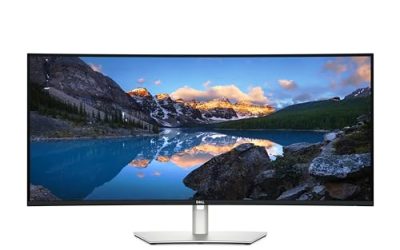
The LG 27UP850-W has been a favorite productivity monitor for years, and it remains an excellent coding display. Its 27-inch 4K IPS panel covers 95 percent of the DCI-P3 color gamut with VESA DisplayHDR 400 certification, so text is sharp and colors are vivid and accurate. The three-sided virtually borderless design keeps the focus on your code, and the matte screen handles bright rooms well.
Where the LG pulls ahead of most rivals is USB-C power delivery: up to 96W, which is enough to charge demanding 14-inch and 16-inch laptops while driving the display over the same cable. That makes it a strong choice if your work laptop has a large battery or a power-hungry processor. The stand offers height, tilt, and pivot adjustment, so portrait coding is available here too, and the monitor includes DisplayPort and two HDMI ports alongside USB-C, giving desktop users every input they could need.
Built-in 5W stereo speakers with MaxxAudio handle video calls and background music without desk speakers. AMD FreeSync support and a 5 ms response time round out a panel that is equally happy with code by day and media in the evening.
Check the LG 27UP850-W on Amazon
3. Samsung ViewFinity S8 S80D 32-Inch — Best Large 4K Monitor for Multi-Window Coding
- Best for: Developers who keep many windows open and want a big 32-inch canvas with a built-in KVM switch.
Developers who keep many windows open and want a big 32-inch canvas with a built-in KVM switch.
If your workflow involves an editor, a terminal, a browser, and a chat window all at once, the 32-inch Samsung ViewFinity S8 gives you the room to keep them visible. The 4K IPS panel delivers 3840 x 2160 resolution with HDR10 support and 99 percent sRGB coverage, so text stays crisp across a much larger canvas than a 27-inch display. The extra size means you can run two full-width code windows side by side without shrinking fonts to unreadable sizes.
The S80D is built for productivity. It includes a built-in KVM switch, which lets you control two computers with one keyboard and mouse — a genuinely useful feature if you switch between a work laptop and a personal desktop, or between a development machine and a test rig. Picture-in-picture and picture-by-picture modes let you view two sources on one screen, and the ergonomic stand adjusts for height, tilt, swivel, and pivot.
Connectivity is generous: HDMI, DisplayPort, USB-C, and multiple USB-A ports cover laptops, desktops, and peripherals in one hub. Intelligent Eye Care features reduce flicker and blue light for long sessions. The 60 Hz refresh rate is standard for a productivity panel and perfectly adequate for coding, though it will not feel as silky as the 120 Hz Dell when scrolling.
Check the Samsung ViewFinity S8 S80D on Amazon
4. ASUS ProArt Display PA279CRV — Best Color Accuracy for Coding and Design
- Best for: Developers and front-end engineers who need accurate color for design work alongside sharp code.
Developers and front-end engineers who need accurate color for design work alongside sharp code.
The ASUS ProArt PA279CRV is the pick for developers whose work crosses into design, front-end UI, or photo work. Its 27-inch 4K IPS panel covers 99 percent of DCI-P3 and 99 percent of Adobe RGB, with factory calibration to a Delta E under 2 and Calman verification. In plain terms, the colors you see on screen are the colors your users will see, which matters when you are styling interfaces or reviewing design mockups next to your code.
For coding, the panel is just as strong: 4K resolution at 27 inches gives the same sharp 163 pixels per inch as the other 27-inch picks, and the matte coating keeps glare down. USB-C with 96W power delivery docks a laptop over one cable, and the DisplayPort output supports daisy-chaining a second monitor — a clean way to build a dual-display coding setup from a single connection. DisplayPort and HDMI inputs cover desktop machines as well.
The ergonomic stand adjusts for height, tilt, swivel, and pivot, and the monitor carries VESA DisplayHDR 400 certification. The 60 Hz refresh rate is the only real trade-off against the Dell, but for code and design work it is not a limitation in practice. ASUS includes a three-year warranty, which is longer than most monitors in this class.
Check the ASUS ProArt PA279CRV on Amazon
Comparison Table
| Monitor | Size | Refresh Rate | USB-C Power | Key Strength |
|---|---|---|---|---|
| Dell S2725QC | 27-inch | 120 Hz | 65W | Smoothest scrolling, one-cable docking |
| LG 27UP850-W | 27-inch | 60 Hz | 96W | Strongest laptop charging, wide color gamut |
| Samsung ViewFinity S8 S80D | 32-inch | 60 Hz | USB-C | Largest screen, built-in KVM switch |
| ASUS ProArt PA279CRV | 27-inch | 60 Hz | 96W | Best color accuracy, daisy-chain support |
How to Set Up a 4K Monitor for Coding
Getting the hardware right is only half the job. A few setup choices make a big difference to daily comfort. First, set your operating system scaling to a level that keeps code readable without wasting the extra pixels: 150 percent scaling on Windows or the default HiDPI setting on macOS usually hits the balance on a 27-inch 4K panel, while 32-inch owners can often drop to 125 percent. Second, pick a coding font designed for screens, such as JetBrains Mono, Cascadia Code, or Fira Code, and enable ligatures if your editor supports them; at 4K densities these fonts render beautifully. Third, use a dark theme with a comfortable contrast level rather than pure black on pure white, which can cause eye fatigue over long sessions. Finally, position the monitor so the top of the screen sits at or just below eye level, about an arm’s length away, and take a short break every hour to look at something distant.
FAQ
Is a 4K monitor worth it for coding?
Yes, for most programmers. The extra pixel density makes small text sharper and lets you fit more code on screen at a readable size. A 27-inch 4K panel shows roughly twice the usable workspace of a 27-inch 1080p display, and the improvement in text clarity is visible the moment you open your editor.
Is 27 inches or 32 inches better for programming?
27 inches suits most desks and keeps the whole screen within easy view, which reduces head movement. 32 inches is better if you regularly run three or more windows side by side, or if you prefer larger text without giving up screen space. Both sizes work well at 4K resolution.
Do I need a high refresh rate for coding?
No. A 60 Hz panel is fine for writing and reading code. A 120 Hz panel makes scrolling and cursor movement feel smoother, which is pleasant but not essential. Spend your budget on panel quality, USB-C charging, and ergonomics first.
Is USB-C important on a coding monitor?
It is very important if you code on a laptop. A USB-C port with power delivery lets one cable handle video, charging, and peripherals, which keeps your desk clean and makes docking instant. Check the wattage against your laptop’s charger: 65W covers most ultrabooks, while 90W or more suits larger laptops.
Can I use a 4K monitor in portrait mode for coding?
Yes, and many programmers love it. A 27-inch 4K panel rotated to portrait shows far more lines of code at once, which is excellent for reading long files and reviewing diffs. Make sure the stand supports pivot rotation, or use a VESA monitor arm.
Conclusion
The best 4K monitors for coding share the same strengths: sharp IPS panels, comfortable text rendering, flexible stands, and connectivity that fits a laptop or desktop workflow. The Dell S2725QC is the best all-rounder, with smooth 120 Hz scrolling and one-cable USB-C docking. The LG 27UP850-W is the pick for power-hungry laptops thanks to 96W charging. The 32-inch Samsung ViewFinity S8 S80D gives multi-window developers the most room to work, and the ASUS ProArt PA279CRV adds color accuracy that front-end developers and designers will appreciate.
Whichever you choose, pair it with sensible scaling, a good coding font, and an ergonomic setup, and your 4K monitor will pay for itself in comfort and focus over thousands of hours at the keyboard. Check the live listing before buying to confirm availability and the current seller, and pick the size and connectivity that match the way you actually work.
Disclosure: As an Amazon Associate, we earn from qualifying purchases.
FAQ
Is a 4K monitor worth it for coding?
Is 27 inches or 32 inches better for programming?
Do I need a high refresh rate for coding?
Is USB-C important on a coding monitor?
Can I use a 4K monitor in portrait mode for coding?
More from Amazon
Programs that pair well with the guide above. Offers and eligibility are set by Amazon and may change.
Free shipping on eligible items, Prime Video and more. Eligible new members can start with a free trial.
Start a Prime free trialAd-free music streaming. Eligible new subscribers can start with a free trial.
Try Music Unlimited freeA Prime membership for ages 18-24 with a trial period. Eligibility is set by Amazon.
See Prime for Young AdultsAudiobooks and podcasts to listen to on the go. Eligible new members can start with a free trial.
Try Audible freeAs an Amazon Associate we earn from qualifying purchases.