Our Short List of 3

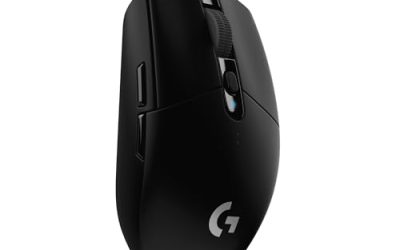
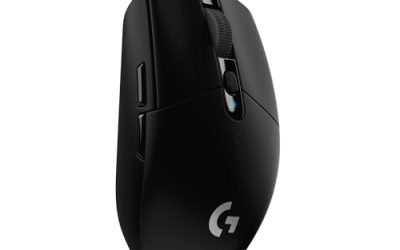
- Best for: Long clicking sessions and players who want a light, simple wireless mouse.
- BAMF 2.0 optical sensor, up to 26,000 DPI
- 68 g
- 6 buttons
- 2.4 GHz wireless plus Bluetooth

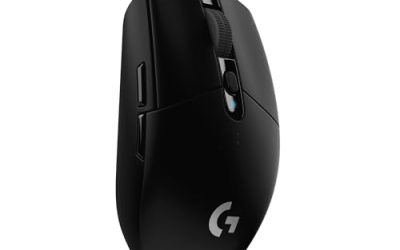
- Best for: Palm-grip players who duel for hours and want ergonomic comfort.
- Focus Pro 30K optical sensor
- 63 g
- Gen-3 optical switches
- 5 programmable buttons per the Amazon.com listing (the amazon.ca listing says 8)

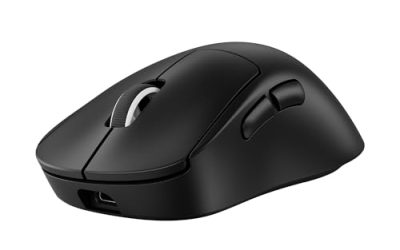
- Best for: Players who bind many keys and want the longest battery life here.
- HERO 25K sensor
- LIGHTFORCE hybrid optical-mechanical switches
- 13 buttons
- Battery: up to 140 hours
All 4 Picks at a Glance
| Product | Specs | Action |
|---|---|---|
| Glorious Model O 2 Wireless |
| Check price on Amazon |
| Razer DeathAdder V3 Pro |
| Check price on Amazon |
| Logitech G502 X Lightspeed |
| Check price on Amazon |
 HyperX Pulsefire Haste 2 Wireless |
| Check price on Amazon |
Key takeaways
- Find the best gaming mouse for Minecraft PvP: five fast, light wireless mice with optical switches, sensors and reliable clicks for every clicking style.
Choosing a mouse for Minecraft PvP is a decision about clicks, not raw sensor numbers. Fights are won by fast, repeatable clicking — jitter, butterfly and drag styles — plus a mouse light enough to flick and reset quickly. A heavy mouse with a high DPI number will not help if its switches feel mushy or its clicks wear out after a few months of bridge fights and combos. The choice comes down to switch feel, weight, shape and a connection that never stutters in a fight.
This guide is for BedWars and SkyWars players who click fast, duel players who need a dependable main mouse, and builders who want light, quick flicks without wrist strain. Every mouse below was picked from its Amazon listing title and specs: optical or hybrid switches, a proven sensor, and a wireless connection that holds up in fights. Battery and button counts come from the listing itself, and conflicts are flagged where listings disagree.
Quick Picks
As an Amazon Associate we earn from qualifying purchases
| Product | Best for | Key spec from title |
|---|---|---|
| Glorious Model O 2 Wireless | Long clicking sessions | BAMF 2.0 sensor, 26,000 DPI, 68 g |
| Razer DeathAdder V3 Pro | Comfortable long duels | Focus Pro 30K sensor, 63 g |
| Logitech G502 X Lightspeed | Button-heavy play | HERO 25K sensor, 13 buttons, 140 hr battery |
| HyperX Pulsefire Haste 2 Wireless | Fast flicks on a budget | HyperX 26K sensor, 61 g, 100 hr battery |
| Razer Viper V3 Pro | Top-tier tracking | Focus Pro 35K sensor, 54 g, 8,000 Hz polling |
How to Choose
Pick switches built for fast, repeated clicks
In Minecraft PvP, your left click does more work than in almost any other game. Jitter clicking, butterfly clicking and drag clicking all punish switches that feel mushy or wear out quickly, so look for optical or hybrid optical-mechanical switches. Optical switches register clicks with a light beam instead of a metal contact, which removes debounce delay and keeps each click consistent after thousands of presses. Mechanical switches can feel good too, but check the click rating and the feel players describe. A mouse that double-clicks by accident will cost you fights, while one that needs too much force will tire your finger in long sessions.
Match weight and shape to your hand
Weight matters more in Minecraft than in slower games because you flick constantly to track opponents and reset your aim. Mice under 65 g feel effortless during long bridge fights, while mice above 100 g give more control for players who rest their whole hand on the mouse. Shape matters just as much: a tall ergonomic shell suits palm grips and long sessions, while a low symmetrical shell suits claw and fingertip grips. Measure your hand if you can, and compare the length and width figures in the listing. A mouse that is too small will cramp your fingers, and one that is too large will slow your flicks.
Check polling rate and wireless stability
Polling rate decides how often your mouse reports its position to the computer. A 1,000 Hz rate is enough for most players and is the standard across this guide, while 8,000 Hz models like the Viper V3 Pro report eight times as often and can feel smoother in fast fights. Higher polling also drains the battery faster, so treat the headline battery figure as a 1,000 Hz number unless the listing says otherwise. Wireless matters too: a stable 2.4 GHz connection with a receiver close to the mouse is the safest choice, and Bluetooth is best kept for casual play or travel rather than ranked fights.
Look at battery life and extras honestly
Battery figures on listings are measured in ideal conditions, so read them as a guide rather than a promise. A mouse rated at 140 hours will last a long time between charges, but running it at 8,000 Hz polling or with bright RGB lighting will cut that figure sharply. Check whether the mouse charges over USB-C and whether it works while plugged in, since that decides whether a dead battery ends your session. Extras like grip tape, PTFE skates and onboard memory are worth having, but they should never decide the purchase ahead of switches, weight and shape.
The 5 Best Options
Glorious Model O 2 Wireless
- Best for: Long clicking sessions and players who want a light, simple wireless mouse.
- BAMF 2.0 optical sensor, up to 26,000 DPI
- 68 g
- 6 buttons
- 2.4 GHz wireless plus Bluetooth
Long clicking sessions and players who want a light, simple wireless mouse.
The listing says up to 210 hours of battery while some retailer graphics say 110 hours, so check the live listing and confirm availability before buying.
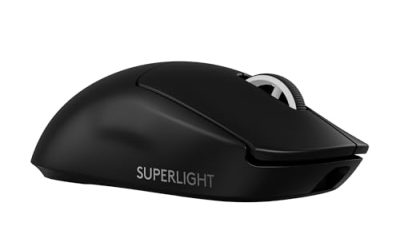
The Model O 2 Wireless has become a common sight in Minecraft PvP because it covers the basics well: it is light at 68 g, its BAMF 2.0 sensor tracks cleanly at up to 26,000 DPI, and its six-button layout keeps things simple when your left hand is busy on the keyboard. Players who favour drag clicking and jitter clicking often pick this shape, and the light frame keeps the weight down without making the mouse feel flimsy. Dual wireless with Bluetooth also makes it easy to swap between a desktop and a laptop.
Watch out for: The listing says up to 210 hours of battery while some retailer graphics say 110 hours, so check the live listing and confirm availability before buying.
Razer DeathAdder V3 Pro
- Best for: Palm-grip players who duel for hours and want ergonomic comfort.
- Focus Pro 30K optical sensor
- 63 g
- Gen-3 optical switches
- 5 programmable buttons per the Amazon.com listing (the amazon.ca listing says 8)
Palm-grip players who duel for hours and want ergonomic comfort.
The Amazon.com listing says 5 programmable buttons while the amazon.ca listing says 8, and 8,000 Hz polling needs a dongle sold separately — check the live listing and confirm availability before buying.
The DeathAdder V3 Pro suits players who spend hours in duels and want a shape that fills the palm. At 63 g it is one of the lightest ergonomic mice here, and its Focus Pro 30K sensor pairs with Gen-3 optical switches that register clicks with no debounce delay. The right-handed shape gives the ring and pinky fingers a natural resting place, which helps during long sessions. Its 90-hour battery is modest next to some rivals, so players who forget to charge will notice it sooner. Still, for comfort-first duelling, it is hard to beat.
Watch out for: The Amazon.com listing says 5 programmable buttons while the amazon.ca listing says 8, and 8,000 Hz polling needs a dongle sold separately — check the live listing and confirm availability before buying.
Logitech G502 X Lightspeed
- Best for: Players who bind many keys and want the longest battery life here.
- HERO 25K sensor
- LIGHTFORCE hybrid optical-mechanical switches
- 13 buttons
- Battery: up to 140 hours
Players who bind many keys and want the longest battery life here.
At 102 g it is the heaviest mouse here, and it runs at 1,000 Hz only — check the live listing and confirm availability before buying.
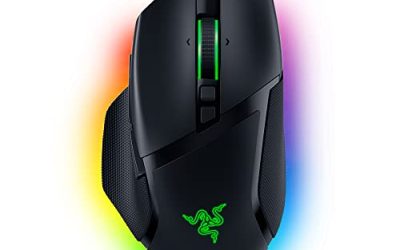
The G502 X Lightspeed is the pick for players who want buttons. Thirteen programmable controls let you bind blocks, potions, macros and perspective changes without reaching across the keyboard, and the LIGHTFORCE hybrid switches combine a mechanical feel with optical speed. Its HERO 25K sensor is proven across years of competitive play, and the 140-hour battery is the longest in this group. At 102 g it is the heaviest mouse here, so pure flick players may find it slow. For players who value control over raw lightness, though, it earns its place.
Watch out for: At 102 g it is the heaviest mouse here, and it runs at 1,000 Hz only — check the live listing and confirm availability before buying.
HyperX Pulsefire Haste 2 Wireless
- Best for: Players who want a light, fast mouse at a lower cost than the flagships.
- HyperX 26K sensor, 26,000 DPI, 650 IPS
- 61 g
- 6 buttons
- Dual wireless: 2.4 GHz plus Bluetooth
Players who want a light, fast mouse at a lower cost than the flagships.
The 8,000 Hz figure belongs to the wired Haste 2, not this wireless model — check the live listing and confirm availability before buying.
The Pulsefire Haste 2 Wireless is a strong value pick for players who want a light, fast mouse without paying flagship money. At 61 g it is nearly as light as the best in this group, and its HyperX 26K sensor tracks at 26,000 DPI with a 650 IPS rating. Dual wireless covers both 2.4 GHz and Bluetooth, and the box includes grip tape and PTFE skates for players who want extra control. Battery life is rated at 100 hours, which is enough for a full week of heavy play. Its six-button layout is simple, so players who need many binds should look elsewhere.
Watch out for: The 8,000 Hz figure belongs to the wired Haste 2, not this wireless model — check the live listing and confirm availability before buying.
Razer Viper V3 Pro
The Viper V3 Pro is the most advanced mouse in this guide, built for players who want every technical edge. Its Focus Pro 35K sensor and 8,000 Hz polling rate give it the fastest response here, and at 54 g it is the lightest mouse in the group. Gen-3 optical switches keep clicks crisp through long sessions, and the symmetrical shape suits claw and fingertip grips. Battery life is rated at 95 hours at 1,000 Hz, and high polling rates will shorten that, so competitive players should keep the cable handy. For pure performance, nothing else here matches it.
Specs
- Focus Pro 35K Optical Sensor Gen-2, 35,000 DPI
- 54 g
- Gen-3 optical switches
- 8 programmable controls
- Up to 8,000 Hz polling
- Battery: up to 95 hours at 1,000 Hz
Best for: Competitive players who want the fastest sensor and polling rate in this guide.
Watch out for: A second black ASIN exists for this model, so make sure you order B0CW25XR5R, and check the live listing and confirm availability before buying.
Which One Fits Your Situation
You play BedWars and click for long stretches
Pick the Model O 2 Wireless. Its 68 g weight keeps your hand fresh through long games, and its simple six-button layout leaves nothing to fumble with in a fight. The long battery life means you can play for days without charging, and its shape is a safe fit for most grip styles. Players who drag click will find it widely used by the Minecraft community for that style.
You duel in arenas and need a steady, ergonomic grip
Pick the DeathAdder V3 Pro. Its right-handed ergonomic shape fills the palm and stays comfortable through long duel sessions, while the 63 g weight keeps flicks quick. Gen-3 optical switches register clicks without debounce delay, which helps when every hit counts. Just remember the 90-hour battery is the shortest here, so charge it between sessions.
You want one mouse for Minecraft and other games
Pick the G502 X Lightspeed. Thirteen buttons cover blocks, potions and macros in Minecraft, then carry over to shooters and strategy games without rebinding everything. The HERO 25K sensor is proven in competitive play, and the 140-hour battery is the longest in this guide. Its 102 g weight is the trade-off, so players who prize lightness above all should choose a lighter mouse instead.
You are building a light setup on a smaller budget
Pick the Pulsefire Haste 2 Wireless. At 61 g it is nearly as light as the flagships, and the box includes grip tape and PTFE skates that cost extra with other mice. Its 26,000 DPI sensor and 100-hour battery cover everything Minecraft PvP needs. The six-button layout is simple, so players who need many binds should step up to the G502 X instead.
Common Mistakes
- Buying on DPI alone: a 35,000 DPI sensor will not win fights if the switches feel bad or the shape cramps your hand. Test the click feel and weight first.
- Trusting a CPS number from a review: click-per-second figures are user-reported, not maker specs, and they change with technique. No listing in this guide promises a CPS figure.
- Ignoring polling rate: a mouse rated at 8,000 Hz needs the right setup, and the DeathAdder V3 Pro and G502 X run at 1,000 Hz unless you buy a separate dongle. Check the listing before you assume.
- Forgetting battery at high polling: running a mouse at 8,000 Hz drains the battery far faster than the headline figure, which is measured at 1,000 Hz. Keep the charging cable nearby.
- Picking the heaviest mouse for flick-heavy play: the G502 X is excellent for binds, but at 102 g it will slow your flicks next to a 54 g mouse like the Viper V3 Pro.
Frequently Asked Questions
Can you drag click with any of these mice?
Drag clicking depends on your technique and the switch surface, and no maker in this guide advertises drag clicking for these models. The Model O 2 Wireless is widely used by Minecraft players for clicking styles, but that is community experience, not a listing claim. If drag clicking is your main style, look for mice whose switches players describe as easy to drag, and test the technique before you commit.
Does a higher DPI make you better at Minecraft PvP?
No. Most Minecraft PvP players use 400 to 1,600 DPI, and a 35,000 DPI sensor will not improve your aim. What matters is a sensor that tracks cleanly without smoothing or acceleration, plus switches and a shape that fit your hand. Spend your attention on weight, grip and click feel instead of chasing the biggest DPI number on the box.
Is wireless fast enough for competitive Minecraft PvP?
Yes. Modern 2.4 GHz wireless adds no delay you can feel in a fight, and every mouse in this guide uses a dedicated wireless connection rather than Bluetooth alone. Keep the receiver close to the mouse, charge the battery before ranked sessions, and use Bluetooth only for travel or casual play. A wired connection is still the safest backup when the battery runs low.
How long do the switches on these mice last?
Optical switches in this guide are built to outlast standard mechanical switches because they have no metal contact to wear down, and makers rate them for tens of millions of clicks. Real life depends on how hard you click and which clicking style you use. Drag clicking and butterfly clicking wear switches faster than normal clicking, so treat any click rating as a rough guide, not a guarantee.
FAQ
Can you drag click with any of these mice?
Does a higher DPI make you better at Minecraft PvP?
Is wireless fast enough for competitive Minecraft PvP?
How long do the switches on these mice last?
More from Amazon
Programs that pair well with the guide above. Offers and eligibility are set by Amazon and may change.
Free shipping on eligible items, Prime Video and more. Eligible new members can start with a free trial.
Start a Prime free trialAd-free music streaming. Eligible new subscribers can start with a free trial.
Try Music Unlimited freeA Prime membership for ages 18-24 with a trial period. Eligibility is set by Amazon.
See Prime for Young AdultsAudiobooks and podcasts to listen to on the go. Eligible new members can start with a free trial.
Try Audible freeAs an Amazon Associate we earn from qualifying purchases.